Business Intelligence
AI Data Analytics Tools You Should Know
Compare Querio, Tableau (Einstein Discovery), and Power BI (AI Insights) — features, security, pricing, and integrations to choose the right AI analytics tool.

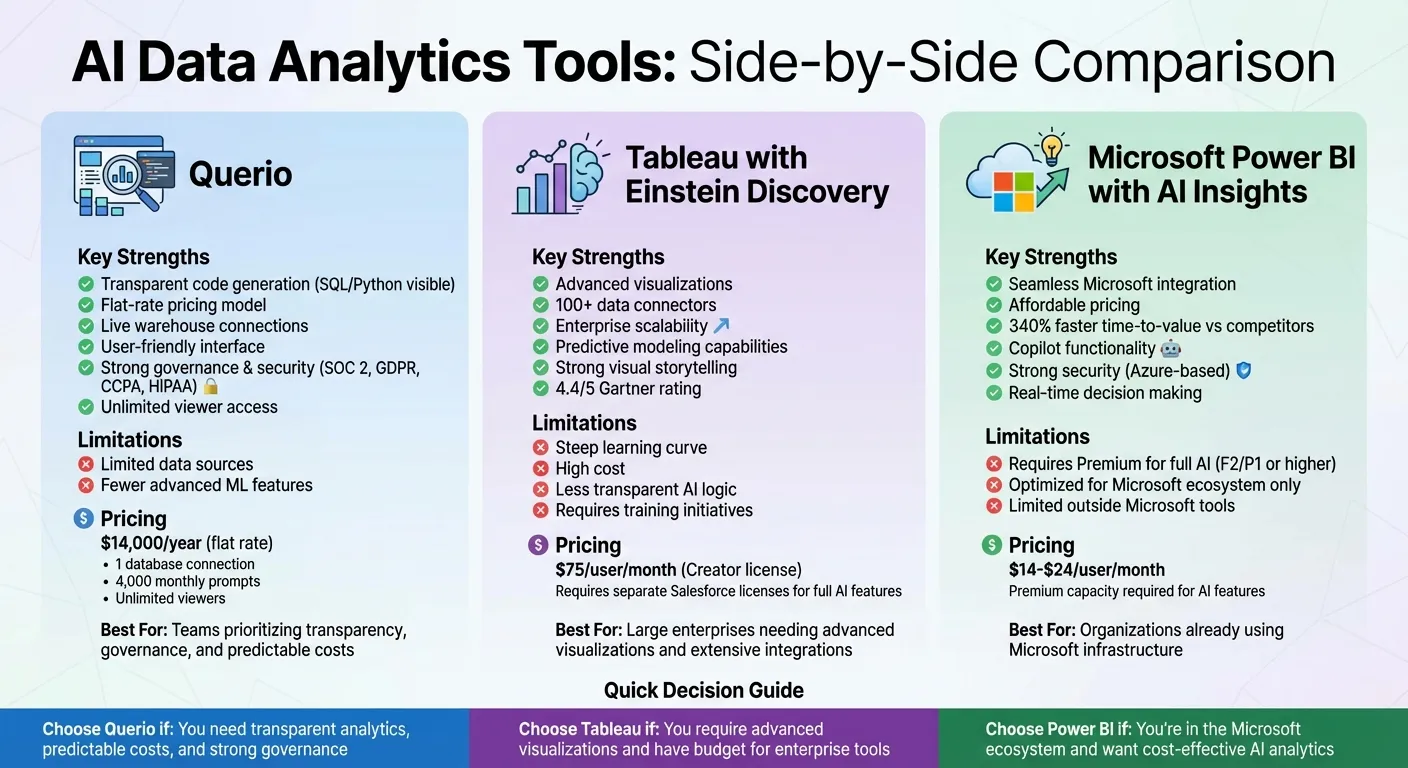
AI-powered data analytics tools are changing how businesses work with data. Instead of relying on technical skills like SQL for BI and analytics or Python, these tools let users ask questions in plain English and get answers instantly. They handle tasks such as processing raw data, creating predictive insights, and generating visualizations automatically. This article compares three popular platforms - Querio, Tableau with Einstein Discovery, and Microsoft Power BI with AI Insights - to help you choose the best option for your needs.
Key Takeaways:
- Querio: Focuses on transparency and ease of use, providing inspectable SQL/Python code, a free plan, and no per-seat pricing.
- Tableau with Einstein Discovery: Combines advanced visualizations with predictive modeling but comes with a higher cost and steeper learning curve.
- Microsoft Power BI with AI Insights: Integrates well with the Microsoft ecosystem, offering affordable pricing but requiring Premium access for full AI features.
Quick Comparison:
| Tool | Strengths | Limitations | Price (USD) |
|---|---|---|---|
| Querio | Transparent code generation, no per-seat pricing | Fewer advanced ML features, limited sources | Free plan; Core $2,499/mo |
| Tableau with Einstein Discovery | Advanced visualizations, many connectors | High cost, steep learning curve | $75/user/month |
| Microsoft Power BI with AI Insights | Affordable, Microsoft integration | Requires Premium for full AI capabilities | $14–$24/user/month |
These tools streamline data analysis, saving time and effort while providing actionable insights. Your choice depends on your priorities, like cost, transparency, or integration needs.
1. Querio
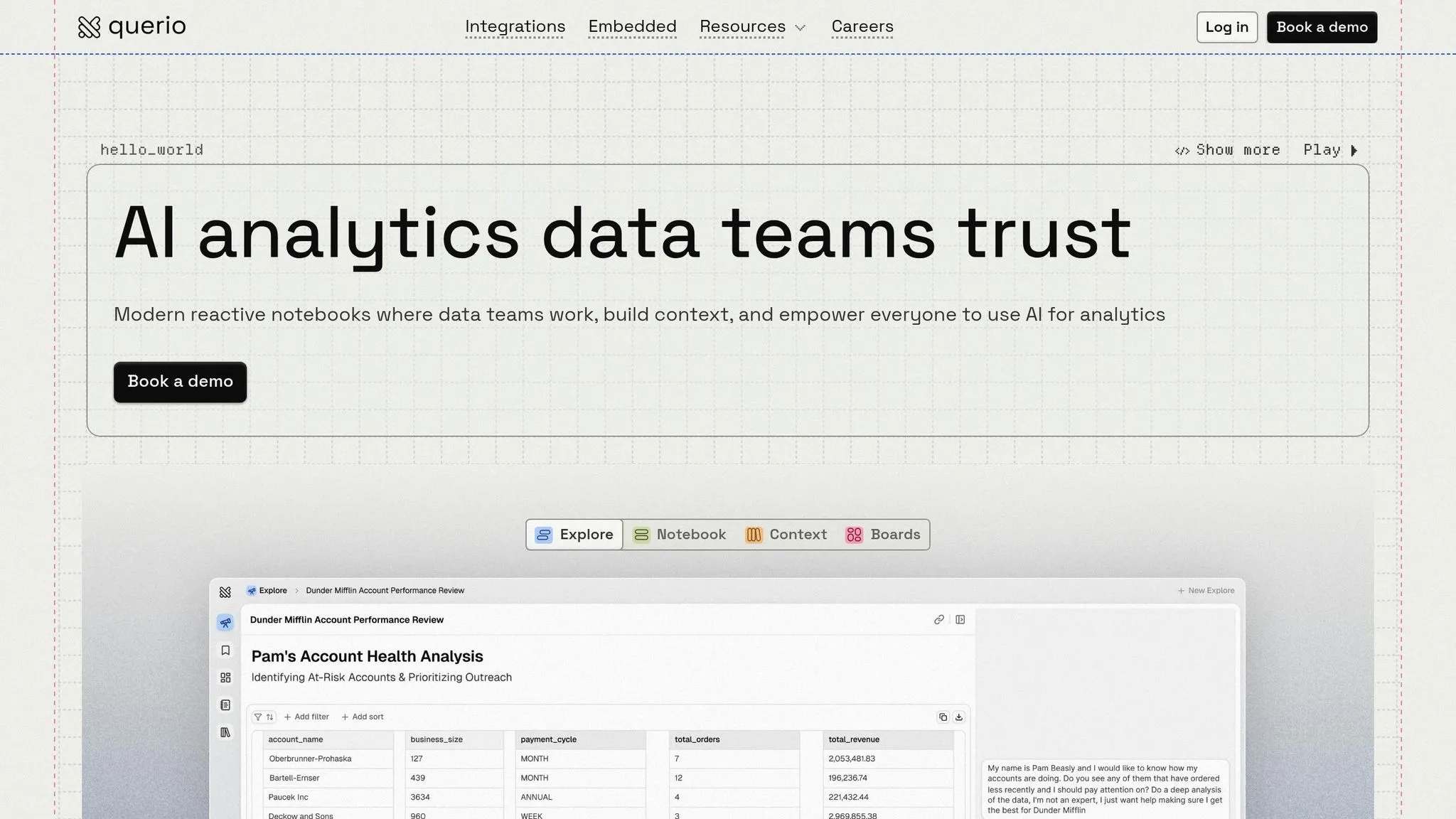
Querio is an AI-powered analytics workspace designed to simplify data analysis by bridging the gap between technical complexity and business needs. It connects directly to your live data warehouse and translates plain language queries into executable code. This means business users can ask questions naturally and get precise answers in seconds - no coding required.
Natural Language Querying
Querio’s AI agents are built to handle conversational questions, converting them into real SQL and Python queries that run against your live data. What makes Querio stand out is its transparency: every response includes the code behind it, so you can see exactly how the conclusions were reached. This feature supports strong governance and ensures secure data handling.
Governance and Security
Querio prioritizes security with SOC 2 Type II compliance and adherence to GDPR, CCPA, and HIPAA standards. It uses encrypted, read-only connections to safeguard against accidental data changes. Role-based access ensures users only see what they’re authorized to, while sensitive column protection automatically hides personal or financial details from unapproved users. Every interaction with the data is logged, creating a clear audit trail.
Another key feature is Querio’s context layer, which allows data teams to define table joins, business metrics, and glossary terms in one centralized place. This ensures queries are interpreted consistently and access rules are applied automatically. Querio also guarantees privacy by not using customer data to train its language models.
Integration and Scalability
Querio integrates seamlessly with major data warehouses like Snowflake, BigQuery, Amazon Redshift, and ClickHouse, as well as relational databases such as PostgreSQL and Microsoft SQL Server. Because it queries live data directly, there’s no need for data extracts or duplication. This approach minimizes security risks while also cutting storage costs.
For organizations needing full control, Querio’s Code Execution Environment can be deployed on private infrastructure. The platform supports unlimited viewer access without additional per-user fees, making it a cost-effective solution for sharing data insights across an entire organization. Companies can also embed Querio’s governed analytics into customer-facing applications using APIs and iframes.
Visualization and Reporting
Querio provides live dashboards, scheduled reports, and a reactive notebook environment where analyses automatically update as the underlying data changes. Teams can collaborate in real time using interactive notebooks and shared dashboards, removing the delays often caused by waiting on data specialists. Querio has a free plan with unlimited users, unlimited data connections and 500 AI credits a month, and Core is $2,499/month (or $25,000/year billed annually) with 10,000 AI credits a month.
2. Tableau with Einstein Discovery
Tableau with Einstein Discovery combines Salesforce's machine learning capabilities with Tableau's visualization tools, offering a code-free way to create predictive models using natural language data querying tools. This integration enables Einstein Discovery to analyze vast datasets, uncover patterns, and forecast outcomes, all while embedding predictions directly into Tableau dashboards and workflows [1][2].
Natural Language Querying
With Tableau Agent (previously called Einstein Copilot), users can create visualizations, write calculations, and filter data simply by using plain language prompts [3][4]. This feature translates everyday language into Tableau calculation syntax and even explains existing formulas in straightforward terms [4]. Such functionality lays the groundwork for strong governance and security.
Governance and Security
The Einstein Trust Layer ensures that no data is stored during processing, keeping sensitive information protected. Features like pattern-based masking conceal sensitive details before the AI processes the data [7]. Role-based access controls stay intact, and administrators can toggle AI features on or off at the site level to meet compliance needs. Harveen Kathuria describes Tableau Agent as an AI assistant built on Salesforce's Einstein Trust Layer, prioritizing security and governance [4].
Bobby Brill, Product Management Director for Tableau CRM, highlights that "transparency and ethics are built into the product's foundation, with bias protection, predictive factors, and live model monitoring so that users can trust Einstein's predictions" [2].
Integration and Scalability
Tableau with Einstein Discovery uses a zero-copy approach to connect with Salesforce Data Cloud, removing the need to duplicate data across platforms [5][6]. Predictions can be integrated into calculated fields, interactive dashboard extensions, and bulk-scoring workflows through Tableau Prep Builder [1][2]. This integration was introduced in Tableau version 2021.1 [1][2]. However, access to these features requires specific Salesforce licenses, such as Einstein Discovery in Tableau, Tableau CRM Plus, or Einstein Predictions, which are sold separately [1]. These tools amplify the platform's predictive and visualization strengths.
Visualization and Reporting
The Einstein Discovery dashboard extension allows users to click on data points for instant predictions, complete with explanations of key drivers and actionable suggestions [1][2]. Tableau Prep Conductor can automate workflows that include prediction steps, ensuring datasets are continuously updated with the latest machine learning scores [2]. Advanced features, including Tableau Agent and audit trails, are available through the Tableau+ edition [4][5].
3. Microsoft Power BI with AI Insights
Microsoft Power BI with AI Insights is how AI is transforming data analytics at the enterprise level by introducing Copilot functionality, which allows users to interact with their data conversationally. This feature offers two key modes: Copilot Chat, designed for quick, ad-hoc analysis and report summaries, and a standalone Copilot in full-screen preview mode. The standalone version lets users explore reports, semantic models, or Fabric data agents across their organization [8][9]. As Microsoft Learn explains, "Copilot in Power BI allows you to interact with your data using natural language to gain insights. Copilot also increases productivity when creating reports" [8].
Natural Language Querying
The Copilot for Authors feature is a game-changer for report creators. It can generate entire report pages based on simple conversational prompts, automatically creating DAX queries and summarizing models [8][9]. This removes the need for manual coding of complex calculations, making advanced analytics more accessible to business users without technical expertise. By asking questions in plain language, users can receive tailored visualizations that directly address their business needs. This ease of use is paired with strong security protocols, as outlined below.
Governance and Security
Power BI ensures a secure environment through Azure-based measures, with all authentication managed via Microsoft Entra ID (formerly Azure AD) [10]. Data at rest is encrypted by default using Microsoft-managed keys, and for organizations needing more control, Power BI Premium offers the "Bring Your Own Key" (BYOK) option [10]. Microsoft’s commitment to security is evident, with over 3,500 engineers dedicated to enhancing its protection systems. The platform has achieved top security certifications, making it trusted by national security agencies and financial institutions [10]. Features like Row-Level Security (RLS) and Object-Level Security (OLS) ensure that users only access data they are authorized to view, even when leveraging AI-driven insights [10]. This strong security framework supports seamless integration and scalability.
Integration and Scalability
To use Copilot, organizations need Fabric or Premium capacity (F2/P1 or higher) [8][9]. Power BI Premium offers significant advantages, such as 100 GB model memory limits and up to 48 daily refreshes - far exceeding the 1 GB and 8 daily refreshes available in Power BI Pro. These enhancements enable real-time decision-making and streamline business intelligence workflows. Additionally, the platform integrates with Microsoft Purview to apply sensitivity labels, ensuring data protection policies remain intact when reports are shared or exported [10]. For organizations with specific regional compliance needs, Multi-Geo support allows data to be stored in designated locations [10].
Visualization and Reporting
The Copilot Chat interface makes it easy to search, analyze, and summarize reports using conversational queries [8][9]. Meanwhile, the OneLake data hub serves as a centralized repository, enabling teams to create a "single source of truth" by building reports from certified datasets. This ensures that data remains consistent and reliable across the organization [10].
Pros and Cons
When evaluating top business intelligence tools, it's essential to weigh their strengths and limitations against your team's specific needs and priorities. Here's a breakdown of how Querio, Tableau with Einstein Discovery, and Microsoft Power BI with AI Insights stack up.
Querio stands out for its ability to generate clear, inspectable SQL and Python code directly from natural language queries. This makes it a great choice for teams that prioritize live warehouse connections and strong governance practices. Its pricing has no per-seat fees, and its unified context layer helps keep metrics aligned across teams. However, Querio supports a smaller range of data sources and offers fewer options for advanced machine learning customization, which might limit its appeal for more complex use cases.
On the other hand, Tableau with Einstein Discovery excels in visualization, connecting to over 100 data sources and offering tools for advanced visual storytelling and big data analysis. With a 4.4/5 rating on Gartner Peer Insights, it’s recognized for its reliability in enterprise environments. That said, Tableau's steep learning curve often requires dedicated training initiatives, such as Centers of Enablement, to maximize its potential. Additionally, its $75 per user per month Creator license makes it one of the pricier options. Another drawback is its AI logic, which can feel opaque and harder to audit.
For organizations already using Microsoft tools, Microsoft Power BI with AI Insights is a natural fit. It promises a 340% faster time-to-value compared to competitors and offers competitive pricing, ranging from $14 to $24 per user per month. As Sarah Martinez, CFO at GlobalTech Solutions, shared:
"We almost went with Tableau because of the hype, but Power BI integrated seamlessly with our existing Microsoft infrastructure. Six months later, we're analyzing production efficiency in real-time and caught a quality issue that would've cost us $2M in recalls."
However, Power BI’s full AI capabilities require Premium capacity, and its functionality is optimized for use within the Microsoft ecosystem, which could limit flexibility for non-Microsoft users.
| Tool | Key Advantages | Main Drawbacks |
|---|---|---|
| Querio | Clear SQL/Python generation; no per-seat pricing; live warehouse connections; user-friendly | Limited data sources; fewer advanced ML features |
| Tableau with Einstein Discovery | Over 100 connectors; advanced visualizations; scalable for enterprises | High cost ($75/user/month); steep learning curve; less transparent AI |
| Microsoft Power BI with AI Insights | Affordable pricing ($14–$24/user/month); seamless Microsoft integration; faster time-to-value | Requires Premium for full AI features; limited functionality outside Microsoft tools |
Ultimately, the right choice depends on your team's priorities - whether it's cost efficiency, advanced visual storytelling, or transparent analytics with strong governance. With analysts spending up to 80% of their time on data preparation[11], selecting a platform with essential business intelligence features that automate this process can significantly enhance productivity while maintaining security and cost-effectiveness.
Conclusion
Querio simplifies data analytics by delivering business intelligence reports with instant, clear insights without the usual technical hurdles. Designed for accessibility, it removes the need for extensive SQL expertise while offering a cost-effective pricing model, with unlimited users on every plan, that avoids the per-user cost increases many organizations struggle with.
In a fast-moving business environment, Querio empowers users by turning plain language into inspectable SQL and Python, giving non-technical team members the ability to generate insights while ensuring data teams retain control. The shared context layer keeps metric definitions consistent across the organization, further enhancing collaboration and accuracy.
With analysts reportedly spending up to 80% of their time on data preparation, Querio eliminates this bottleneck through automation, maintaining governance without sacrificing efficiency. Its spreadsheet-to-analysis workflow delivers actionable insights in minutes, not days, and live warehouse connections ensure you're always working with up-to-date data. Plus, the transparent code generation allows every conclusion to be audited and verified.
Discover how Querio can transform your analytics process. Try it today and see how no-code KPI investigations, clear SQL and Python generation, and a unified context layer can help your team achieve faster, actionable insights without compromising control or accuracy.
FAQs
How does Querio keep metric definitions consistent across teams?
Querio helps teams stay on the same page by using a shared semantic context layer to define metrics consistently. This layer ensures that everyone speaks the same "data language", standardizing terms and metrics so there's no confusion or misinterpretation. On top of that, features like role-based access controls add an extra layer of governance, keeping data accurate and trustworthy. This setup encourages teamwork and supports dependable, data-driven decision-making across the organization.
Can Querio run queries safely on live warehouse data without changing anything?
Querio operates seamlessly by running queries directly on live warehouse data, without the need for any modifications. It integrates with data warehouses like Snowflake, BigQuery, and Postgres, providing real-time access while upholding strict data governance standards.
What data sources can Querio connect to, and how hard is setup?
Querio integrates seamlessly with widely-used data sources, ranging from cloud-based data warehouses like Snowflake and BigQuery to traditional databases such as Postgres. The setup process is straightforward, allowing for direct, real-time connections that let users query data in plain English. This simplified approach ensures fast implementation, catering to both technical and non-technical teams, while keeping workflow interruptions to a minimum.