Business Intelligence
How AI agents reduce time-to-insight for business teams
AI agents streamline data analysis and decision-making for businesses, reducing insight time by up to 60% and enhancing operational efficiency.
AI agents are transforming how businesses analyze data and make decisions. They automate data processing, identify patterns, and provide actionable insights in real time - cutting down analysis time by up to 60%. Here's how they help:
Automated Data Analysis: AI agents handle data cleaning, integration, and pattern recognition faster than humans.
Real-Time Alerts: Detect anomalies instantly, like fraud or equipment failures, and suggest fixes.
descriptive, predictive, and prescriptive analytics: Forecast trends and recommend actions to improve efficiency and reduce risks.
Democratized Data Access: Use natural language queries to make insights accessible without technical expertise.
For example:
A bank reduced high-risk lending by 18% in two quarters using AI.
Suzlon improved wind turbine uptime by combining operational data with weather forecasts.
With AI agents, businesses save time, reduce costs, and make smarter decisions - essential in today’s fast-paced environment.
Building an AI Assistant for BI: The Good, the Bad, and the Ugly
Key Functions of AI Agents in Business Intelligence
AI agents are reshaping how businesses interact with data by introducing three primary capabilities. These functions streamline processes and remove traditional hurdles in generating insights, allowing teams to focus on strategic decisions. Let’s dive into these key capabilities.
Automated Data Analysis and Pattern Recognition
AI agents excel at sifting through massive datasets to uncover patterns that would take human analysts weeks - or even months - to identify. They can analyze billions of data points across different datasets, generating insights and spotting trends without needing user intervention [1]. Tasks like data cleaning, transformation, and integration are also handled automatically [2].
For example, Unilever partnered with Walmart in Mexico to integrate real-time sales data, customer demand signals, and external factors like weather. This approach has improved stock availability and reduced inventory waste [1]. In the pharmaceutical industry, AI agents enhance sales strategies by identifying key drivers and recommending targeted actions. They analyze historical sales trends to pinpoint best-selling products in specific regions or seasons and segment customers based on purchasing habits to enable precise marketing campaigns [2].
Beyond finding patterns, AI agents actively monitor live data streams to identify irregularities as they happen.
### Real-Time Anomaly Detection and Alerts
One of the standout features of AI agents is their ability to monitor data in real time, flagging deviations from expected norms and suggesting immediate fixes [3]. Companies using advanced AI tools for security report detecting and containing breaches 74% faster than those without such tools [5]. Additionally, AI-driven anomaly detection systems have helped reduce fraud losses by up to 50%, and telecommunications companies have seen network downtime drop by up to 40% [6].
Take JPMorgan Chase, for instance. Their AI system analyzes customer spending behavior to catch fraudulent transactions. If a high-value purchase suddenly occurs in a foreign country, the system triggers a verification process, significantly reducing fraud [4]. Similarly, Siemens uses AI to monitor machinery through sensor data. If temperature, pressure, or vibration levels spike unexpectedly, the system sends alerts for proactive maintenance, preventing costly breakdowns [4]. Meanwhile, Darktrace bolsters cybersecurity by detecting unusual network activity, isolating threats, and addressing unauthorized access or abnormal data transfers [4].
Predictive and Prescriptive Analytics
AI agents don’t just analyze the past - they also look ahead, forecasting trends and suggesting actions. By applying machine learning to historical data, they help businesses refine their strategies [1]. In fact, more than 70% of organizations using predictive analytics report improved forecasting accuracy, and 75% of businesses plan to adopt AI-driven analytics by 2026 [7].
"Models that predict the future based on what's happened in the past … helps businesses enable and anticipate customer behavior, forecast market demands, optimize operations, or any other type of data-driven decision." - Davor Bonaci, CTO and Executive Vice President of DataStax [8]
A great example is Kaiser Permanente, which uses predictive analytics to identify patients at high risk of readmission. By analyzing patient data in real time, they enable timely interventions, improving healthcare outcomes while boosting operational efficiency [7]. AI agents also allow businesses to simulate scenarios and receive data-backed recommendations, enabling informed decision-making. This capability not only reduces delays but also helps organizations shape future outcomes [1].
The growing reliance on these tools is evident in market projections. The AI agent market is expected to grow from $5.1 billion in 2025 to $47.1 billion by 2030, underscoring their transformative impact on business intelligence workflows [1].
How Querio Reduces Time-to-Insight
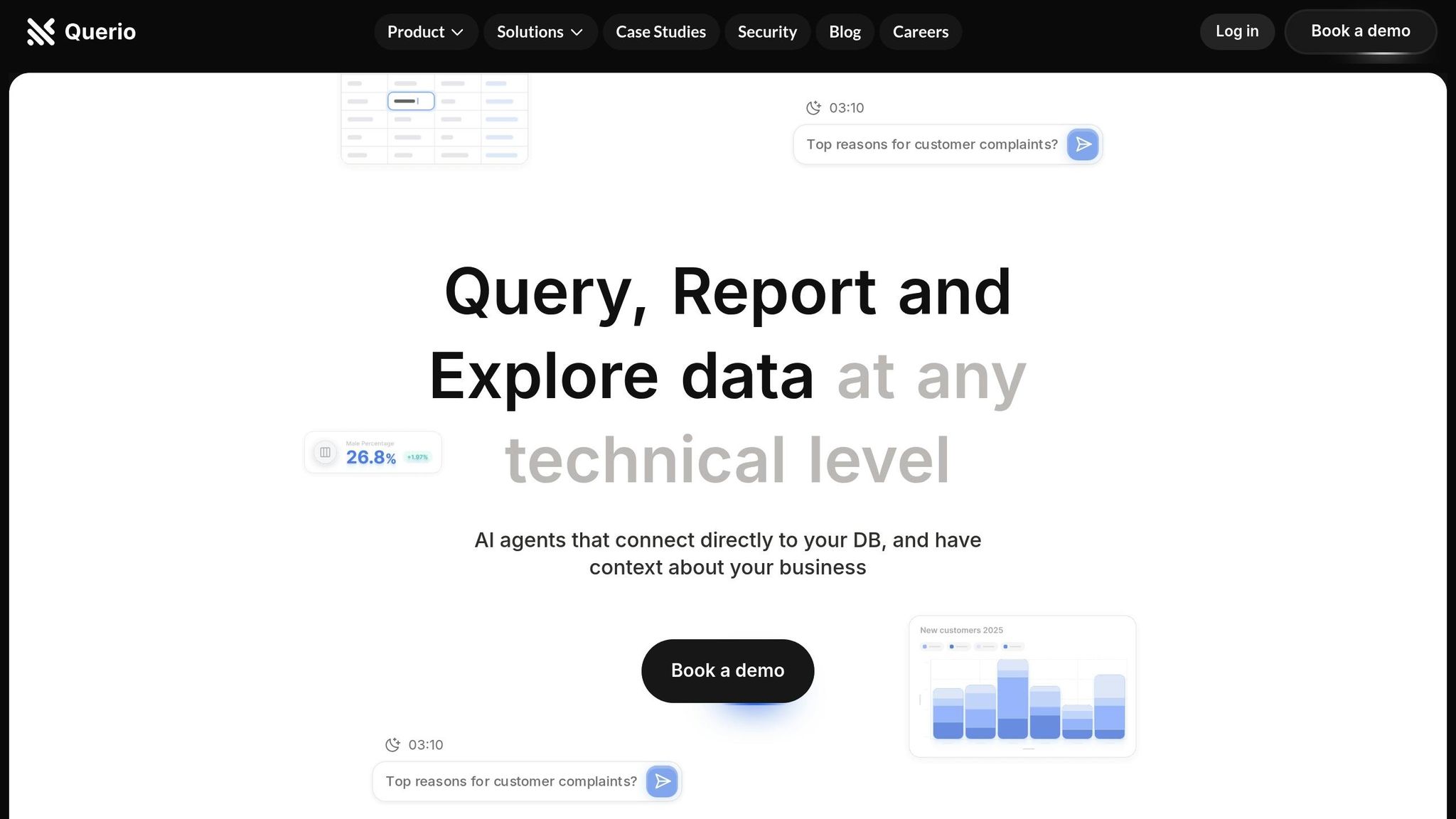
Querio transforms complex AI capabilities into easy-to-use tools, delivering actionable insights that any team member can leverage - no technical expertise required. By simplifying data access and visualization, Querio empowers business teams to make faster, smarter decisions.
Natural Language Data Querying for Everyone
Traditionally, extracting insights from data meant relying on analysts or learning complicated query languages. Querio changes the game by enabling users to pose questions in plain English and get accurate answers instantly.
For example, a marketing manager might ask, "What were our top-performing campaigns last quarter?" Meanwhile, a sales director could inquire, "Which regions had the highest customer acquisition rates in December?" Querio’s AI interprets these natural language queries, connects to the relevant databases, and delivers precise answers - no SQL or technical know-how required.
This self-service analytics approach reduces the need to wait for reports or technical assistance. Teams can dive straight into the data, turning insights into action much faster. It’s a shift that fundamentally changes how businesses interact with their data.
But Querio doesn’t stop at querying - it also transforms how data is visualized.
Dynamic Dashboards and Visualization Tools
Data visualization simplifies complex information, making trends, patterns, and outliers easier to understand [9]. Querio’s dynamic dashboards take this further by automatically updating as new data becomes available. Users can also drill down into specific data points for deeper insights.
These dashboards are customizable, catering to the unique needs of different roles. With AI handling data preparation and recommending the best visual formats [9], users can focus on interpreting insights instead of struggling with chart configurations or formatting issues.
Querio also excels at managing large datasets, ensuring even intricate analyses are accessible to everyone, regardless of technical skill. When significant changes or anomalies appear in key metrics, the dashboards automatically highlight them. This ensures that critical insights don’t get lost in routine monitoring.
To make teamwork seamless, Querio integrates collaborative tools into its platform.
Collaborative Notebooks for Team Effort
Effective data analysis often requires collaboration. Querio’s collaborative notebooks provide a shared workspace where business teams and data specialists can combine their strengths. Business users can frame questions in natural language, while data experts can validate and refine the analysis.
This approach is inspired by platforms that have turned notebooks into real-time collaborative environments [10]. In Querio’s case, it bridges the gap between business context and technical expertise, leading to more actionable and well-rounded insights.
The notebooks also maintain a detailed record of the entire analysis process. This transparency ensures decisions are well-documented and repeatable. When it’s time to present findings, teams have a clear trail of both the questions asked and the steps taken to reach conclusions.
Steps to Integrate AI-Driven BI Workflows
integrating AI into your analytics workflow requires careful planning around infrastructure, data preparation, and monitoring. The goal? To maximize efficiency while simplifying operations.
Assess Data Readiness and Integration Needs
Start by evaluating your current data systems and how well they align with your business goals. This includes looking at your architecture, technology stack, processes, team skills, and overall readiness to support AI-driven initiatives [12].
Think about the bigger picture: Are you aiming to personalize user experiences or streamline operations for better efficiency? Defining this vision will guide your efforts. From there, assess your infrastructure for scalability and any gaps in integration [11][12]. Building a solid data foundation isn’t just about technology - it’s a strategic move [11].
When your data infrastructure is strong, it accelerates AI insights, enabling faster and more informed decisions.
Automate Data Preparation Processes
Once your data systems are evaluated, focus on automating data preparation. Did you know data scientists spend about 80% of their time cleaning and organizing data [14]? Modern AI platforms can adapt to changes in source systems, making this process faster and more efficient [13]. In fact, automation can reduce data integration times by up to 60% [14], freeing your team to focus on strategy rather than repetitive tasks.
Industries like healthcare and finance are already reaping the benefits. By automating data preparation, they’ve improved predictive accuracy and reduced reporting workloads by as much as 70% [14].
Another key step is ensuring data accessibility. Natural language interfaces can democratize data use, but this must be balanced with strong privacy, security, and access controls [13].
Set Up Real-Time Monitoring and Alerts
After optimizing integration and preparation, real-time monitoring becomes essential to maintain system performance and reliability.
Define key performance indicators (KPIs) like model accuracy, data quality, and overall system performance. These metrics can trigger timely actions when issues arise [16]. Machine learning algorithms can also detect anomalies and correlations that might indicate potential disruptions [17]. For example, you could set up an alert that triggers when customer acquisition costs increase while conversion rates drop - a combination that signals trouble.
The benefits of real-time monitoring are clear. A logistics company reduced delivery delays by 20% after applying real-time tracking to its vehicle fleet [18]. Similarly, a retail business cut downtime by 30% by monitoring its infrastructure and sales pipeline [18].
Collaboration is critical here. Establish workflows that connect data scientists, engineers, business process owners, and AI governance teams [15]. This ensures that alerts reach the right people who can act quickly. Regular audits of your monitoring systems will also help keep them aligned with privacy laws, audit standards, and governance frameworks [16].
Finally, track business outcomes to measure the impact of your AI systems. This visibility not only justifies further investment but also highlights areas for ongoing improvement. Effective monitoring doesn’t just prevent downtime - it keeps your AI systems delivering quick, actionable insights, reducing the time it takes to make informed decisions.
Benefits of AI Agents for Business Teams
AI agents bring measurable advantages to businesses, improving speed, efficiency, and reducing costs.
Faster Decision-Making with Actionable Insights
AI agents streamline decision-making by eliminating manual delays. According to McKinsey, 59% of executives reported that AI helped them extract more actionable insights from their analytics[21]. For instance, a consumer goods company used an AI agent to optimize global marketing campaigns. What previously required six analysts was completed by one person in under an hour[19].
"I think you all should jump on the wave that's coming, but it's the individual productivity that I think is already here today. And this is where you hear all these fun anecdotes like you can go and do someone's job 20 percent faster if you have AI with you as a co-pilot." - Jen Stave, launch director of Harvard's Digital Data Design (D³) Institute[21]
AI agents process large datasets, uncovering patterns and trends that might escape human analysts[20]. This not only speeds up decision-making but also allows businesses to scale their operations seamlessly.
Better Scalability and Efficiency
AI agents can handle growing workloads without requiring proportional increases in resources. Early adopters have reported productivity gains of up to 50% in areas like customer service and sales[24]. For example, a biopharma company used AI for lead generation, cutting cycle times by 25% and improving efficiency in drafting clinical study reports by 35%[19]. Similarly, an IT department modernized legacy systems with AI, boosting productivity by 40%[19].
Large-scale examples further highlight this scalability. Amazon uses AI to personalize product recommendations, automate customer service, and manage warehouse operations, ensuring smooth growth[23]. Bank of America's "Erica" AI agent has successfully managed over 2 billion customer interactions[24]. Research from McKinsey underscores the potential of AI to automate tasks that consume 60–70% of employees' time[21].
Cost Savings Through Automation
AI agents not only enhance efficiency but also deliver significant financial benefits, as seen in these AI customer success stories. For example, a consumer packaged goods company leveraged AI to generate blog content, slashing costs by 95% and accelerating production by 50x - reducing a four-week timeline to just one day[19]. A global bank used virtual AI agents for customer interactions, achieving a 10x reduction in costs[19].
AI chatbots have proven particularly effective in cutting expenses. Companies report 30–40% savings in customer service costs, with one mid-sized e-commerce business saving $150,000 annually by automating 70% of routine inquiries[22].
Document processing is another area where AI shines. An accounting firm reduced invoice processing time from 20 hours per week to just 2 hours, saving $40,000 annually[22]. Businesses using AI for document-related tasks report up to an 80% reduction in processing time and a 95% decrease in errors[22].
In manufacturing, AI helps cut costs and waste. Companies save $300,000 annually in inventory management while reducing production waste by 25%[22]. Retailers, meanwhile, have reduced stockouts by 30%, saving $500,000 in inventory costs[22]. AI-driven business intelligence tools also lower customer acquisition costs by up to 40% while increasing conversion rates by 30%[22].
These savings tend to grow over time as AI agents continuously refine processes and identify new ways to improve efficiency - all without requiring additional human resources.
Conclusion: Helping Business Teams with AI-Driven Insights
AI tools are transforming how businesses approach data analysis and decision-making. For example, Querio users can create reports 20× faster, saving 8 hours per week and up to $31,000 annually per product manager[25][26].
What sets AI agents apart is their ability to remove technical barriers that often keep business teams from accessing their own data. With features like natural language queries and automated data pipelines, Querio allows users to turn data into insights effortlessly - no coding or complex processes required[25]. This ease of access means teams can spend less time struggling with data and more time making informed, strategic decisions. It's a shift that not only simplifies workflows but also creates opportunities for a competitive edge.
A recent survey revealed that 79% of corporate strategists see AI, automation, and analytics as critical to business success in the next two years[27]. Gartner analyst David Akers highlights this trend:
"Leveraging analytics and AI for more efficient, insightful strategy decisions is one of the biggest challenges, and opportunities, corporate strategists face this year"[27].
For businesses looking to stay ahead in today’s data-driven world, adopting AI-powered tools isn’t just an option - it’s becoming a necessity. By embracing these technologies, teams can drastically reduce the time it takes to uncover insights and position themselves to outpace competitors.
FAQs
How do AI agents help business teams make faster, smarter decisions?
AI agents give business teams a major boost by simplifying data analysis and providing real-time insights. Traditional methods often take a lot of time and effort, but AI agents can rapidly process massive datasets, uncover patterns, and highlight actionable insights that might have been overlooked.
Beyond just crunching numbers, these tools also take care of repetitive tasks like preparing data and answering routine queries. This frees up teams to concentrate on bigger-picture goals, like strategic planning and innovation. The payoff? Greater efficiency, smarter resource allocation, and decisions that are both timely and backed by data.
What steps should businesses take to successfully integrate AI into their business intelligence workflows?
To make AI a seamless part of business intelligence workflows, the first step is to develop a focused AI strategy that ties directly to your company’s objectives. When your AI efforts are aligned with specific goals, they’re more likely to address real challenges and deliver measurable results.
Equally important is ensuring data quality and governance. AI thrives on clean, structured data, so having reliable and well-organized information is non-negotiable. Alongside this, establishing a solid AI governance framework helps mitigate risks, promotes ethical use, and ensures transparency throughout the process.
Finally, encouraging a culture of self-service analytics can make a big difference. When teams have the tools and confidence to use AI independently, they can make quicker, more accurate decisions without relying on constant IT support. By taking these steps, businesses can unlock AI’s potential to streamline operations and generate actionable insights.
How does Querio's natural language querying make data easier to access for non-technical team members?
How Querio Simplifies Data Access
Querio makes accessing data as simple as having a conversation. Instead of wrestling with complex query languages, team members can just ask questions in plain, everyday language. Querio then translates those questions into database commands, allowing users to interact with the data directly.
This means non-technical team members can quickly uncover insights and make informed decisions without waiting on IT or data specialists. By breaking down technical barriers, Querio helps foster a more inclusive, data-driven environment across your organization.
Related Blog Posts
5 Ways AI-Powered Analytics Transforms Business Decision Making
From dashboards to dialogue: the evolution of business intelligence
Related reading
Sources and further reading
online.hbs.edu — online.hbs.edu
domo.com — domo.com
scarlett-brown.medium.com — scarlett-brown.medium.com



