Business Intelligence
embedded analytics self-service dashboards BI vendors
Embedded analytics and self-service dashboards bring live, governed BI into apps, letting non-technical users query warehouse data, customize dashboards, and act in real time.
Embedded analytics and self-service dashboards are reshaping how businesses access and act on data. Instead of relying on separate, complex BI tools, these solutions integrate insights directly into everyday workflows, empowering users to make faster decisions without technical expertise.
Key takeaways:
Embedded analytics delivers insights directly within tools like CRMs or accounting software, eliminating the need to switch platforms.
Self-service dashboards allow non-technical users to customize and explore data independently, reducing dependency on data teams.
These tools are critical for industries like SaaS and fintech, where real-time data access impacts customer retention, compliance, and decision-making.
For businesses, the benefits include:
Faster decision-making by integrating insights into workflows.
Reduced reliance on data teams for routine reports.
Consistent metrics across teams through standardized definitions.
Enhanced governance and security for sensitive data.
When evaluating embedded BI vendors, focus on:
Direct data connections to platforms like Snowflake or BigQuery.
Real-time updates and customizable dashboards.
Role-based access controls and compliance certifications.
Transparent pricing models with no hidden costs.
Querio stands out as an AI-driven BI platform with natural language querying, live data connections, and centralized governance, making it an excellent option for SaaS and fintech companies looking to embed analytics seamlessly into their applications.
What is Embedded BI & Analytics?
How Embedded Analytics Changes BI
Traditional business intelligence (BI) had a fundamental flaw: data lived in one place, while work happened in another. This meant users had to pause their tasks, log into separate systems, and sift through data - slowing decision-making. Embedded analytics fixes this disconnect by bringing insights directly into the tools people already use. This not only saves time but also enables immediate action, as we’ll explore further.
Connecting Insights to Action
The real strength of embedded analytics lies in closing the gap between seeing data and acting on it. By integrating insights into the tools people use daily, it allows for instant decision-making.
Take a sales team working in a CRM, for example. If a sales rep spots a dip in engagement using traditional BI, they’d need to switch to a separate analytics platform, generate reports, analyze trends, and then return to the CRM to act. By the time they’re ready, the chance to address the issue may have slipped away. With embedded analytics, that same rep can view engagement scores, trend indicators, and recommended actions directly within their CRM. They can tweak their outreach strategy immediately, without leaving their workflow.
This kind of instant access transforms how teams operate. Product managers can track feature usage metrics within their project tools and make real-time prioritization decisions. Operations teams can identify workflow bottlenecks within their management systems and reallocate resources on the spot. Finance teams can catch budget discrepancies directly in their planning software and resolve them without delays.
This immediacy doesn’t just improve efficiency - it redefines possibilities. When every team member has access to relevant data in their existing tools, decisions that used to take days can happen in minutes. Teams can resolve customer issues before they escalate, seize market opportunities as they arise, and address problems before they spiral into crises.
Business Benefits of Embedded Analytics
The advantages of embedded analytics go beyond speed. One of the most immediate benefits is reducing reliance on data teams. With analytics built into everyday applications and designed for ease of use, employees can answer their own questions. This frees up data analysts and engineers to focus on strategic projects instead of fielding routine requests.
This shift has a ripple effect. Teams no longer have to wait hours - or even days - for reports. For instance, a marketing manager can analyze campaign performance across different channels and demographics without filing a support ticket. Similarly, a customer success manager can assess usage patterns across accounts without needing help from a data analyst.
Embedded analytics also ensures consistency by standardizing metrics across teams. In traditional setups, different departments might calculate the same metric in conflicting ways - sales might define "active customer" differently than customer success. Embedded platforms with semantic layers ensure everyone uses the same definitions, pulling from a shared data source. This consistency eliminates confusion and builds trust in the numbers.
Adoption rates tell the story. When analytics require separate logins, only a small group of power users typically engage with them. But when analytics are seamlessly integrated into familiar tools, usage spreads across the organization. Even non-technical employees, who might never touch a traditional BI system, find themselves interacting with dashboards because they’re embedded into their daily workflows.
The financial benefits are just as compelling. Companies save time by reducing the hours employees spend searching for information. They also cut costs by consolidating redundant tools and make faster, better-informed decisions. The return on investment comes not just from the analytics platform but from the productivity and decision-making improvements across the board.
Real-World Applications of Embedded Analytics
The operational improvements from embedded analytics translate into real-world success stories. While the specifics vary by department, the underlying theme is the same: embedding insights into workflows leads to better outcomes.
In product management, real-time adoption metrics integrated into platforms allow immediate adjustments to product roadmaps. Product managers can pinpoint which features drive retention and prioritize based on actual user behavior, rather than guesswork.
For operations teams, delivery performance and ticket resolution stats appear directly in workflow tools. This visibility allows teams to reallocate resources and streamline processes, boosting efficiency.
Finance teams benefit from embedding real-time revenue dashboards into planning tools, enabling continuous tracking of performance against budgets. Department heads can monitor spending within their systems, ensuring they stay on budget throughout the quarter and improve financial accuracy.
Core Features of Embedded BI Platforms
When it comes to embedded BI platforms, not all are created equal. The difference between a system that empowers decision-making and one that frustrates users often boils down to specific features. These features ensure analytics are easy to use, actionable, and secure - making them accessible for everyone, even those without technical expertise. The ideal platform strikes a balance between advanced capabilities and user-friendly design, offering powerful tools without overwhelming complexity.
To evaluate embedded BI solutions effectively, focus on three key areas: dashboard customization and real-time updates, accessibility through AI and natural language querying, and robust security and governance.
Customizable Dashboards and Real-Time Data Updates
Dashboards are the heart of any BI platform - they’re where users interact with and make sense of data. A rigid, one-size-fits-all dashboard forces users to sift through irrelevant information, wasting time and energy. A customizable dashboard, on the other hand, allows users to tailor their view to fit their specific role and priorities.
For instance, a sales manager might want quick access to metrics like pipeline velocity, regional win rates, and deal stage breakdowns. Meanwhile, a customer success manager would focus on churn risk indicators, product adoption rates, and support ticket trends. The ability to adjust widgets, apply filters, create custom calculations, and save personalized dashboard views empowers users to get the insights they need - without relying on IT support.
Customization is only half the equation; the data also needs to be current. Real-time or near real-time updates are essential for making timely decisions. Imagine a marketing team monitoring engagement metrics during a campaign launch or a support team tracking ticket volumes during a service disruption. Waiting hours - or even minutes - for updated data can mean the difference between addressing an issue early or dealing with a full-blown crisis.
To support this level of responsiveness, the platform must process large datasets efficiently, using techniques like query optimization, caching, and pre-aggregation. The goal is to deliver instant, lag-free data retrieval, ensuring users always have up-to-date information at their fingertips.
AI-Driven Insights and Natural Language Querying
A BI platform is only as useful as its accessibility. Traditional tools often required users to write complex queries or interpret intricate visualizations, creating a bottleneck where only analysts could extract meaningful insights. Modern platforms are changing the game with AI-driven insights and natural language querying.
AI-driven insights automatically highlight trends, anomalies, and correlations, saving users from manually combing through data. For example, if revenue dips in a specific region, the platform might flag the issue and suggest potential causes, like a pricing change or increased competition. This proactive approach helps users focus on solving problems rather than identifying them.
Context is key to making these insights actionable. A product manager might receive alerts about feature adoption trends, while a finance lead gets notifications about budget variances. By tailoring insights to individual roles, the platform avoids overwhelming users with irrelevant information.
Natural language querying takes accessibility a step further. Instead of navigating complex interfaces, users can simply type or speak their questions in plain English. Queries like "What were our top-selling products last quarter?" or "Show me customer retention rates by region for the past six months" should yield instant, accurate results. This feature democratizes data access, enabling everyone - from customer service reps to department heads - to explore metrics without specialized training.
For natural language processing to work effectively, the platform must understand business context. It should recognize that "revenue" can mean different things depending on the situation, know how to interpret time frames like "last quarter", and prioritize relevant metrics for terms like "top products." When done right, this capability makes interacting with data feel as natural as having a conversation.
Security and Governance Requirements
Embedding analytics into applications introduces new security challenges. Data that was once confined to a BI system is now integrated across tools, accessed by more users, and exposed to additional risks. Without proper safeguards, this can lead to serious compliance issues.
Role-based access controls are the cornerstone of secure embedded analytics. Not everyone should see all the data. These controls should be granular, restricting access not just at the dashboard level but down to individual metrics and filters. For example, a sales rep might view their own pipeline data but not compensation details for others. Regional managers could see performance metrics for their area, while finance teams access revenue data that’s off-limits to other departments.
Row-level security ensures that even when multiple users share the same dashboard, each person only sees the data they’re authorized to view. This happens automatically, based on login credentials, eliminating the need to create separate dashboards for different users.
Consistency is another critical factor. A governed data model ensures that metrics like customer lifetime value or churn rate are calculated the same way across the organization. This prevents discrepancies and builds trust in the numbers. Transparency is equally important - users should be able to trace data lineage, seeing where it originated, how it was transformed, and when it was last updated.
For compliance, audit trails are non-negotiable. The platform should log who accessed which data, when, and what actions they took. This accountability is crucial for meeting regulatory requirements, especially in industries like healthcare and finance.
Finally, encryption safeguards data both in transit and at rest, protecting it from interception. Additional measures like data masking and anonymization allow organizations to analyze sensitive information - such as Social Security numbers or health records - without exposing private details. This ensures analytics can be conducted responsibly, maintaining both security and privacy.
These features are the foundation of a reliable embedded BI platform, helping organizations make smarter decisions while keeping their data secure.
How to Evaluate BI Vendors for Embedded Analytics
Selecting the right vendor for embedded analytics is about aligning your technical needs, budget, and growth goals. The wrong choice can lead to delays, user dissatisfaction, and mounting costs. On the other hand, the right platform can speed up decision-making, grow with your business, and deliver measurable returns.
For SaaS and fintech companies in the U.S., the stakes are particularly high. These businesses must manage sensitive customer data under strict compliance rules while ensuring their analytics solutions can keep up with rapid growth. A structured evaluation process helps cut through marketing hype and focus on what truly matters.
Vendor Evaluation Criteria
Start by defining clear requirements that address both your current needs and where you aim to be in the next 12 to 24 months. Rapid growth can make switching platforms mid-scale costly and disruptive.
Data Connectivity
Ensure the platform connects directly to your data warehouse, whether it’s Snowflake, BigQuery, Postgres, or another system. Direct connections eliminate the need to copy data, reducing latency and security risks. Look for platforms with encrypted, read-only access and avoid those requiring data replication.
Performance and Scalability
Test the platform’s ability to handle your current and future workloads. Use your actual data to evaluate query performance on large tables and see how it handles multiple users during peak times. Ask about features like caching, pre-aggregation, and intelligent indexing to optimize performance.
Governance and Compliance
If you operate in a regulated industry, governance is non-negotiable. Look for platforms that meet standards like
SOC 2 Type II compliance, which ensures strong controls for security, privacy, and data integrity. Verify the platform includes features like row-level security, audit trails, and metric governance.
Implementation Speed
Some platforms require extensive setup and professional services, while others let you start querying data within hours. For lean teams, a solution that minimizes setup time can deliver faster results and value.
Support Quality
Strong support is vital when issues arise. Evaluate response times, the quality of technical documentation, and the availability of dedicated support channels. Check uptime guarantees - a 99.9% SLA means less than 9 hours of downtime per year, which is crucial for customer-facing analytics.
These criteria ensure your chosen platform meets current demands and scales with your business.
Comparing Features: Customization, AI, and Cost
Once baseline criteria are met, focus on features that enhance user experience and cost predictability.
SDK Maturity and API Flexibility
Embedding analytics into your application should be seamless. A mature SDK offers pre-built components for charts, filters, and permissions, and it should work with your tech stack (e.g., React, Vue, or Angular). Comprehensive, up-to-date API documentation with code samples is a good sign of a developer-friendly platform.
Self-Service Capabilities
The platform should allow business users to explore data independently without requiring SQL expertise. Features like natural language querying can make data exploration intuitive - for example, a marketing manager typing, “What was the customer acquisition cost by channel for Q3 2025?”
Branding Flexibility
Analytics embedded in customer-facing apps should feel like a natural part of your product. Look for
white-label analytics tools that let you customize colors, fonts, logos, and even domain names to maintain a cohesive brand experience.
Total Cost of Ownership
Don’t just focus on subscription fees. Consider all costs, including user fees, data volume charges, and additional expenses for advanced features like AI insights or enhanced security. Avoid platforms with hidden query fees. Fixed-fee models with unlimited queries offer better predictability, especially for high-traffic applications.
Evaluation Factor | What to Look For | Red Flags |
|---|---|---|
Data Connectivity | Direct connections to Snowflake, BigQuery, Postgres | Requires data replication or proprietary storage |
Performance | Sub-second query response; handles large datasets | Slow queries or poor optimization |
Compliance | SOC 2 Type II, 99.9% uptime SLA, audit trails | Missing certifications or vague security |
AI Capabilities | Natural language querying; contextual insights | Basic keyword matching, generic alerts |
Pricing Transparency | Fixed fees, unlimited queries, clear tiers | Hidden costs or unpredictable charges |
Making the Right Vendor Decision
After comparing vendors, align their offerings with your strategic goals. The platform that looks best on paper may not always be the right fit for your specific needs.
Speed for Competitive Advantage
If you’re launching a new feature or responding to market demands, a platform with quick deployment can give you an edge. Some solutions can be up and running in days, while others may take months.
Live Data Queries
Real-time insights depend on querying live data directly from your warehouse. Avoid platforms that rely on scheduled data refreshes, as they may provide outdated information - especially problematic for use cases like fraud detection or customer support.
Governance Through a Semantic Layer
Consistent metric definitions are crucial as your business grows. A strong semantic layer allows your data team to define metrics, joins, and business logic once, ensuring everyone uses the same data definitions.
Proof-of-Concept with Real Data
Vendor demos often use synthetic datasets, which may not reflect your actual use case. Insist on a proof-of-concept using your real data to build dashboards and test usability. This approach also reveals how responsive the vendor’s support team is.
Customer References
Go beyond vendor-provided testimonials. Reach out to other businesses in your industry to hear firsthand how the platform performs in real-world scenarios.
How Querio Delivers AI-Native Embedded Analytics
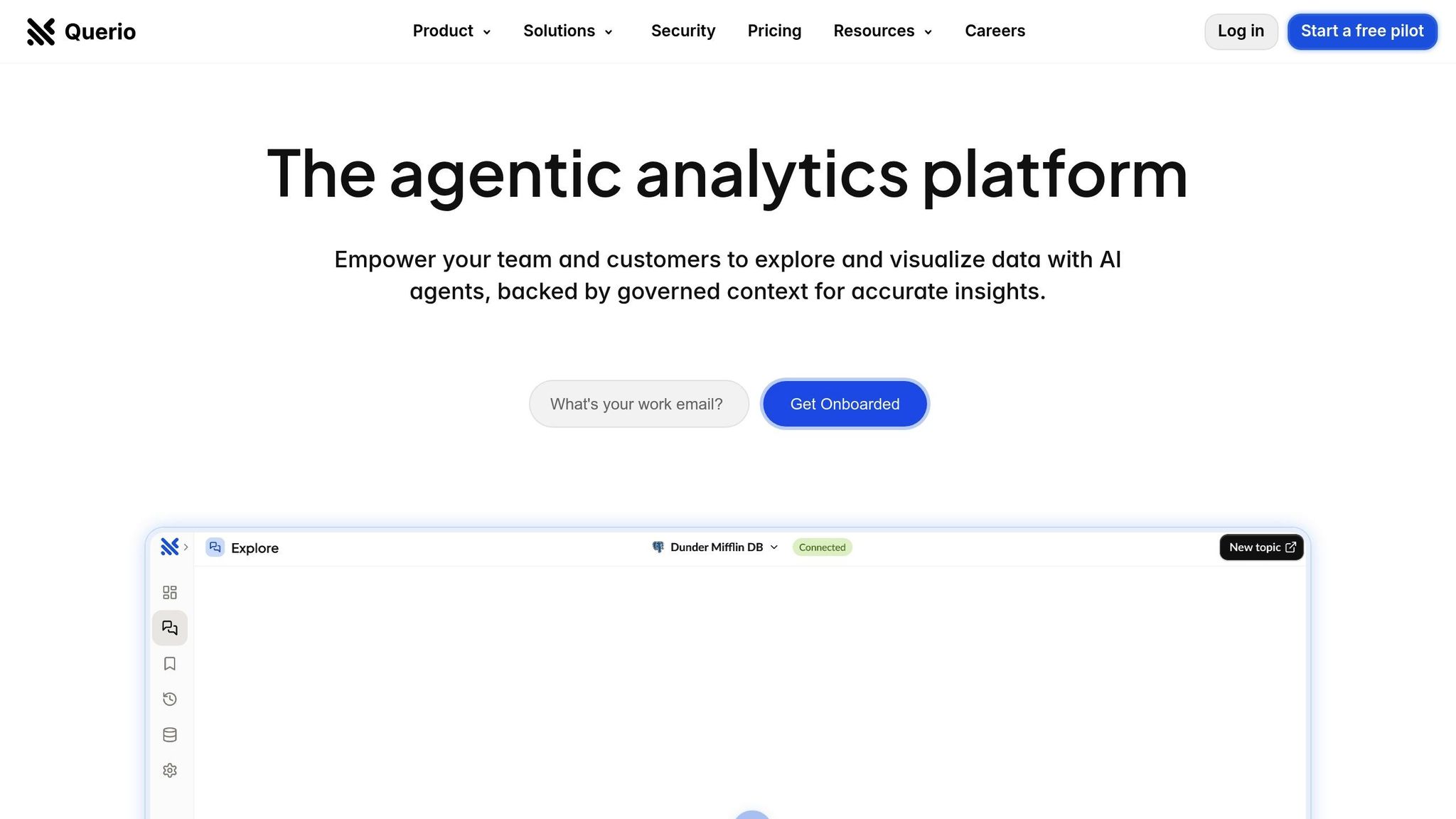
Querio is designed as an AI-centric workspace that seamlessly combines natural language querying, live data connections, and centralized governance. This setup is especially useful for SaaS and fintech companies looking to embed analytics into customer-facing applications. With Querio, users can ask questions in plain English and instantly receive accurate charts, all without burdening your data team. Let’s dive into how Querio’s standout features make this possible.
Querio's Core Features and Capabilities
Querio integrates directly with your data warehouse - whether it’s Snowflake, BigQuery, or Postgres - using encrypted, read-only credentials. This direct connection eliminates sync delays, reduces costs, and ensures real-time insights by querying live data. For advanced analytics, the platform also includes an integrated Python notebook, offering a powerful environment for in-depth analysis.
Natural language querying in Querio goes beyond basic keyword matching. For instance, a finance manager could type, "What was our customer acquisition cost by channel for Q3 2025?" and instantly get a detailed visualization - no SQL required. The system relies on a semantic layer configured by your data team, where business definitions, context, and table relationships are established. This ensures consistent, accurate results for everyone, whether they’re a non-technical user or an experienced analyst.
Additionally, Querio features a drag-and-drop dashboard builder, allowing business users to create KPI dashboards and automated reports. These reports update in real time, keeping executives and stakeholders informed without the need for manual updates.
Governance and Security in Querio
Querio’s semantic layer ensures standardized data definitions across dashboards, natural language queries, and Python notebooks, making analytics both secure and consistent. The platform is SOC 2 Type II compliant and offers a 99.9% uptime SLA, so your embedded analytics remain reliable and secure.
Unlike other embedded analytics tools that charge hidden query fees, Querio provides transparent pricing with unlimited queries. This is a game-changer for high-traffic applications, where usage can be unpredictable.
How Querio Speeds Up Decision-Making
Querio takes embedded analytics to the next level by delivering live insights directly within your workflow. Traditional BI tools often leave business users waiting days - or even weeks - for data teams to create visualizations. Querio changes this dynamic. A product manager, for example, can ask a question, get results, and explore details immediately - no analyst needed.
With real-time data connections, dashboards always reflect the latest information. This immediacy is critical for tasks like fraud detection, customer support, or operational monitoring, where quick action can prevent bigger problems.
Querio’s user-friendly interface ensures that even non-technical users can start asking natural language questions right away. For data teams, the platform’s self-service approach reduces repetitive requests, freeing up time for more strategic work, like building new data models or conducting deeper analyses. The integrated Python notebook, enhanced with AI assistance, further speeds up complex analytics, offering a seamless coding experience.
Conclusion: Selecting the Right Embedded Analytics Solution
Embedded analytics and self-service dashboards are revolutionizing how businesses make decisions. Instead of waiting for days to receive reports from data teams, users can now access live insights right within their workflows. This shift is especially crucial for industries like SaaS and fintech, where speed and precision directly influence customer satisfaction and competitiveness. This section pulls together earlier discussions on evaluating tools and vendor options.
The ideal embedded analytics platform should simplify the journey from question to insight. Imagine a customer success manager analyzing churn trends or a finance director tracking regional revenue metrics. They shouldn’t have to submit a request and wait for results. Features like real-time data connections, natural language querying, and customizable dashboards can transform analytics from a bottleneck into a strategic enabler.
Key Takeaways
Live data and AI-driven querying empower quicker, more informed decisions. When selecting an embedded analytics solution, it’s essential to look beyond basic features and focus on what truly adds value:
Live data connections ensure dashboards always reflect the latest information, eliminating reliance on outdated snapshots.
Natural language querying depends on a robust semantic layer, where data teams define business terms, relationships, and metrics for consistent, reliable results.
Transparent pricing with unlimited queries removes financial guesswork, making scaling straightforward.
Security and compliance features like SOC 2 Type II certification and a 99.9% uptime SLA are critical, particularly for US-based SaaS and fintech companies.
Querio exemplifies these principles by offering AI-powered querying, real-time warehouse connections, centralized governance, and clear pricing. It empowers business users to ask plain-English questions while data teams retain control through a semantic layer. For deeper analysis, the integrated Python notebook provides analysts with advanced exploration tools.
Next Steps for Implementation
Use these insights to reevaluate and refine your current BI setup. Start by asking whether your users can independently answer their questions without relying on data teams. If your team spends more time generating one-off reports instead of developing strategic models, it’s time to rethink your analytics approach.
Consider how embedded analytics could enhance your customer experience. For SaaS products, could users benefit from real-time dashboards displaying their data? For fintech applications, would instant financial visualizations help improve decision-making? These scenarios highlight the value of investing in platforms built for embedding analytics.
When evaluating vendors, focus on live data connections rather than batch processing. Test natural language querying with real-world questions to ensure it meets your needs. Check for governance features that standardize metrics and confirm the pricing model aligns with your expected usage, especially for high-traffic scenarios.
Querio’s money-back guarantee makes it easy to test whether the platform fits your requirements. With unlimited queries, direct data connections, and AI-driven insights, it’s well-suited for companies aiming to democratize data access while maintaining enterprise-level security.
Embedded, self-service analytics is no longer optional - it’s the standard for modern businesses. The real question isn’t whether to adopt these tools, but which platform will best meet your team’s needs and grow with your business.
FAQs
How do embedded analytics and self-service dashboards help businesses make better decisions?
Embedded analytics and self-service dashboards bring actionable data directly into daily workflows, helping businesses make smarter decisions. With these tools, users can access real-time visualizations, tailor dashboards to their needs, and dig into insights - all without requiring advanced technical skills.
By giving users the ability to generate their own reports and analyze information independently, businesses can react more quickly to shifts, spot trends early, and shape better strategies. This approach not only speeds up decision-making but also reduces dependency on IT teams, ensuring that everyone in the organization can tap into data-driven insights with ease.
What factors should businesses consider when choosing a BI vendor for embedded analytics solutions?
When choosing a BI vendor for embedded analytics, it's essential to prioritize several critical features. Look for platforms that provide real-time data access, customizable dashboards, and self-service tools that make it easier for non-technical users to work independently. Strong security and compliance measures, seamless data integration, and scalable performance are also must-haves to support your organization's growth and evolving needs.
Beyond the technical aspects, take the time to assess the vendor's reputation and the quality of their user support. It's also helpful if the vendor offers a demo or trial, allowing you to explore the platform's functionality firsthand. By carefully evaluating these factors, you can select a solution that aligns with your business goals and enables quicker, more intuitive decision-making.
How does natural language querying in embedded analytics make data more accessible for non-technical users?
Natural language querying makes accessing data much easier by enabling users to interact with analytics platforms using simple, everyday language. Instead of grappling with complex coding or mastering SQL, users can just type questions like "What were last month's sales totals?" or "Which product had the highest performance this quarter?" and quickly receive answers in the form of visual insights like charts or graphs.
This approach helps teams make quicker, informed decisions without needing constant support from technical experts, creating a more accessible and user-friendly experience for everyone in the organization.
Related Blog Posts