Business Intelligence
top AI analytics platforms enterprise comparison
A practical comparison of enterprise AI analytics platforms, evaluating NL-to-SQL accuracy, governance, integrations, and pricing to find the best fit.
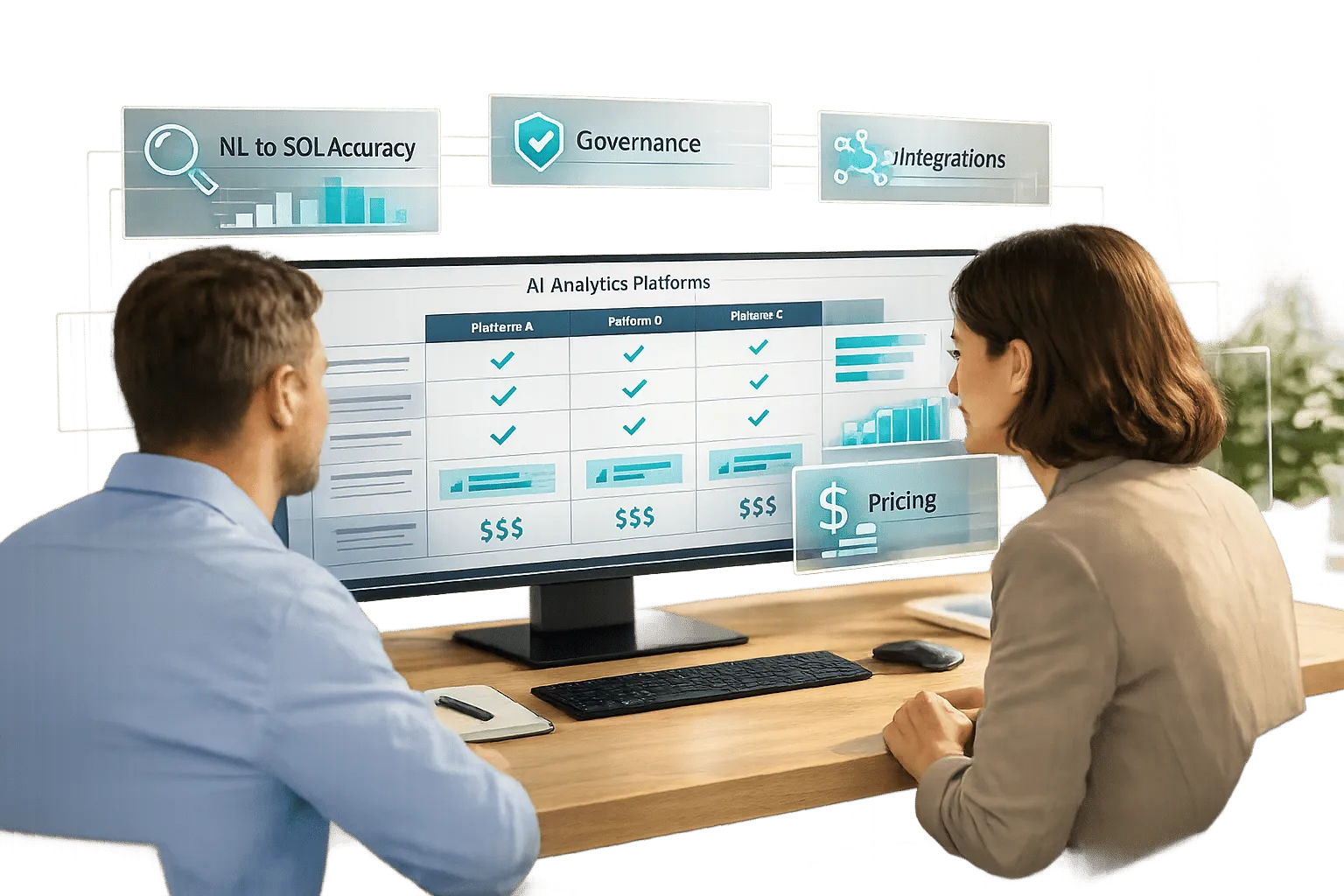
AI analytics platforms have transformed enterprise decision-making by moving beyond traditional reporting to predictive insights and automated analysis. Here's a quick breakdown of top natural language data querying tools and their standout features:
- Querio: Translates natural language queries into SQL/Python, ensuring accuracy and consistency across metrics. Offers a free plan and Core at $2,499/month, with unlimited users on every plan.
- Tellius: Focuses on in-depth analysis with conversational AI. Uses a usage-based pricing model with no per-user fees.
- Power BI + Copilot: Integrated with Microsoft 365, excels in visualization and DAX formulas but requires additional setup for advanced AI features. Pricing starts at $14/user/month.
- Tableau: Known for its visualization capabilities, but costs can escalate with per-user pricing. AI features require integration with Salesforce Data Cloud.
- ThoughtSpot: Search-driven analytics with strong NLQ capabilities but requires extensive setup for semantic layers. Pricing is based on users and data consumption.
Quick Comparison
| Platform | NL-to-SQL accuracy | Governance & Security | Data Integration | Pricing Model |
|---|---|---|---|---|
| Querio | High | SOC 2 Type II, version-controlled | Snowflake, BigQuery, Redshift | Free plan; Core $2,499/mo, unlimited users |
| Tellius | High | SOC 2 Type II, HIPAA-compliant | 30+ sources, multi-cloud | Usage-based, no per-user fees |
| Power BI + Copilot | Moderate | Microsoft Fabric security stack | Microsoft ecosystem, Azure services | Starts at $14/user/month |
| Tableau | Moderate | Row-level security, SAML, AD | Salesforce Data Cloud integration | $35–$115/user/month |
| ThoughtSpot | High | Centralized semantic layer | Relational databases, cloud warehouses | User and consumption-based |
Each platform has its strengths, from Querio's transparent SQL generation to Tellius' conversational insights. Choosing the right one depends on your enterprise's specific needs, such as data governance, scalability, and budget.
::: @figure 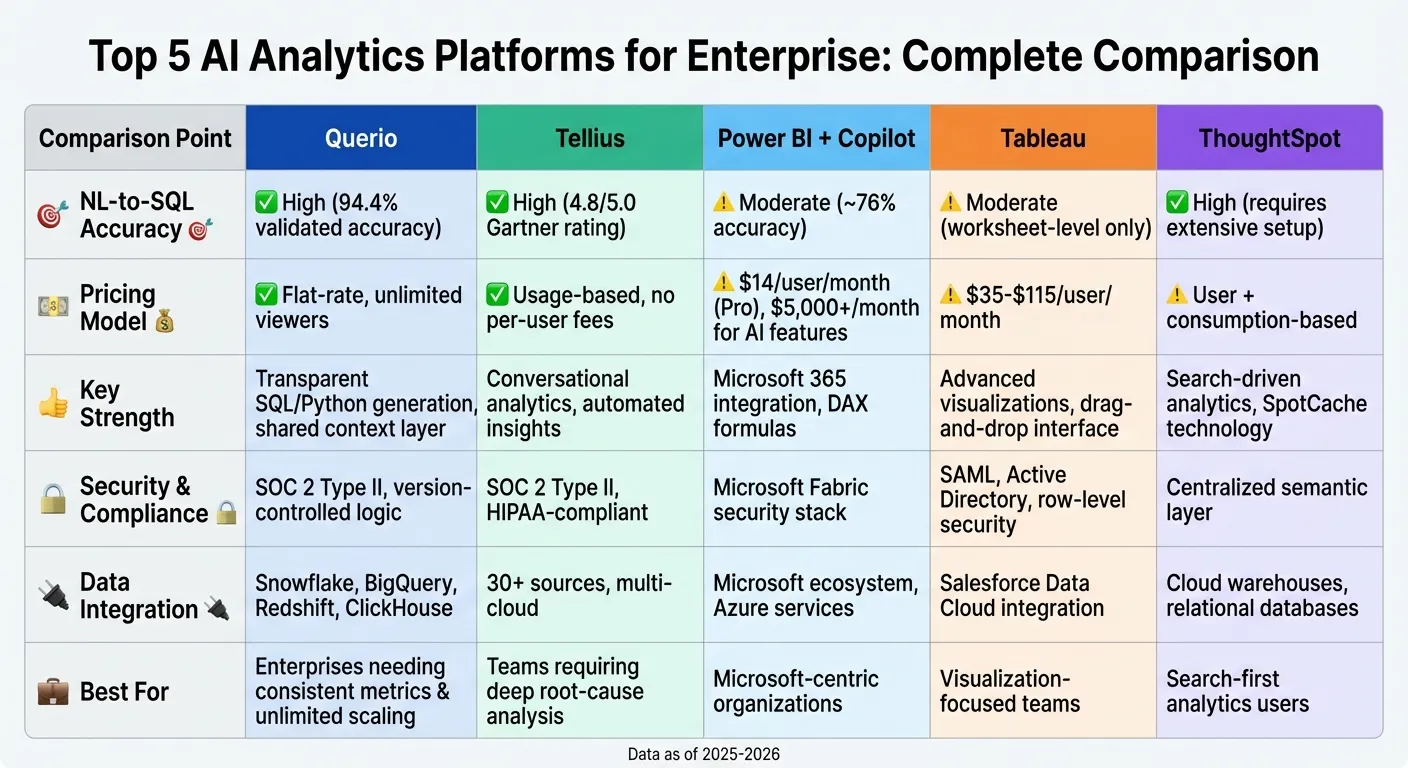 {Enterprise AI Analytics Platforms Comparison: Features, Pricing, and Capabilities}
:::
{Enterprise AI Analytics Platforms Comparison: Features, Pricing, and Capabilities}
:::
1. Querio
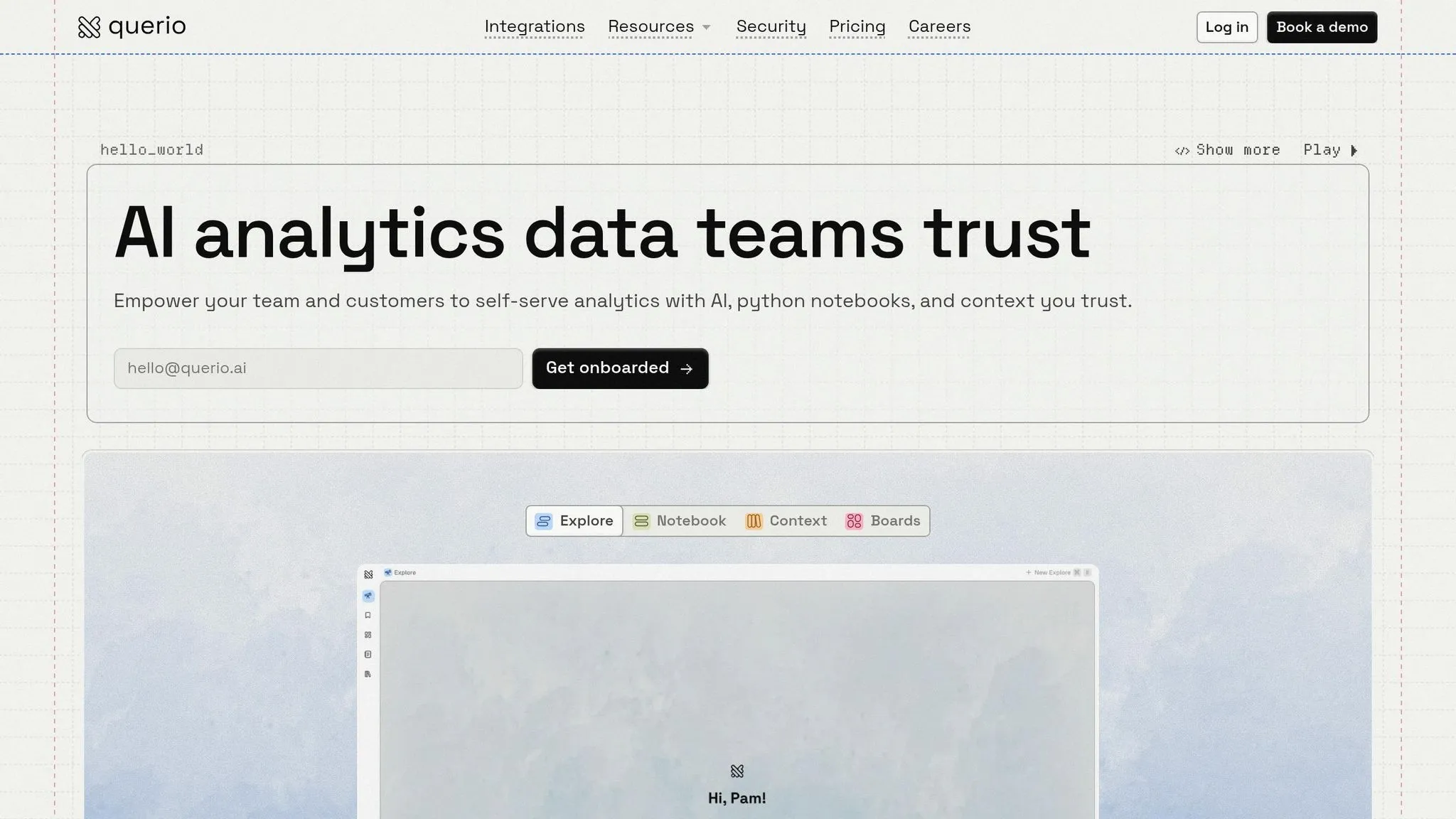
Querio is an AI-powered workspace designed to connect directly to your data warehouse. It translates plain English queries into clear and auditable SQL and Python, offering both speed and reliability.
NL-to-SQL Accuracy
With Querio, SQL and Python generation is entirely transparent, ensuring precise results every time. The platform relies on a shared context layer, where data teams define joins, metrics, and business terms once. These definitions are then applied consistently across all AI-generated outputs, whether it’s dashboards, AI-powered embedded analytics, or standalone queries. This setup eliminates the inconsistencies often seen in AI tools that lack specific warehouse context, ensuring stable and reliable answers.
Governance & Security
Querio prioritizes security and governance. It is SOC 2 Type II compliant and includes features like role-based access and SSO. The platform also uses version-controlled logic, meaning key metrics and relationships are defined and preserved over time. For example, if someone asks, "What's our monthly recurring revenue?" in March 2026, the answer will remain consistent - whether accessed through the AI interface, a notebook, or a dashboard. All connections to your data warehouse are encrypted and read-only, eliminating the need for data duplication or extraction.
Data Integration
Querio is one of the leading warehouse-native data analysis tools that integrates seamlessly with cloud data warehouses such as Snowflake, Google BigQuery, Amazon Redshift, and ClickHouse. It also supports relational databases like PostgreSQL, MySQL, MariaDB, and Microsoft SQL Server. By querying live data directly from your warehouse, Querio ensures real-time analytics without delays caused by syncing or duplicating data.
Pricing Model
Querio has a free plan, and Core is $2,499 a month (or $25,000 a year billed annually), with unlimited users on every plan. Unlike traditional per-user subscriptions, this approach allows organizations to scale analytics access freely without worrying about additional user costs. This flexibility, combined with its advanced features, makes Querio a strong choice for enterprise-level analytics needs.
sbb-itb-284a532
2. Tellius
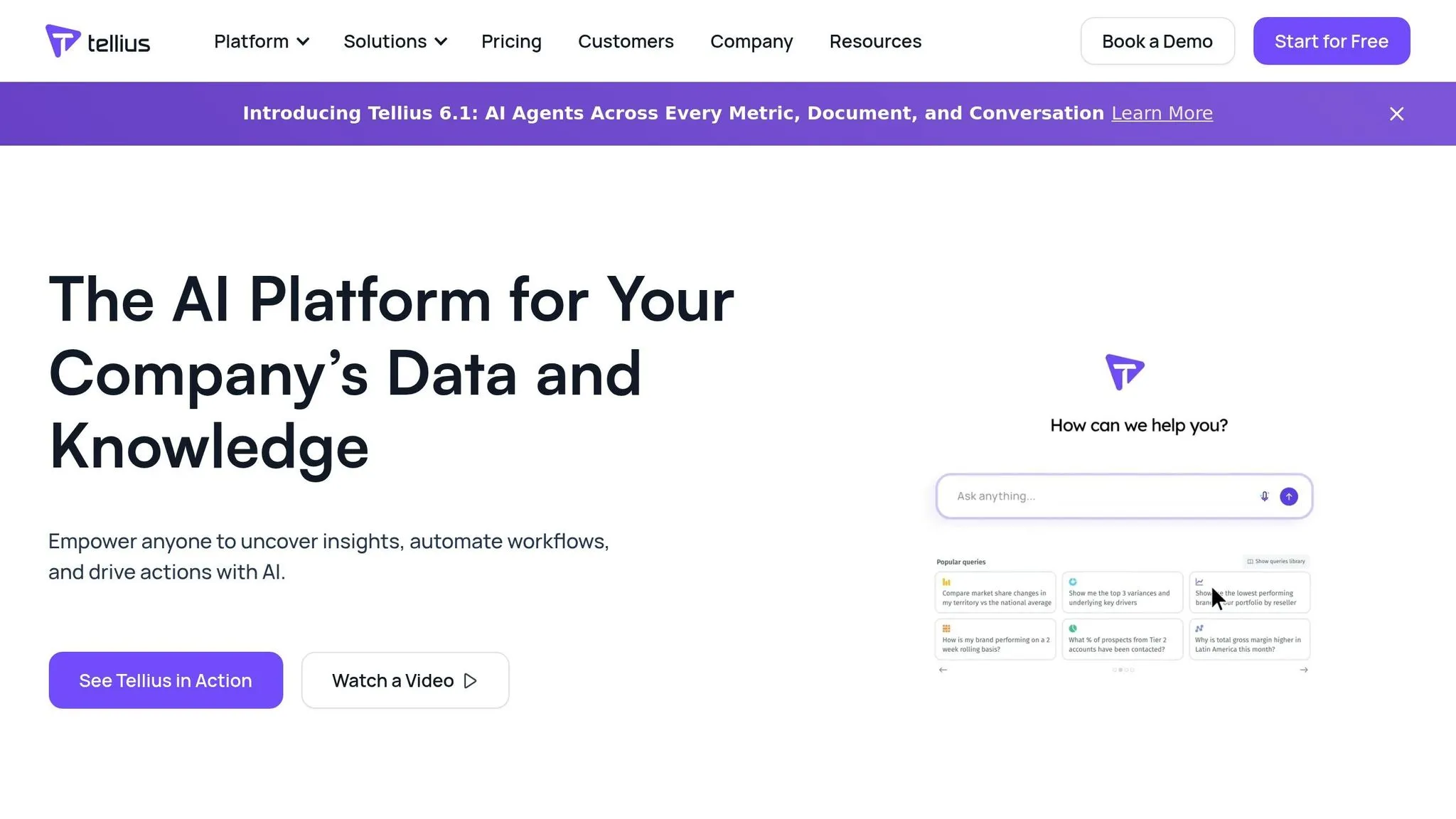
Tellius is an AI-powered analytics platform designed to go beyond surface-level metrics. It focuses on uncovering the reasons behind changes in data, thanks to its emphasis on agentic analytics. Using the Kaiya natural language engine, the platform translates English queries into SQL using AI tools that write SQL, visualizations, and even complex multi-step analyses, all while maintaining conversational context [3][5].
NL-to-SQL Accuracy
Tellius excels at translating natural language queries into accurate SQL and delivering in-depth multi-step analyses. This is supported by its governed semantic layer, which is pre-configured with domain-specific packs for industries like Pharma, CPG, and FP&A. These packs include fiscal calendars and hierarchies like TRx, NBRx, and payer structures, ensuring context is preserved for follow-up questions [3][5][2]. This capability has earned Tellius a 4.8/5.0 rating on Gartner Peer Insights and recognition as the top-rated agentic analytics platform in the 2025 Dresner Advisory Services Wisdom of Crowds Agentic AI Report [4].
Governance & Security
Tellius pairs its analytical capabilities with strong governance and security measures. It is SOC 2 Type II compliant, SOX-ready, and supports HIPAA compliance through signed Business Associate Agreements [6][3][7]. The platform integrates row-level and column-level security, as well as data masking, directly from cloud data warehouses like Snowflake and Databricks [6][3][7]. Additionally, it offers full data lineage tracking and audit trails for every query, ensuring transparency and compliance. For organizations with strict data residency requirements, Tellius can be deployed within a Virtual Private Cloud or on-premises [6][3].
Data Integration
The platform connects seamlessly to over 30 data sources, including Snowflake, Databricks, BigQuery, SAP, and Salesforce [2][3][7]. Unlike tools tied to a single ecosystem, Tellius supports governed NL-to-SQL queries across multiple sources and even cross-cloud environments [3]. In 2025, companies like Novo Nordisk and Regeneron saw dramatic improvements in efficiency - Novo Nordisk cut its commercial analytics cycle time by 88%, while Regeneron reduced investigation time by 97% using Tellius to streamline workflows [3][5].
Pricing Model
Tellius offers a usage-based pricing model without per-user fees, making it scalable and cost-effective [5]. The Pro tier is ideal for mid-sized teams, providing access to features like governed conversational analytics and automated insights [2]. For larger organizations, the Enterprise tier includes advanced capabilities like agentic workflows, proactive monitoring, custom System Packs, and dedicated implementation support [2].
3. Power BI + Copilot
Power BI + Copilot is Microsoft's AI-driven analytics tool, seamlessly integrated into the Microsoft 365 ecosystem. Its primary focus is on generating DAX formulas, suggesting visualizations, and creating summaries, rather than providing a straightforward natural language-to-SQL experience [9]. The platform shines in the "last mile" of analytics - transforming well-prepared data into clear, actionable visuals. However, it relies heavily on robust initial data modeling and a clearly defined semantic layer to deliver accurate results [9][10]. These features make Power BI + Copilot a strong contender in today's analytics landscape.
NL-to-SQL Accuracy
While Power BI delivers precise results for pre-defined DAX calculations, Copilot's performance with more complex, multi-step reasoning can be less reliable [10]. Its general-purpose models achieve an accuracy rate of about 76% on specialized data benchmarks [8][10]. Gulab Chand Tejwani, an Analytics Solution Architect, highlighted this challenge:
"Copilot generated the DAX in 3 seconds. It took me 45 minutes to fix what it got wrong" [11].
As a result, the tool is most effective for generating initial visualization ideas, but more intricate logic and financial reporting typically require expert intervention [11]. These limitations underscore the importance of governance and security measures in its deployment.
Governance & Security
Power BI ensures enterprise-grade security through Microsoft Fabric, making it a trusted option for handling large-scale, sensitive data. Importantly, prompts and responses within Copilot stay confined to the organization's tenant and are not used to train broader foundation models [12][13]. The platform also leverages Microsoft's existing security stack - such as Role-Based Access Control (RBAC), Single Sign-On (SSO), and centralized admin tools - to protect data [9][13]. Unlike probabilistic AI tools, Power BI's reliance on pre-defined schemas and DAX measures ensures a consistent and reliable single source of truth [10]. Organizations using Power BI have reported a 265% ROI over three years, with a payback period averaging just six months [9].
Data Integration
Power BI integrates effortlessly with other Microsoft tools, including Excel, SharePoint, Teams, Dynamics 365, and Azure services [9]. It supports between 8 and 48 daily refreshes and offers real-time dashboards through DirectQuery and streaming datasets [9]. However, handling complex ETL pipelines or large-scale machine learning tasks often requires additional tools like Databricks or Azure Synapse [10].
Pricing Model
Power BI's pricing begins at $14 per user per month for the Pro tier, while the Premium Per User plan costs $24 per user per month, offering 100GB of storage and up to 48 daily refreshes [9]. Accessing Copilot features requires Fabric F64+ capacity or a Premium P1+ SKU, which starts at approximately $5,000 per month [9]. This pricing structure positions Power BI as a solution tailored to large enterprises already invested in the Microsoft ecosystem, making it less accessible for smaller organizations [8][9].
4. Tableau
Tableau has become a go-to tool for data visualization, known for its user-friendly drag-and-drop interface that simplifies the creation of interactive dashboards. It primarily functions as a business intelligence (BI) layer, designed to analyze pre-prepared data [9]. In 2025, Tableau earned recognition as a Leader in the Gartner® Magic Quadrant™ for Analytics and Business Intelligence Platforms [16].
NL-to-SQL Accuracy
For businesses focused on consistent metrics, Tableau Agent leverages metadata indexing - using field captions, descriptions, data roles, and types - to provide context for datasets [14]. Recently, Tableau introduced Tableau Semantics, a governed layer aimed at standardizing metrics and semantic layers [2]. However, the Tableau Agent is currently limited to operating at the worksheet level, which restricts its ability to handle multi-step natural language analyses [9]. According to Gartner, by the end of 2026, 40% of enterprise applications are expected to include task-specific AI agents [2].
Governance & Security
Tableau employs a multi-layered security framework that includes encryption (both at rest and in transit), secure protocols, and granular role-based access controls [15]. It supports enterprise authentication through SAML 2.0, OpenID Connect, Kerberos, and Active Directory. Row-level security is also available, managed via user filters and calculated fields, accommodating both static and dynamic rules based on user roles. The Data Management Add-on provides tools like data lineage tracking, quality indicators, and the Tableau Catalog for metadata management and asset discovery [17]. For instance, Jaguar Land Rover attributed $325 million in business value to Tableau in 2026 by leveraging it to improve operations and enable data-driven decision-making across its global teams [16]. These robust security measures ensure dependable performance.
Scalability & Performance
Tableau's performance depends heavily on the chosen data access method. The platform offers two options: "Import/Extract", which prioritizes speed but sacrifices real-time updates, and "Live Connections", which rely on the performance of the underlying database [9]. With the 2026 release of "Tableau Next", full AI functionality requires data to flow through Salesforce Data Cloud, which could lead to ecosystem lock-in and potential performance challenges [2]. On average, organizations using Tableau report saving 3–4 hours per analyst per week, with a 319% return on investment over three years [9]. However, scalability can be hindered by fragmented governance, where business logic resides in individual workbooks rather than a centralized semantic layer [17].
Pricing Model
Tableau's Enterprise pricing starts at $35 per user per month for Viewers, $70 per user per month for Explorers, and $115 per user per month for Creators, with annual billing [9]. Access to the full suite of AI-powered features via Tableau+ costs $115 per user per month for Enterprise Creators, along with extra fees for Agentforce and Data Cloud credits [2]. For a company with 5,000 users, the estimated annual cost ranges from $1.5 million to $1.8 million [17]. For smaller setups, such as a 200-person company, Tableau Enterprise could cost around $14,000 per month [9].
5. ThoughtSpot
ThoughtSpot is a search-focused analytics platform powered by its Spotter 3 AI agent. It uses a centralized semantic metrics layer and SpotCache technology to manage high-volume queries effectively [18]. Unlike tools that prioritize visualizations, ThoughtSpot centers around search, letting users type questions to get instant answers. Here's a closer look at its natural language query (NLQ) accuracy, data integration, scalability, and pricing.
NL-to-SQL Accuracy
ThoughtSpot stands out for its natural language query capabilities and advanced AI reasoning [18]. However, achieving this functionality requires significant preparation. Users need to spend weeks or even months on data modeling and setting up the semantic layers vs. traditional data models using ThoughtSpot's TQL and metadata tools [18].
Data Integration
The platform supports live query connections to cloud data warehouses and in-memory processing. However, it doesn't natively handle NoSQL or nested JSON data sources. Businesses relying on document databases, API responses, or semi-structured data will need to transform these into relational or columnar formats [18]. This means additional costs for ETL tools and data transformation processes should be included in implementation plans.
Scalability & Performance
Thanks to its SpotCache technology, ThoughtSpot can handle unlimited queries while maintaining consistent performance under heavy loads. That said, achieving this scalability depends on proper infrastructure setup and tuning [18]. These factors play a significant role in determining the overall cost of using the platform.
Pricing Model
ThoughtSpot uses a pricing structure based on user count and data consumption, with extra licensing fees. Beyond the subscription, businesses should budget for expenses like data modeling, infrastructure setup, and ongoing performance optimizations [18]. Additionally, professional services and technical expertise for building and maintaining the semantic layer will likely be necessary for a successful deployment.
Strengths and Weaknesses
Each platform brings its own mix of governance, pricing, and transparency benefits. Let’s break down the strengths and weaknesses of these platforms to help guide your enterprise analytics decisions.
Querio is notable for its warehouse-native approach and no per-seat pricing. It generates real SQL and Python for every query, providing technical teams with complete visibility into how results are calculated. The shared context layer ensures metrics like MRR are defined once and consistently applied across all analyses, solving the problem of "metric drift", where teams see conflicting numbers for the same KPI. Unlimited users on every plan make it a cost-efficient option for enterprises. This combination of reliability and alignment with enterprise priorities makes Querio a standout choice.
Tellius excels in conversational analytics chatbots and automated insights. Its "Impact Scores" provide transparency by quantifying driver rankings and showing the logic behind every insight [2][19]. However, its semantic modeling requires significant setup time. On the bright side, its no-per-user-fee model keeps costs manageable as teams expand.
Power BI + Copilot offers an affordable entry point with Pro pricing, but premium AI features come with a hefty price tag. The Copilot functionality requires Fabric F64+ capacity, which starts at around $5,000 per month [2][9]. This significantly increases the total cost of ownership for businesses aiming to leverage AI-driven analytics.
Tableau uses a per-user pricing model that can quickly become expensive for organizations with widespread analytics needs. While Tableau Semantics provides governed metrics, the logic often remains fragmented across individual workbooks, creating governance challenges at scale.
ThoughtSpot employs tiered pricing with custom enterprise options [2]. The platform offers full SQL visibility and a mature NLQ (natural language query) feature. However, it lacks automated root cause analysis, requiring manual investigation instead [2]. While many platforms demand extensive setup, Querio delivers consistent and streamlined results right from the start.
Conclusion
Querio sets itself apart as a leading AI analytics platform tailored for enterprises. Its warehouse-native design achieves an impressive 94.4% validated accuracy in financial analysis, while its transparent SQL and Python generation gives technical teams full visibility into every calculation [20]. The platform’s shared context layer ensures consistent metrics across all analyses, addressing the common issue of conflicting KPIs in organizations. Plus, with unlimited users, Querio offers scalable solutions without the hassle of per-user licensing fees.
As analytics shift toward more autonomous capabilities, Querio stands ready to deliver dependable, scalable performance. The future of analytics is leaning toward agentic AI - platforms that proactively investigate anomalies instead of merely responding to queries. With 62% of enterprises experimenting with AI agents and 23% already scaling their use, Querio’s blend of accuracy, governance, and transparent query generation positions it as a strong contender for the evolving analytics landscape through 2026 and beyond [1].
FAQs
::: faq
How long does it take to set up Querio on an enterprise warehouse?
Getting Querio up and running on your enterprise data warehouse is a quick process - typically just a few hours. The steps are simple: connect the platform to your data sources and set up user access. It's built to be efficient and hassle-free, making integration into enterprise systems as smooth as possible. :::
::: faq
How does Querio keep KPI definitions consistent across teams?
Querio uses a centralized semantic layer to keep KPI definitions consistent across teams. This layer translates business context, ensuring that all users have access to governed and dependable insights. :::
::: faq
What does Querio’s pricing include?
Querio has a free plan, and Core is $2,499 a month (or $25,000 a year billed annually). Every plan includes unlimited users, unlimited data connections and smooth integration with major data warehouses. It ensures complete transparency by supporting both SQL and Python, giving technical teams the flexibility they need. Additionally, it provides governance features tailored to support the evolving needs of growing businesses. :::