Business Intelligence
Customer-Facing Analytics: What Every SaaS Needs in 2025
Embed real-time, AI-driven analytics into SaaS apps with secure multi-tenant access, self-service dashboards, and scalable performance to boost retention.

Customer-facing analytics is no longer optional for SaaS platforms in 2025 - it's essential. Users expect insights directly within your app, not in separate tools. This approach boosts engagement, helps users act faster, and drives growth by embedding dashboards, reports, and AI-driven insights into their workflows.
Key Takeaways:
- Integrated Analytics: Provide real-time insights directly in your product to simplify decision-making.
- AI Features: Use natural language queries, predictive analytics, and AI assistants to make data accessible to non-technical users.
- Self-Service Dashboards: Offer customizable, user-friendly interfaces tailored to roles and needs.
- Security First: Ensure multi-tenant data isolation, role-based permissions, and compliance (e.g., SOC 2 Type II).
- Scalability: Support high concurrency with fast query response times.
Querio is a standout tool for embedding analytics, offering live data connections, a semantic layer for SaaS consistency, and advanced AI-powered features like Python notebooks. By integrating these capabilities, SaaS companies can deliver actionable insights, improve retention, and stay competitive in a data-driven market.
Core Features of AI-Driven Customer-Facing Analytics
AI-powered customer-facing analytics are all about delivering insights that are easy to understand, actionable, and smart. Here’s a closer look at the key features that set them apart.
Natural Language Queries and AI Assistants
Natural language queries make data accessible to everyone, no technical expertise required. Users can simply type questions like, "What were my top-performing products last month?" and instantly receive clear visualizations. This eliminates the need to rely on technical teams for data interpretation.
With 83% of employees feeling unsure about using analytics tools, AI assistants step in to bridge the gap. These assistants interpret plain-language questions and provide relevant insights on the spot. Advanced chatbots, for example, now resolve up to 80% of queries by using natural language processing and historical data. This frees up your team to focus on deeper, more complex challenges.
"AI enhances your team, not replaces it. The goal is to automate repetitive tasks, allowing your team to focus on strategy, creativity, and relationship-driven work." - Asad Shahzad, Content Marketer
Real-Time Insights and Predictive Analytics
Timely insights can make or break decisions. Real-time analytics ensures users can act immediately, responding to changes as they happen. This level of responsiveness keeps users engaged and builds trust in your platform.
Predictive analytics takes it a step further by forecasting outcomes and flagging potential risks before they occur. Instead of just reviewing past data, users gain a clear understanding of what’s likely to happen next. This approach triggers proactive alerts, enabling faster and more confident decision-making.
Self-Service Dashboards with Simple Interfaces
Self-service dashboards simplify data exploration. With intuitive drag-and-drop tools, users can create custom views or filter data without needing extensive training. Role-based dashboards further streamline the experience, showing executives high-level KPIs while offering operations teams detailed, granular insights.
How Querio Powers Customer-Facing Analytics
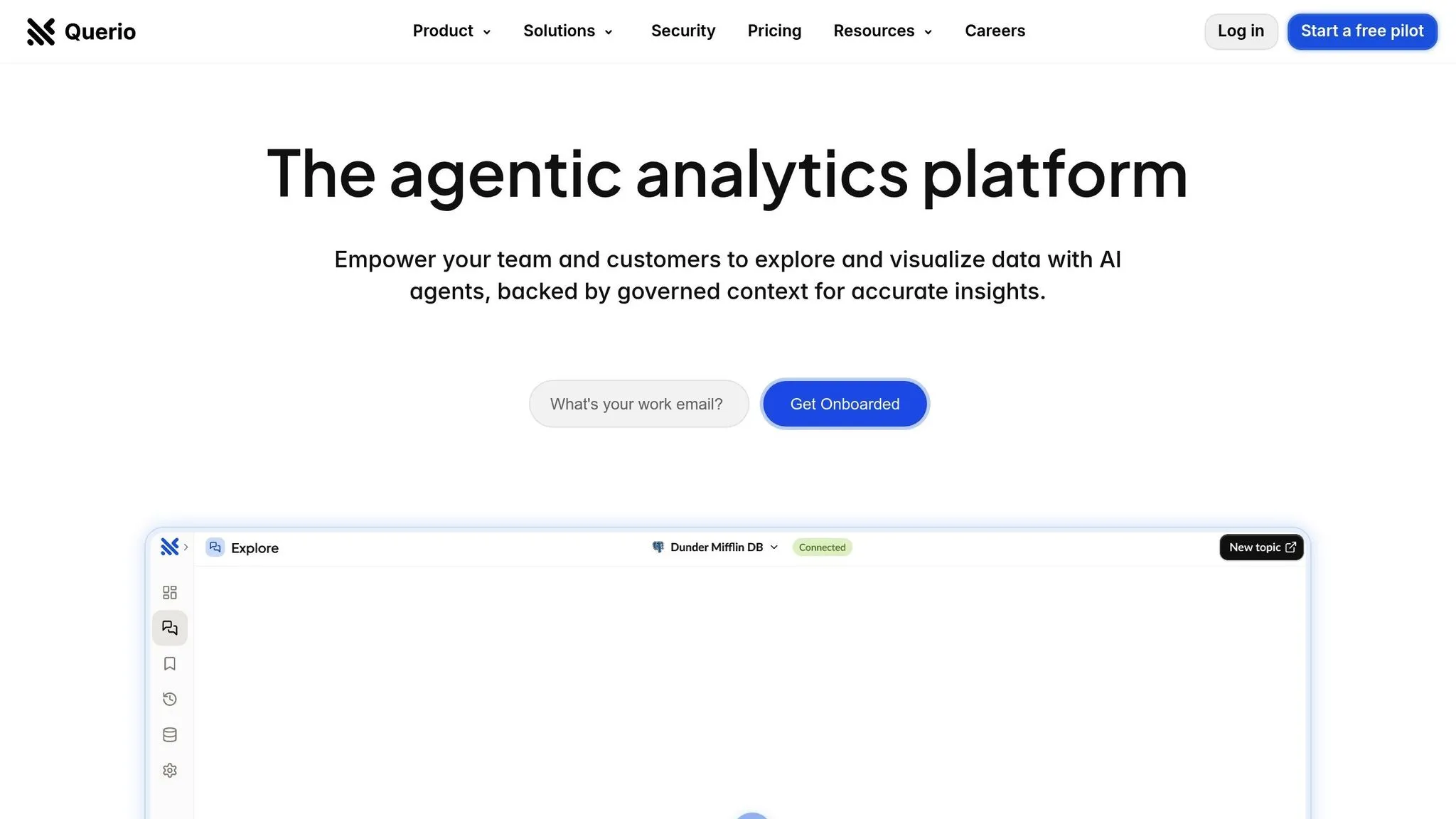
Querio stands out in the embedded analytics tools space by connecting directly to your data warehouse. Instead of copying and storing data elsewhere, it integrates seamlessly with platforms like Snowflake, BigQuery, and Postgres using read-only, encrypted credentials. This approach ensures your SaaS users always access up-to-date information without the hassle of syncing or managing duplicate datasets. Your data remains securely stored in your warehouse, protected by your existing access controls, while Querio manages the query layer. This streamlined setup enables real-time performance, precise control, and advanced analytics capabilities.
Real-Time Insights with Live Data Connections
By connecting directly to your data warehouse, Querio eliminates the delays often associated with traditional ETL pipelines. Users query data straight from the same source your internal teams rely on, ensuring they get the most current insights without the need for additional databases. This not only simplifies your infrastructure but also ensures your data stays securely within your existing system and access controls.
Consistency and Control Through a Semantic Layer
Querio’s semantic layer provides a unified framework for interpreting data across your SaaS platform. Your data team defines table joins, business metrics, and glossaries just once, ensuring everyone - across teams and users - works with consistent and accurate results. This eliminates discrepancies from teams calculating metrics differently. Role-based permissions further enhance security, ensuring each customer only views their own data, making multi-tenant governance both straightforward and secure.
Advanced Analysis with AI-Powered Python Notebooks
For users who need more than standard dashboards, Querio offers Python notebooks that combine SQL and Python into one powerful environment. These notebooks, integrated with the governed data layer, allow advanced users to perform detailed analyses, build predictive models, and craft custom visualizations - all while maintaining compliance. An AI assistant simplifies SQL and Python coding, making sophisticated analytics accessible to a broader range of users.
How to Implement Customer-Facing Analytics in Your SaaS
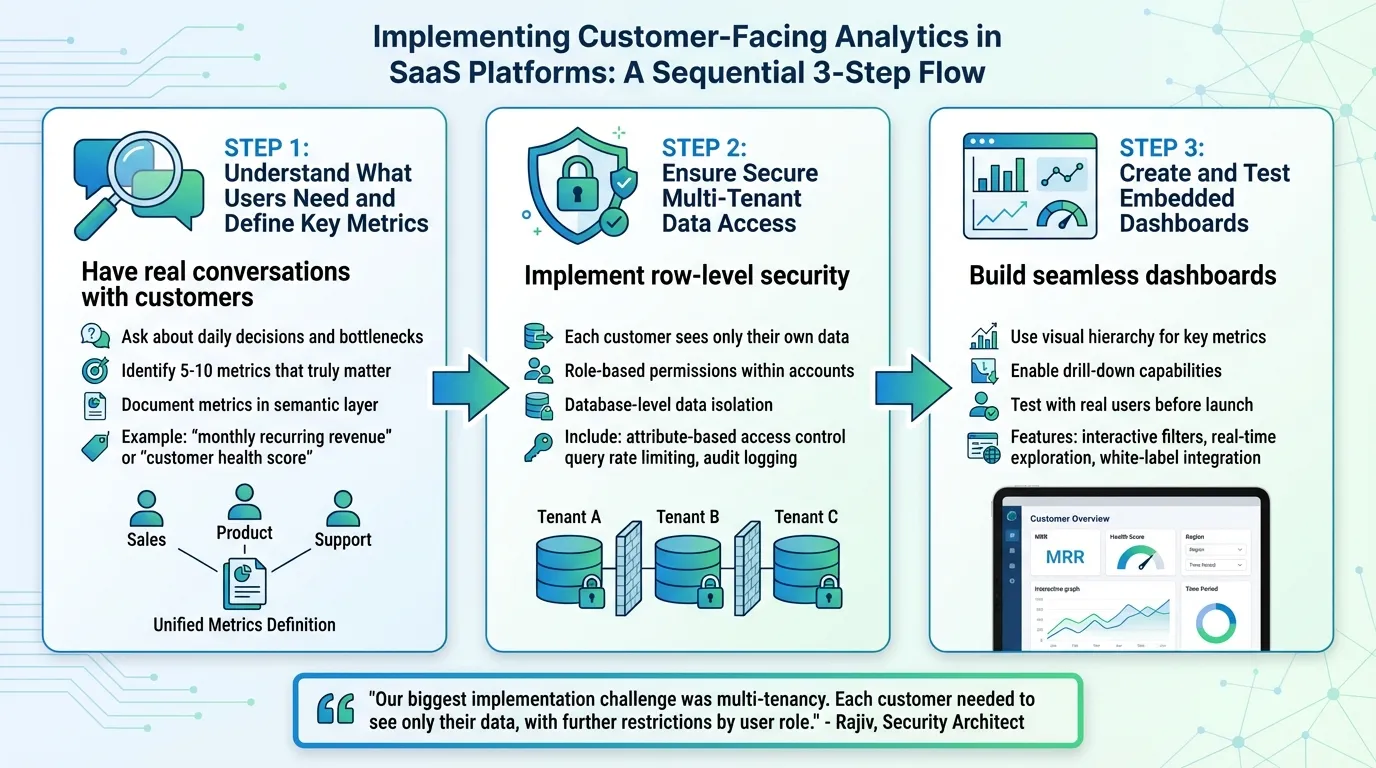
Rolling out customer-facing analytics isn't just about crunching numbers - it's about helping users make better decisions, keeping their data secure, and ensuring everything works seamlessly. Instead of starting with the data you already have, focus on solving the specific problems your users face. Here’s how you can align analytics with user needs, protect data, and thoroughly test your integration.
Step 1: Understand What Users Need and Define Key Metrics
Begin by having real conversations with your customers. Ask them about the decisions they make daily and where they encounter bottlenecks. For instance, a project management tool might find that users don’t just want to track task completion rates - they need to identify projects at risk of missing deadlines before it’s too late. Once you understand these pain points, work backward to determine the 5-10 metrics that truly matter.
Document these metrics clearly in your semantic layer so everyone in your organization calculates them the same way. For example, ensure "monthly recurring revenue" or "customer health score" means the same thing across teams. This consistency is key to building trust in your analytics.
Step 2: Ensure Secure Multi-Tenant Data Access
Security is non-negotiable. Each customer should only see their own data, and within each account, access should vary based on user roles. Start by implementing row-level security directly at the database level. This ensures data isolation before any queries are executed. Tools like Querio’s semantic layer simplify this process by applying role-based permissions tied to your data warehouse, keeping access rules consistent across all dashboards.
Additionally, include features like attribute-based access control, query rate limiting, and audit logging to track who’s accessing what. These measures not only protect sensitive data but also help you comply with privacy regulations.
"Our biggest implementation challenge was multi-tenancy. Each customer needed to see only their data, with further restrictions by user role. The authorization matrix became incredibly complex." - Rajiv, Security Architect at a healthcare analytics provider
Step 3: Create and Test Embedded Dashboards
Once the groundwork is laid, it’s time to build dashboards that feel like a seamless part of your product. Use visual hierarchy to prioritize key metrics, making it easy for users to spot what’s important at a glance. Allow them to drill down into details when needed. With tools like Querio’s drag-and-drop dashboard builder, you can connect directly to your semantic layer, eliminating the need for custom coding. This ensures the metrics you’ve defined are ready to go.
Before launching, test your dashboards with real users. Pay attention to how they interact with the interface and address any usability issues. Features like interactive filters and real-time data exploration can keep users engaged, while white-label analytics tools ensures the analytics blend naturally into your product’s design.
Security, Compliance, and Scalability Requirements
Launching your dashboards is just the beginning. The real test lies in safeguarding customer data, meeting strict compliance standards, and ensuring your analytics can grow seamlessly. These core elements are what make customers trust your platform for their critical decisions.
Multi-Tenant Architecture and Role-Based Permissions
Your platform must ensure that each customer only sees their own data, with access levels varying by role within their organization. This calls for a multi-tenant architecture with robust security controls at the tenant, user, and data levels. Implementing row-level security and attribute-based controls directly at the database level ensures data isolation happens before any query is executed.
The system should also accommodate complex customer structures. For instance, an enterprise client might have regional managers viewing data specific to their territories, while executives access aggregated metrics across all regions. Tools like Querio's semantic layer make this possible by managing intricate hierarchies and applying role-based permissions linked to your data warehouse. To further enhance security, automate scanning for sensitive data and log access events for auditing purposes.
Scalability is just as important. Your platform must handle high concurrency, delivering sub-second query results even when hundreds of users access dashboards simultaneously. Achieve this with caching strategies like scheduled refreshes and incremental updates. Real-time data pipelines, in-memory processing, columnar compression, and materialized views ensure you can scale without compromising on speed.
SOC 2 Type II Compliance and SLA Standards
Building on multi-tenant security, compliance and reliability are non-negotiable when it comes to earning customer trust. Achieving SOC 2 Type II compliance signals that your platform has undergone rigorous audits to ensure data security, availability, and confidentiality. Additionally, the Cloud Security Alliance’s SaaS Security Capability Framework (SSCF) v1.0, introduced in 2025, outlines configurable security controls that every SaaS application should adopt.
Reliability is equally critical. Deploy across multiple availability zones with automated failover mechanisms to maintain sub-second query responses and uninterrupted service. Cloud providers like AWS and Azure simplify this by offering built-in reliability, while you can layer on analytics-specific controls. To address regulations like GDPR and CCPA, provide compliance-friendly export options that let customers retrieve or delete their data on demand. These measures not only protect sensitive information but also help build lasting trust with your customers.
The Future of Customer-Facing Analytics in SaaS
Customer-facing analytics is transforming, moving away from basic reporting toward proactive, embedded decision-making. By 2025, this shift positions analytics as a key differentiator - companies that integrate insights directly into customer workflows experience 2.3 times higher retention rates compared to those sticking with standalone reporting tools.
Advancements in AI and natural language interfaces are making analytics more intuitive. Imagine asking, "Why did conversion rates drop last week?" and receiving instant, clear answers. These tools are breaking down barriers for non-technical teams, enabling product managers, customer success teams, and executives to access and act on data with ease. In fact, 91% of customer success leaders anticipate AI will play a major role in their strategies, and 52% have already started integrating it into their workflows.
But the evolution doesn’t stop there. Analytics is advancing to not only explain what happened but also to predict what’s next and recommend actions. Features like anomaly detection, churn prediction, revenue forecasting, and automated recommendations are becoming standard, helping teams make smarter, faster decisions. Personalization engines take this further by tailoring dashboards to individual roles and behaviors, ensuring users see only the insights that matter most - no unnecessary clutter.
Querio is stepping up to support these advancements with a platform designed for secure, scalable analytics. It combines live data connections, a semantic layer for governance, and AI-powered natural language queries, all underpinned by SOC 2 Type II compliance and a robust multi-tenant architecture.
FAQs
How do natural language queries make SaaS analytics more accessible to users?
Natural language queries transform SaaS analytics by letting users interact with data using simple, conversational language. Instead of relying on technical skills like writing SQL queries, anyone can dive into insights with ease.
This approach not only simplifies data access but also enables users to make quicker, well-informed decisions. It enhances how users engage with the platform, creating a smoother experience and ensuring that critical insights are accessible to everyone, no matter their technical expertise.
What security measures are essential for implementing customer-facing analytics?
To ensure customer-facing analytics are secure, you need to focus on data protection and user privacy. Start by implementing strong encryption to protect sensitive data, whether it's being transferred or stored. This creates a solid foundation for safeguarding information.
It's also important to enforce strict access controls, so only authorized individuals can view or edit data. Regular security audits play a key role in spotting weaknesses and staying compliant with regulations like GDPR and CCPA.
For added security, consider using row-level permissions to limit data visibility based on user roles. Pair this with secure authentication methods, such as multi-factor authentication (MFA), to block unauthorized access. Together, these strategies help establish trust and ensure your analytics tools remain secure and dependable.
Why is real-time data integration important for SaaS platforms in 2025?
Real-time data integration has become a must-have for SaaS platforms in 2025. Why? Because it gives users instant access to the latest insights, enabling businesses to act quickly and make informed decisions as situations evolve.
When SaaS platforms embed real-time analytics directly into workflows, users benefit from more engaging and personalized experiences. This approach not only increases customer satisfaction but also drives loyalty. In a market that’s constantly shifting, offering actionable, real-time insights can be the difference between staying ahead or falling behind the competition.