Business Intelligence
dbt Semantic Layer: What It Is, What's Free, What It Costs
The dbt Semantic Layer defines metrics once in your dbt project. We ran open-source MetricFlow with no dbt account: what's free, and what Starter adds.
 Javier BonillaCo-founder & CTO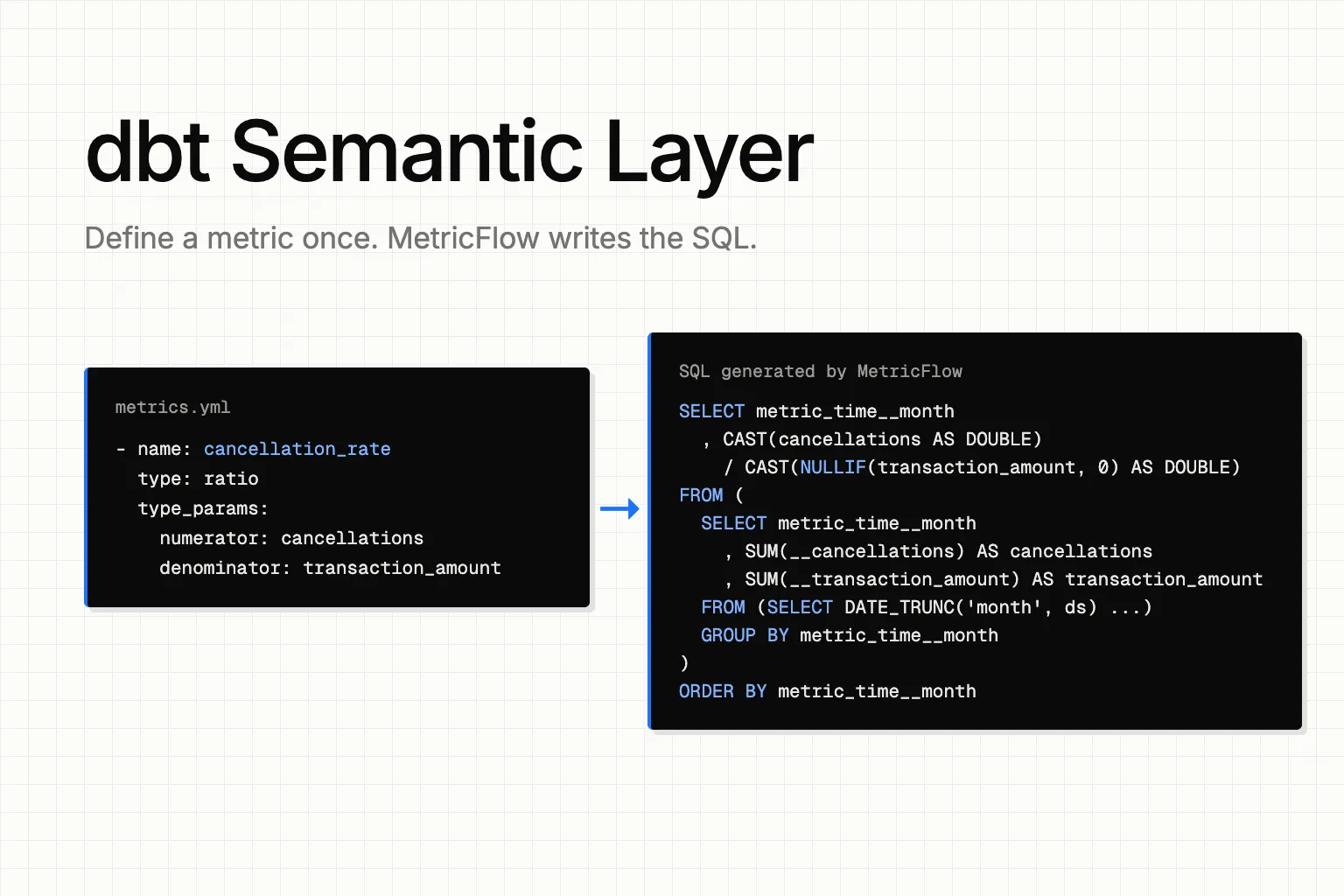
The dbt Semantic Layer lets you define a metric like revenue once, inside your dbt project, and its engine, MetricFlow, writes the SQL and the joins every time someone asks for it. Writing and running those definitions is free, because MetricFlow is open source. Serving them to BI tools and AI agents takes a paid dbt plan, Starter or above.
Our take, after running it ourselves: put the handful of metrics that must never drift in MetricFlow, and keep the rest of your context as plain files next to them, in the same repo, where people and agents both read them.
What it is: semantic models, metrics and MetricFlow
You describe your data once, on top of the dbt models you already have. Each semantic model points at one dbt model and says three things about it: its entities (the keys MetricFlow uses to join it to other models), its dimensions (the ways you slice it, such as a date or a country) and what it can add up. Metrics are built on top: simple, ratio, cumulative, derived and conversion.
When a person or a tool asks for "cancellation rate by month", MetricFlow reads those definitions and writes the SQL, joins included. Nobody hand-writes the query, so nobody hand-writes it differently.
That answers the semantic model vs semantic layer question: a semantic model describes one dbt model; the semantic layer is all of them, plus the metrics, plus the engine that turns a request into SQL.
Two bits of history matter if you're reading older tutorials. MetricFlow replaced the old dbt_metrics package in dbt Core 1.6, released on July 31, 2023 (what happened to dbt metrics). And in January 2026 dbt Labs announced a simpler YAML format that folds measures into metrics and puts the semantic settings inside each model's own YAML entry. The older format still worked in our test on dbt Core 1.12.6.
What's free on dbt Core: we ran it with no dbt account
dbt Labs moved MetricFlow to the Apache 2.0 license in October 2025. So we installed it on a laptop, pointed it at DuckDB and never signed in to anything.
The install failed first. Every current release of dbt-metricflow needs a Python older than 3.15, and our machine's default was 3.15. On Python 3.12 it worked, and gave us dbt-core 1.12.6, dbt-duckdb 1.11.0 and MetricFlow 0.213.0:
# dbt-metricflow 0.15.0 (MetricFlow 0.213.0), Python 3.12
# Install and commands: https://github.com/dbt-labs/metricflow and https://docs.getdbt.com/docs/build/metricflow-commands
uv pip install "dbt-metricflow[dbt-duckdb]"
mf tutorial            # builds dbt's sample project on DuckDB
cd mf_tutorial_project
dbt build
mf validate-configs
mf query --metrics cancellation_rate --group-by metric_time__month --order metric_time__month --explain
mf tutorial built dbt's sample project: 3 semantic models, 13 metrics and 2 saved queries on a small transactions table. Validation passed with zero errors. Here's one ratio metric from that project:
# models/sample_model/metrics.yml, from `mf tutorial` (dbt-metricflow 0.15.0)
- name: cancellation_rate
  type: ratio
  type_params:
    numerator: cancellations
    denominator: transaction_amount
  label: "Cancellation Rate"
And here's the SQL MetricFlow wrote for it when we asked for cancellation rate by month (--explain prints it instead of running it):
-- Generated by MetricFlow 0.213.0 for DuckDB (mf query ... --explain)
SELECT
  metric_time__month
  , CAST(cancellations AS DOUBLE) / CAST(NULLIF(transaction_amount, 0) AS DOUBLE) AS cancellation_rate
FROM (
  SELECT
    metric_time__month
    , SUM(__cancellations) AS cancellations
    , SUM(__transaction_amount) AS transaction_amount
  FROM (
    SELECT
      DATE_TRUNC('month', ds) AS metric_time__month
      , CASE WHEN transaction_type_name = 'cancellation' THEN transaction_amount_usd ELSE 0 END AS __cancellations
      , transaction_amount_usd AS __transaction_amount
    FROM "mf_tutorial"."main"."transactions" transactions_src_10000
  ) subq_3
  GROUP BY
    metric_time__month
) subq_5
ORDER BY metric_time__month
The metric itself is six lines. MetricFlow added the divide-by-zero guard and the monthly grouping, and pulled in the cancellation logic from the one place the semantic model defines it. That's the part worth having: the definition is a file you can diff, review and version, and the SQL comes out the same way every time.
What the free version doesn't do is serve anything. The mf command line has five commands (health-checks, list, query, tutorial and validate-configs). None of them starts a server or an API, so your BI tool and your agents can't reach it. Results print to the terminal or to a CSV. To let tools query these metrics, you need dbt's hosted layer.
How BI tools and AI agents query it
On a paid plan, tools reach your metrics through the Semantic Layer APIs: JDBC, ADBC and GraphQL, plus a Python SDK. A request goes to dbt's gateway, MetricFlow writes the SQL, and the SQL runs on your own warehouse.
dbt lists 12 tools with ready-made integrations: Power BI, Tableau, Google Sheets, Microsoft Excel, Omni, Dot, Hex, Klipfolio PowerMetrics, Mode, Push.ai, Sigma (in preview) and Steep. Looker and Metabase aren't on that list. Tools that aren't can connect over JDBC or read the tables dbt's exports write.
For AI agents there's dbt's MCP server, with seven Semantic Layer tools, from list_metrics and get_dimensions to query_metrics and get_metrics_compiled_sql. dbt's docs put the pitch this way: Claude and ChatGPT "can connect to the Semantic Layer through the dbt MCP server, so their answers use your governed metrics instead of guessing at raw tables." The catch: those tools read your metrics from your dbt platform account, so on dbt Core alone there's nothing behind them.
What it costs
From dbt's pricing page as of October 16, 2026:
| Plan | Price | Semantic Layer and APIs | Queried metrics a month | Caching |
|---|---|---|---|---|
| Developer | Free, one developer seat | No | – | No |
| Starter | $100 per user a month, five developer seats | Yes | 5,000 | No |
| Enterprise and Enterprise+ | Custom | Yes | 20,000 | Yes |
dbt counts usage in "Queried Metrics", and the pricing page lists no rate for going past the monthly number. The other cost is easy to miss: the SQL runs on your warehouse, so you pay for that compute too, and Starter has no caching to cut that compute down.
Is it worth it?
The best case for it is dbt Labs' own benchmark from April 2026. Note who ran it: dbt Labs sells the Semantic Layer. The test asked 11 questions on an insurance dataset from data.world, 20 times each.
On the original schema, 3 of the 11 questions needed a dimension more than two hops away, past MetricFlow's join limit. The Semantic Layer scored 0% on them; plain text-to-SQL got 70% with Claude Sonnet 4.6 and 100% with GPT-5.3 Codex. After an LLM added 3 dbt models to close the gap, the Semantic Layer scored 98.2% and 100% across all 11 questions, for the same two models in the same order. Text-to-SQL on the same modeled data scored 90.0% and 84.1%. The difference that matters is how each one fails. In dbt's words: "With text-to-SQL, failure looks like a plausible but incorrect answer. With the Semantic Layer, failure looks like an error message."
The best argument against all this comes from AngelList's data team. In August 2026 they wrote that they skip MetricFlow entirely and keep generated markdown "knowledge" in their dbt repo instead: "If the primary consumer of your semantic layer is an LLM agent, you don't need a query-planning service." They also admit the trade: "A MetricFlow query is guaranteed to use the canonical definition, and ours is only very likely to."
They're both right, about different numbers. Revenue, churn and anything that lands in a board deck should come out the same every time, and when a question is out of scope you want an error, not a plausible wrong number. Those belong in MetricFlow. What a column means, which table to trust and the caveat everyone forgets don't need a query planner. They need to be written down next to your dbt models and reviewed in pull requests like the code they describe. As I've written before, there's room for governed layers, "just not as a requirement for every single execution."
It's a poor fit when:
- You're on dbt Core or the free Developer plan and need a BI tool or agent to read your metrics. Local MetricFlow can't serve them.
- Your key questions need dimensions more than two hops from the metric, and you aren't ready to add the dbt models that close the gap.
If you're weighing it against other layers, we compared Cube, the dbt Semantic Layer and MetricFlow separately.
Where Querio fits
The files half of that is what we built Querio around. Your analytics context lives in a git repo you own: metrics, joins, business rules and the notes on what each table means. Sync your existing dbt models in, and when you change one, the model and the context around it ship in one pull request, reviewed like code.
Everyone then works from that one repo: people in Querio and Slack, Claude, and any other agent through MCP, API or CLI. As Max, a BI engineer at OpenVPN, put it: "It's great every business user gets the same definition of a metric no matter which tool they're asking from."
FAQ
Which warehouses does it support?
For the hosted Semantic Layer, dbt's FAQ lists Snowflake, BigQuery, Databricks, Redshift, Postgres and Trino.
Sources
- dbt Labs, "dbt Semantic Layer", docs.getdbt.com/docs/use-dbt-semantic-layer/dbt-sl, updated September 29, 2026.
- dbt Labs, "dbt Semantic Layer FAQs" and "Semantic Layer architecture", docs.getdbt.com/docs/use-dbt-semantic-layer/sl-faqs and /sl-architecture, read October 16, 2026.
- dbt Labs, pricing, getdbt.com/pricing, read October 16, 2026.
- dbt Labs, "Available integrations", docs.getdbt.com/docs/platform-integrations/avail-sl-integrations, updated September 29, 2026.
- dbt Labs, dbt MCP server README, github.com/dbt-labs/dbt-mcp, and "About dbt MCP", docs.getdbt.com/docs/dbt-ai/about-mcp, read October 16, 2026.
- dbt Labs, MetricFlow releases and license, github.com/dbt-labs/metricflow (Apache 2.0 from v0.209.0, October 14, 2025).
- dbt Labs, "Join logic", docs.getdbt.com/docs/build/join-logic, read October 16, 2026.
- dbt Labs, "Modernizing the Semantic Layer spec", docs.getdbt.com/blog/modernizing-the-semantic-layer-spec, January 21, 2026.
- dbt Labs, "Semantic Layer vs. text-to-SQL: 2026", docs.getdbt.com/blog/semantic-layer-vs-text-to-sql-2026, April 7, 2026.
- Beau Rothrock, AngelList, "The semantic layer nobody maintains", blog.angellist.com/the-semantic-layer-nobody-maintains, August 28, 2026.
- dbt Core v1.6.0 release, github.com/dbt-labs/dbt-core/releases/tag/v1.6.0, July 31, 2023.
- Querio's own test, October 16, 2026: dbt-metricflow 0.15.0 (MetricFlow 0.213.0), dbt-core 1.12.6, dbt-duckdb 1.11.0, DuckDB 1.5.6, Python 3.12, with
mf tutorial.