Business Intelligence
Is Databricks Genie an AI Agent? How Conversational BI Actually Works
How Databricks Genie maps natural language to governed SQL, when it's conversational BI, and when Agent Mode provides deeper analysis.

No - Databricks Genie is usually conversational BI, not a self-directed AI agent. I’d sum it up this way: Genie turns plain-English questions into SQL, runs that SQL on governed warehouse data, and returns a table, chart, and short write-up. It can look agent-like, but in its standard setup, it does not act on its own, fix metric logic, or run a full investigation without your input.
If you’re trying to judge where Genie fits, here’s the short version:
- Standard Genie is best for repeat KPI checks and ad hoc business questions
- It depends heavily on Unity Catalog metadata and a curated Knowledge Store
- The data team still has to define synonyms, business rules, SQL patterns, permissions, and metric logic
- Agent Mode goes further by running multi-step analysis and producing a report with citations
- If your team needs inspectable SQL, editable logic, and analysis you can reuse, chat alone may feel limiting
That’s the main point: Genie is a governed chat layer for analytics first, and only sometimes agent-like in its more advanced mode.
| Area | Standard Genie | Agent Mode |
|---|---|---|
| Main job | Answers a business question | Investigates a question across steps |
| Query pattern | Usually one query per prompt | Multiple queries from different angles |
| Output | Summary, table, chart, SQL view | Report with findings and citations |
| Human role | Ask, review, refine | Steer, review, refine |
| Best use | KPI lookups, “what happened?” | Deeper “why did this happen?” work |
A good way to think about it: if you want consistent answers from governed data, Genie makes sense. If you want a system to do deeper analysis with less hand-holding, the standard Genie experience is not that.
Why Genie gets labeled an AI agent
Databricks calls the product "Genie Agents," which makes it sound more self-directed than the default experience usually is. That naming choice matters. When a tool answers plain-English questions, returns charts, and handles follow-up prompts, it feels like an agent even when the system under the hood is more limited.
What an analytics agent actually does
A true analytics agent doesn't just answer questions - it plans, decides, and acts with little human input. In practice, that means it can run several queries from different angles, test hypotheses, check intermediate outputs, and change course based on what it finds. It handles "why" and "how" questions, not just "what happened."
It can also connect to outside systems like Slack, Microsoft Teams, or Jira through APIs instead of stopping at a result table for a person to sort through. A copilot answers the question in front of it. An agent keeps going until it reaches a stronger answer on its own. That's the bar Genie does not fully hit.
That gap matters because Genie's default mode is still constrained by the warehouse and the rules already set up.
What Genie is built to do
Genie turns a business question into SQL based on Unity Catalog metadata and business rules, then returns a table, chart, and short summary. It does a good job with "what" and "which" questions - for example, "What were sales this quarter?" It plans SQL step by step, which can look like multi-step reasoning, but it's still scoped to a single query per request [4].
Genie does include an Agent mode, formerly called Research Agent, that moves closer to autonomous behavior. It can iterate across queries, test competing hypotheses, and produce a full report with citations [3]. But for most teams, the day-to-day value of Genie is simpler than that: it's a governed conversational layer for answering business questions with consistency. The problem starts when people expect the default experience to act like a fully autonomous analytics agent.
The next step is the workflow behind that response: natural language in, governed SQL and business logic out.
How conversational BI works in Databricks Genie
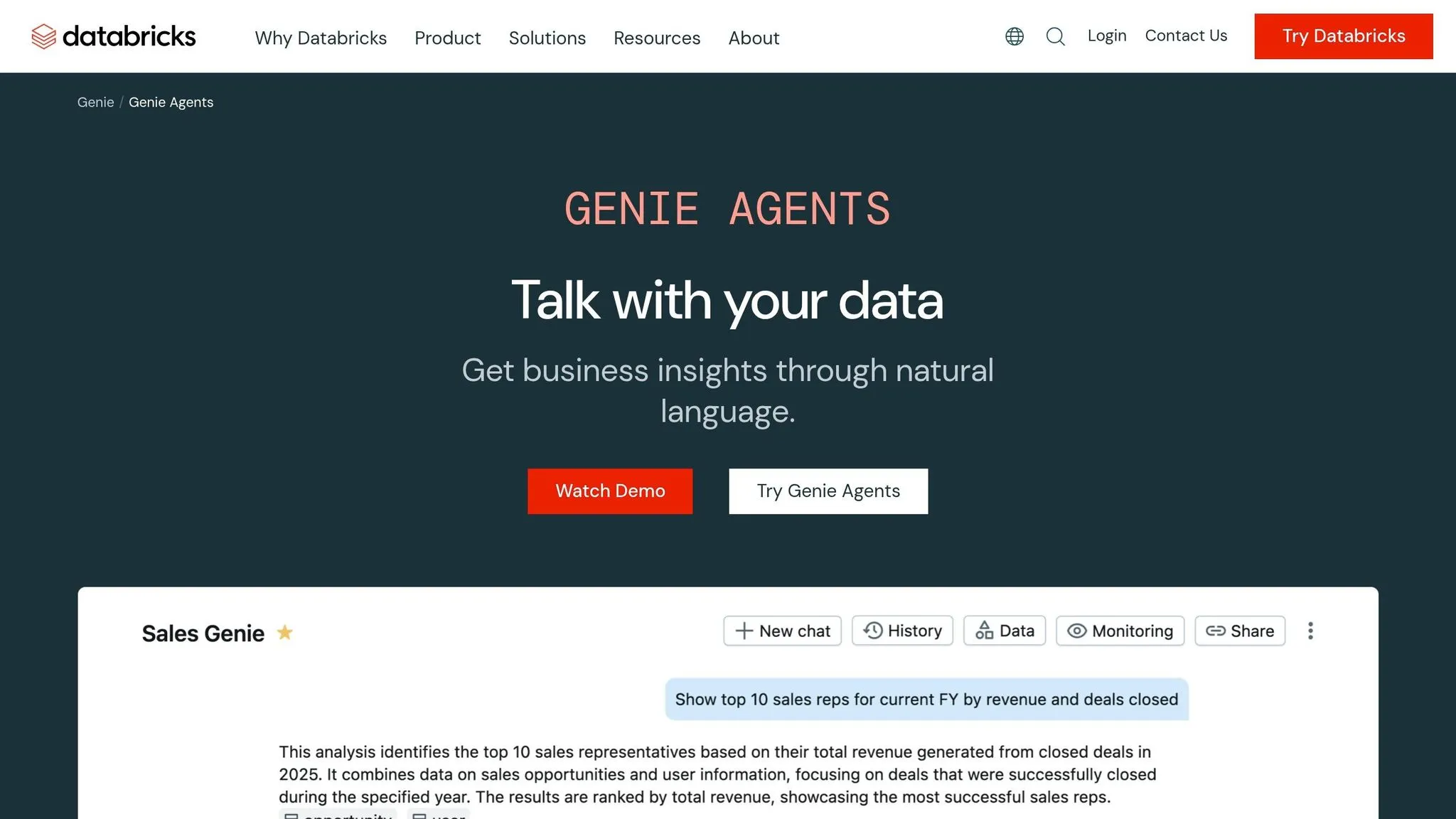
From natural-language question to SQL and governed logic
When someone types a question into Genie - say, "What were our top 10 accounts by revenue last quarter?" - Genie maps that request to the right tables, columns, and SQL [4].
That sounds simple on the surface. Under the hood, the result depends heavily on Unity Catalog metadata. Genie reads table names, column descriptions, and key relationships in Unity Catalog. It also uses each Space's knowledge store for synonyms, join logic, and business rules [2]. If those two layers aren't set up well, the SQL can drift away from what the user meant.
For metrics that teams care about most, there's another guardrail. Teams can register trusted assets - pre-approved SQL and functions that Genie uses instead of free-form SQL. That keeps common answers governed and accurate [2].
That flow is a big part of why Genie feels conversational. But once you look at the output, it's clear the human still has a job to do.
What users get back
A typical Genie response includes four parts:
- A natural-language summary
- A result table
- An auto-generated chart
- An Analysis section that shows the thinking steps behind the query
Technical users can also click "Show code" to inspect the exact SQL that ran against the warehouse [4]. If something looks off, they can ask a follow-up in the same thread or flag the response for review [4].
That kind of output is only useful if the definitions underneath it are governed. And that's where setup by the data team still matters a lot.
Where human setup still matters
Conversational BI is only as good as the layer beneath it. Data teams still need to do the hard, plain-language work: define business rules in text instructions, add example SQL for common or tricky questions, and maintain Unity Catalog permissions, including row-level filters and column masks [2].
For example, a team might tell Genie that a sale only counts after the 30-day return window. That one rule can change the answer in a big way.
When FordDirect rolled out Genie across its global dealership network, the company reported a 95% user satisfaction rating by grounding the tool in dealership-specific terminology and governed data [1].
Teams that already use dbt-managed models start with an edge. Well-documented dbt models with clear column descriptions feed straight into the metadata Genie depends on [2]. Put simply: better definitions lead to more reliable answers. That's the line between a helpful BI assistant and a true autonomous agent. This distinction is central to how AI agents are fulfilling self-service analytics by moving beyond simple query generation.
Where conversational BI helps and where the agent label breaks down
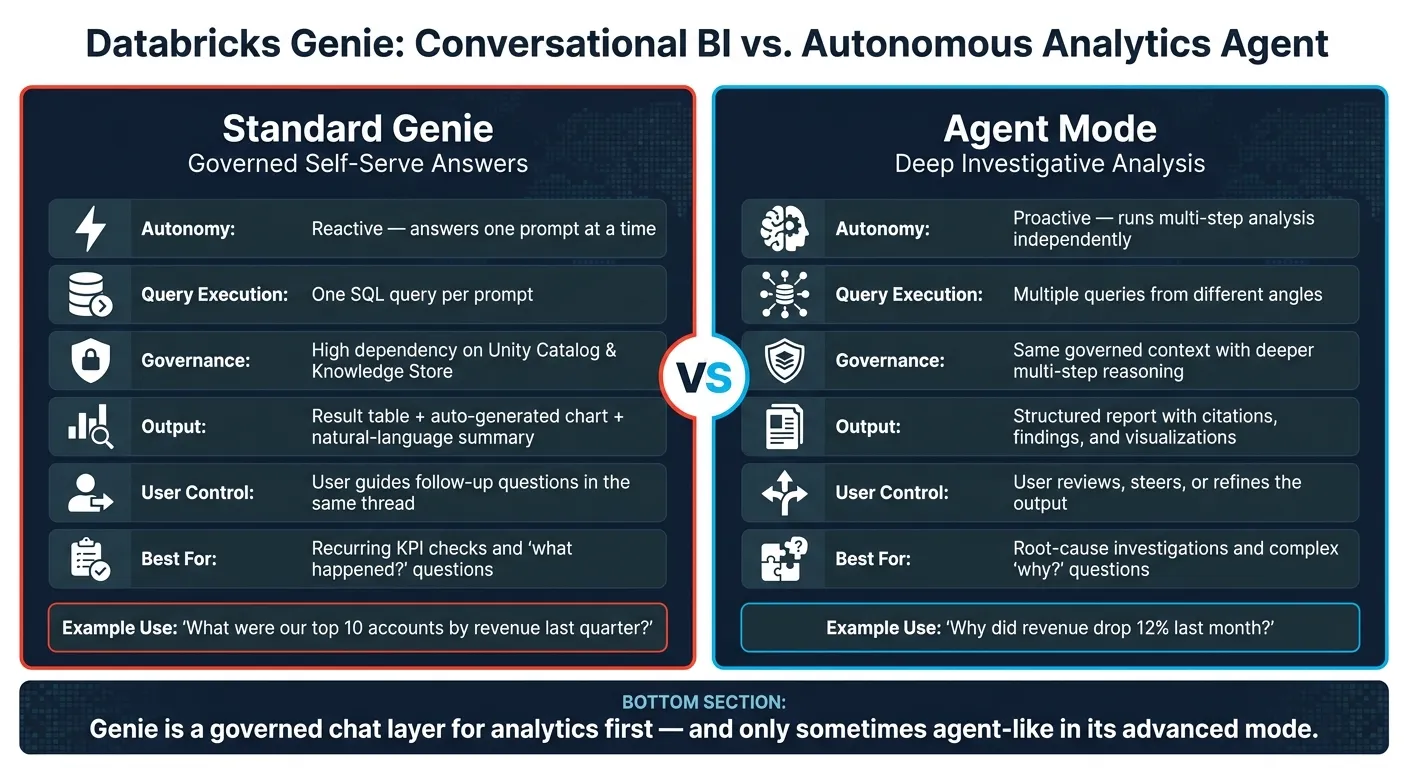
Now that the workflow is clear, the next step is simple: figure out where Genie earns its keep, and where calling it an agent starts to feel like a stretch.
What conversational BI handles well for analysts and business users
Genie works best for repeat questions that aren't worth spinning up a new dashboard for.
For B2B SaaS teams, that usually means warehouse-native lookups like sales pipeline coverage before a board meeting, top-performing marketing campaigns, customer revenue rankings, or regional profit margins ahead of a quarterly review. In sales, finance, and marketing, that can cut down analyst tickets for governed KPI lookups.
This is the sweet spot. Someone has a question, asks it in plain English, and gets back a governed answer without waiting in line for an analyst.
Where Genie falls short of true autonomous agent behavior
An AI agent plans, investigates, and acts. Standard Genie answers a prompt. It doesn't take the next step on its own.
If revenue dropped 12% last month, Genie can surface that fact. It won't independently form a hypothesis, pull data from multiple angles, test each one, and hand you a root-cause report. Humans still own the interface and the judgment. [1]
It also doesn't fix metric definitions by itself. Genie runs against the definitions it's given. When business logic shifts or two definitions clash, that still lands with the data team, highlighting the differences in how Databricks and Querio handle governance and semantic layers.
Comparison table: conversational BI vs. autonomous analytics agent
That gap shows up most clearly in autonomy, depth of analysis, and who owns metric logic.
| Conversational BI (Standard Genie) | Autonomous Analytics Agent (Agent Mode) | |
|---|---|---|
| Autonomy | Reactive; answers one prompt | Proactive; runs multi-step analysis |
| Query execution | One SQL query per prompt | Runs multiple queries from different angles |
| Governance dependency | High; relies on Unity Catalog and curated Knowledge Store | Uses the same governed context with deeper multi-step reasoning |
| Output type | Result table, auto-generated chart, natural-language summary | Structured report with citations, findings, and visualizations |
| User control | User guides follow-up questions in the same thread | User reviews, steers, or refines the output |
| Ideal use case | Recurring KPI checks and ad-hoc "what happened" questions | Root-cause investigations and complex "why" questions |
That distinction matters. Some teams need governed self-serve answers. Others need deeper investigative analysis that can chase a problem from a few angles before handing back a report.
How to evaluate Genie for your team's analytics workflow
When conversational BI is the right fit
Once you understand how Genie works, the next step is simple: figure out whether that setup matches how your team works day to day.
Genie tends to work best when a small data team keeps getting the same KPI questions from business users. It makes the most sense when your team has already set up core metrics in Unity Catalog and Genie's Knowledge Store. That tradeoff is pretty clear: Genie can only answer inside the definitions your team has already set.
That guardrail is part of the appeal. It keeps answers controlled and consistent. But it's also where Genie starts to hit a wall once analysis shifts from looking up answers to digging into a problem.
When teams need a governed analytics workspace
Genie starts to feel cramped when analysts need to dig deeper, adjust logic, and reuse what they built later. A chat thread just isn't a good home for that kind of work.
Teams working in Snowflake, BigQuery, Redshift, or Postgres with dbt-defined metrics usually need a few things that chat alone doesn't give them:
- SQL they can inspect
- Logic they can edit
- Analysis they can reuse
If a tool responds to prompts but doesn't own the analysis itself, it's conversational BI, not an autonomous agent.
Querio is built for that kind of setup. It gives teams a shared semantic layer so metric definitions stay consistent across ad hoc analysis, notebooks, and dashboards. Every SQL and Python answer is fully inspectable and editable. Live warehouse connections also mean no CSV exports and no stale data. And reactive notebooks give analysts room to iterate without rebuilding the same logic from scratch.
Conclusion: match the tool to the mental model
The evaluation comes down to one thing: does your team need fast governed answers, or inspectable analysis you can reuse?
That's the job-to-be-done here. Genie is a good fit for governed self-serve answers. It gets weaker when teams need inspectable logic, iteration, and analysis they can come back to later.
FAQs
How much setup does Genie need?
Genie takes a lot of upfront setup from domain experts, like data analysts, before it works well and produces answers you can trust. The quality of its output depends a lot on how well the environment is set up.
Analysts need to prepare the data layer carefully. That usually means setting up data access, documenting tables and columns, defining business terms and meaning, and putting together sample SQL plus instructions for edge cases.
All of that context gives Genie what it needs to turn natural-language questions into accurate, governed SQL.
Can Genie explain why a metric changed?
Yes. In Agent mode, Databricks Genie can dig into why a metric changed by using multi-step reasoning and hypothesis testing.
For questions like "Why did revenue spike in June 2025?" or "What contributed to customer churn last quarter?", it runs multiple SQL queries, learns from the results, and iterates to produce findings, visualizations, and citations.
When should a team use Agent Mode?
Use Agent Mode when a question needs multi-step reasoning, research across a few angles, or a deeper look at patterns and causes.
It’s the right pick for complex business questions - like figuring out why revenue jumped or measuring campaign ROI - when one query won’t cut it. Agent Mode can map out the research, run multiple SQL queries, and iterate toward a detailed, cited answer.