Business Intelligence
Self-Service Analytics Tools: Querio vs Tableau vs Power BI
Compare Querio, Tableau, and Power BI for AI-driven self-service analytics: natural language accuracy, live data access, governance, and pricing.

Self-service analytics has made it easier for non-technical users to explore data without needing advanced skills like SQL. Tools powered by AI and natural language processing (NLP) allow users to ask simple questions, such as "What were the top sales last quarter?" and get clear, visual answers instantly. This article reviews three popular options - Querio, Tableau (Ask Data), and Power BI (Q&A) - focusing on their natural language capabilities, integrations, and pricing.
Key Takeaways:
- Querio: Offers direct live connections to data warehouses, transparent SQL generation, and strong governance, with a free plan and no per-seat pricing.
- Tableau (Ask Data): Retired in 2024, replaced by Tableau AI and Tableau Pulse. It was known for its visualization capabilities but had limitations with complex queries.
- Power BI (Q&A): Available until late 2026, integrates well with Microsoft tools and supports natural language queries, though it has some constraints with advanced logic.
Quick Comparison:
| Feature | Querio | Tableau (Ask Data) | Power BI (Q&A) |
|---|---|---|---|
| Pricing | Free plan; Core $2,499/mo, unlimited users | $115/user/month (Creator) | $14/user/month (Pro) |
| Data Access | Live, read-only | Hybrid (live or extracts) | DirectQuery or Import |
| AI Transparency | SQL/Python inspection | Limited code visibility | No code inspection |
| Governance | Strong role-based controls | Dependent on setup | Supports RLS/OLS |
| Planned Deprecation | None | Retired in 2024 | End of 2026 |
Querio stands out for its free plan, no per-seat pricing and transparency, making it ideal for teams that need reliable and secure analytics. Tableau and Power BI each have their strengths but come with higher costs or planned feature changes. Choose the tool that best fits your organization's needs for ease of use, scalability, and governance.
::: @figure 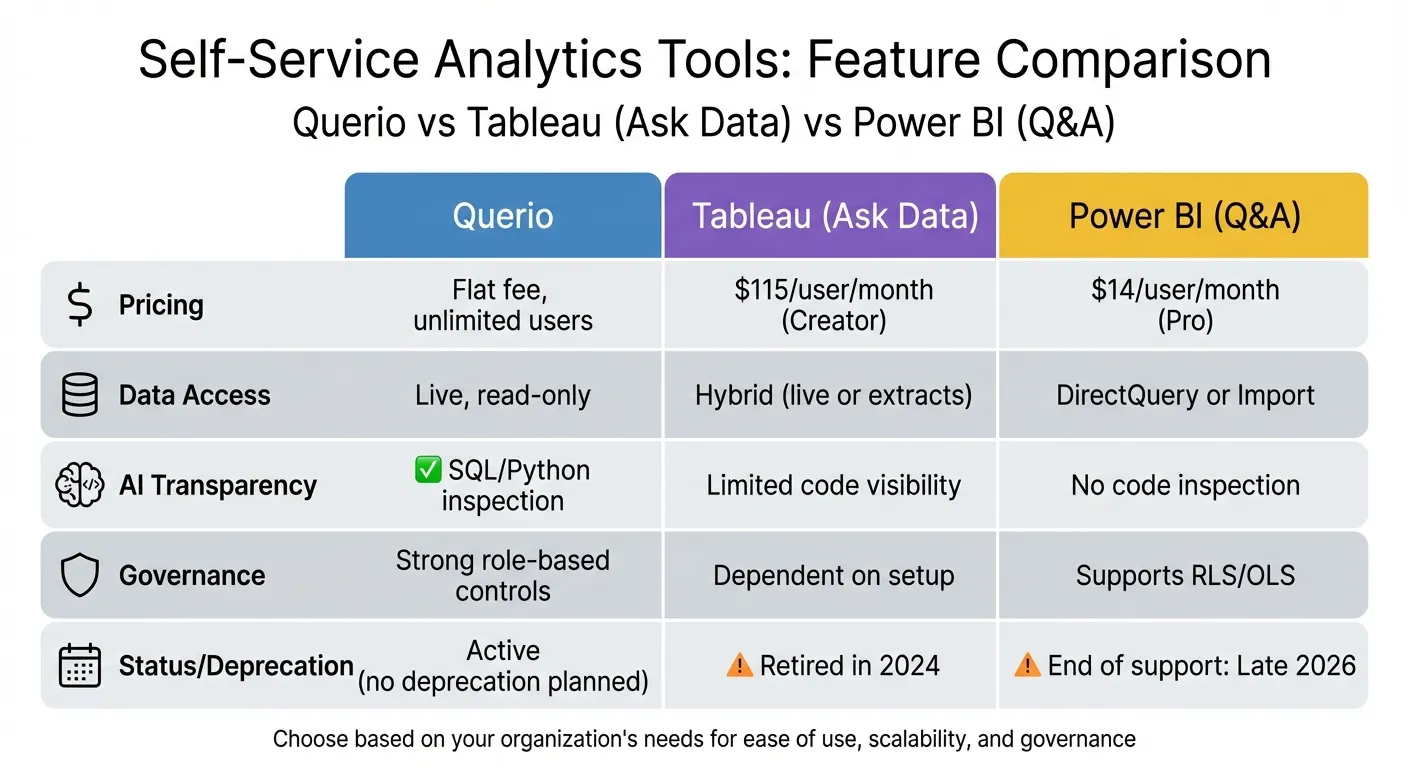 {Self-Service Analytics Tools Comparison: Querio vs Tableau vs Power BI}
:::
{Self-Service Analytics Tools Comparison: Querio vs Tableau vs Power BI}
:::
How AI Tools can Finally Solve the Self-Service Analytics Problem?
::: @iframe https://www.youtube.com/embed/spGrwChIcPc :::
sbb-itb-284a532
1. Querio
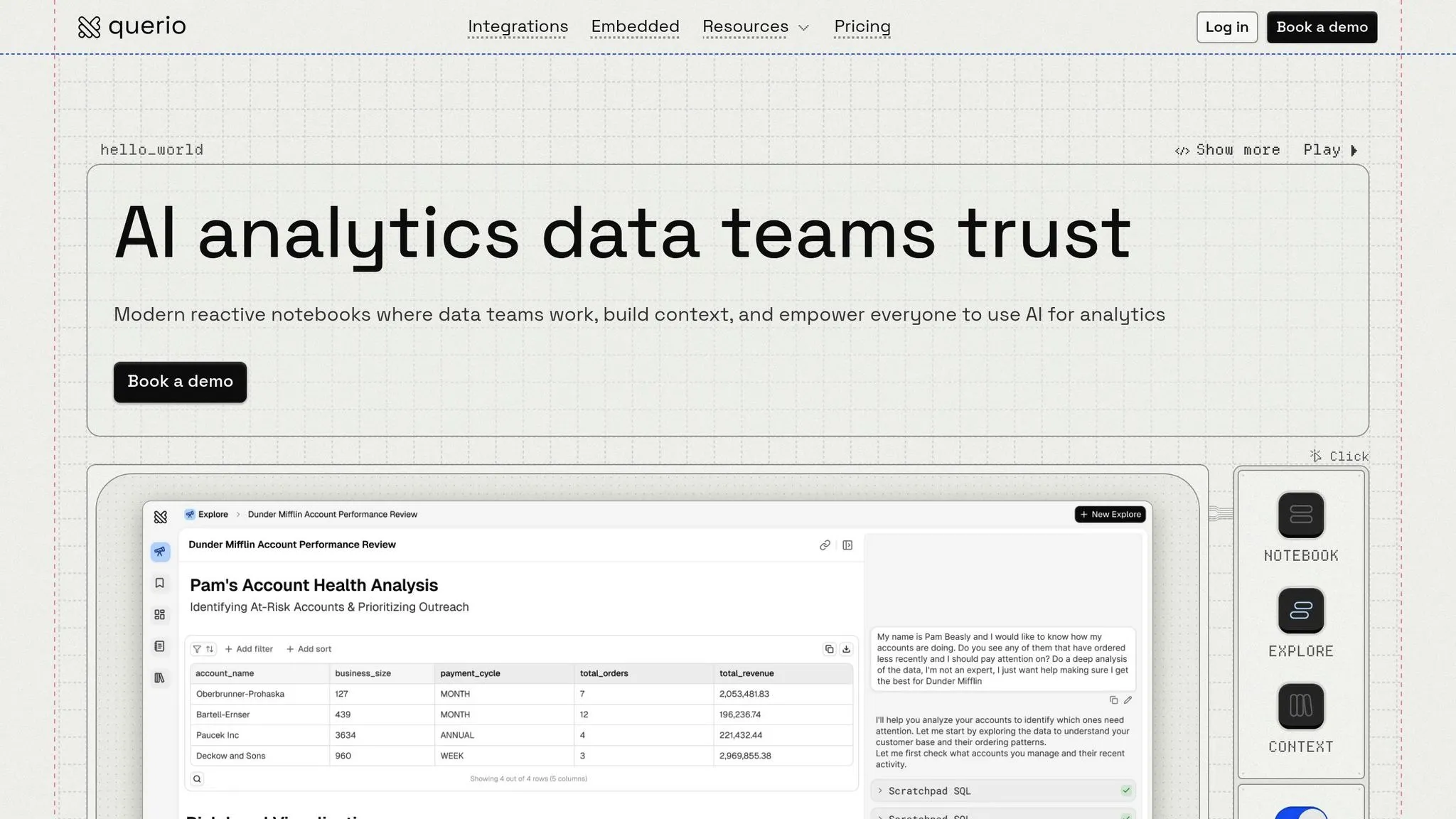
Querio is an AI-powered analytics workspace designed for teams that require self-service analytics with precise control and accuracy. It connects directly to live data warehouses - like BigQuery, Snowflake, Amazon Redshift, ClickHouse, MotherDuck, PostgreSQL, MySQL, MariaDB, and Microsoft SQL Server - using secure, read-only, encrypted credentials. This setup ensures no data duplication, no extracts, and no risk of modifying production databases. Let’s look at how Querio’s AI engine transforms plain language into actionable insights.
Natural Language Query Accuracy
Querio’s AI engine converts plain English into real SQL and Python code that runs directly on your data warehouse. Every result is fully transparent and derived only from your data, ensuring reliability. It recognizes common business timeframes and can handle intricate queries involving joins, filters, and conditional logic. A semantic layer simplifies the process, allowing data teams to define relationships, metrics, and glossary terms once. This enables non-technical users to query data using familiar business terms instead of technical column names.
Data Warehouse Integration
Setting up Querio takes just 30 to 60 minutes. The process involves securely connecting to your data warehouse while ensuring that production data remains unaltered. By configuring the context layer to define metrics and relationships, the platform enhances query precision. Once integrated, it’s backed by strong governance measures to maintain data integrity.
Governance and Security
Querio prioritizes security with SOC 2 Type II compliance and end-to-end encryption for data in transit and at rest. It includes standard SSO integration and role-based access controls, giving administrators the tools to manage who can access specific datasets and metrics. The platform’s semantic layer enforces automated, context-driven governance, ensuring consistent definitions across analyses, dashboards, and AI-powered embedded analytics. This framework guarantees that all queries, no matter how complex, align with the business definitions established during setup.
Pricing and Deployment Options
Querio has a free plan, and Core is $2,499 a month (or $25,000 a year billed annually), with no per-seat pricing and unlimited users on every plan. AI usage past the included credits is billed per credit, with usage alerts and spending caps. It’s available as a cloud-hosted solution, with on-prem deployment as an Enterprise add-on.
2. Tableau with Ask Data
Tableau has made strides in self-service analytics, evolving its tools to meet user needs. One such feature, Ask Data, allowed users to type questions in plain English to generate visualizations - no coding required. However, in February 2024, Tableau officially retired Ask Data, replacing it with Tableau AI and Tableau Pulse [3]. This shift reflects how self-service analytics continues to adapt and refine its offerings.
Natural Language Query Accuracy
Ask Data used an inference algorithm to link natural language questions to specific fields. For instance, a query like "time" might map to "Order Date", while "profit" could connect to "Sum of Profit" [1]. It handled basic analytics tasks like aggregation, grouping, sorting, filtering, and limiting. However, its performance faltered with more complex queries [1][2]. The feature supported data sources with up to 1,000 fields, though it performed better with smaller, less ambiguous datasets [1]. There were limitations - it couldn’t process sets, parameters, combined fields, or hierarchies [1][3].
Data Warehouse Integration
Ask Data worked seamlessly with all published data sources on Tableau Server or Tableau Cloud, ranging from simple spreadsheets to large cloud-based data warehouses [1][6]. To make the natural language interface more efficient, authors had to create a "lens", which is essentially a curated subset of fields [3]. For larger or slower data sources, Tableau supported data extracts and filters to enhance performance and reduce initialization times [1]. Additionally, fields with geographic roles were automatically geocoded, enabling users to ask spatial questions that would generate map-based visualizations [1].
Pricing and Deployment Options
Tableau operates on a per-user licensing model with three pricing tiers. Team licenses cost $15 per user per month for the Viewer plan, $42 per user per month for the Explorer plan (needed for self-service analytics), and $75 per user per month for the Creator plan [4][5]. Enterprise licenses are priced higher, ranging from $35 per user per month for Viewer to $115 per user per month for Creator [4][5]. While the platform is praised for its capabilities, users often point to its high licensing costs and the steep learning curve for advanced features as drawbacks. On review platforms, Tableau scores a 4.4/5 from over 3,300 reviews on G2 and a 4.6/5 from over 2,300 reviews on Capterra [4][5].
3. Power BI with Q&A
Power BI Q&A lets users perform natural language queries and will remain available until its planned deprecation in December 2026. During this period, it’s included at no extra cost for Power BI Pro and Premium users as Microsoft transitions to its Copilot for Power BI feature [7][11]. Below, we break down its current capabilities, including query accuracy, data integration, governance, and pricing.
Natural Language Query Accuracy
Power BI Q&A uses a color-coded system to indicate its confidence in query results: blue for confident matches, orange for low confidence, and red for unrecognized terms. It handles complex queries, including relative dates like "last year", conditions such as "Category 1 or Category 2", top N results, and aggregations like medians [7].
For terms it doesn’t recognize, the "Teach Q&A" feature allows users to define them manually. However, it doesn’t support multiple conditions, meaning users must rely on DAX calculated columns for more advanced Boolean logic [7][8]. Synonym recognition is improved through integration with Bing and Office, and while it primarily supports English, a Spanish preview is available for those with Fabric administrator permissions [7][9].
Data Warehouse Integration
Power BI Q&A connects to data via three modes: Import, Live Connect (for SQL Server Analysis Services or Azure Analysis Services), and DirectQuery [10]. For DirectQuery, it supports sources like Azure Synapse Analytics, Azure SQL, and SQL Server 2019, though it doesn’t yet work with DirectLake or Lakehouse datasets [10].
To ensure quick results, Q&A builds an in-memory index capped at 5 million unique values and the first 1,000 entities in the model. However, text values exceeding 100 characters are excluded from indexing, and DirectQuery sources are refreshed only once daily [10].
Governance and Security
Power BI Q&A adheres to existing data permissions, ensuring users can only access results from models they’re authorized to view [11]. Report designers can hide specific tables or columns from Q&A by using the "Hide from Q&A" option, which prevents sensitive data from appearing in search results [13].
Administrators can use the "Review questions" tool to monitor user queries for up to 28 days. This tool also highlights unrecognized terms, helping refine governance [13]. Additionally, the platform supports row-level security (RLS) and object-level security (OLS) for cloud-hosted models [8]. Transitioning to Copilot for Power BI will require a paid Fabric capacity (F2 or higher) or Power BI Premium capacity (P1 or higher) [12].
Pricing and Deployment Options
Power BI Q&A is included with both Power BI Pro and Premium licenses at no additional cost [11]. It’s accessible in Power BI Desktop and the Power BI Service, working seamlessly across dashboards and reports [7]. This aligns with Microsoft’s broader shift toward integrating generative AI tools for more advanced natural language processing [7]. This trend is evident across the best conversational AI analytics tools currently available.
Comparison: Pros and Cons
When it comes to natural language analytics, platforms take different approaches, and the trade-offs become evident when you compare their features. Querio stands out with live warehouse connections and clear SQL generation, while Tableau with Ask Data and Power BI Q&A bring their own unique strengths to the table. Here's a closer look at how they stack up.
Accuracy in these tools depends heavily on both the AI and the integrity of the data structure. Weak semantic models can lead to unclear or even misleading results [14]. Querio addresses this by using a centralized context layer that enforces consistent definitions, ensuring precise and reliable insights. As Orange Business explains:
The semantic layer bridges the gap between raw data and actionable insights. It prevents misinterpretation by enforcing uniform definitions across all users and reports [15].
| Feature | Querio | Tableau with Ask Data | Power BI with Q&A |
|---|---|---|---|
| Pricing | Free plan; Core $2,499/mo, unlimited users | $115/user/month (Creator) | $14/user/month (Pro) |
| Data Access | Live, read-only warehouse connections | Hybrid (live or extracts) | DirectQuery or Import |
| AI Transparency | Inspectable SQL and Python for every answer | Visualization-focused with limited code visibility | Conversational interface without code inspection |
| Logic Management | Centralized context layer maintained by data teams | Managed through Tableau Catalog and metadata | Managed through Microsoft Fabric's semantic layer |
| Governance | Role-based access with shared business definitions | Dependent on upstream data curation | Supports row-level security |
Querio's free plan, no per-seat pricing and unlimited users make it a cost-effective choice, especially for growing teams. In contrast, Tableau and Power BI's per-user pricing can quickly add up as organizations scale. Additionally, Querio's transparent AI-generated code gives technical users the ability to inspect and refine queries, moving away from the "black box" approach of other platforms. This combination of flexibility, cost efficiency, and transparency makes Querio a strong contender in the world of natural language analytics.
Conclusion
In the world of AI-driven analytics, choosing the right platform requires finding the balance between precision, governance, and ease of use. Querio stands out with its transparent AI-generated SQL and Python, supported by a centralized semantic layer that ensures consistent business definitions. This approach not only builds trust but also keeps costs manageable with no per-seat pricing, unlimited users and spending caps on AI credits.
Tableau's Ask Data brings powerful visualization tools to the table, while Power BI Q&A offers seamless integration within Microsoft's ecosystem. Notably, Power BI Q&A will transition to Copilot before its planned deprecation in December 2026 [7]. These platforms highlight different approaches to natural language analytics, making it essential to evaluate their unique strengths.
For teams that prioritize accessibility across departments and strong governance, Querio’s live warehouse connections and inspectable code address the common "black box" issue found in other platforms. Looking ahead, the industry is moving toward agentic AI - systems capable of independently planning and executing workflows. A recent report shows that 62% of enterprises are experimenting with AI agents, while 23% are scaling these systems [16]. As Forrester analyst Raluca Alexandru explains:
Data governance has evolved from a compliance-focused discipline into the control plane for trust, agility, and AI at enterprise scale [16].
Querio’s architecture is well-positioned to support this shift, combining user-friendly natural language tools with the rigorous control required by data teams. For organizations that value accuracy, scalability, and transparency, Querio emerges as the top choice. While Tableau excels in visualization and Power BI thrives within the Microsoft ecosystem, Querio’s focus on real-time, inspectable insights makes it the standout option in today’s rapidly evolving analytics landscape.
FAQs
::: faq
How does Querio protect data and ensure governance?
Querio prioritizes data security and management by employing robust measures to keep your information safe. The platform is SOC 2 Type II compliant, meeting high standards for security, availability, confidentiality, and privacy. To ensure secure communication, Querio uses encrypted connections to protect sensitive data during transfer.
It also integrates effortlessly with live data warehouses like Snowflake, BigQuery, and Postgres, taking advantage of their built-in security capabilities. For managing data effectively, Querio utilizes semantic layers and structured metadata. This approach ensures data remains accurate, consistent, and compliant across workflows. These safeguards give you the confidence to make informed, data-driven decisions. :::
::: faq
What makes Querio's pricing model a smart choice for businesses?
Querio offers a pricing structure that's both budget-friendly and adaptable, starting with a free plan and no per-seat pricing. Core is $2,499 a month (or $25,000 a year billed annually), and AI usage past the included credits is billed per credit, with usage alerts and spending caps. This setup makes it simple for teams to get started without dealing with hefty upfront costs, while also giving businesses the flexibility to expand usage as their needs grow.
The platform is designed to empower non-technical users to run natural language queries, create visualizations, and access real-time insights - all without relying heavily on IT or data specialists. This not only helps reduce operational expenses but also speeds up decision-making. With AI-powered features and unlimited viewer access included, Querio provides exceptional value while keeping costs manageable, making it a smart choice for organizations focused on data-driven strategies. :::
::: faq
How does Querio improve the accuracy of natural language data queries?
Querio improves the precision of natural language data queries by using advanced AI-driven natural language processing (NLP) to accurately interpret user intent. Rather than sticking to basic keyword matching, Querio transforms plain English questions into precise database queries, delivering consistent and reliable results.
With tools like semantic layers and real-time data integration, Querio handles complex query details and keeps context intact across datasets. This makes it easy for non-technical users to pull out accurate insights without needing any SQL know-how. The outcome? Faster, more accurate data retrieval designed to meet your specific needs. :::