Business Intelligence
Best AI Python tools in 2026
Overview of the best AI Python tools in 2026—IDEs, agents, and analytics platforms, compared on accuracy, security, integration, and price.

Python remains the go-to language for AI and analytics in 2026, with AI tools transforming how developers and analysts work. These tools enhance productivity, simplify complex data analysis, and integrate seamlessly into workflows. Here’s a quick rundown of the top AI Python tools this year:
- Querio: Translates plain English into SQL/Python, perfect for business intelligence workflows.
- Claude Code: Processes large codebases with a 200,000-token context window, ideal for complex refactoring.
- Cursor: Combines an advanced AI-powered IDE with precise multi-file editing.
- GitHub Copilot: Popular for Python development and Jupyter notebook integration.
- Windsurf: Budget-friendly IDE with strong multi-file editing capabilities.
- Bito AI: Focuses on mapping codebases for better AI integration.
- Tabnine: Tailored for enterprise environments with privacy-focused features.
Each tool offers unique strengths, from simplifying analytics to handling large-scale code modifications. Whether you’re building dashboards, managing data pipelines, or writing Python code, there’s a tool to match your needs.
Best AI Python Code Generator? Qodo vs Copilot vs Cursor (2025)
::: @iframe https://www.youtube.com/embed/lLFuIQoURh4 :::
sbb-itb-284a532
1. Querio: AI-Native Analytics Workspace
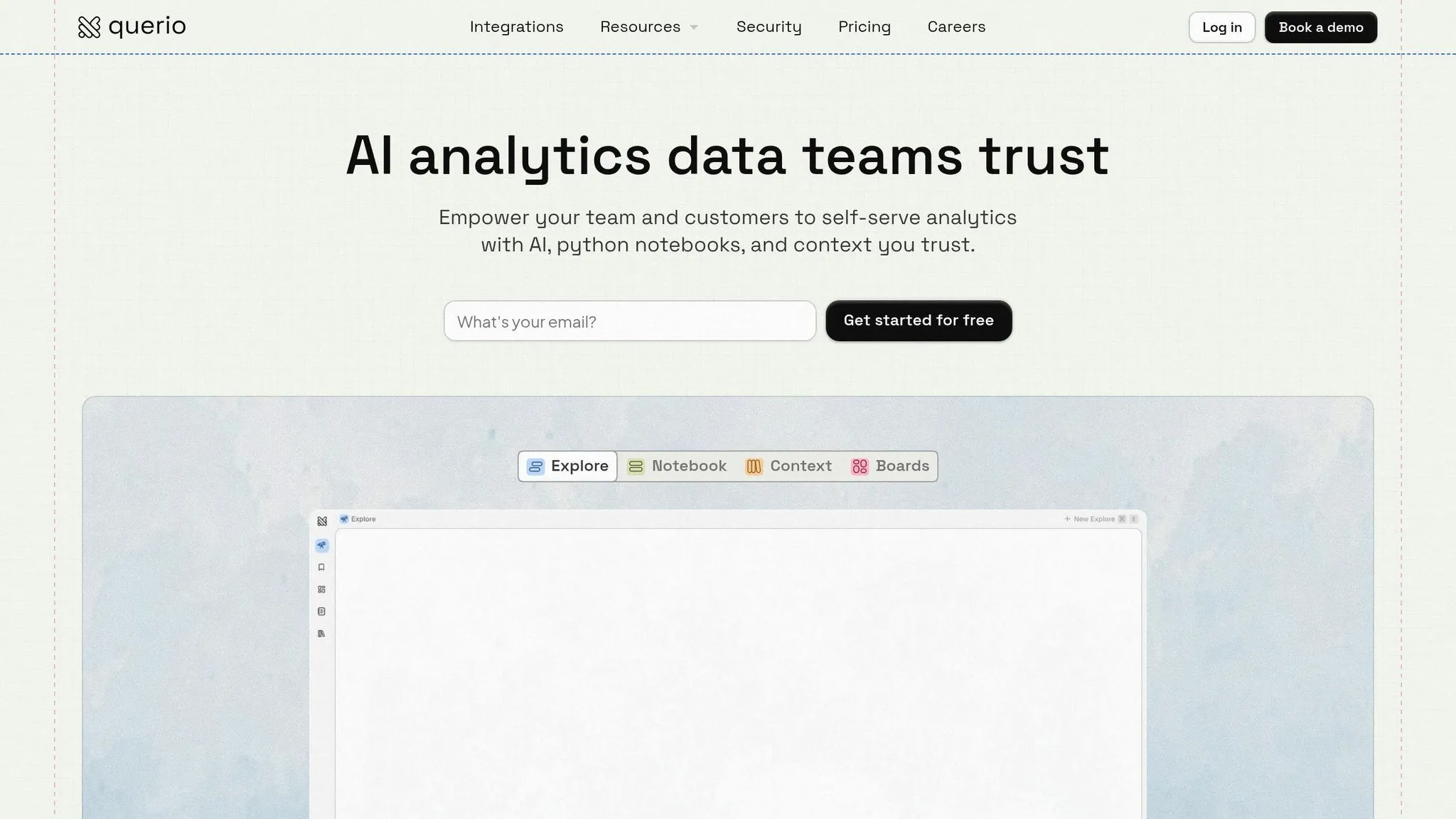
Querio is an analytics workspace designed to work seamlessly with AI. It translates plain English questions about your data warehouse into SQL or Python code. Simply type your query in natural language, and Querio generates production-ready, inspectable code that runs directly on live data stored in platforms like Snowflake, BigQuery, Redshift, or ClickHouse.
Code Generation Accuracy
What sets Querio apart is its semantic layer. This layer acts as a shared repository of joins, metrics, and business definitions, all curated by your data team. Instead of guessing relationships between tables or metrics, the AI relies on this structured logic. This ensures that every piece of generated SQL or Python code aligns with your actual schema and business rules. Plus, the code is fully inspectable, so you can double-check its accuracy before using it. This approach makes it easy to integrate Querio into your existing analytics workflows.
Integration with Analytics Workflows
Querio links directly to your data warehouse using encrypted, read-only credentials - no need for data exports or duplication. Its interactive notebook environment allows you to keep SQL and Python analyses current as your data evolves. Ad-hoc questions can quickly turn into reusable dashboards, scheduled reports, or even embedded analytics in customer-facing applications via APIs and iframes. All of this is powered by the platform’s governed definitions, making it a great fit for modern Python-based analytics workflows.
Security and Governance Features
Security is a priority for Querio. It is SOC 2 Type II compliant and supports role-based access controls with standard SSO integrations. By querying live warehouse data with read-only permissions, it ensures your security model stays in line with your existing infrastructure. Additionally, the versioned semantic layer keeps track of changes to business logic, applying them consistently to avoid conflicting metrics or definitions.
Pricing and Affordability
Querio has a free plan with unlimited users and 500 AI credits a month, and Core is $2,499 a month (or $25,000 a year billed annually). Start on the free plan to test it on your own data before you commit.
2. Claude Code
Claude Code functions as an autonomous agent rather than just a code-suggestion tool. It can analyze entire codebases, handle multi-step tasks, execute tests, and iteratively fix errors until the task is complete [5]. With a massive 200,000-token context window, it can process around 40,000 lines of code simultaneously, ensuring consistency across an entire project [2]. By February 2026, it was responsible for 4% of public GitHub commits - about 135,000 per day [6].
Code Generation Accuracy
Claude Code employs advanced mechanisms to boost accuracy. Features like Tool Use Examples and on-demand Tool Search allow it to achieve up to 90% accuracy on complex parameter handling while cutting token usage by 85% [4].
For analytics workflows, it relies on an 18-agent directed acyclic graph and a four-layer verification stack. These layers check for structural integrity, logical consistency, adherence to business rules, and even issues like Simpson's Paradox, ensuring high data reliability [3]. This level of precision supports its smooth integration into various systems.
Integration with Analytics Workflows
Thanks to its accuracy and flexibility, Claude Code fits seamlessly into modern analytics workflows. Using the Model Context Protocol (MCP), it connects with external toolchains, including databases, GitHub, Sentry, and over 3,000 other systems [6]. It operates directly in the command-line interface (CLI) and supports environments like venv, conda, poetry, and uv [6]. Additionally, you can maintain a CLAUDE.md file in your project root, which stores context, coding standards, and instructions the agent reads at the start of every session [5]. These features make it particularly useful in Python-based analytics environments, enhancing productivity.
Security and Governance Features
Claude Code pairs its technical features with robust security measures. It requires explicit user approval for actions like file modifications, shell commands, package installations, and git commits [8]. Through the .claude/settings.json file, users can set allowlists or denylists for specific files and commands [8]. Conditional security hooks, such as a PreToolUse hook, can block risky operations - for instance, preventing shell commands from connecting to production databases [8]. Importantly, prompts and data used in Claude Code are not used to train Anthropic's models, safeguarding user privacy [8].
Pricing and Affordability
Claude Code offers competitive pricing for its advanced capabilities. It is available as part of the Claude Pro plan for $20/month, with a Max plan priced at $100/month [5]. For API access, pay-per-use pricing applies, with typical sessions costing between $0.50 and $5.00, although more complex tasks can exceed $20 [5].
3. Cursor
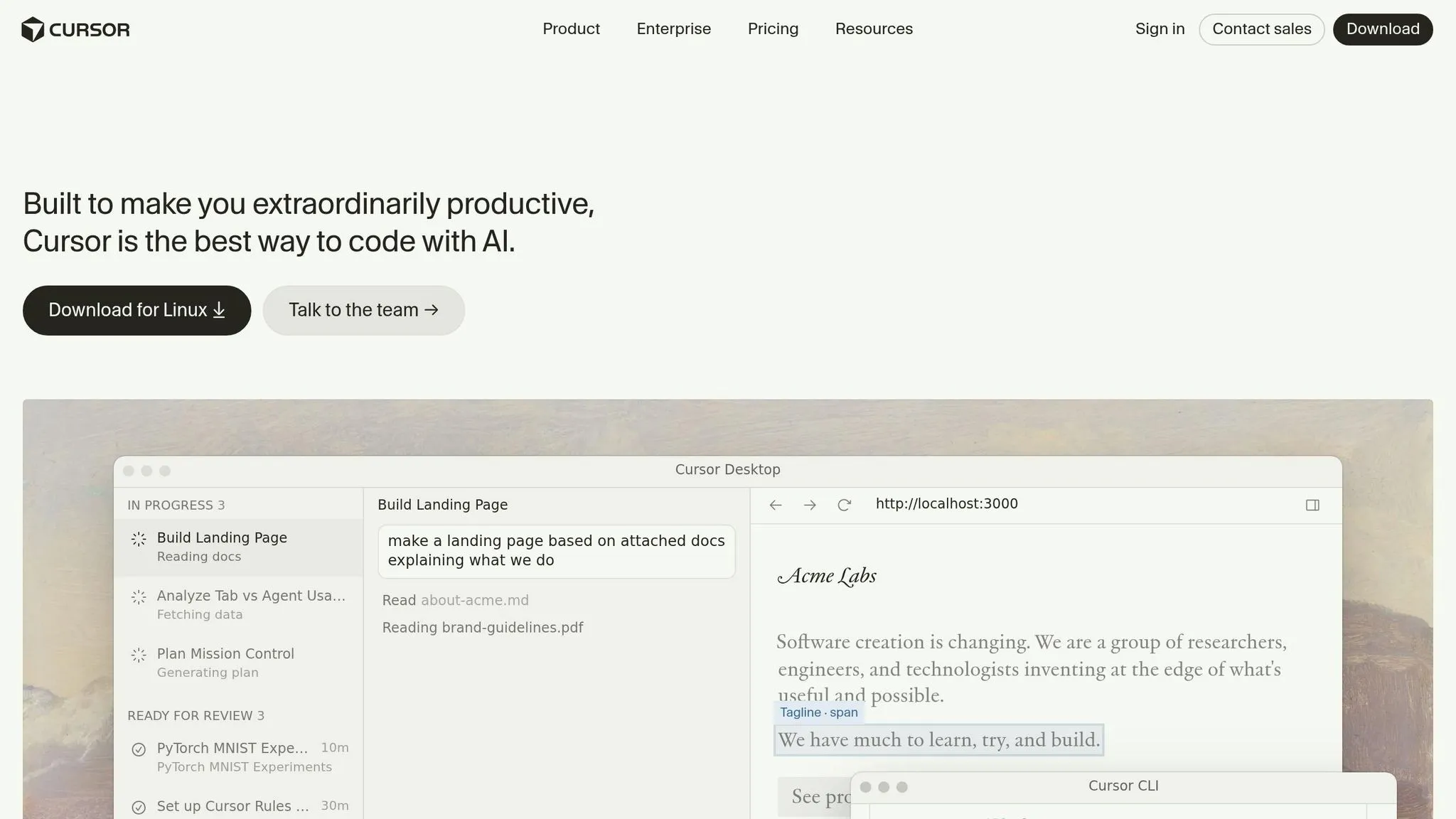
Cursor is reshaping the developer IDE landscape by combining advanced AI-driven tools with the familiarity of a VS Code-based interface. It integrates powerful features like Tab autocomplete and Composer 2 for seamless multi-file visual editing. Powered by cutting-edge models like Claude Opus 4.6 and GPT-5.4, Cursor achieves impressive scores of over 74% on SWE-bench benchmarks [9][10][12]. By early 2026, it had already attracted more than 1,000,000 users [10]. This tool bridges the gap between intuitive coding environments and advanced project insights, making it a standout choice for developers.
Code Generation Accuracy
Cursor sets a high standard with its precision in generating Python code. It achieves 90% accuracy in crafting idiomatic type annotations in Python 3.12+ strict mode, significantly outperforming competitors that average around 75% [1]. In a practical test involving a Django project with over 40 models, Cursor successfully propagated a field rename across 14 files - a testament to its ability to manage complex refactoring tasks [1]. This level of accuracy is attributed to its secure codebase indexing and semantic search capabilities, introduced in 2026, which allow the AI to navigate intricate project structures and dependencies effectively [9]. Developers have reported dramatic time savings, cutting complex refactoring tasks from 90 minutes to just 15 minutes [11].
Integration with Analytics Workflows
Cursor excels in handling data-heavy workflows. Its Composer mode ensures synchronized updates across models, serializers, and views, which is particularly valuable for frameworks like Django and FastAPI. It also supports the creation of interactive dashboards, directly connecting to Snowflake for real-time data visualization using shadcn charts [1][9]. The platform automatically detects active Python environments, such as venv, conda, poetry, and uv, to seamlessly inherit shell contexts [1]. Additionally, its Agent mode can autonomously search, plan, and implement features like data telemetry pipelines and zero-downtime deployments [9]. This makes Cursor a robust tool for both development and real-time, data-driven decision-making.
"My favorite enterprise AI service is Cursor. Every one of our engineers, some 40,000, are now assisted by AI and our productivity has gone up incredibly." - Jensen Huang, President & CEO, NVIDIA [9]
Security and Governance Features
Recognizing the importance of security in AI-assisted development, Cursor prioritizes protecting local context. Its secure codebase indexing ensures sensitive data remains safe during AI-driven reasoning. Trusted by over half of the Fortune 500, Cursor offers Shadow Workspaces, which isolate AI operations to prevent unauthorized data exposure during code generation [9]. For tasks like building research dashboards, its agents can automatically enforce public access controls and integrate securely with sources like Snowflake [9]. These features make Cursor a reliable choice for enterprises with stringent security requirements.
Pricing and Affordability
Cursor offers a range of pricing options to suit different needs. The free tier includes 2,000 monthly completions and limited AI requests [10][11]. For individual users, the Pro plan is available at $20 per month, while the Business plan, designed for teams, costs $40 per user per month and includes enhanced security and management tools [10]. For those requiring additional features, the Pro+ tier is priced at $60/month, and the Ultra tier is available for $200/month [1].
4. GitHub Copilot
GitHub Copilot continues to lead the way in AI-assisted coding, delivering tools that transform data teams by enhancing productivity and streamlining developer workflows.
As of early 2026, GitHub Copilot boasts 4.7 million paid subscribers, reflecting an impressive 75% growth compared to the previous year [14]. The platform offers developers the flexibility to choose from multiple large language models (LLMs), including Claude 3.5 Sonnet, GPT-4o, and Claude Opus 4.6. This choice allows users to prioritize either speed or accuracy depending on the complexity of their projects. Among these, Claude 3.5 Sonnet has become the default model for many paid users working in VS Code [14][15][17].
Code Generation Accuracy
GitHub Copilot excels in Python development, earning a 93/100 accuracy score. In real-world testing, about 70% of its Python suggestions are accepted without modification [13][18]. Its advanced understanding of Python includes smart type inference for handling dynamic typing and deep familiarity with essential data science libraries like NumPy and Pandas, as well as machine learning frameworks [13].
In February 2026, GitHub introduced a self-review feature for its Copilot coding agent. This feature allows the agent to review its own code changes before submitting pull requests, helping to catch and correct complex logic errors [16].
"Copilot coding agent now reviews its own changes using Copilot code review before it opens the pull request. It gets feedback, iterates, and improves the patch." - Andrea Griffiths, Senior Developer Advocate, GitHub [16]
Studies show that developers using Copilot experience up to a 55% boost in productivity while maintaining high-quality output [17].
Integration with Analytics Workflows
GitHub Copilot isn’t limited to coding - it also speeds up analytics workflows. It suggests data cleaning and transformation pipelines and identifies project-specific dependencies, recommending the right imports based on the active Python virtual environment [13]. The /explain command is particularly helpful for data analysts, simplifying the process of understanding complex repository structures or intricate logic [15].
Additionally, Copilot supports analytics environments like Azure Data Studio and SQL Server Management Studio and can integrate with custom-built extensions to bridge workflows [15][17]. These features make it an invaluable tool for data-driven projects.
Security and Governance Features
For businesses and enterprises, GitHub Copilot includes robust security and governance features. The Business and Enterprise plans offer IP indemnity, protecting users against intellectual property claims related to AI-generated code. The platform also performs code scanning, secret scanning, and dependency vulnerability checks to identify risks before pull requests are submitted [16].
Organizations can implement Content Exclusions to ensure specific files or repositories aren’t used as context for AI suggestions. Enterprise-grade governance tools include detailed audit logs to track all Copilot interactions. Importantly, GitHub does not use data from Business or Enterprise subscribers to train its models, ensuring privacy and security [17].
Pricing and Affordability
| Plan | Price | Key Features |
|---|---|---|
| Free | $0/month | 2,000 completions, 50 chat requests, GPT-5 mini access [17] |
| Pro | $10/month | Unlimited suggestions, 300 premium requests, Claude access [17] |
| Pro+ | $39/month | 1,500 premium requests, Claude Opus 4.6 access [17] |
| Business | $19/user/month | IP indemnity, enterprise security, license management [17] |
| Enterprise | $39/user/month | Codebase indexing, custom models, integrated chat [17] |
GitHub Copilot’s tiered pricing ensures options for individual developers, small teams, and large organizations, making it accessible across a range of needs and budgets.
5. Windsurf

Windsurf positions itself as a cost-effective option in the AI-native IDE market, combining powerful features with a lower price point. Built on the open-source foundation of VS Code, it introduces its Cascade system to handle complex, multi-step, and multi-file modifications, along with advanced analytics workflows.
Code Generation Accuracy
Windsurf's Cascade agent shines in executing complex, multi-file changes. For instance, during testing on a FastAPI project, it successfully implemented input validation for 9 out of 11 endpoints (82% accuracy) from a single prompt [19]. On mid-sized Django REST Framework projects, it managed to propagate a field rename across 11 files in one action [1].
However, its inline autocomplete accuracy, estimated at 55–60%, lags behind industry leaders, which typically achieve 70–75% accuracy [19]. Despite this, DevTools Review rated the tool 3.5/5, describing it as "the most ambitious agentic editing experience", while also noting areas for improvement [19]. It performs well with Python libraries like pandas, numpy, and matplotlib but occasionally struggles with generating type hints in more complex scenarios [1][21].
While its autocomplete feature may fall short, Windsurf’s true strength lies in its robust capabilities for multi-file editing.
Integration with Analytics Workflows
Windsurf's ability to automate data science workflows is another standout feature. It excels at tasks like exploratory data analysis, feature engineering, and model comparison. Its Flows feature allows developers to break down analytics tasks into sequential steps, such as creating schemas, generating migrations, and writing API handlers. This step-by-step approach helps maintain clarity and avoid context confusion.
The IDE’s codebase-wide context engine further enhances its functionality by indexing projects (taking about 30 seconds for a medium-sized project of 50,000 lines of code) to provide semantic understanding across files [19]. This enables the tool to identify data patterns and manage state across the entire codebase. For business intelligence projects, Windsurf can generate complete data pipelines, including database models, Pydantic validation schemas, and API endpoints, in one cohesive process.
Additionally, the Memories feature learns project-specific coding patterns over time, making it especially useful for teams working on long-term, evolving analytics platforms [23].
Security and Governance Features
Windsurf takes security seriously, integrating with platforms like Checkmarx One Assist to provide real-time security checks [22]. It identifies vulnerabilities, misconfigurations, hard-coded secrets, and risky dependencies in both human-written and AI-generated code. Its agentic layers enforce security policies and streamline remediation directly within the development workflow [22].
To protect sensitive information, Windsurf uses secure gateways to prevent code exfiltration, aligning with stringent enterprise compliance standards [22]. For organizations prioritizing privacy, the Enterprise plan offers local-model deployment and zero data retention options, ensuring that code stays within the company’s infrastructure [7].
Pricing and Affordability
Windsurf’s pricing structure is designed to deliver strong value for both individual users and teams. It undercuts major competitors by about 25% on individual and team plans [23][1]. Its Free tier stands out as one of the most generous in the AI editor market, offering 25 Cascade credits per month and unlimited inline completions [19][23].
| Plan | Price | Key Features |
|---|---|---|
| Free | $0/month | 25 credits/month, unlimited inline completions |
| Pro | $15/month | 500 credits, premium model access, priority processing |
| Team | $30/user/month | Centralized billing, admin controls, usage analytics, SSO |
| Enterprise | $60/user/month | Custom deployment, zero data retention options |
For those opting for annual billing, the Pro plan costs approximately $144 per year ($12 per month), offering a 20% discount [23].
6. Bito AI
Bito AI stands out by serving as a codebase intelligence layer, offering a clear view of your Python project's structure to guide other AI tools. Its AI Architect feature maps repositories, modules, services, and dependencies, giving tools like Claude or Cursor the context they need to generate code that fits seamlessly into your existing setup [24].
Code Generation Accuracy
Bito enhances code generation by delivering system-wide context instead of relying on isolated file-level assumptions [24]. In tests conducted on SWE-Bench Pro, the AI Architect feature boosted task success rates by 39% [24]. It equips AI tools with detailed API contracts and data schemas, avoiding issues like broken internal APIs or redundant logic. Bito also excels at tracing execution paths across Python services, spotting potential bugs, and analyzing data flow - ensuring that AI-generated code integrates smoothly with your existing pipelines and transformation logic.
Integration with Analytics Workflows
Bito’s ability to map workflows and dependencies across Python services makes it particularly useful for analytics teams handling complex systems, whether multi-repository setups or large monorepos. It generates technical requirement documents (TRDs) and low-level designs (LLDs) based on your actual codebase, ensuring new features align with your architecture.
By using Bito with tools like Cursor or Claude Code via the Model Context Protocol (MCP), teams can simplify onboarding for new Python developers by quickly clarifying internal API contracts and service dependencies. Additionally, its AI Code Review Agent enhances reviews by categorizing and listing changes across affected files, making the process more efficient.
Security and Governance Features
Bito prioritizes security and governance. It ensures that no code, prompts, or data are stored, and its third-party LLM providers do not use customer data for training. The platform is SOC 2 Type II certified, meeting rigorous standards for managing customer data, and offers both cloud and on-premise deployment options. For organizations with specific needs, Bito supports VPC integration, providing flexibility and peace of mind [25][26].
Pricing and Affordability
Bito offers a free tier tailored for individual developers. For enterprise users, advanced features like the AI Architect and AI Code Review Agent are available upon request. By reducing the need for costly manual refactoring, Bito helps teams save on expenses. Its compatibility with existing AI tools via MCP also means teams don’t have to invest in an entirely new platform, keeping costs manageable.
7. Tabnine
Tabnine continues to push the boundaries of AI-driven Python tools by using its Enterprise Context Engine. This feature tailors suggestions to your organization's architecture, frameworks, and coding standards, making it a strong choice for teams handling internal Python codebases where privacy and compliance are critical [29].
Code Generation Accuracy
In 2025, CI&T, a global firm, highlighted Tabnine's effectiveness. According to Luis Ribero, their Head of Engineering, the tool achieved a 90% acceptance rate for single-line suggestions and delivered an 11% productivity increase [28][29]. Tabnine also earned the top spot in Gartner's Critical Capabilities for Code Generation, Debugging, and Explanation use cases [28].
The platform is trained exclusively on permissively licensed open-source code (like MIT and Apache 2.0 licenses), which lowers legal risks for enterprises [30][7]. However, while Tabnine excels in enterprise environments, it may not be the best fit for exploratory data science tasks in Jupyter notebooks. Its base model tends to favor standard coding patterns, which can limit its usefulness for more creative BI visualizations [20].
Integration with Analytics Workflows
Tabnine supports the Model Context Protocol (MCP), which allows AI agents to securely interact with Jira tickets, analyze logs, and access relevant documentation [31]. It integrates directly with Atlassian Jira to enhance AI responses and works seamlessly with popular IDEs like VS Code, IntelliJ, and PyCharm [28]. This integration provides centralized visibility and auditability, serving as an AI control hub for governed software development [31].
"Tabnine Enterprise has helped us to ensure code consistency across our organization, resulting in faster and more efficient code reviews." - Amit Tal, VP Engineering, ReasonLabs [28]
By connecting these workflows, Tabnine simplifies Python-based analytics processes, making them more efficient and organized.
Security and Governance Features
Tabnine prioritizes security with zero data retention, ensuring customer code is never used to train its global models [31][28]. Deployment options include SaaS, on-premises, VPC, and fully air-gapped environments, guaranteeing that your code remains within secure boundaries [31][29]. The platform is SOC-2 Type II certified, offers enterprise indemnification, and integrates license-aware safeguards to maintain compliance during code generation [31][28]. Additionally, organizations can implement team-level coaching guidelines to ensure AI-generated code meets internal standards and performance benchmarks [31][29].
Pricing and Affordability
Tabnine offers several pricing tiers:
- A free tier for individuals
- A Pro plan at $12 per user/month
- An Enterprise plan at $39 per user/month
It also includes a 30-day free trial for the Dev tier and supports direct LLM token billing [7][1][20][28][31].
Pros and Cons
::: @figure 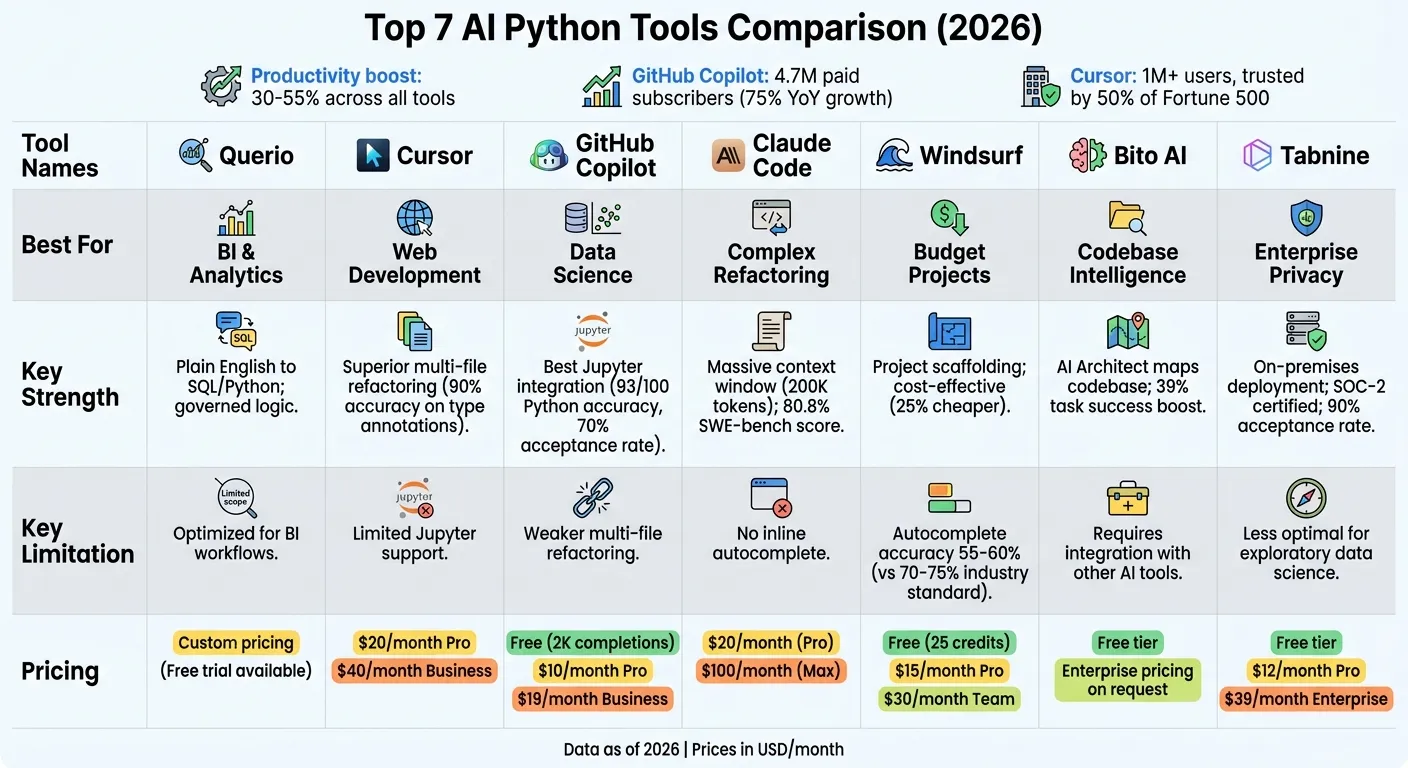 {Comparison of Top 7 AI Python Tools for 2026: Features, Pricing, and Best Use Cases}
:::
{Comparison of Top 7 AI Python Tools for 2026: Features, Pricing, and Best Use Cases}
:::
Here’s a breakdown of the strengths and weaknesses of various AI Python tools and how they perform in real-world BI workflows.
Cursor stands out for its precision in handling multi-file refactoring tasks. Its "Composer" mode is particularly effective at applying changes across extensive Python projects. However, its $20/month Pro plan and limited compatibility with AI data notebooks make it less appealing for data science professionals.
For data science tasks, GitHub Copilot shines with its seamless Jupyter notebook integration and deep understanding of popular libraries like pandas and NumPy [1]. It’s priced at $10/month for individuals or free with up to 2,000 completions per month, making it accessible. That said, its multi-file refactoring capabilities lag behind Cursor, scoring only a 6/10 for "vibe coding" compared to Cursor’s 9/10 [27].
When it comes to complex refactoring, Claude Code takes the lead with a remarkable 80.8% score on SWE-bench Verified and a massive 1M token context window, capable of analyzing 25,000–30,000 lines of code [10]. This makes it a top choice for large-scale refactoring and architectural changes. However, it lacks inline autocomplete, which could be a drawback for some workflows.
For teams on a tighter budget, Windsurf offers affordable project scaffolding through its "Cascade" flow at $15/month. Meanwhile, Tabnine appeals to enterprise users with its on-premises deployment and SOC-2 compliance, ensuring data privacy. However, its model quality doesn’t quite match the performance of tools optimized for BI workflows.
Finally, Querio emerges as a standout for BI workflows, translating plain English into production-ready SQL and Python while incorporating governed business logic - something its competitors don’t provide.
| Tool | Best For | Key Strength | Key Limitation | Price |
|---|---|---|---|---|
| Querio | BI & Analytics | Plain English to SQL/Python; governed logic | Optimized for BI workflows | Custom |
| Cursor | Web Development | Superior multi-file refactoring | Limited Jupyter support | $20/mo |
| GitHub Copilot | Data Science | Best Jupyter integration | Weaker multi-file refactoring | $10/mo |
| Claude Code | Complex Refactoring | Massive context window; high accuracy | No inline autocomplete | $20/mo |
| Windsurf | Budget Projects | Project scaffolding; affordable | Less consistent type hints | $15/mo |
| Tabnine | Enterprise Privacy | On-premises; zero data retention | Less competitive model quality | $12–39/mo |
Each tool has its strengths and trade-offs, but for BI workflows, Querio’s specialized design delivers unmatched efficiency and functionality.
Conclusion
Choosing the right AI Python tool in 2026 comes down to aligning a tool's features with your team's workflow. Developers using AI coding tools report productivity boosts ranging from 30% to 55% [27].
For teams focused on analytics, Querio stands out by converting plain English into reliable, production-ready SQL and Python while incorporating a governed business logic layer. Its semantic layer ensures the generated code matches your schema and rules, and its integration with platforms like Snowflake, BigQuery, Redshift, and ClickHouse eliminates the need for duplicating data. With SOC 2 Type II compliance, role-based access, and read-only permissions, Querio delivers enterprise-level security that grows with your organization. Whether your team prioritizes data science, multi-file management, or BI workflows, Querio adapts smoothly while maintaining the governance necessary for consistent analytics.
The rise of natural language-driven coding is revolutionizing how teams work, allowing developers to describe their intent while AI handles the execution. This shift is speeding up decision-making by as much as 30% [27]. The transition from basic autocomplete tools to autonomous agents capable of planning, executing, and verifying code represents a major leap in how teams approach data analysis and development.
For teams aiming to enhance their analytics performance with governed, efficient workflows, Querio remains a top choice in 2026.
FAQs
::: faq
How do I choose the right AI Python tool for my workflow?
When choosing the best AI Python tool, it's important to align your selection with your specific requirements and preferred frameworks, such as Django or FastAPI. For instance, tools like Cursor stand out for their ability to grasp project structures, handle virtual environments, and manage complex refactoring tasks with ease.
Key considerations include:
- IDE Integration: Ensure the tool works seamlessly with your development environment.
- Privacy: Check how the tool handles your data, especially if you're working on sensitive projects.
- Use Case Support: Whether you're focused on web development, data science, or machine learning, pick a tool that caters to your domain.
Choosing the right tool can streamline your workflow and make your development process far more efficient. :::
::: faq
What’s the safest way to use AI tools with production data and code?
To use AI tools safely with production data and code, focus on data security. Start by implementing measures such as SOC 2 compliance to ensure your systems meet high security standards. Build a solid infrastructure for AI agents to handle retries and manage deployments efficiently. Avoid sharing sensitive data directly with AI services; instead, rely on secure environments. Enforce strict access controls to safeguard your systems and protect valuable information. :::
::: faq
How can I verify AI-generated SQL or Python before shipping it?
To ensure AI-generated SQL or Python code is ready for deployment, it's crucial to validate it thoroughly. For SQL, one effective approach is to test the outputs of both the original and generated queries using test datasets. This helps confirm they produce equivalent results. Additionally, syntax-checking tools like sqlparse can catch errors in the query structure.
For Python, you can rely on tools such as linters and type checkers to identify potential issues. These tools not only flag errors but also help improve the overall quality of the code. Incorporating code review tools into your process adds another layer of scrutiny, ensuring the generated code meets standards.
By combining these strategies, you can significantly boost the reliability and accuracy of the generated code. :::