Business Intelligence
What is the best AI Python copilot?
Explore the top AI Python copilots for developers in 2025, comparing features, pricing, and performance to enhance coding efficiency.

AI Python copilots help developers write code faster by generating suggestions, automating repetitive tasks, and even assisting with debugging. The best AI tools for Python in 2025 include:
- GitHub Copilot: Great for real-time code suggestions, IDE integration, and multi-language support. Pricing starts at $10/month.
- Tabnine: Focuses on context-aware completions and team productivity, with plans starting at $12/month.
- ChatGPT: Versatile for coding tasks, debugging, and learning, but lacks direct IDE integration. Free and paid tiers available.
- Kite: Now discontinued, but known for offline privacy and Python-specific features during its operation.
Quick Comparison
| Feature/Tool | GitHub Copilot | Tabnine | ChatGPT | Kite (Discontinued) |
|---|---|---|---|---|
| Code Suggestions | Real-time | Context-aware | Broad, general | Python-specific |
| IDE Integration | Yes (VS Code, etc.) | Yes (VS Code, JetBrains) | No (browser-based) | Yes |
| Security | Encryption, scanning | End-to-end encryption | SOC 2 compliant | Local processing |
| Pricing | $10-$39/month | $12-$39/month | Free-$25/month | Free |
Each tool has its strengths, but GitHub Copilot and Tabnine are leading the pack for Python developers. For privacy-focused users, Kite's legacy still resonates, while ChatGPT excels in versatility. Choose based on your workflow and budget!
How to Use GitHub Copilot for Data Science (Python + VS Code)
::: @iframe https://www.youtube.com/embed/alMEtTzsDu8 :::
1. GitHub Copilot
GitHub Copilot is an AI-powered coding assistant that can significantly enhance developer productivity. Studies show it improves coding speed by 55%, with a task success rate of 78% compared to 70% without it [3].
Code Generation and Completion
Copilot uses AI to analyze your code in real time, offering a range of helpful suggestions. These include code completions, generating test cases, creating documentation, writing boilerplate code, and even suggesting error-handling patterns [2]. It integrates seamlessly into your workflow, ensuring you can focus on writing code without unnecessary interruptions.
IDE Integration
GitHub Copilot works effortlessly with popular integrated development environments (IDEs), including:
- Visual Studio Code
- Visual Studio
- JetBrains IDEs
- Vim/Neovim
- Azure Data Studio [4]
This compatibility ensures developers can use Copilot within the tools they already know and trust.
Security and Privacy
GitHub takes security seriously, implementing multiple measures to protect developers' code:
- Encryption: Data is encrypted during transit and at rest using HTTPS/TLS [8].
- Access Controls: Developers can set fine-grained permissions to manage who has access.
- Sensitive Information Scanning: Copilot automatically scans for sensitive data like secrets or credentials.
- Privacy for Business Users: Private repositories in the Business tier are not used for AI training [7].
Copilot also adapts to various programming languages and frameworks, offering suggestions that align with best practices. For example, it can provide tailored recommendations when working with Python libraries [5].
Key Features and Benefits
| Feature | Benefit |
|---|---|
| Real-time Suggestions | Cuts coding time by up to 55% |
| Multi-language Support | Easily switch between Python and other languages |
| Security Scanning | Detects vulnerabilities and potential secret leaks |
| Documentation Support | Automatically generates docstrings and comments |
Pricing Structure
GitHub Copilot offers flexible pricing to suit different needs:
- Copilot Pro: $10/month or $100/year
- Copilot Pro+: $39/month or $390/year
- A Free Tier is available with limited functionality [4].
Between 2023 and 2024, the number of repositories using Copilot grew by 27% [7]. However, studies have revealed a 40% higher rate of secret leakage in repositories using Copilot compared to standard ones, highlighting the need for thorough code reviews [7]. According to Netguru's 2024 evaluation, Copilot also adjusts its code suggestions based on the programming language and framework being used, making it a versatile tool for developers [6].
2. Tabnine
Tabnine has become a go-to tool for over 1 million developers, automating between 30% and 50% of code creation tasks [12].
Intelligent Code Completion
Tabnine provides smart, context-aware suggestions that help developers complete code more efficiently. By learning from existing workspaces, it ensures consistent coding standards across projects. For example, at CI&T, developers accepted 90% of Tabnine's single-line suggestions, leading to an 11% boost in productivity [9].
This feature integrates seamlessly with popular development environments, making it a reliable choice for developers.
IDE Integration and Language Support
Tabnine works as a plugin and integrates smoothly with a wide variety of integrated development environments (IDEs). Here's a breakdown of its IDE support:
| IDE Category | Supported Platforms |
|---|---|
| Primary IDEs | VS Code, PyCharm, IntelliJ |
| Microsoft Tools | Visual Studio |
| JetBrains Products | WebStorm, PhpStorm, GoLand |
| Additional Tools | Eclipse, Neovim, Android Studio |
The platform also excels in Python development, offering compatibility with widely-used libraries and frameworks. This makes it particularly beneficial for data science and machine learning projects, often used alongside AI tools for data analysis [13].
Security and Privacy Features
Tabnine prioritizes security and privacy, incorporating several protective measures:
- End-to-end encryption and transport layer security (TLS) to safeguard data.
- Zero code retention, ensuring all processing is ephemeral.
- Compliance with SOC2 and GDPR standards [14].
- Flexible deployment options, including secure SaaS, VPC, and on-premises setups [15].
These features make Tabnine a trustworthy tool for organizations handling sensitive codebases.
Performance Metrics
Tabnine doesn't just promise productivity - it delivers measurable results. At Intetics, one engineer saved 13 hours over two weeks and generated 27% of their code using Tabnine [10]. Additionally, the platform offers a dashboard that tracks metrics on code generation, enabling teams to monitor and improve their productivity.
Pricing Structure
Tabnine offers a range of pricing plans to fit different needs:
| Plan | Price | Features |
|---|---|---|
| Basic | Free | One of the best AI tools for free code completion. |
| Pro | $12/month | Advanced features with a 90-day free trial. |
| Enterprise | $39/month | Comprehensive tools for teams, with an annual commitment [11]. |
Tabnine's strengths shine in Python development, where its smart completions and consistent coding patterns simplify complex tasks. For data scientists and machine learning engineers, it’s a valuable tool for working with intricate libraries and frameworks.
3. Kite
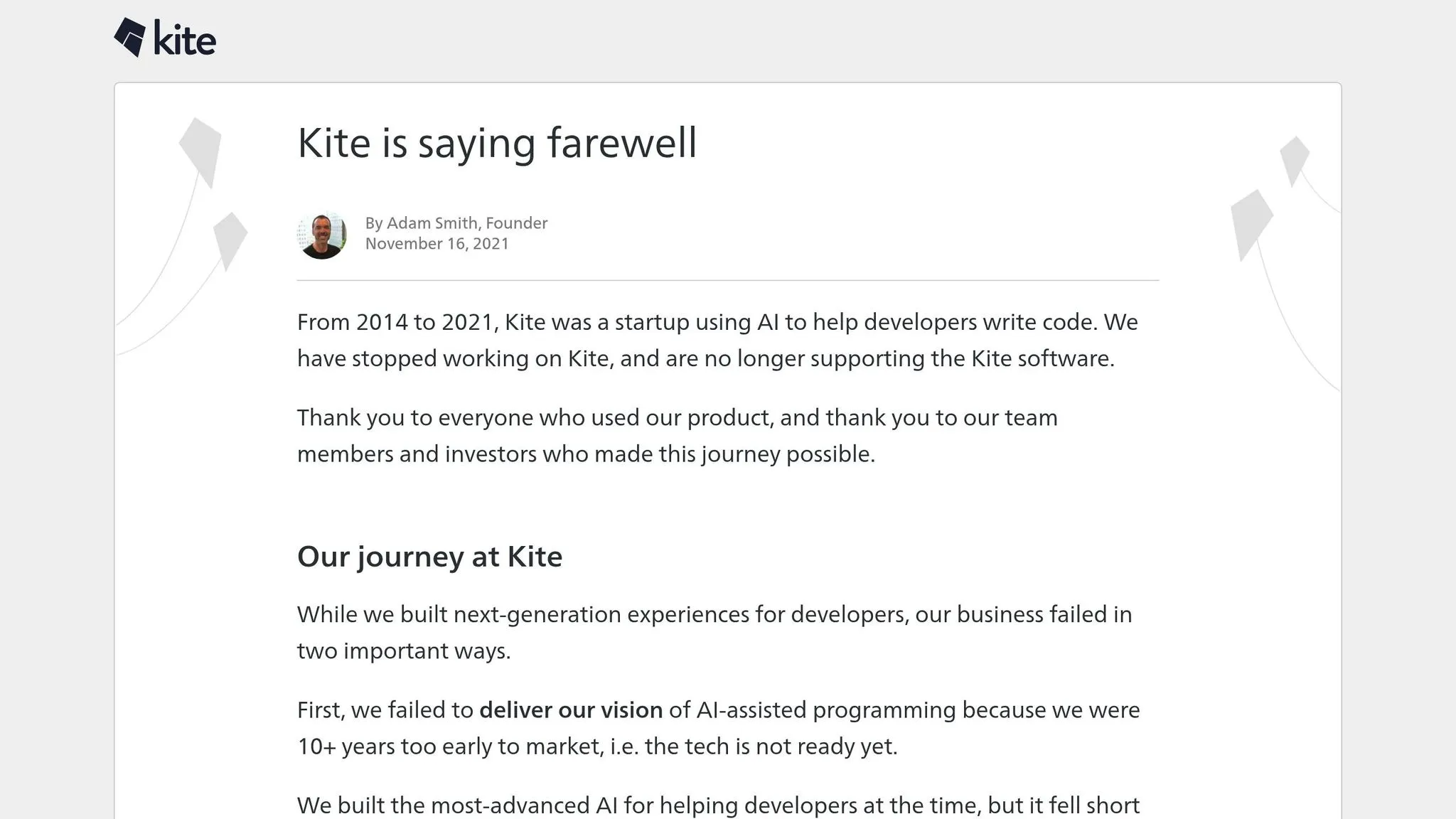
Kite was a trailblazer in AI-powered code completion for Python. Between 2014 and 2021, it supported over 500,000 active developers each month [19], offering tools tailored to data analysis and machine learning.
Local Processing and Privacy
One of Kite's standout features was its commitment to privacy. All processing occurred locally on the user's machine [19]. This approach not only addressed privacy concerns but also gave users precise control over what the tool could access. Using a system inspired by the .gitignore file format, developers could specify which files Kite could index [20]. Additionally, Kite didn't require registration [18], and users could opt out of usage analytics entirely [18].
Development Features
Kite's functionality revolved around three key features:
| Feature | Capability | Impact |
|---|---|---|
| Real-time Completions | Provided context-aware code suggestions | Boosted developer productivity by 18% [19] |
| Documentation Access | Enabled instant viewing of documentation within the IDE | Reduced the need for context switching [17] |
| Offline Support | Worked fully without an internet connection | Ensured uninterrupted workflows |
IDE Integration
Kite integrated smoothly with widely-used development environments, focusing on tools specific to Python. It was particularly useful for data scientists and AI developers, thanks to its specialized support for machine learning and data analysis workflows [17]. Beyond its technical capabilities, Kite stood out for its strong emphasis on privacy, offering unmatched control and transparency.
Performance Impact
Kite managed to boost developer productivity while keeping system latency and resource usage low [19]. Although its journey ended in 2021 [16], Kite's focus on local processing and privacy set a standard that influenced the design of future code completion tools.
sbb-itb-284a532
4. ChatGPT
ChatGPT serves as a highly effective Python coding assistant. With GPT-4 achieving an 86.23% success rate on MBPP tasks, it has proven particularly useful in areas like data visualization. As John Loewen, PhD, notes:
"ChatGPT has found a valuable place in the world of Python coding, particularly when it comes to data visualization tasks" [21].
Development Features
- Broad Support for Coding Tasks
ChatGPT offers extensive help across various domains, including data manipulation, visualization, machine learning, and automating analytical workflows [23]. It can generate exploratory code, write natural language queries to extract insights, and even automate data cleaning processes [22].
- Debugging Assistance
While ChatGPT is effective at fixing compilation errors, its self-correction performance can vary significantly depending on task complexity, ranging from 0.66% to 89% [24]. These variations highlight the need for secure practices, which are discussed further below.
Security Considerations
In April 2023, Samsung developers accidentally exposed sensitive code while using ChatGPT [28]. To address such risks, OpenAI introduced several security measures, including SOC 2 Type 2 compliance, user-controlled data settings, and enterprise subscriptions designed to improve data ownership and control [27][29].
Performance Optimization
ChatGPT produces code that often boasts smaller runtime and memory usage compared to at least 50% of human solutions for similar LeetCode problems. This makes it especially valuable for data science workflows [24].
"The potential of ChatGPT in data science is vast, offering innovative ways to streamline workflows, enhance productivity, and make data science more accessible" [22].
Next, let’s explore how ChatGPT integrates with various platforms.
Platform Integration
In addition to its performance and security features, ChatGPT operates through a browser-based interface [26]. This design brings both benefits and limitations:
| Advantage | Limitation |
|---|---|
| Instant browser access | Limited integration with IDEs |
| Natural language interface | No direct code execution |
| Detailed explanations | Knowledge cutoff issues |
| Multi-channel support | Potential for truncated responses |
To get the best results, developers should provide clear and detailed prompts, explicitly mentioning any vulnerabilities they want addressed [24]. ChatGPT is available in three subscription tiers: Free ($0/month), Plus ($20/month), and Team ($25 per person/month) [25], catering to a variety of development and security needs.
Key Benefits and Limitations
This section takes a closer look at the advantages and challenges of AI copilots, focusing on critical areas like performance, accuracy, security, and their impact on development workflows.
Performance and Accuracy
AI copilots have demonstrated impressive productivity improvements. For instance, Intellias reported a 65% productivity boost among engineers using these tools [1]. However, their effectiveness varies depending on the task. Here's how some of the leading tools compare:
| Tool | Code Generation | Code Quality | Integration | Limitations |
|---|---|---|---|---|
| GitHub Copilot | Excels at generating common code patterns and suggesting refactoring [1] | Enhances code quality and generates test cases [1] | Smoothly integrates with IDEs [1] | Struggles with niche frameworks [1] |
| Tabnine | Contributes to about 30% of users' code [32] | Offers high completion accuracy [30] | Directly integrates with IDEs [30] | Limited understanding of complex contexts [30] |
| Kite | Provides real-time code suggestions | Delivers reliable code analysis | May cause performance issues in editors [33] | Can slow down the development environment [33] |
| ChatGPT | Generates code from natural language prompts but requires thorough review | Output quality varies and often needs manual refinement | Accessed via a web interface without IDE integration | Prone to inaccuracies or irrelevant suggestions [31] |
While these tools enhance productivity and code quality, they also bring challenges, especially in niche or highly specific scenarios. Security remains another critical factor to consider.
Security and Compliance
For enterprises, security is non-negotiable. AI copilots incorporate various best practices to address these concerns, but manual oversight is still essential to ensure compliance and prevent vulnerabilities [3].
Development Workflow Impact
AI copilots are transforming the way developers work. Here's how they influence different aspects of the development process:
-
Boosting Productivity: Tools like Tabnine streamline workflows by automating repetitive coding tasks, saving developers significant time [30].
-
Learning Curve Challenges: While these tools accelerate development, they can sometimes hinder deeper skill-building. As Enterprise IT investor Sudip Chakrabarti puts it:
"Copilots feel like a really powerful 'weapon' that, however, needs to be controlled very carefully. It takes you from 0 to 90% in no time, but that last 10%? That's where the magic - and the challenge - happens." [34]
-
Code Quality Management: AI copilots assist in maintaining code quality but still need human oversight. Here's a breakdown:
| Aspect | Strength | Challenge |
|---|---|---|
| Testing | Helps generate test cases | Requires human verification |
| Documentation | Automates documentation processes | May lack context-specific details |
| Optimization | Enhances runtime efficiency | Can introduce unnecessary complexity |
| Security | Implements built-in best practices | Needs manual security reviews |
Enterprise Considerations
For enterprises, the cost-effectiveness and widespread adoption of AI copilots are driving factors. Intellias found their AI solution to be 3.8× more cost-effective than GitHub Copilot [1]. Additionally, as of mid-2023, 92% of developers reported using AI in software development [1].
As Sudip Chakrabarti notes:
"Developers hate writing tests and often might lack the required understanding to write high-quality tests. Testing is the perfect place for AI to make a big difference." [34]
While these tools continue to evolve, improving accuracy and contextual understanding, their success depends on rigorous code reviews and a balanced approach to AI-human collaboration.
Summary and Recommendations
Building on the tool's features and workflow advantages discussed earlier, here are some targeted recommendations to address specific development needs.
Enterprise Development
GitHub Copilot Enterprise stands out when it comes to large-scale enterprise projects. With its ability to index organization-specific code and leverage custom private models, it becomes an essential tool for enterprise teams [4]. A great example comes from Carvana, where Senior VP Alex Devkar shared:
"The GitHub Copilot coding agent fits into our existing workflow and converts specifications to production code in minutes. This increases our velocity and enables our team to channel their energy toward higher-level creative work." [35]
For specialized fields like data science, tailored AI tools for data exploration are equally critical.
Data Science and Machine Learning
GitHub Copilot offers features designed specifically for data science and machine learning tasks, streamlining workflows in meaningful ways:
| Task | Features | Benefits |
|---|---|---|
| Data Preprocessing | Code generation for cleaning and transformation | Cuts down on manual coding time |
| Model Development | Suggestions for model types and implementation code | Speeds up prototyping |
| Jupyter Integration | Auto-completion in notebooks | Boosts productivity during exploration |
| Documentation | Automated code documentation | Ensures clarity and consistency |
Cost-Effectiveness Analysis
GitHub Copilot offers different pricing plans to suit various needs, from individual users to enterprise teams:
| Plan | Monthly Cost | Best For | Features |
|---|---|---|---|
| GitHub Copilot Free | $0 | Individual developers, students | 2,000 completions/month, basic AI models |
| GitHub Copilot Pro | $10 | Professional developers | Unlimited completions, advanced models |
| GitHub Copilot Pro+ | $39 | Enterprise teams | Access to GPT-4.5, 30x more premium requests |
While these plans offer cost advantages, the real value lies in the productivity boost they provide.
Productivity Impact
James Zabinski, EY's DevEx Lead, highlights how GitHub Copilot transforms development workflows:
"The Copilot coding agent is opening up doors for human developers to have their own agent-driven team, all working in parallel to amplify their work. We're now able to assign tasks that would typically detract from deeper, more complex work - allowing developers to focus on high-value coding tasks." [35]
Best Practices
- Begin with data loading to ensure accurate suggestions for data science projects [36].
- Integrate the tool fully into your current IDE workflow for maximum efficiency [4].
- Automate routine tasks, freeing up time to tackle complex, high-value problems. This shift is powered by AI insight generation, which converts natural language into executable code.
FAQs
::: faq
How does GitHub Copilot boost coding productivity for Python developers?
GitHub Copilot is a game-changer for Python developers, offering the ability to suggest entire lines or even blocks of code based on the context of what you're working on. With this tool, you can cut down the time spent writing, debugging, and fine-tuning scripts - helping you get tasks done up to 55% faster compared to traditional methods.
But it's not just about speed. Copilot also helps elevate the quality of your code by generating clean, functional, and easy-to-read solutions. This means you can spend less time on repetitive coding tasks and more time tackling challenging problems. Whether you're diving into data analytics, building machine learning models, or automating workflows, Copilot's advanced AI capabilities make it an invaluable assistant for boosting productivity and confidence in your development process. :::
::: faq
What privacy and security features should I consider when using AI Python copilots?
AI Python copilots take various steps to ensure privacy and security, but their methods can vary significantly. Some tools adopt a zero data retention policy, meaning they don’t store, share, or use your code to train their models. This is a solid way to protect sensitive information during your development process.
On the other hand, certain copilots may temporarily store user data, like interactions, to refine their performance. Although they often use encryption and other security measures, there’s still a potential risk when dealing with sensitive or confidential materials. To minimize exposure, avoid inputting private data and thoroughly review the privacy policies of any copilot you plan to use. Remember, no AI tool can promise absolute confidentiality, so staying cautious is always a smart move. :::
::: faq
How do AI Python copilots integrate with IDEs to improve coding workflows?
AI-powered Python copilots seamlessly integrate with popular Integrated Development Environments (IDEs) like Visual Studio Code and JetBrains tools (such as PyCharm). They enhance the coding experience by offering real-time code suggestions, autocompletions, and context-aware assistance. These features not only speed up development but also help debug and optimize scripts as you work.
What makes these copilots even more impressive is their ability to adapt to your coding style. By analyzing your project context and past work, they provide tailored suggestions that align with your approach. With capabilities like natural language prompts, they simplify complex tasks - whether it's writing intricate functions or troubleshooting errors. For developers and data professionals, these tools are a game-changer, saving time and improving workflow efficiency. :::