Business Intelligence
Affordable Alternatives to Omni Analytics
Compare six cost-effective alternatives to Omni Analytics, covering pricing, AI features, deployment options, and best fits for startups to enterprises.

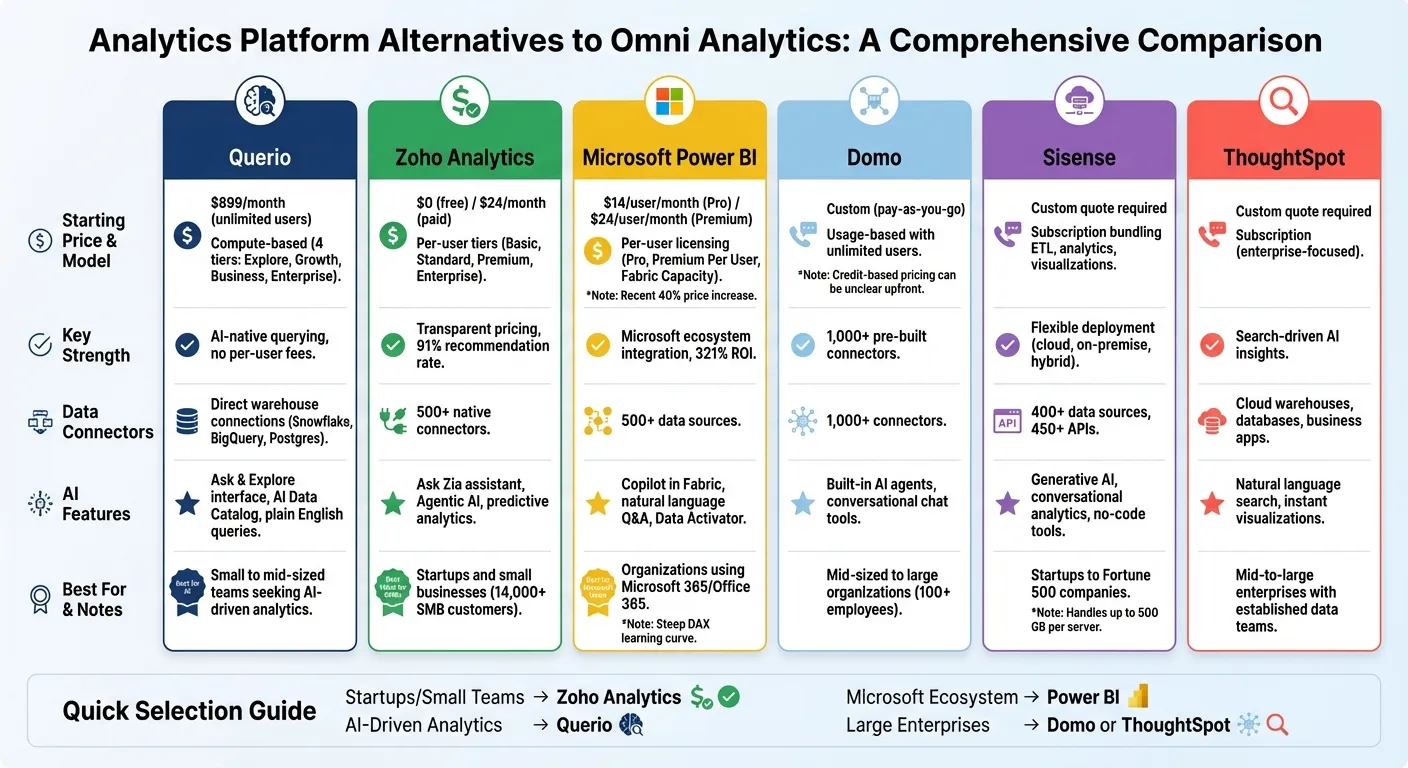
Looking for budget-friendly analytics tools? Omni Analytics and similar platforms often come with high costs and hidden fees. This guide reviews six alternatives - Querio, Zoho Analytics, Microsoft Power BI, Domo, Sisense, and ThoughtSpot - that balance cost and capabilities for business decision-making. Here's what you need to know:
- Querio: Unlimited users, a free plan, Core at $2,499/month, and AI-driven tools for easy data queries.
- Zoho Analytics: Transparent pricing from $24/month, with a free plan for small teams. Advanced AI features like predictive analytics and natural language queries.
- Microsoft Power BI: Starts at $14/user/month but scales up with Premium plans. Integrates well with Microsoft tools but has a steep learning curve for DAX.
- Domo: Pay-as-you-go pricing with unlimited users. Over 1,000 connectors and AI-driven insights.
- Sisense: Subscription model bundling ETL, analytics, and visualizations. Flexible deployment options but requires a custom quote.
- ThoughtSpot: Focused on AI-powered, search-driven insights for mid-to-large enterprises. Pricing available upon request.
Quick Tip: For startups or small teams, Zoho Analytics offers the best value, while Querio is ideal for AI-driven analytics without per-user fees. Larger enterprises may prefer Domo or ThoughtSpot for scalability. Compare features, pricing, and ease of use to find the right fit for your needs.
1. Querio
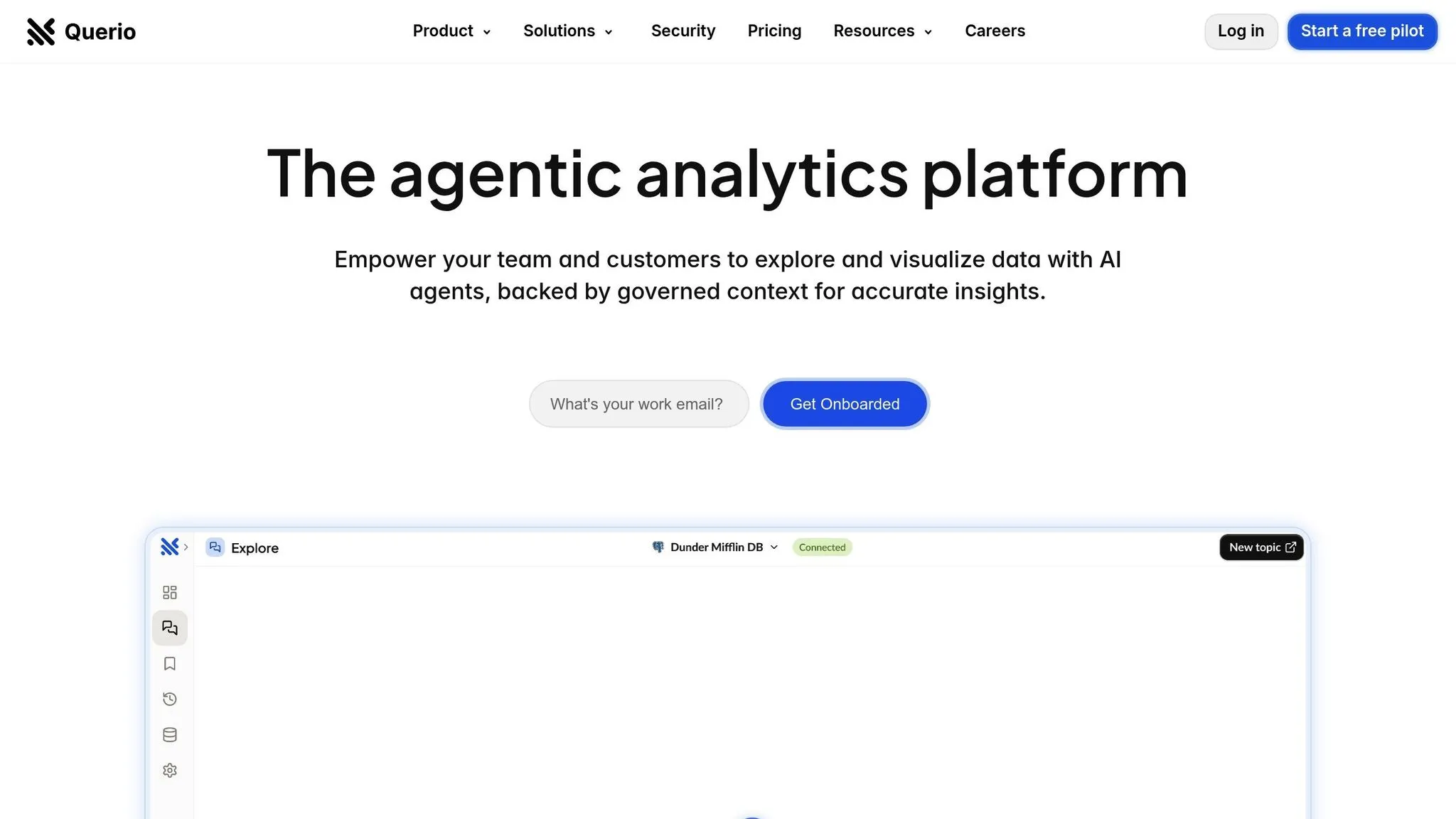
Querio takes a bold step by ditching per-seat pricing. Every plan offers unlimited users, meaning a small five-person startup pays the same as a sprawling 500-person enterprise. This approach tackles the ever-growing costs tied to traditional per-seat models.
Pricing Model
Querio offers three plans, all with unlimited users and unlimited data connections:
- Free plan: $0/month, with 500 AI credits a month, the AI agent, SQL and Python notebooks, dashboards, and a Slack agent.
- Core plan: $2,499/month (or $25,000/year billed annually), with 10,000 AI credits a month, SSO, API access, SSH tunneling and VPN, unlimited automations, and private Slack support.
- Enterprise plan: Custom pricing tailored for organizations needing single-tenant hosting, on-prem deployment as an add-on, and a dedicated solutions engineer.
Pre-Series A startups can also apply to Querio's Startup Program.
AI & Automation Features
Querio isn’t just about pricing - it’s packed with powerful AI and automation tools. Its "Ask & Explore" interface allows anyone to query data in plain English, no technical expertise required.
"I used Querio.ai to analyze my sales data and quickly tell me what my POS system couldn't. Querio got to the answers really fast and super easy." - Christopher Dugan, President & Owner of Reforged Gaming Lounge
The platform also automates data organization through its AI Data Catalog. Every plan includes dashboards and a Slack agent, and Core adds unlimited automations delivered by email and Slack.
Deployment Options
Querio offers flexible deployment methods to suit different needs:
- Free and Core run on Querio's cloud.
- The Core plan adds SSH tunneling and VPN for more control over network connections.
- The Enterprise plan adds single-tenant hosting and on-prem deployment as an add-on, ideal for companies that require complete control over their data.
All connections to data warehouses like Snowflake, BigQuery, and Postgres are read-only with encrypted credentials. Querio also ensures SOC 2 Type II compliance and guarantees a 99.9% uptime SLA.
Target Organization Size
Querio’s unlimited user model and free plan make it a great fit for small to mid-sized teams looking to provide company-wide access to analytics, balancing the benefits and challenges of self-service business intelligence.
"With its AI-driven capabilities, we can ask deeper, more strategic questions, ultimately delivering insights that drive greater value and success for our customers." - Chris Clark, Co-Founder and CTO at Digital Ignite
Instead of charging based on team size, Querio charges for AI usage through monthly AI credits. This makes it easy - and cost-effective - to extend analytics access across entire departments without paying for extra seats.
2. Zoho Analytics
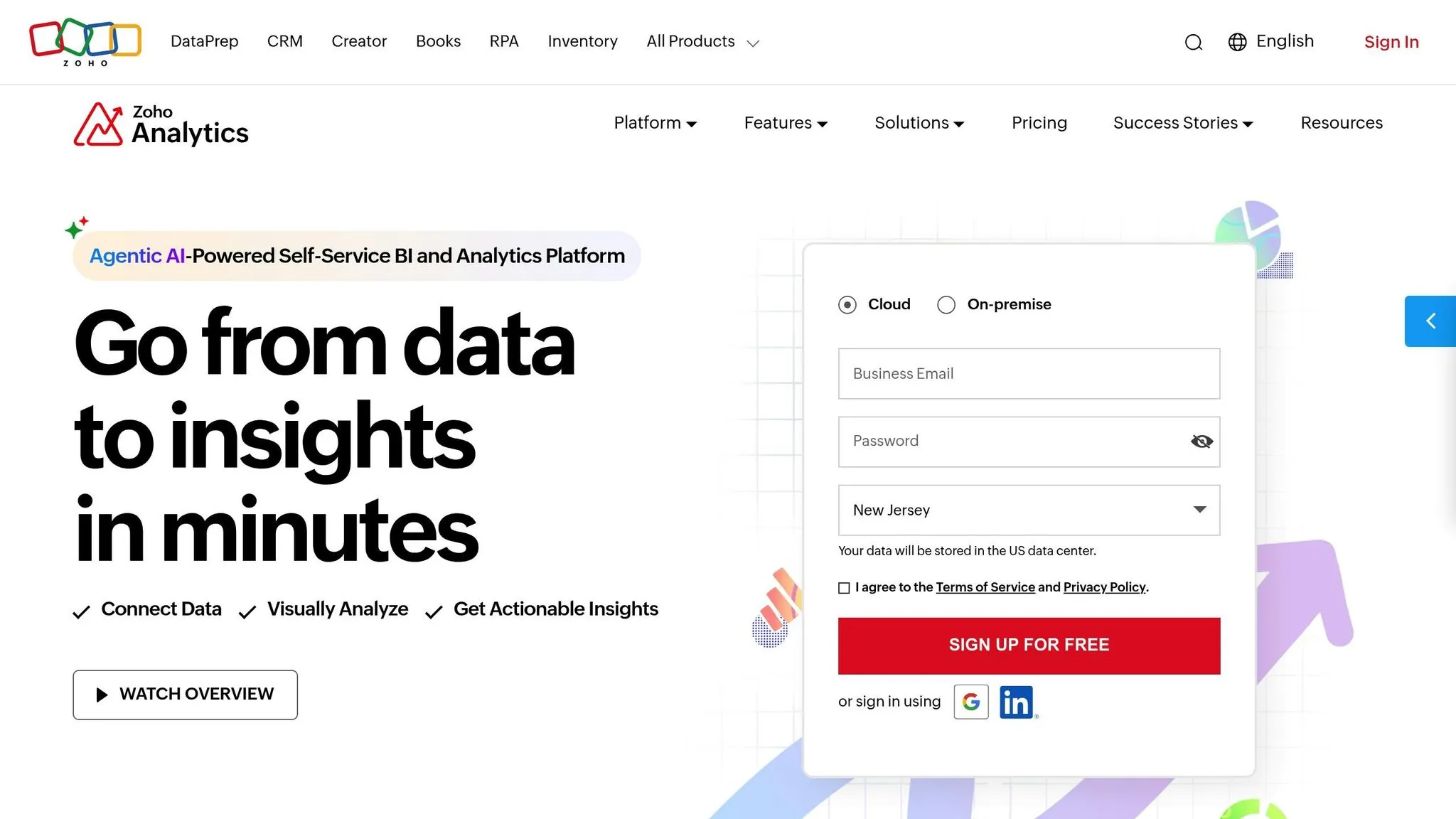
Zoho Analytics stands out for its affordable and transparent pricing, making it a smart choice for organizations looking to manage costs effectively. Let’s dive into the details of its pricing model and key features.
Pricing Model
Zoho Analytics offers a range of pricing options to suit different needs and budgets. Starting with a $0 forever-free plan, small teams can access basic reporting features, including 2 users, 5 workspaces, and 10,000 rows of data. For those needing more, paid plans begin at $24/month (billed annually) for the Basic tier, which includes 2 users and 500,000 rows. The Standard plan is priced at $48/month for 5 users and 1 million rows, while the Premium tier costs $115/month for 15 users and 5 million rows. At the top end, the Enterprise plan is available for $455/month, supporting 50 users and 50 million rows.
Zoho also offers flexibility through add-ons. Instead of upgrading to a higher plan, you can add extra users for $8/month each or purchase additional data rows in tiered blocks. Opting for annual billing reduces costs by 20%, and non-profit organizations are eligible for special discounts.
"With Zoho Analytics, the time spent in creating charts, reports and dashboards went down by 50%. More importantly, our software expenses were reduced by 30%!" - Moises Ochoa, Application Engineer, Cementos Progreso
AI & Automation Features
Zoho Analytics doesn’t just stop at affordability - it also delivers advanced AI capabilities. Its Ask Zia conversational AI assistant allows users to query data in plain English or Spanish, returning instant visualizations and reports. The Zia Insights feature provides automatic summaries that highlight trends, patterns, and anomalies in your data.
In 2025, Zoho introduced Agentic AI, which builds data pipelines and generates insights ranging from historical trends to predictive analytics. Other standout features include predictive forecasting, real-time anomaly detection with alerts, and what-if scenario simulations. For data scientists, the platform includes an AI Studio, offering tools to create machine learning models using either a no-code AutoML assistant or Python-based coding.
Data Integration Capabilities
Zoho Analytics integrates seamlessly with over 500 native connectors, covering everything from cloud storage platforms like Google Drive and Dropbox to databases such as MySQL and MongoDB. It also connects with data warehouses like Amazon Redshift and Snowflake, as well as popular business tools like Salesforce, Google Analytics, and Shopify.
The platform includes a self-service analytics and data preparation studio with more than 250 transform functions to clean and enhance data. Users can choose between live connections for real-time updates or scheduled synchronization. For custom needs, Zoho provides a no-code connector builder and robust APIs for deeper integration.
Deployment Options
Zoho Analytics offers flexibility in deployment. While it primarily functions as a cloud-based service, it also supports on-premise deployment for local servers, AWS, Azure, or Docker. The Professional on-premise plan costs $30 per user/month (billed annually, with a minimum of 5 users) and supports unlimited rows and tables. Mobile apps for iOS and Android ensure that users can access their data on the go.
Target Organization Size
Zoho Analytics is tailored for small and medium businesses (SMBs) and mid-market companies, with over 14,000 SMB customers among its 20,000+ total users. While it’s scalable enough to meet enterprise-level security standards like GDPR, HIPAA, and SOC 2 Type II, its pricing and feature set are particularly well-suited for SMBs looking for robust analytics without breaking the bank. However, organizations must still navigate the challenges of self-service business intelligence to ensure data governance.
3. Microsoft Power BI
Microsoft Power BI offers powerful analytics tools that cater to businesses of all sizes while keeping costs manageable. The free Power BI Desktop version is perfect for creating visualizations, and paid plans start at just $14 per user per month for the Pro tier.
Pricing Model
The Power BI Pro plan, priced at $14 per user per month, includes features like report sharing, publishing, 1GB model limits, and up to 8 daily data refreshes. For more advanced needs, the Premium Per User plan costs $24 per user per month and supports larger 100GB models with up to 48 refreshes daily. If your organization already uses Microsoft 365 E5 or Office 365 E5, Power BI Pro is included at no extra charge, potentially eliminating additional costs.
For larger enterprises, Fabric Capacity provides a pay-as-you-go option, allowing unlimited viewers without requiring individual licenses. This model becomes cost-efficient for organizations with around 500 users or more. According to a Forrester Consulting study, businesses saw a 321% ROI over three years with a payback period of less than six months using Power BI.
AI & Automation Features
Power BI integrates AI tools to make data analysis more accessible. Copilot in Fabric enables users to create reports, generate DAX calculations, and summarize data simply by typing in conversational language. The natural language Q&A feature allows users to ask questions in plain English and get instant visual answers, personalizing insights for various business roles and making it easy for anyone - regardless of technical expertise - to analyze data. Built-in AI visuals detect patterns and provide text summaries, helping teams uncover insights without manual effort. Additionally, Data Activator sends real-time alerts based on data changes, empowering teams to make timely decisions without constant monitoring.
"When we adopted Microsoft 365, Power BI immediately demonstrated that it could provide robust data experiences integrated in the tools people already use every day." - Mike Abram, Chief Information Officer, Westinghouse Electric Company
Data Integration Capabilities
Power BI connects seamlessly to over 500 data sources, including popular platforms like Excel, Azure SQL Database, Salesforce, Dynamics 365, and SharePoint. With Power Query, users can prepare and transform data without needing advanced coding skills. Integration with Microsoft Fabric and OneLake creates a unified data environment, while the Data Gateway supports both cloud and on-premises connections, offering flexibility for diverse infrastructure setups.
Deployment Options
Power BI provides versatile deployment options to meet varying needs. The cloud-based Power BI Service simplifies publishing and collaboration, while Power BI Report Server caters to organizations that require on-premises solutions to keep data behind a firewall. Mobile apps allow users to access data on the go, and for custom applications, Power BI Embedded starts at around $1.00 per hour, with the option to pause capacity to optimize costs.
Target Organization Size
Power BI is designed to scale for businesses of all sizes. Individuals and small teams can begin with the free Desktop version or Pro licenses. Mid-sized businesses often rely on Pro or Premium Per User plans to establish a data-driven culture without breaking the bank. Large enterprises benefit from Fabric Capacity or Power BI Premium, which provide advanced governance and security for thousands of users. Microsoft’s recognition as a Leader in the June 2024 Gartner Magic Quadrant for Analytics and Business Intelligence Platforms underscores its strong performance and reliability in the field.
4. Domo
Domo uses a pay-as-you-go model based on actual usage instead of traditional per-user fees. This setup allows unlimited users on both its free and paid plans, making it a cost-effective option for teams that are scaling up. By focusing costs on usage rather than the number of users, Domo is particularly appealing for organizations with larger teams.
Data Integration Capabilities
Domo offers more than 1,000 pre-built data connectors, simplifying the process of linking to various data sources. Its hybrid architecture, combined with drag-and-drop ETL tools, makes data transformation and preparation easier and more efficient.
AI & Automation Features
Domo comes equipped with built-in AI agents and chat tools that let users interact with data using conversational AI analytics tools. These features can generate insights, create visualizations, and answer data-related questions without requiring complex queries. This functionality makes Domo a strong choice for organizations looking to make data more accessible and actionable.
Target Organization Size
Domo is a great fit for mid-sized to large organizations aiming to provide data access across multiple departments. The unlimited user model is especially attractive for companies with 100 or more employees. Additionally, its extensive connector library and integrated ETL tools are ideal for businesses managing complex data environments.
5. Sisense
Sisense offers a subscription-based model that simplifies budgeting by bundling all essential tools - ETL capabilities, an analytical database, and visualization features - into a single package. This eliminates the need for multiple tools and reduces IT overhead, making it a cost-efficient solution for businesses aiming to keep expenses predictable. Its all-in-one approach helps organizations manage analytics without breaking the bank.
Pricing Model
Sisense's subscription pricing is straightforward, with a 7-day free trial to help you get started. The platform is designed for rapid deployment, often taking just days or weeks, which translates to a quicker return on investment (ROI). According to Sisense, many users see full ROI within weeks or months after implementation. Its cloud-based scalability allows you to add users and data as needed, with clear cost visibility - ideal for businesses that value transparency in scaling.
Data Integration Capabilities
Sisense connects seamlessly to over 400 data sources, covering cloud-based, on-premises, and hybrid environments. Whether you need live connections to data warehouses or prefer consolidating data within the platform, Sisense offers flexibility to suit your workflow. It’s optimized to handle up to 25 tables and 500 GB of data per server, ensuring robust performance. For those needing customization, the platform provides 450+ APIs and an embed SDK, enabling deeper integration into your existing systems.
AI & Automation Features
Sisense leverages Generative AI to transform data analytics by enabling conversational analytics, letting users interact with data through natural language queries. The platform also automates tasks like data cleaning, extraction, and predictive forecasting, cutting down on manual work. Its low-code and no-code tools allow even non-technical users to create dashboards with drag-and-drop simplicity, making data insights accessible across the organization. Tanya du Plessis, Chief Data Strategist and Solutions Officer at Bioforum, praised its impact:
"With Sisense's AI capabilities, we are able to easily translate complex data, streamline interpretation, and quickly pinpoint key impacts with speed that is changing the way we can react... during clinical trials."
Deployment Options
Sisense provides flexible deployment choices, including on-premises setups, public or private cloud services, and hybrid configurations. This allows businesses to align their deployment with existing infrastructure and meet specific security needs.
Target Organization Size
Sisense caters to a wide range of businesses, from startups to Fortune 500 companies. Its simplified architecture and minimal IT maintenance make it accessible for smaller teams, while its scalability ensures it can handle the demands of larger enterprises with complex data ecosystems.
6. ThoughtSpot
ThoughtSpot stands out as an AI-powered analytics platform designed to deliver search-driven insights. It enables users to query data using natural language, making analytics more accessible to business professionals without requiring SQL skills or technical expertise. The platform's goal is to open up data access across entire organizations, putting it in the same category as other AI-focused BI tools.
Pricing Model
ThoughtSpot operates on a subscription basis, but pricing details aren't listed publicly on their site. To get a custom quote, businesses need to reach out to the sales team. Costs depend on factors like the number of users, data volume, and deployment preferences.
AI & Automation Features
The platform uses AI to deliver instant visualizations through search, cutting down on the time spent creating manual reports. This allows teams to focus on analyzing data rather than compiling it, potentially lowering the costs tied to traditional analytics processes. By embedding these insights directly into workflows, ThoughtSpot helps streamline operations.
Data Integration Capabilities
ThoughtSpot connects seamlessly to a range of data sources, including modern analytics stack components like cloud data warehouses, databases, and business applications. It supports both live connections and in-memory data models, offering flexibility in how businesses access and analyze their data. This integration capability allows organizations to bring together data from multiple systems into a single, unified analytics platform.
Target Organization Size
The platform is geared toward mid-sized to large enterprises that already have established data infrastructures and analytics teams. Its focus on enterprise needs makes it a better fit for organizations with bigger budgets and more complex data requirements.
Strengths and Weaknesses
Choosing the right platform becomes easier when you understand what each one does well and where it falls short. Here's a quick breakdown of the key strengths, limitations, and pricing transparency for each option.
Querio stands out for its AI-native querying capabilities, free of hidden fees. It connects directly to your data warehouse, eliminating the need to copy data. Its no-hidden-fee model makes it particularly appealing for budget-conscious teams. Querio also reduces reliance on analysts while maintaining SOC 2 Type II compliance. With a robust semantic layer and built-in Python notebooks, it offers a balance of simplicity and advanced features, making it a strong choice for teams seeking depth without breaking the bank.
Zoho Analytics provides clear pricing, starting with a free tier and scalable paid plans that begin at $24 per month. It boasts a 91% recommendation rate in the BARC BI & Analytics Survey 24. A success story includes Cementos Progreso, which cut chart creation time by 50% and reduced software costs by 30% in 2025. However, its user interface can feel cumbersome for non-technical users, which could be a hurdle for some teams.
Microsoft Power BI integrates well with other Microsoft products, making it a natural fit for organizations already using the ecosystem. However, its pricing has become less predictable due to a recent 40% increase. Handling large datasets requires Premium licensing, which costs $24 per user per month or $4,995 monthly for site-wide access. Additionally, learning DAX, a key component of Power BI, has been described as challenging for beginners. Microsoft MVP Amira Bedhiafi even called it "an absolute nightmare for beginners."
Domo offers over 1,000 data connectors, making it versatile for various integrations. However, its credit-based pricing model can make upfront costs harder to pin down, which might deter budget-conscious users.
Sisense provides flexible deployment options, which is great for teams needing adaptability. However, its pricing is not standardized, requiring custom quotes from the sales team.
ThoughtSpot is tailored for mid-sized to large enterprises with established data teams. It focuses on search-driven AI insights, but its pricing details are only available upon request, which might not suit those looking for immediate clarity.
Here's a table summarizing these points for easy reference:
| Platform | Key Strengths | Main Limitations | Pricing Transparency |
|---|---|---|---|
| Querio | AI-native, no hidden fees, live connections | Positioned at a premium | Competitive pricing |
| Zoho Analytics | Free plan, 500+ connectors, 91% recommendation | Steeper UI learning curve | Transparent from $24/month |
| Microsoft Power BI | Microsoft ecosystem integration | 40% price hike; requires Premium for scale | Complex licensing |
| Domo | 1,000+ connectors | Unclear due to credit-based model | Custom quotes |
| Sisense | Flexible deployment options | Custom pricing required | Contact sales |
| ThoughtSpot | Search-driven AI insights | Enterprise focus | Pricing available on request |
Conclusion
When deciding on a platform, it's essential to align your choice with both your immediate needs and long-term objectives. The right solution should support your current operations while also accommodating future growth.
Zoho Analytics stands out as a practical choice for startups and small businesses that need to stretch every dollar. With its low entry cost and a free plan for up to two users and 10,000 rows, it offers a solid opportunity to evaluate the platform without financial risk.
If you're already invested in the Microsoft ecosystem, Microsoft Power BI could be a logical fit, provided your budget can handle the recent price hike. For larger enterprises with established data teams and the resources to match, Domo and ThoughtSpot cater to those needs through custom pricing and enterprise-grade capabilities.
Querio brings an AI-native approach with direct warehouse connections, eliminating the need for data duplication. Its SOC 2 Type II compliance, semantic layer to prevent AI hallucinations, and built-in Python notebooks for advanced analysis make it a compelling option. Querio is designed to reduce reliance on analysts while maintaining strict governance, all at a competitive price.
Ultimately, the best platform for your business depends on your specific operational priorities. Be mindful of hidden costs and focus on tools that offer AI-driven features tailored to your needs. Consider factors like total cost of ownership, which includes seat licenses, training, sharing fees, and infrastructure requirements. Test each platform's AI capabilities with your unique business scenarios. For teams with non-technical users, prioritize platforms with natural language interfaces and user-friendly designs. If governance is a top concern, look for features like semantic layers and version control to ensure data integrity and compliance.
FAQs
What should I look for in an affordable analytics platform?
When evaluating an analytics tool that fits your budget, it's essential to think beyond the initial price tag and consider the total cost of ownership. Opt for tools with transparent pricing - whether it's a flat rate or tiered plan - and watch out for hidden charges tied to necessary features like data refreshes or advanced visualizations. Clear pricing not only prevents surprise expenses but also makes it easier to stick to your budget.
Pay attention to the tool's data connectivity and scalability. The best options will connect to a wide variety of data sources, such as databases, SaaS platforms, or file uploads, while offering both live connections and scheduled syncs. This flexibility ensures the tool can adapt as your business expands. Features like drag-and-drop dashboards and AI-powered insights are also a big plus, enabling team members without technical expertise to explore and analyze data independently.
Finally, strike the right balance between functionality and ease of use. Look for tools that offer advanced visualizations, predictive analytics powered by AI, and strong security measures to safeguard your data. A platform that blends intuitive design with powerful features allows your team to make quick, informed decisions without unnecessary complexity.
How do AI-powered tools improve the effectiveness of analytics platforms?
AI-powered tools are reshaping analytics platforms, making them smarter and more user-friendly. With features like natural language processing (NLP), users can simply type questions in plain English and get clear, visual answers - no technical know-how or manual chart-building required. Generative AI takes it a step further by drafting reports, suggesting visualizations, and explaining data insights, cutting down on time and effort while keeping workflows efficient.
Predictive and diagnostic AI modules add even more depth, uncovering trends, forecasting outcomes, and pinpointing key factors driving change. These advancements make analytics accessible to everyone - from frontline staff to top executives - empowering quicker, well-informed decisions without depending heavily on specialized analysts. For organizations mindful of their budgets, these tools offer a cost-effective way to gain robust analytics capabilities without sacrificing functionality.
What are the deployment options for affordable analytics tools?
Affordable analytics tools come with deployment options tailored to fit your organization's needs for security, performance, and cost management. Many platforms offer cloud-based SaaS solutions, which let you get started quickly without worrying about managing hardware or infrastructure. For businesses that have stricter privacy or compliance standards, self-hosted or on-premises setups allow you to run the software on your own servers or in private data centers.
Some providers also include hybrid or edge-focused deployment options, blending cloud services with local environments. This setup is perfect for reducing delays or ensuring sensitive data stays near its source. With these choices, organizations can pick a deployment model that fits their budget, technical know-how, and regulatory needs while still leveraging the power of AI-driven analytics.