Guide
What Is Query Language: A 2026 Guide
What is query language? Learn how SQL, NoSQL, and natural language queries work and how git-native analytics like Querio makes them accessible for every team.
A query language is a specialized language that tells a database what data you need rather than how to retrieve it. By separating the desired result from the retrieval procedure, it lets the database engine optimize the work automatically.
But does “query language” still mean SQL and tables? That definition explains a large part of the story, yet it misses the interfaces teams use to query APIs, search indexes, graph systems, event streams, and AI-powered analytics tools. For product managers and data leaders, the more useful question isn't just what syntax a query language uses. It's which system you're asking, what kind of data it holds, and how much control you need over the result.
Table of Contents
- Understanding What a Query Language Actually Does
- How Query Languages Evolved from Theory to Industry Standard
- Comparing the Major Types of Query Languages
- Real Query Examples Across Different Languages
- What Happens Behind the Scenes When a Query Runs
- How Self-Serve Analytics Platforms Are Redefining Query Access
- Common Pitfalls Data Teams Face with Query Languages
Understanding What a Query Language Actually Does
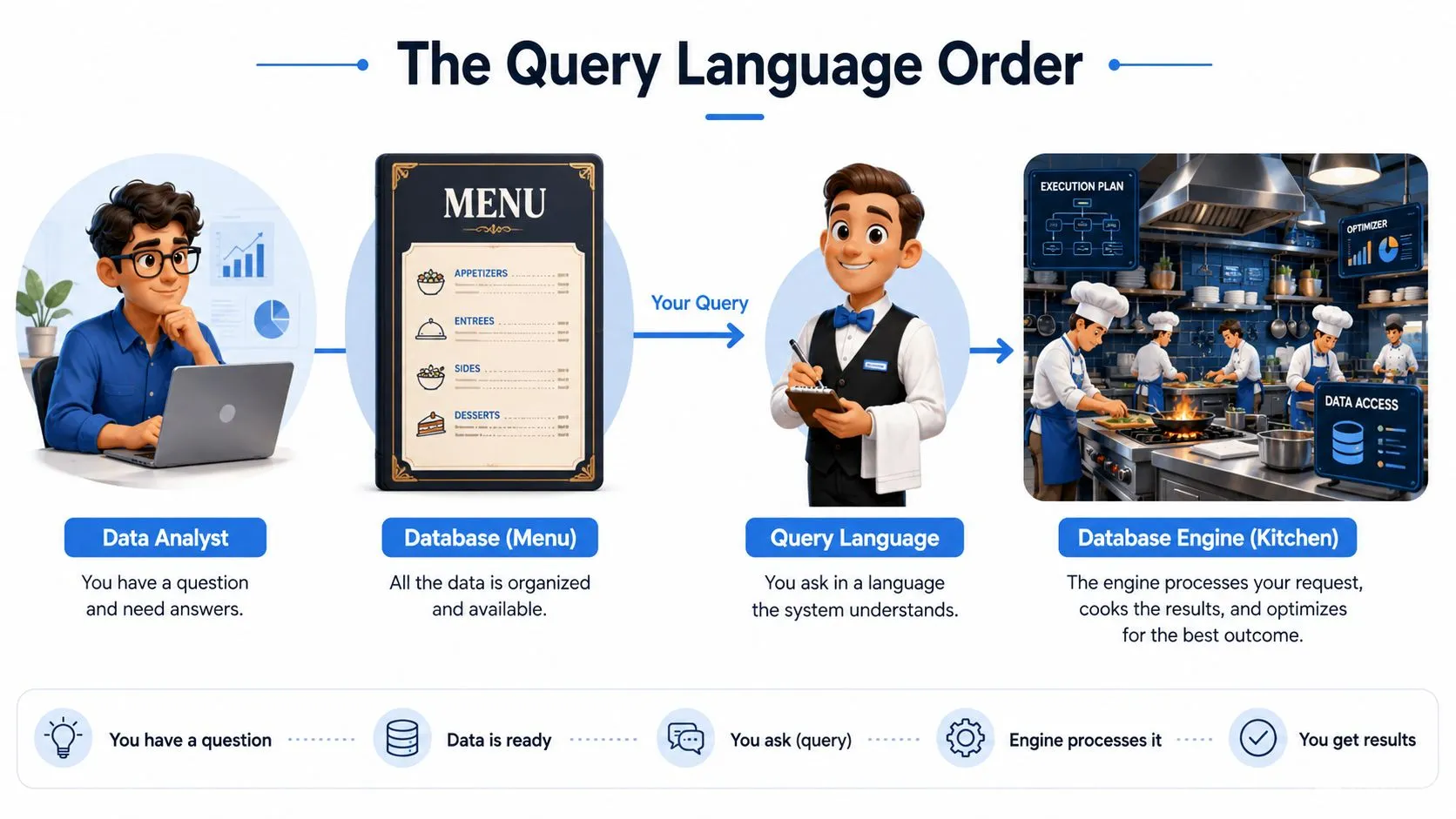
Suppose you're at a restaurant. You tell the waiter, “I'd like the grilled vegetables, rice, and sparkling water.” You don't explain how to heat the grill, in what order to prepare the ingredients, or which cook should handle each part. You describe the outcome, and the kitchen decides how to produce it.
A query language works in much the same way. You specify the records, fields, filters, relationships, or calculations you want. The database engine then chooses an execution strategy, potentially using indexes, changing join order, or distributing work across parallel processes. This is the core idea behind a declarative language, as explained in this overview of query languages and database optimization.
What you ask versus how the system works
An SQL query might look like this:
SELECT category, SUM(revenue) AS total_revenue
FROM sales
WHERE sale_date >= '2026-01-01'
GROUP BY category;
The request says, “Group sales by category and calculate revenue.” It doesn't prescribe whether the engine should scan the full sales table, use an index on sale_date, aggregate before joining another table, or divide the calculation across workers.
That distinction separates a query language from most general-purpose programming. In an imperative program, you usually write an ordered sequence of instructions. With a query, you describe the result and leave much of the procedure to the engine. Query languages can therefore express a data request far more concisely than equivalent step-by-step retrieval code.
The database still has to perform concrete work. It parses the statement, checks whether the referenced tables and fields exist, builds a plan, and executes that plan. Your query is the order. The engine is the kitchen.
Why this separation matters to organizations
The separation gives data teams a stable way to ask business questions while allowing database technology to change underneath. An engine can improve its indexing, join algorithms, storage layout, or parallel execution without requiring every analyst to rewrite every query.
That's why query languages became foundational infrastructure rather than a niche analyst skill. A business might ask for customer retention, inventory exposure, or revenue by product line. A query language turns those questions into a repeatable interface that applications, dashboards, analysts, and automated systems can use.
For readers who want the surrounding database concepts, this plain-language guide to databases and SQL provides useful context. The important boundary is simple: a query language describes a data operation, while the engine decides how to carry it out.
How Query Languages Evolved from Theory to Industry Standard
The modern query-language story begins with a change in how people represented data. In 1970, Edgar F. Codd proposed the relational model, representing information as tables connected through relationships and keys instead of navigational paths through records. That idea gave organizations a structured way to reason about data independently of the physical route used to find it. The historical timeline is documented in this overview of SQL's development from the relational model to standardization.
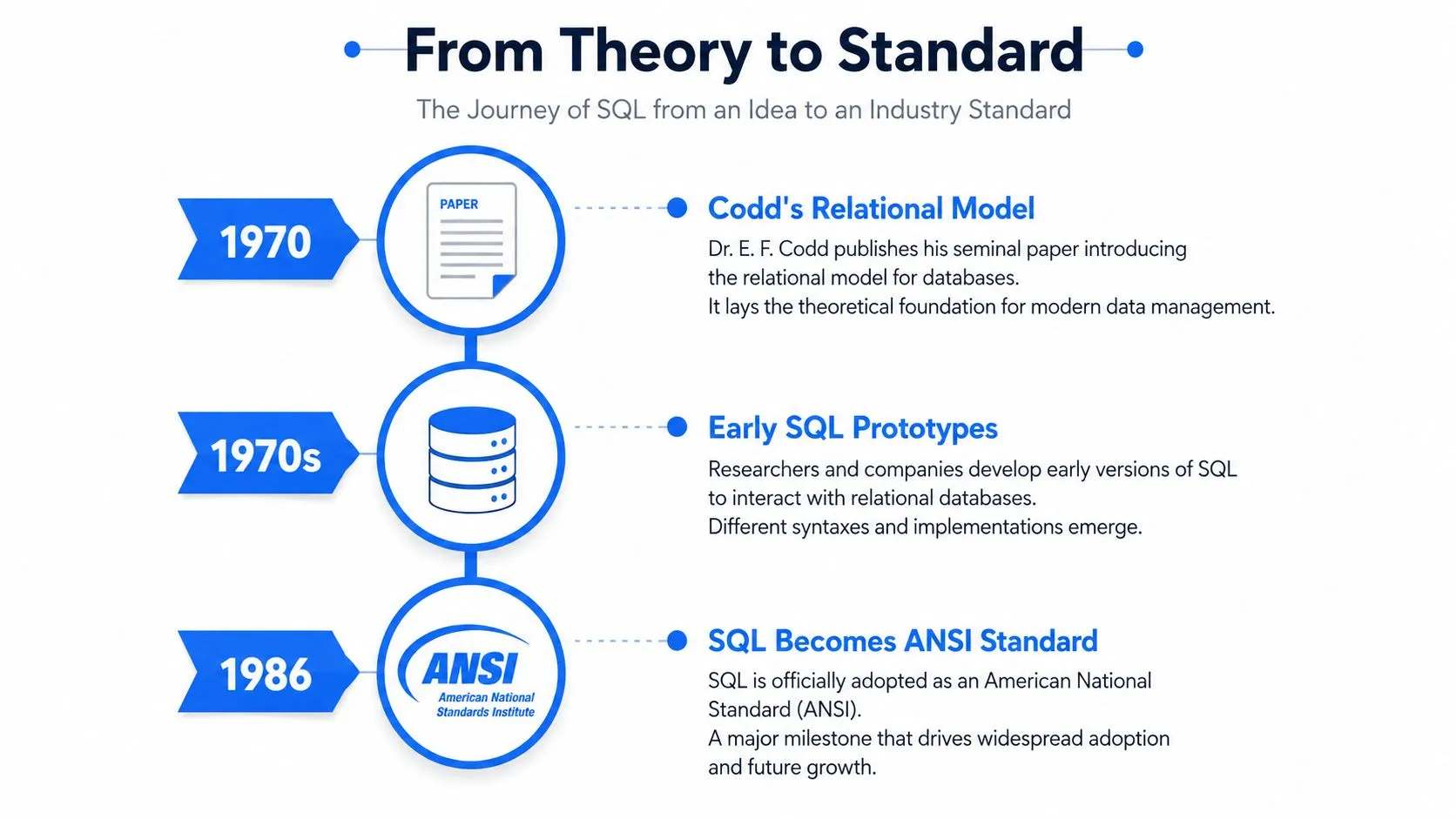
IBM turned the theory into an experimental system. In the mid-1970s, IBM developed SEQUEL for System R. Oracle followed with the first commercially available SQL implementation in 1979, helping move relational querying from research into enterprise software.
Standardization changed the investment decision
A vendor-specific language creates a risky choice. If your team learns one provider's syntax, moving to another provider can require retraining, rewriting applications, and rebuilding reporting practices. Standardization doesn't remove every dialect difference, but it creates a shared foundation.
ANSI standardized SQL in 1986, and ISO adopted it in 1987, establishing a vendor-neutral baseline. That history is captured in the account of SQL's rise to dominance in the database query-language arena. For an enterprise, the practical value was substantial: SQL skills could travel across database products, and software vendors could build against a recognized language family.
Later revisions expanded what SQL could express. SQL-92 broadened core relational querying, while SQL:1999 added or extended capabilities such as outer joins, integrity constraints, recursive queries, triggers, and procedural extensions. The language evolved without abandoning its central relational model.
Why SQL remains a reference point
SQL's standard history now spans more than 35 years after its first standard, with SQL:2023 showing continued development. That continuity helps explain why SQL remains the reference point for query-language literacy across global markets and major database ecosystems.
The lesson isn't that every data problem should use SQL. It's that a shared query language can outlive individual products because it captures a durable way to describe data questions. Codd's tables and relationships became a foundation, IBM demonstrated a workable implementation, Oracle commercialized it, and standards made the skill portable.
Comparing the Major Types of Query Languages
The right query language follows the data model and access pattern, not personal preference. A relational database, a document store, a graph, an API, and a search index may all contain useful information, but they don't expose that information in the same way.
SQL is the familiar starting point. It targets relational data organized into tables with defined columns and relationships. Analysts use it for filtering, joining, aggregating, and transforming business data. Its strength is expressing set-based questions concisely while allowing the database engine to optimize execution.
Document and key-value systems use different approaches. MongoDB's query model works with JSON-like documents, while other systems expose domain-specific languages or SQL-compatible interfaces adapted to their storage model. These languages fit applications that need flexible document structures, direct key access, or access patterns that don't depend on broad relational joins.
Graph languages take a relationship-first view. Cypher and Gremlin are designed for traversing connections such as “customers who bought products also purchased by similar customers” or “services connected through a dependency chain.” They're often a natural fit when the path between entities matters more than a flat row set.
GraphQL belongs in a different category. It's a query language for APIs, where a client requests fields from an application's data graph. It doesn't replace SQL inside a warehouse. Instead, it defines how an application or front end asks an API for a shaped response. Search interfaces add another boundary: they may retrieve and rank documents or events rather than return exact relational matches. This broader view is reflected in the discussion of query languages across databases and information systems.
| Language Type | Data Model | Best For | Learning Curve |
|---|---|---|---|
| SQL | Relational tables and connected records | Reporting, analytics, transactions, and warehouse queries | Moderate |
| NoSQL and domain-specific languages | Documents, key-value records, events, or specialized stores | Flexible application data and system-specific access patterns | Varies by platform |
| Graph query languages | Nodes, edges, and relationship paths | Multi-step relationship analysis and connected-data problems | Moderate to advanced |
| Natural-language interfaces | Human questions mapped to an underlying data system | Self-serve exploration and assisted analysis | Low for asking, higher for validating |
Natural-language querying adds an accessibility layer rather than a completely separate storage model. An AI system may translate a question into SQL, a graph query, an API request, or a search expression. The user experience becomes simpler, but the underlying data model still determines whether the answer is valid. A useful comparison of relational and graph-oriented querying appears in this discussion of the bridge from SQL to SPARQL.
Real Query Examples Across Different Languages
Take one business question: “Show total revenue by product category for last quarter.” The business intent stays constant, but each system expresses it according to its data model and interface.
SQL for relational sales data
SELECT
  product_category,
  SUM(revenue) AS total_revenue
FROM sales
WHERE sale_date >= '2026-01-01'
  AND sale_date < '2026-04-01'
GROUP BY product_category
ORDER BY total_revenue DESC;
SELECT chooses the output fields. SUM(revenue) calculates the measure. The WHERE clause limits records to the requested period, GROUP BY creates one result per category, and ORDER BY sorts the categories by the calculated total. The query describes the desired result without specifying the scan or aggregation procedure.
MongoDB for document data
db.sales.aggregate([
  {
    $match: {
      sale_date: {
        $gte: ISODate("2026-01-01"),
        $lt: ISODate("2026-04-01")
      }
    }
  },
  {
    $group: {
      _id: "$product_category",
      total_revenue: { $sum: "$revenue" }
    }
  },
  {
    $sort: { total_revenue: -1 }
  }
]);
MongoDB uses a pipeline. $match filters the documents, $group collects documents by category and sums revenue, and $sort orders the output. The syntax looks different from SQL because the system works with documents and pipeline stages rather than a relational statement.
Cypher for a graph model
MATCH (sale:Sale)-[:FOR_PRODUCT]->(product:Product)
WHERE sale.sale_date >= date("2026-01-01")
  AND sale.sale_date < date("2026-04-01")
RETURN product.category AS product_category,
       sum(sale.revenue) AS total_revenue
ORDER BY total_revenue DESC;
MATCH describes a path from a sale to a product. WHERE filters the sale nodes by date, while RETURN groups the result by the product category and calculates revenue. This format makes the relationship explicit, which is useful when the answer depends on traversing connected entities.
Natural language for an AI analytics interface
Show total revenue by product category for last quarter.
Use completed sales only, explain the date range you applied, and display the result as a table.
The prompt is readable, but it still needs careful validation. A reliable interface must map “revenue,” “completed,” “category,” and “last quarter” to the company's actual schema and business definitions. If you want to understand how reusable SQL logic can support this kind of analysis, this guide to common table expressions covers a practical SQL pattern.
What Happens Behind the Scenes When a Query Runs
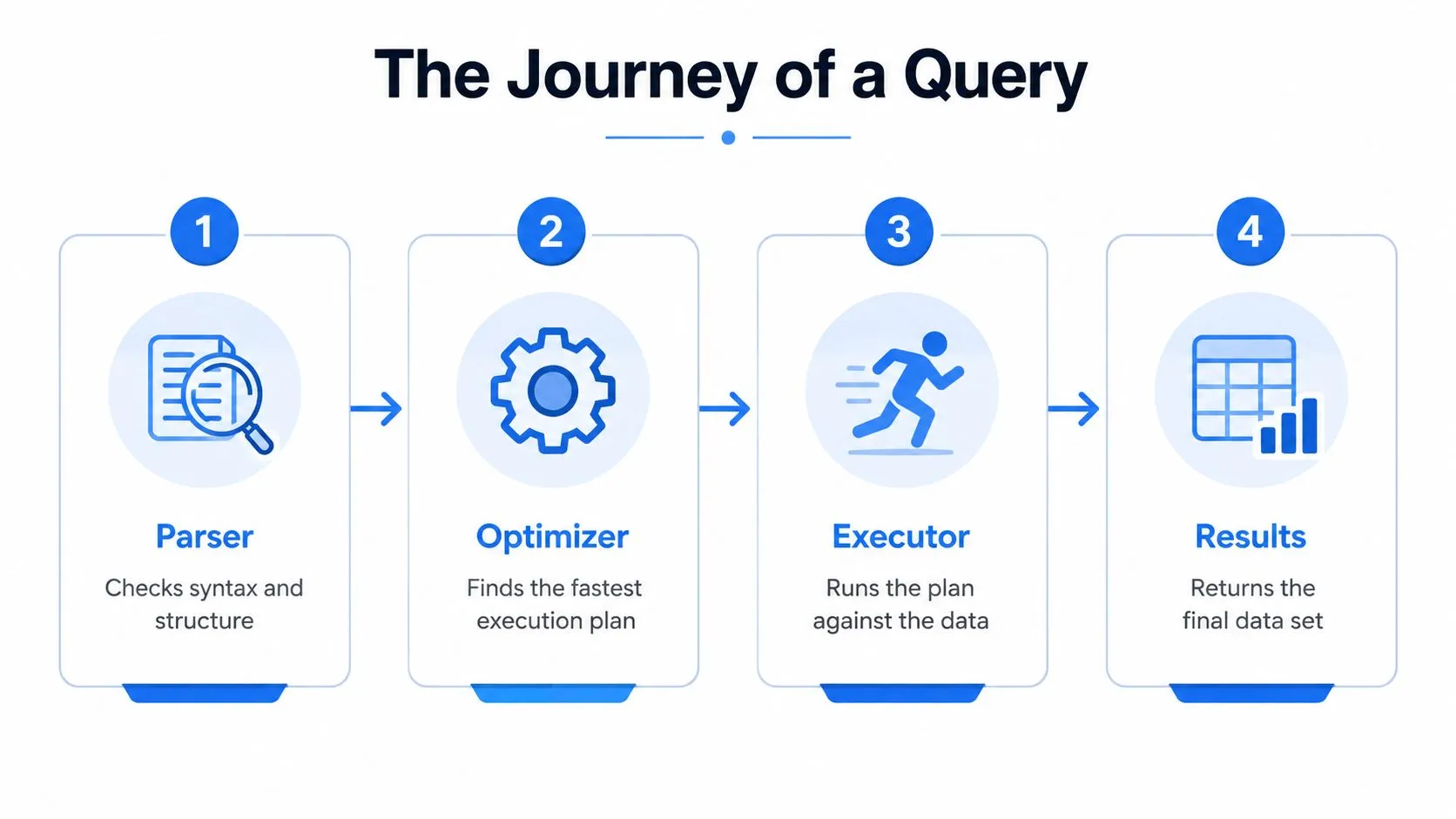
A query travels through a pipeline before anyone sees the result. The exact implementation varies by system, but the general stages are parsing, validation, optimization, and execution. That pipeline applies across many structured, semi-structured, and specialized data systems, as described in Microsoft's explanation of the CodeQL query language.
Parsing and validation
First, the parser checks whether the query follows the language's grammar. A missing parenthesis, misspelled keyword, or malformed expression can stop the request before the system touches the data.
Next, the engine validates the request against the schema or data model. It checks whether the table, collection, graph label, field, or function exists and whether the requested operations are compatible with the available types. A field containing text can't always be aggregated as a numeric measure, and a relationship query needs a model that represents the relevant connections.
Optimization chooses the route
Once the engine understands the request, it creates an execution plan. The optimizer may choose an index instead of scanning every row, filter records before a join, reorder joins, or split work across parallel workers. The written order of clauses doesn't necessarily determine the physical order of operations.
Practical rule: A short query isn't automatically a fast query. The plan matters more than the number of lines a user typed.
Language design affects performance and correctness. Syntax and typing rules define which rewrites the optimizer can safely make. If the engine can prove that two operations are equivalent, it may rearrange them. If it can't prove that a rewrite preserves meaning, it must avoid the shortcut.
Execution returns the result
The executor runs the selected plan against storage, memory, indexes, or distributed workers. It then combines intermediate results and returns the final dataset, error, or partial response according to the system's rules.
For data leaders, this mental model changes how teams troubleshoot. Instead of asking only whether a query “looks right,” they can inspect the execution plan, confirm filters are applied early, check whether a join expands the result unexpectedly, and verify that the data types match the intended calculation. The same reasoning applies beyond SQL, including analytics and search systems where parsing, model validation, optimization, and execution shape latency, scalability, and correctness.
How Self-Serve Analytics Platforms Are Redefining Query Access
A data team becomes a bottleneck when every business question must pass through an analyst before anyone can inspect the answer. The issue isn't only query-writing skill. It's the accumulation of definitions, permissions, warehouse context, metric logic, and follow-up requests around each question.
Self-serve analytics changes the access layer. Technical users can write and review queries directly, while non-technical users can ask questions in natural language and receive an answer backed by an executable query. The important design requirement is transparency: users need to see how the system interpreted the question, which fields it used, and what assumptions shaped the result.
From human API to shared analytical infrastructure
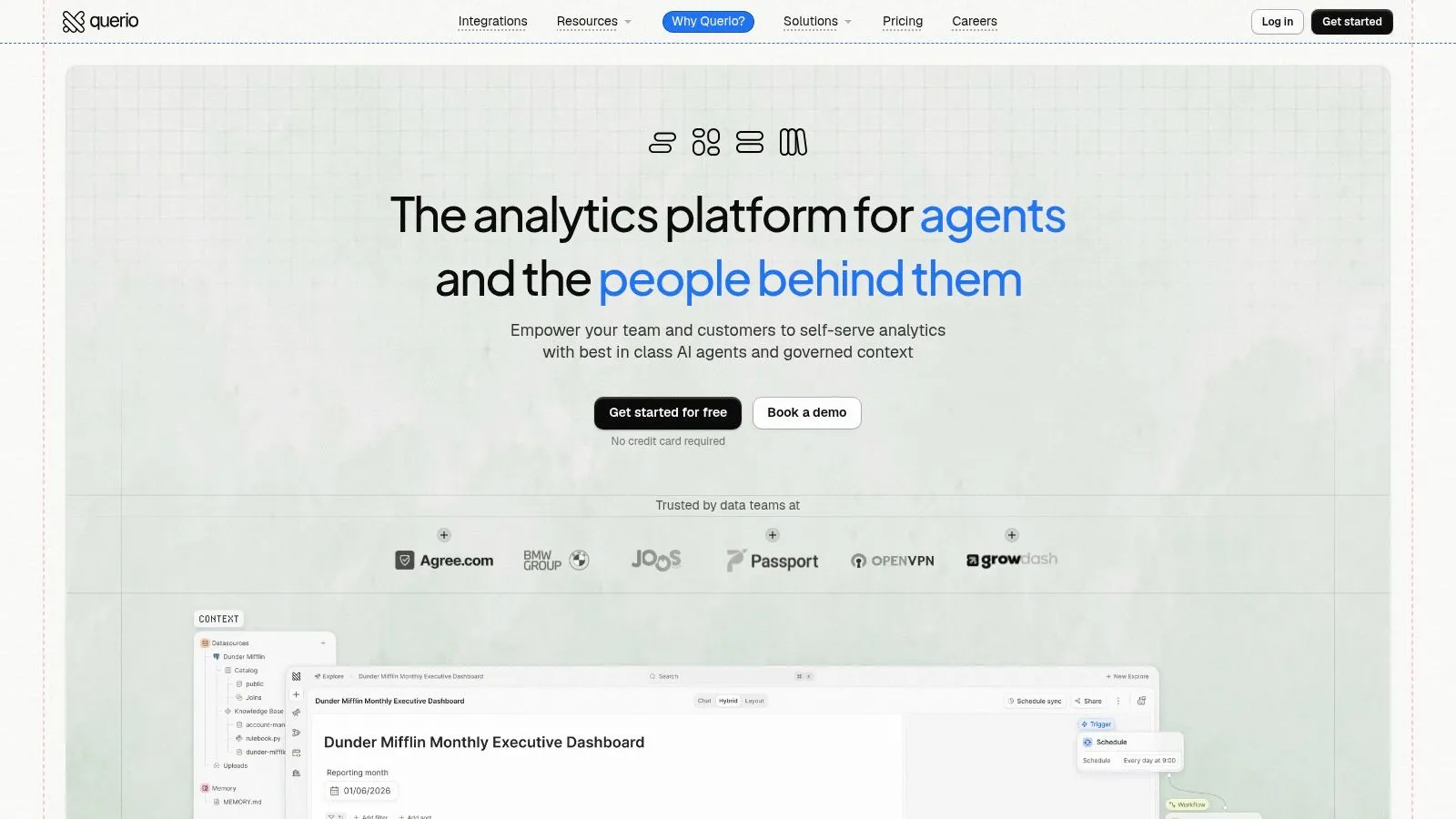
Tools such as Querio put an AI agent on a company's data warehouse. The agent answers with SQL and Python in a notebook, and the context, metric definitions and dashboards live as plain files in a git repo the team owns. Technical and non-technical users can query, analyze, and build on company data without treating analysts as the only interface.
That changes the data team's role. Analysts spend less time manually answering repeated requests and more time maintaining trusted data models, metric definitions, permissions, reusable analysis, and review practices. Product teams gain a way to explore questions while preserving a path back to SQL and notebook code.
The broader concept is related to what is AI orchestration, where multiple actions, tools, and context can be coordinated rather than relying on a single isolated response. For analytics, orchestration might involve interpreting a question, locating relevant warehouse objects, generating SQL, running it, presenting a visualization, and making the generated logic available for review.
A natural-language interface still needs boundaries. “Revenue” may mean booked revenue, recognized revenue, or collected cash. “Active customer” may depend on a product event or billing state. AI can help translate intent, but teams must define and govern the underlying concepts.
For a closer look at the translation layer, this explanation of text-to-SQL shows how plain-language questions can become executable warehouse queries.
The practical definition of query-language literacy is expanding. A capable data practitioner doesn't need to manually write every query, but they should know how to choose the right data source, state the business question precisely, inspect generated logic, and challenge an answer that doesn't match the underlying model.
Common Pitfalls Data Teams Face with Query Languages
SQL fluency helps, but it isn't a complete analytics operating model. Teams increasingly work with semi-structured records, graph relationships, APIs, search systems, and AI-generated queries. Problems arise when people treat every data source as if it were a relational table, or every generated answer as if it were self-validating.
Performance mistakes
SELECT * is convenient during exploration, but it can retrieve fields the analysis never uses and make a query harder to understand. Name the required columns, filter early, and aggregate at the level the business question requires.
Ignoring the execution plan creates another blind spot. A query may appear logically simple while forcing a broad scan, joining large intermediate results, or applying a filter too late. Build review habits around the plan, not just formatting or syntax.
Portability and model mistakes
SQL dialects differ across warehouses and database products. Functions, date handling, semi-structured operators, permissions, and transactional behavior may change when a query moves between systems. Teams should document the target dialect and avoid assuming that valid SQL in one environment behaves identically in another.
One language also can't express every data problem naturally. Use relational querying for relational analysis, document-oriented operations for document data, graph languages for relationship traversal, and API or search interfaces where those systems define the access boundary. A language can sometimes reach beyond its natural model, but awkward syntax often signals a modeling or tool-selection problem.
Governance mistakes
AI-generated queries add a new review requirement. The query may run successfully while using the wrong table, joining at the wrong grain, or interpreting a business term incorrectly. Establish conventions for approved sources, metric definitions, query review, cost checks, and privacy-sensitive fields.
Teams hiring across distributed markets can also benefit from a clearly defined technical evaluation process. For organizations building remote data capacity, LatHire's guide to the best place to hire LATAM talent may help frame that search, but the hiring rubric should still test query reasoning, data modeling, and result validation rather than syntax memorization.
A practical checklist includes:
- Select deliberately: Request the fields needed for the decision.
- Inspect the plan: Look for avoidable scans, expensive joins, and late filters.
- Name the dialect: Record which warehouse or database executes the query.
- Check the grain: Confirm that each row represents the entity or event you think it does.
- Validate generated SQL: Compare the logic with trusted definitions and sample results.
- Match the model: Choose SQL, a document language, a graph language, an API query, or search syntax based on the system being queried.
Querio converts plain-English questions into SQL-backed analysis, in the app or in Slack, and exposes the generated SQL in a reactive notebook for inspection and editing. Claude and Cursor can do the same work through its MCP server and CLI. Visit Querio to see how your team can move from answering every request manually to a more self-serve data workflow.