Business Intelligence
ThoughtSpot vs Querio vs GoodData embedding capabilities
Compare embedding approaches: real-time warehouse queries, AI-driven search, and API-first dashboards to find the best fit.
Embedding analytics lets you integrate data insights directly into your apps, saving time and improving decision-making. ThoughtSpot, Querio, and GoodData each offer embedded analytics tools for this, but they differ in approach:
ThoughtSpot: Focuses on enterprise needs with AI-driven analytics and strong integration tools but has limitations in governance and customization.
Querio: Connects directly to your data warehouse for real-time analytics, ensuring consistent metrics and transparent AI-generated SQL/Python code.
GoodData: Offers API-first embedding but relies on pre-built dashboards and lacks flexibility for modern data workflows.
Quick Comparison
Feature | Querio | ThoughtSpot | GoodData |
|---|---|---|---|
AI Focus | Conversational AI (SQL/Python) | Automated Pattern Recognition | Contextual Recommendations |
Scalability | Fixed cost, unlimited users | Consumption-based pricing | Usage-based per workspace |
Setup Time | ~15 minutes | Weeks to months | ~4 months |
Data Handling | Live connections | Live query or data extracts | API/direct connections |
Starting Price | Flexible | Contact sales | $1,500/month per workspace |
Best For | SMBs, Mid-market | Large enterprises | SaaS tools, client-facing apps |
Key Takeaway: Querio is ideal for teams seeking real-time insights, consistent metrics, and quick setup. ThoughtSpot suits enterprises needing advanced AI tools, while GoodData works for teams prioritizing pre-built dashboards over flexibility.
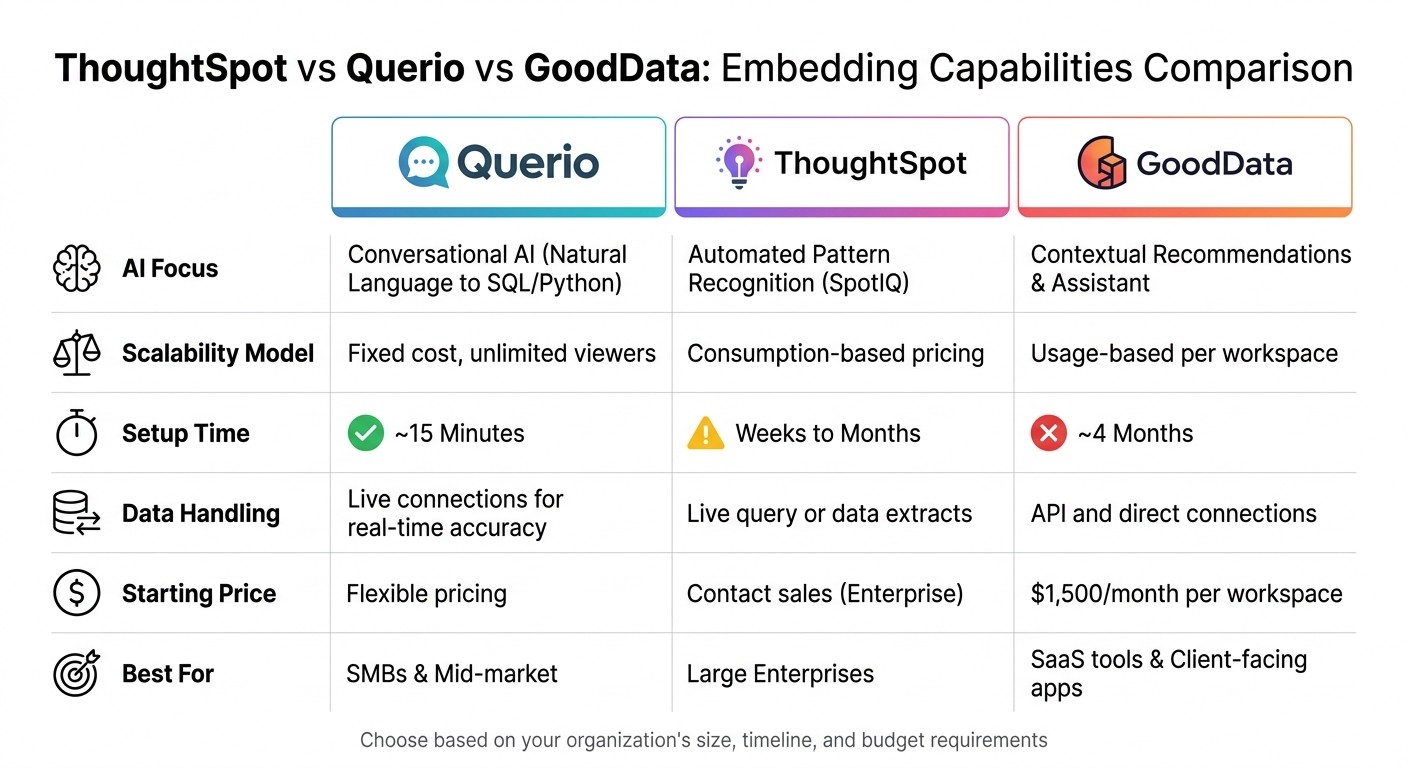
ThoughtSpot vs Querio vs GoodData: Feature Comparison for Embedded Analytics
ThoughtSpot Embedding Features
What ThoughtSpot Offers
ThoughtSpot provides a powerful way to embed analytics into applications using its Visual Embed SDK, a JavaScript toolkit designed for seamless integration. With this, developers can embed AI-driven analytics, search bars, and interactive Liveboards directly into their host applications. It also allows for precise control over menu actions, such as "Show Underlying Data", and supports smooth callback triggering.
There are two primary embedding options: the Visual Embed SDK, which includes React components for robust functionality, and an iFrame option for environments where JavaScript is restricted. However, the iFrame method comes with limitations, such as the lack of event handling and the inability to override language searches.
For enterprise-grade security, ThoughtSpot supports multiple authentication protocols, including SAML, OIDC, Trusted Authentication, and basic authentication. These features make it easier for teams to integrate actionable insights into their workflows, helping to streamline decision-making processes.
Customization is another highlight. Developers can use CSS variables to align colors, buttons, and navigation with their brand. Additionally, the platform supports event-driven integration, enabling dynamic updates when Liveboards are rendered. That said, these capabilities do come with certain trade-offs.
Where ThoughtSpot Falls Short
Despite its many strengths, ThoughtSpot has some notable limitations. One major issue is governance. Even with SSO in place, access control requires creating local user and group permissions, resulting in the need for dual permission management.
Customization is also restricted in some areas. For example, "Full App" mode uses fixed layouts, and key pages like Admin and Analyst Studio cannot be embedded. The iFrame method, while useful in specific scenarios, loses functionality such as Natural Language Search runtime overrides and support for complex UI interactions.
Security configurations can be cumbersome, requiring manual setup for Content Security Policy (CSP) and Cross-Origin Resource Sharing (CORS). Additionally, the absence of a robust semantic layer makes it difficult to maintain centralized metric definitions and consistent business logic. This can lead to metric drift, where different teams may interpret or define metrics inconsistently.
Querio Embedding Features
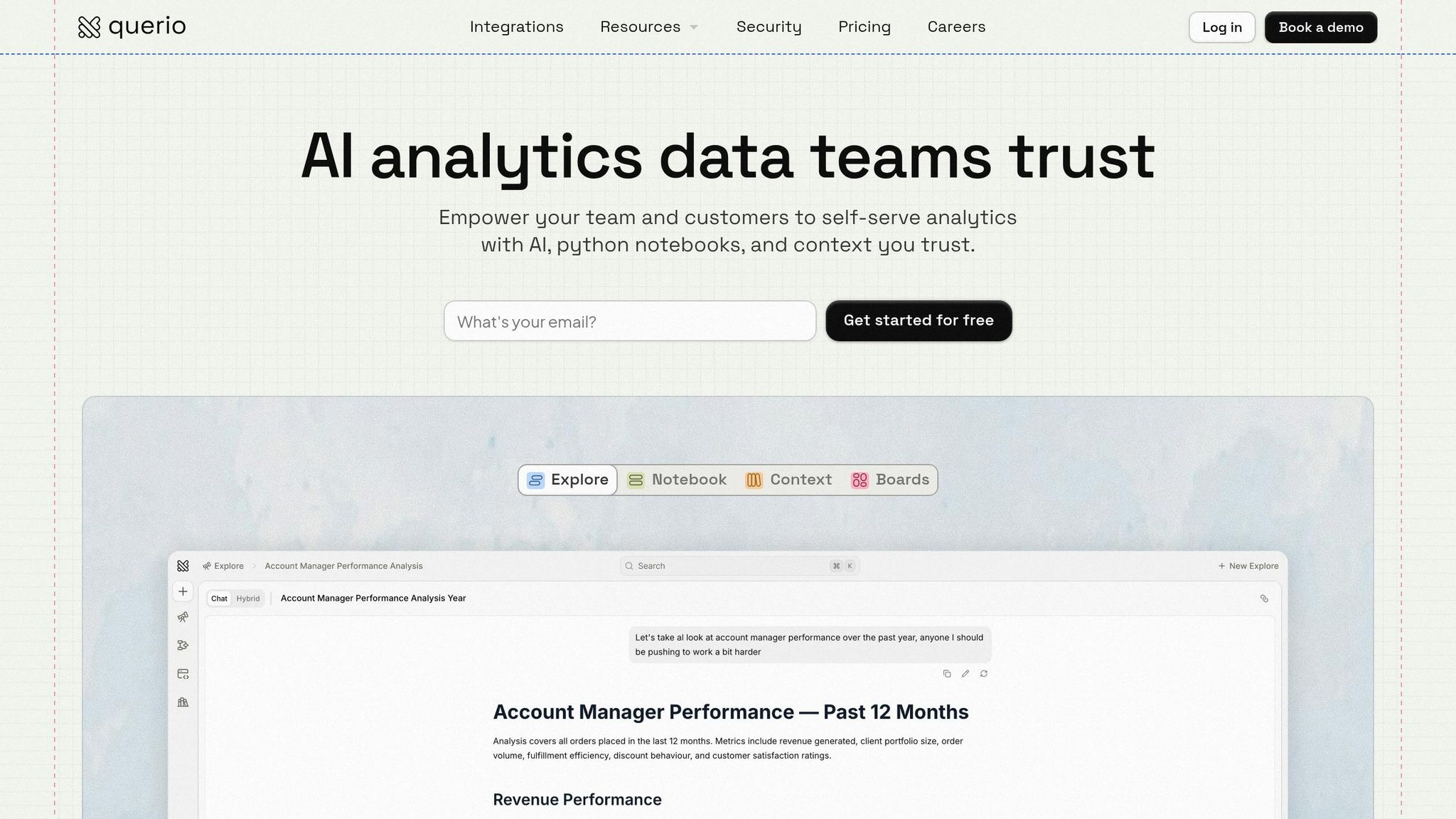
What Querio Offers
Querio approaches embedded analytics differently by connecting directly to your data warehouse. Instead of relying on extracts or duplicates, it queries live data in real time, generating inspectable SQL and Python code for every query across platforms like Snowflake, BigQuery, Amazon Redshift, ClickHouse, and PostgreSQL. This ensures your analytics always reflect the most up-to-date data, enabling timely decision-making.
The platform’s AI-native design converts natural language questions into visible, underlying code. Unlike opaque AI systems, Querio shows the actual code behind every answer. This transparency allows your team to verify, modify, and optimize queries as needed. This is especially critical when embedding analytics into customer-facing applications, where accuracy and reliability are non-negotiable.
A standout feature is Querio’s shared context layer - a centralized semantic layer where data teams can define joins, metrics, and business terminology once. These standardized definitions are applied consistently across all use cases, whether it’s ad-hoc analysis, dashboards, or embedded analytics. This solves the common issue of metric drift, where teams end up with conflicting definitions of the same KPI.
Querio makes embedding seamless with APIs and iframes, letting you reuse the same governed analytics logic across your applications. It also includes role-based access controls and integrates with standard SSO systems, eliminating the need for separate permission setups. Security is a top priority, with SOC 2 Type II compliance and encrypted, read-only connections to your data warehouse.
These features enable data teams to deliver scalable, consistent, and transparent analytics, no matter the use case.
Why Data Teams Choose Querio
Data teams gravitate toward Querio because of its ability to scale effortlessly while maintaining trusted analytics. Its centralized layer ensures consistent, self-serve analytics across all platforms. If a metric definition changes, it updates automatically across notebooks, dashboards, and embedded analytics, saving time and preventing errors.
The platform’s interactive notebook environment allows teams to refine their analysis and transform ad-hoc queries into reusable components. This level of transparency is particularly valuable when embedding analytics into products, as customers depend on accurate and trustworthy data.
Querio eliminates the need for multiple analytics systems. The same logic powering internal dashboards can be embedded directly into customer-facing applications, reducing engineering complexity and ensuring uniformity. With no limits on usage or seat counts, teams can scale access without worrying about increasing costs or complicated licensing structures.
GoodData Embedding Features
What GoodData Offers
GoodData takes a unique path by focusing on an API-first approach for embedding analytics. Unlike ThoughtSpot and Querio, which lean heavily on real-time data integration and hands-on customization, GoodData enables teams to embed dashboards using a mix of iframe and API integrations. This setup makes it easy to integrate pre-built visualizations into various applications without much hassle.
Where GoodData Falls Short
Despite its strengths, GoodData has some limitations. Its natural language processing capabilities are minimal, and its reliance on pre-built dashboards limits the ability to perform flexible, ad-hoc analyses.
Another challenge lies in its governance tools, which aren't as adaptable to modern analytics workflows. Instead of connecting directly to a data warehouse, data must be modeled within GoodData's proprietary environment, rather than using a flexible data warehouse model. This setup can make it difficult for data teams to verify data accuracy or troubleshoot issues efficiently. Additionally, its architecture isn't well-suited for handling large, modern data warehouse environments. The use of non-transparent SQL further complicates query optimization, making it harder to understand and improve performance - an issue that becomes especially noticeable in customer-facing applications.
This lack of flexibility and transparency places GoodData at a disadvantage in modern analytics environments, especially compared to platforms that emphasize agile and open data governance practices.
What is Embedded Analytics? Explained in 15 Minutes with Examples
Side-by-Side Comparison
Here's a breakdown of the key features that set these platforms apart. Querio shines with its ability to connect directly to your data warehouse in real time, offering a quick setup and a pricing model that avoids hidden fees. This makes it an ideal choice for teams looking to implement embedded analytics without delays or surprises.
ThoughtSpot, on the other hand, caters to large enterprises with its consumption-based pricing and a more extended implementation timeline (ranging from weeks to months). Its standout feature, SpotIQ, focuses on identifying patterns automatically.
GoodData starts at $1,500 per month per workspace (billed annually)[1], but its setup process typically takes about four months. This longer timeline may not work well for teams needing faster integration.
Here's a quick comparison of their features:
Feature | Querio | ThoughtSpot | GoodData |
|---|---|---|---|
Primary AI Focus | Conversational (Natural Language to SQL/Python) | Automated Pattern Recognition (SpotIQ) | Contextual Recommendations & Assistant |
Scalability Model | Fixed cost, unlimited viewers | Consumption-based model | Usage-based per workspace |
Setup Time | ~15 Minutes | Weeks to Months | ~4 Months |
Data Handling | Live connection for real-time accuracy | Live query or data extracts | API and direct connections |
Pricing Starting Point | Flexible per workspace | Enterprise (contact sales) | $1,500/month per workspace |
Target Market | SMBs and Mid-market | Large Enterprises | SaaS & Client-facing tools |
Final Recommendations
Querio stands out as a top choice for embedded analytics, offering real-time insights through a direct connection to your data warehouse. With a quick 15-minute setup, you can get started almost immediately, and its fixed pricing model - complete with unlimited viewers - makes financial planning simple and predictable. The direct connection to your data warehouse, combined with a shared context layer, ensures consistent and reliable metrics across all interfaces.
Beyond its real-time data capabilities, Querio shines in data governance. It ensures uniformity in metrics, joins, and business definitions across dashboards, ad-hoc analyses, and embedded applications. This consistency prevents the misinterpretations that often happen when different teams analyze data separately.
Querio also features an conversational AI tool for real-time analytics that translates natural-language queries into inspectable SQL and Python code. This makes it user-friendly while providing full transparency, so your team stays in control of the process.
For organizations seeking scalable, precise, and governed embedded analytics without sacrificing speed or cost efficiency, Querio is a dependable solution.
FAQs
What’s the fastest way to embed analytics into my app?
The quickest route to embedding analytics into your app is through platforms that offer direct, API-driven integration with minimal setup. Querio makes this process straightforward with features like instant deployment, live data access, white-label embedding, and flat-rate pricing. Its smooth integration eliminates the typical delays caused by complicated configurations or extended setup times, making it an efficient solution for embedding analytics.
How can I keep KPI definitions consistent across embedded dashboards and ad-hoc queries?
To maintain consistency in KPI definitions across embedded dashboards and ad-hoc queries, it's essential to have a centralized semantic layer. This layer standardizes metrics and business logic, ensuring everyone operates from the same playbook.
Querio is particularly effective in this area, thanks to its strong semantic layer that ensures uniformity and eliminates discrepancies. Alongside this, implementing strict version control and providing clear documentation helps keep all users on the same page. The result? More reliable decision-making and accurate reporting.
How do I secure embedded analytics with SSO and role-based access control?
When embedding analytics, security should be a top priority. Using the platform’s built-in security tools can help streamline this process. Querio makes this easier by offering centralized governance features, including SSO (Single Sign-On) integration with providers like Okta or Azure AD. This ensures that users can log in seamlessly while maintaining strict security protocols.
Additionally, Querio supports role-based access control (RBAC), which allows you to define and manage user permissions. This means users only see the data and features they’re authorized to access, reducing the risk of accidental or unauthorized access.
For secure embedding, pass user credentials or tokens during the integration process. Always test your configuration to ensure users are restricted to the data and tools assigned to their roles. This combination of SSO and RBAC ensures a robust and secure analytics experience.
Related Blog Posts