Business Intelligence
Querio vs Tableau Pulse (2026)
Querio offers warehouse-native SQL/Python investigation; Tableau Pulse delivers KPI digests inside Tableau Cloud for proactive monitoring.

If you need answers, pick Querio. If you need KPI updates, pick Tableau Pulse.
I’d boil the whole article down like this: Querio fits teams that work in the warehouse and need self-serve analysis, while Tableau Pulse fits teams that already use Tableau Cloud and want KPI summaries sent by Slack, email, or mobile.
Here’s the short version:
- Querio is built for ad hoc analysis on live warehouse data
- Tableau Pulse is built for KPI monitoring inside Tableau Cloud
- Querio shows the SQL or Python behind answers
- Pulse focuses on metric summaries, not deep follow-up analysis
- Querio has a free plan, and Core is $2,499/month, with unlimited users on every plan
- Pulse comes with Tableau Cloud, but it depends on that stack
If I were choosing, I’d use this rule:
- Pick Querio if your team asks “why did this number change?”
- Pick Tableau Pulse if your team mostly asks “what changed this week?”
One more thing: the article makes clear that metric setup matters either way. It recommends a 6- to 8-week certification sprint for your top 10 to 20 metrics before opening self-serve analytics platforms more broadly.
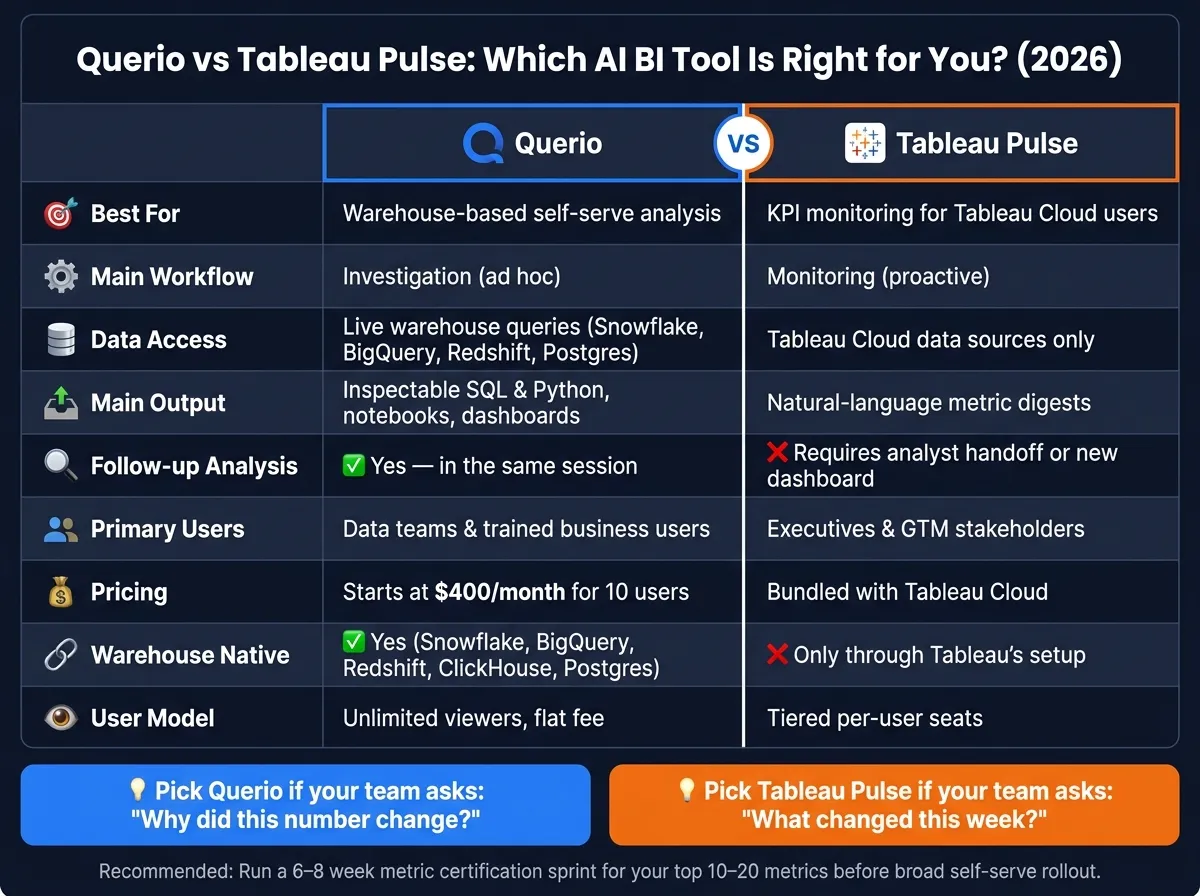
Quick Comparison
| Criteria | Querio | Tableau Pulse |
|---|---|---|
| Best fit | Warehouse-based self-serve analysis | KPI summaries for Tableau Cloud users |
| Main workflow | Investigation | Monitoring |
| Data access | Live warehouse queries | Tableau Cloud data sources |
| Main output | SQL, Python, notebooks, dashboards | Natural-language metric digests |
| Follow-up analysis | Yes, in the same session | Often needs analyst help or another dashboard |
| Main users | Data teams and trained business users | Executives and GTM teams |
| Pricing | Free plan; Core $2,499/mo | Bundled with Tableau Cloud |
| Best for data warehouses like Snowflake, BigQuery, Redshift, Postgres | Yes | Only through Tableau’s setup |
So if you want one clean takeaway, here it is: Querio is for digging in; Tableau Pulse is for staying updated. I’ll keep the rest focused on that split across workflow, trust, governance, and team fit.
How to evaluate AI-driven BI tools in 2026
For SaaS teams that run on a real warehouse, speed, trust, and governance decide whether AI BI saves time or just adds another layer of work. In 2026, the big test is simple: how fast can a platform turn a plain-English question into a verified warehouse answer in Snowflake, BigQuery, Redshift, or Postgres?
Speed, workflow fit, and team adoption
Not every AI BI tool is built for the same job. Proactive KPI monitoring means the product sends changes to users. Ad hoc investigation means a user asks a question and the tool helps dig up the answer. Those are two different workflows, and the best tools in 2026 are upfront about which one they handle.
That matters when you're choosing between a tool that cuts down the analyst queue and one that keeps execs updated with automated metric monitoring. If the workflow doesn't match how your team works, even a fast tool can miss the mark.
And speed on its own isn't enough. It only matters when the answer is traceable and trusted.
Metric consistency, transparency, and safety
Certified metrics and shared definitions stop teams from working from different numbers. Without that layer, AI tools can surface ungoverned data or build charts from inconsistent models [2].
Your team also needs to inspect and edit the SQL and Python behind each answer. If people can't see how the result was produced, they can't audit it, and they probably won't trust it enough to act on it. That certification layer is what keeps answers aligned across Snowflake, BigQuery, Redshift, Postgres, and dbt models.
Run a 6- to 8-week certification sprint for your top 10 to 20 metrics before a self-service analytics implementation [2].
Once those metrics are locked in, governance determines who can use them safely.
Alerts, governance, and expanding access to analytics
As access to analytics spreads across the business, governance stops being optional. Warehouse permissions and sensitivity labels are the base layer. When those controls carry through from the source to the AI output, restricted data stays out of reach for unauthorized users [2].
Put plainly, governance is what makes broader access safe. Those controls also set up the product-by-product comparison that follows.
Product overview: Querio and Tableau Pulse
Querio: warehouse-native governed self-serve analytics
Querio connects straight to Snowflake, BigQuery, Redshift, ClickHouse, MotherDuck, and Postgres. It queries live warehouse data, so there are no extracts in the middle. Analysts can also read, edit, and audit the SQL or Python behind each answer.
Its governed semantic layer lets teams define joins, metrics, and business terms once. From there, Querio applies that same logic across natural-language queries, notebooks, dashboards, and embedded analytics. That matters because people aren’t stuck rebuilding the same definitions in every workflow.
Querio also includes role-based permissions, SSO, and SOC 2 Type II compliance. Querio has a free plan, Core is $2,499/month (or $25,000 a year billed annually), and every plan includes unlimited users.
Tableau Pulse: AI metric monitoring inside the Tableau ecosystem
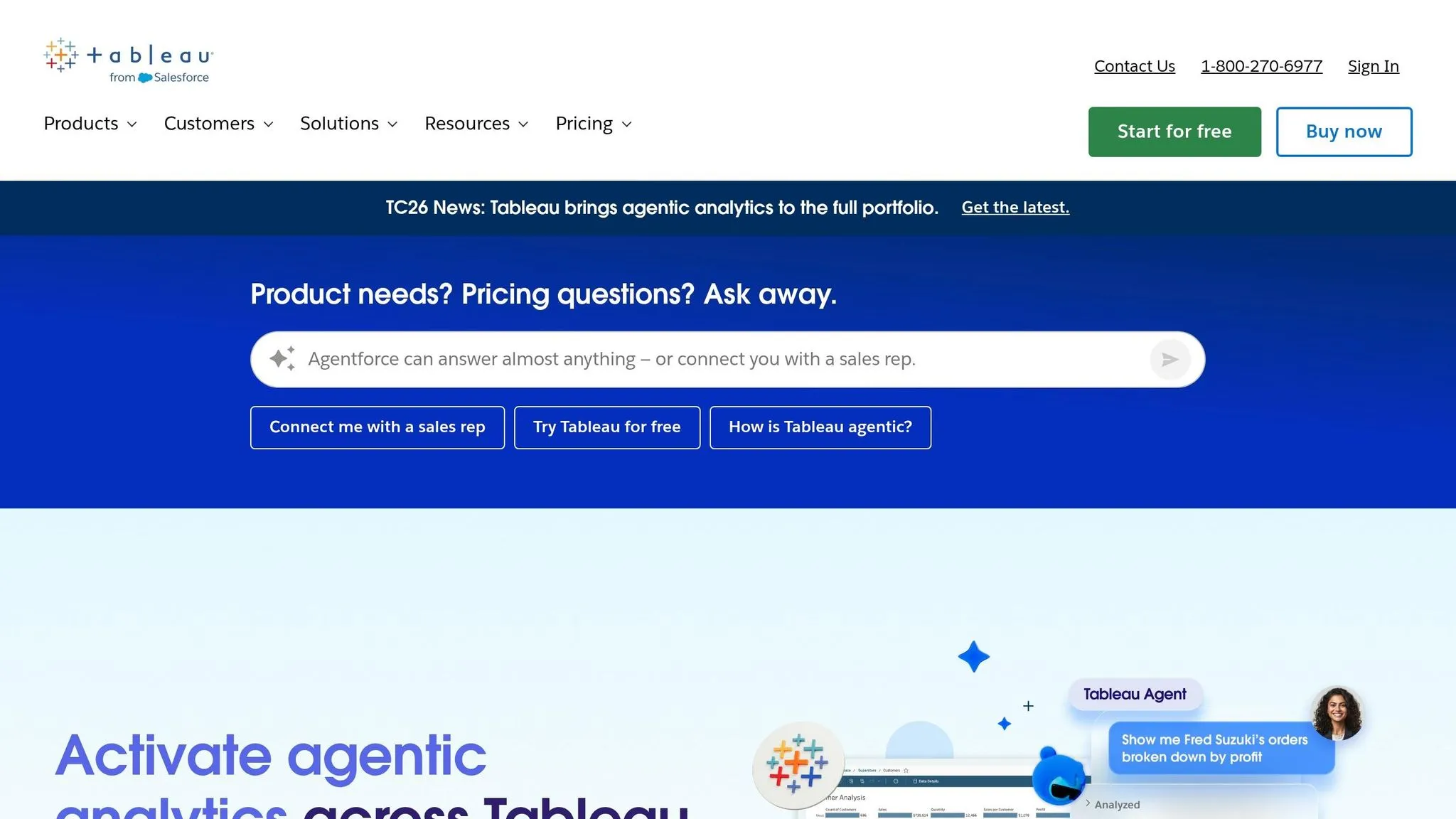
Tableau Pulse is an AI metrics layer built into Tableau Cloud. It sums up defined KPIs and sends personalized digests through Slack, email, and mobile.
Pulse isn’t a standalone authoring tool. It depends on existing Tableau Cloud data sources and dashboards to work. And if your team still runs Tableau Server, you’ll need to migrate before you can use Pulse. It’s also bundled with Tableau Cloud, so there’s no separate Pulse license.
Here’s the core difference at a glance:
| Querio | Tableau Pulse | |
|---|---|---|
| Operating model | Warehouse-native, live connections | Metrics layer inside Tableau Cloud |
| Primary workflow | ad hoc queries & notebooks | Proactive KPI monitoring & digests |
| AI output | Inspectable SQL & Python | Natural-language summaries |
| User model | Unlimited users, no per-seat pricing | Tiered per-user seats |
Those operating model differences shape the workflow comparison below.
Side-by-side comparison for SaaS data teams
The table below looks at how each product shows up in day-to-day work, not just the sales pitch.
| Capability | Querio | Tableau Pulse |
|---|---|---|
| Best for | Ad hoc investigation and self-serve analysis | Proactive KPI monitoring and executive digests |
| Primary users | Data teams and business users who need self-serve answers | Executives and GTM stakeholders |
| Primary output | Inspectable SQL and Python, notebooks, dashboards | Natural-language metric summaries and digests |
| Natural-language analytics | Natural language to SQL/Python for exploratory analysis | Natural language for metric summaries and digests |
| Proactive insights | Reactive analysis from live warehouse data | Personalized digests via Slack, email, and mobile |
| Follow-up work | In-session pivot to SQL or Python notebook | Requires analyst handoff or new dashboard |
| Collaboration | Unlimited users | Priced per seat |
Where each product wins in real workflows
The easiest way to spot the difference is to follow two common SaaS workflows side by side.
Scenario 1 - Weekly MRR review: A VP of Revenue gets a Tableau Pulse notification that MRR dropped week over week. She reads the digest on her phone, sees the anomaly summary, and forwards it to her team. No dashboard opened, no analyst pinged. That's where Pulse shines: fast awareness with almost no effort. But once someone asks, "Why did this happen?", that's where it starts to run out of road.
Scenario 2 - Churn diagnosis follow-up: That same alert leads to a tougher question: which customer segments are churning, and is it tied to the pricing change shipped last month? In Querio, a data analyst or trained business user can ask that question directly, get a SQL-backed answer, and then move into a Python notebook for deeper analysis in the same session. No new analyst ticket. No jumping between tools. It feels less like reading a status update and more like working the problem live.
Metric trust and consistency across teams
This is where the product design starts to matter in day-to-day operations. Tableau Pulse works best when KPI definitions are already certified and kept in sync inside the semantic model. If the same metric is defined in different ways across workbooks or data sources, the dashboard layer can still show that mismatch.
Querio handles this through its governed context layer. Joins, metric definitions, and business terms are set once by the data team and then used across natural language BI queries, notebooks, dashboards, and embedded use cases. So if someone asks about active users, they get the same calculation whether the question comes from a sales manager or a senior analyst.
Fit by analytics maturity and operating model
The better fit comes down to who needs to act after the alert. If your team is monitoring-first, Pulse makes more sense. If your team is investigation-first, Querio fits better.
If Tableau already runs your certified dashboards and the main goal is to keep executives informed without asking them to open anything, Tableau Pulse is a natural add-on.
If your team works straight from the warehouse - running dbt models in Snowflake or BigQuery, splitting time between ad hoc SQL and notebook-based analysis, and dealing with a growing stream of follow-up questions - Querio fits more naturally as the exploration workspace [1]. A lot of teams end up splitting this into two tracks: Tableau handles polished, certified dashboards, while Querio handles the high-volume ad hoc investigation that would otherwise clog the ticket queue [1].
Which platform fits your team in 2026
Based on the workflow, trust, and governance criteria above, the choice is pretty clear: Tableau Pulse is built to monitor metrics, while Querio is built to investigate them.
Choose Querio when warehouse-native investigation is the priority
Querio makes more sense if your team works straight from Snowflake, BigQuery, Amazon Redshift, or Postgres and needs fast answers to follow-up questions. Its governed context layer lets data teams define metrics and business terms once, then use that same logic across analysis, notebooks, dashboards, and embedded analytics.
That matters more than it may seem. Without one shared logic layer, teams often end up arguing over definitions instead of solving the problem in front of them.
Querio also gives business users room to self-serve without piling every request onto analysts. And every answer ties back to inspectable SQL or Python, so people can check the work instead of taking it on faith. If that’s not how your team operates, Tableau Pulse is the better match for monitoring.
Choose Tableau Pulse when your organization already runs on Tableau Cloud
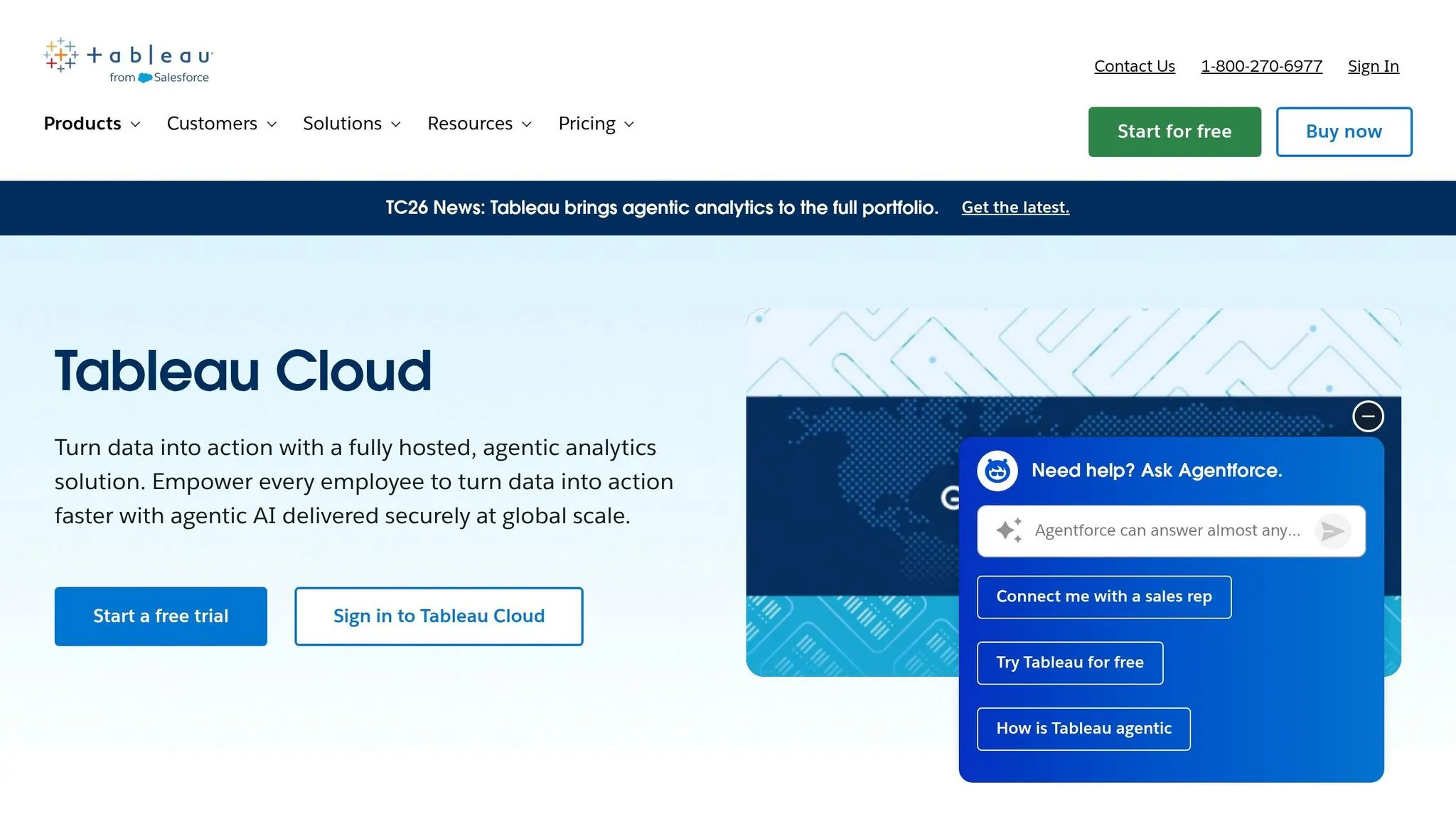
Tableau Pulse is the more sensible choice if Tableau Cloud already sits at the center of your reporting stack and your main goal is to push KPI digests to executives through Slack, email, or mobile. It comes bundled with Tableau Cloud and isn’t available to Tableau Server customers unless they migrate [2].
That setup is useful when leaders mostly want updates delivered to them, not a tool for digging into the “why” behind the number. Once those follow-up questions start coming in, Querio is the stronger option for investigation.
Key takeaways
- If your team needs investigation - live warehouse data, editable SQL/Python, and governed self-serve - Querio is the better fit.
- If your team needs passive KPI delivery inside Tableau Cloud, Tableau Pulse is the better fit.
FAQs
Can Querio and Tableau Pulse work together?
Yes. They can work well together because they do different jobs in a modern data stack.
A lot of teams use Tableau for established dashboards and KPI tracking. Then they use Querio for ad hoc analysis, deeper investigation, and one-off business questions.
That split makes sense. Tableau is often the place people go to monitor what’s already been defined. Querio is where they go when they need to dig into a new question, follow a hunch, or figure out why a number changed.
Because Querio connects straight to warehouses like Snowflake, BigQuery, and Postgres, teams can support governed self-serve analysis without duplicating work.
How much setup does Querio need before rollout?
Querio starts with a one-time setup from your data team. The goal is to build a governed semantic layer and connect Querio straight to your data warehouse - like Snowflake, BigQuery, or Postgres - using encrypted, read-only credentials.
Once your team defines key metrics and calculations in that shared layer, everything runs from the same source of truth. That means AI-generated insights, dashboards, and embedded analytics stay consistent and dependable. It also cuts down on manual report work and makes self-service analysis much easier for the rest of the business.
Who should use Querio vs Tableau Pulse?
Choose Querio if you need ad hoc analysis in a governed setup, especially when your team deals with lots of repeat follow-up questions and wants to inspect the SQL or Python behind AI-generated answers.
Choose Tableau Pulse if your main need is personalized, proactive KPI monitoring and visual storytelling inside the Tableau ecosystem.
Some teams use both: Tableau for dashboards, Querio for ad hoc exploration and deeper investigation.