Business Intelligence
Querio vs Fabi.ai
Explore the differences between AI-driven business intelligence platforms, Querio and Fabi.ai, to find the best fit for your team's analytics needs.

Looking for an AI-powered business intelligence platform? Here’s a quick breakdown of Querio and Fabi.ai, two tools designed to streamline data analysis and decision-making for U.S. businesses. They are among the best AI business intelligence platforms available today.
- Querio: Best for non-technical teams. Use plain English to query live data, create dashboards, and access secure, real-time insights. Querio has a free plan, and Core is $2,499 a month (or $25,000 a year billed annually).
- Fabi.ai: Ideal for data teams. Combines SQL, Python, and AI to deliver faster, more advanced analytics. Plans start at $199/month, with unlimited AI requests in higher tiers.
Quick Comparison
| Feature | Querio | Fabi.ai |
|---|---|---|
| Query Style | Plain English, no SQL needed | AI-assisted SQL + Python integration |
| Data Sources | Snowflake, BigQuery, Postgres | Snowflake, Redshift, BigQuery, CSV uploads |
| Pricing | Free plan; Core $2,499/mo | $199/month (Team Plan) |
| Dashboards | Drag-and-drop, included on every plan | Automated, included in base price |
| Compliance | SOC 2 Type II, GDPR, CCPA | SOC 2 Type II |
Choose Querio if you need simplicity and accessibility for non-technical users.
Choose Fabi.ai if you require advanced analytics tools for technical teams.
Both platforms bring value to U.S. businesses - select based on your team’s needs and technical expertise.
Top 5 AI tools for Business Analytics | Top 5 Tools that you should definitely use | Edureka
::: @iframe https://www.youtube.com/embed/YJMGo-1QH5k :::
What Are AI-Driven Business Intelligence Platforms
AI-driven business intelligence (BI) platforms mark a major leap forward from traditional data analysis tools. While older BI systems focus on answering "What happened?" through historical reporting, AI-powered platforms tackle more forward-looking questions like "What will happen next?" and "What actions should we take?"[2]. This shift highlights how these platforms turn raw data into actionable insights.
To understand the difference, let’s compare traditional BI tools with AI-driven approaches. Traditional systems rely on static dashboards, leaving users to interpret data manually. As Michael F. Gorman, a professor at the University of Dayton, points out:
"[Business Intelligence] doesn't tell you what to do; it tells you what was and what is."[3]
AI-driven platforms, on the other hand, take things further. They use machine learning models to identify anomalies, predict future trends, optimize operations, and even personalize user experiences automatically[2]. Key technologies like machine learning for predictive analytics, natural language processing (NLP) for user-friendly queries, and automated visualizations make complex data easier to digest[4]. Real-time analysis ensures businesses get up-to-date insights, while automation streamlines repetitive tasks, boosting overall efficiency[4].
The benefits are clear. Companies using AI-powered BI tools can make decisions nearly five times faster than those relying on traditional methods[3]. For U.S. businesses, these platforms integrate seamlessly with various data sources while meeting federal security standards[4].
Harvard Business School Professor Karim Lakhani sums up the power of AI in business:
"The AI factory, as its output, does three things: Predictions, pattern recognition, and process automation."[5]
Modern AI-native platforms, built on large language models, bring advanced features like natural language queries and predictive analytics[1]. Unlike traditional systems that have been retrofitted to include AI, these platforms are inherently more adaptable, scalable, and user-friendly.
One standout feature is conversational AI analytics tools, which simplify data analysis for non-technical users. Instead of learning complex query languages or depending on IT teams, users can ask questions in plain English and receive instant, actionable insights[6]. This accessibility accelerates decision-making across all levels of an organization.
| Component | Traditional BI | AI-Driven BI |
|---|---|---|
| Focus | Historical data and reporting | Prediction, automation, and decisions |
| User Interaction | Static visualizations, technical queries | Natural language search, interactive tools |
| Decision Speed | Hours to days | Real-time to minutes |
| Output | Charts, KPIs, static reports | Forecasts, simulations, automated actions |
| Customization | Limited, fixed interfaces | Highly adaptable with integrated models |
AI’s economic potential is staggering. By 2030, it could contribute around $13 trillion to the global economy[5], much of it driven by improved decision-making in business operations. Even experienced developers report a 55% increase in task completion when using AI-powered tools[1]. For U.S. companies in regulated industries, these platforms also ensure compliance by maintaining audit trails and offering transparent decision-making processes - all while delivering faster, smarter insights.
Querio: Features and Capabilities
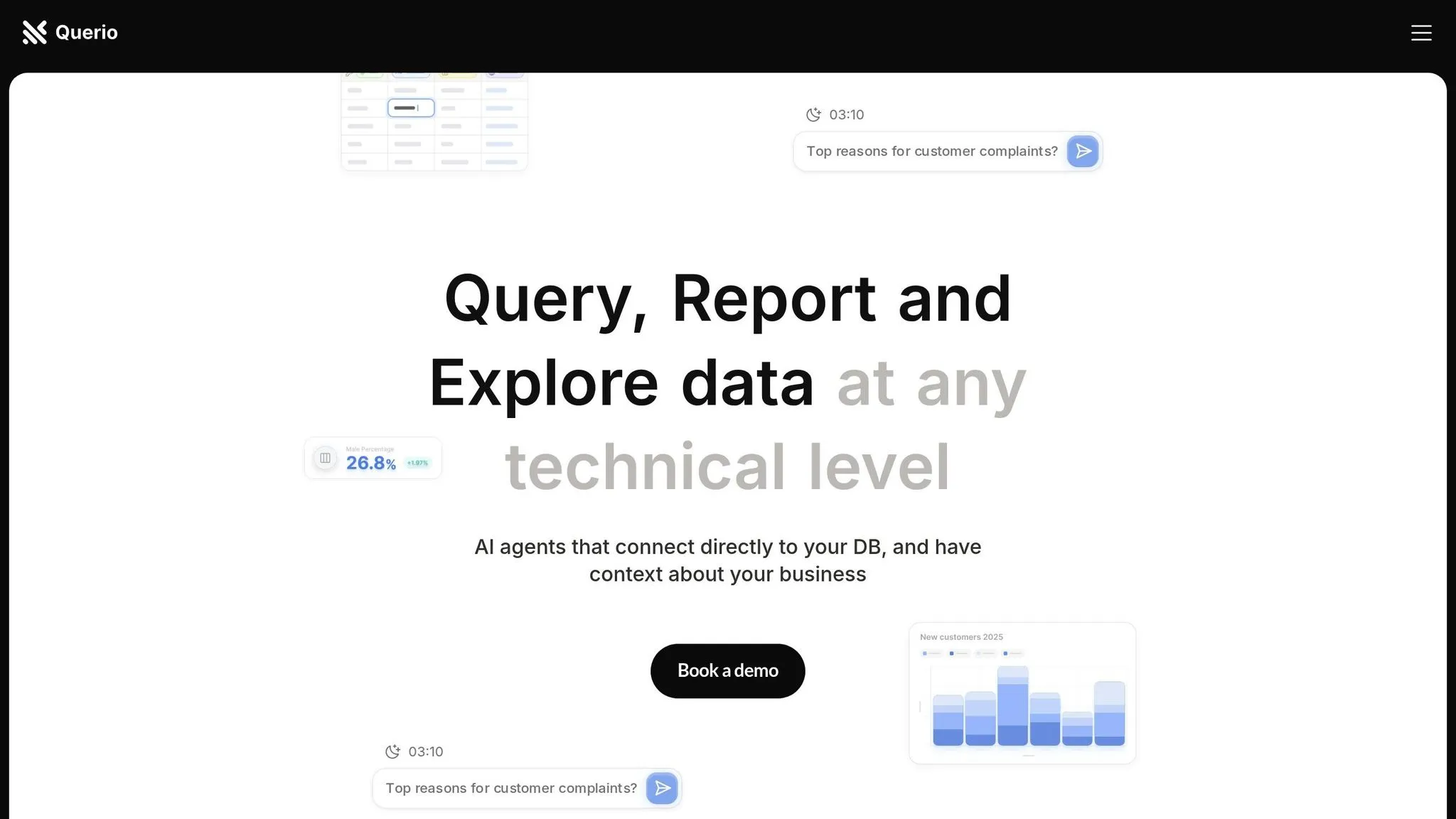
Querio is an AI-driven business intelligence platform designed to simplify complex data analysis, making it accessible for teams across an organization.
Main Features of Querio
Querio's standout feature is its natural language querying, which allows users to ask questions in plain English and receive instant visual responses. As Enver, Co-founder & CTO, puts it: "It's about making data accessible and actionable for every team member" [7].
The platform significantly speeds up data analysis, cutting the process by 75%. This enables teams to make informed decisions in a fraction of the time. Jennifer Leidich, CEO, highlights its transformative impact:
"What used to be weeks, now takes minutes, and our teams feel empowered to make data-driven decisions on their own. The impact on our efficiency and accuracy is unparalleled." [7]
Querio integrates seamlessly with major data warehouses like Snowflake, BigQuery, and Postgres, ensuring real-time access to secure and up-to-date information without duplicating data. Its intuitive drag-and-drop dashboard and built-in context layer allow teams to create KPI visualizations and manage data without needing technical expertise. For more advanced users, AI agents connect directly to databases, providing enhanced functionality while maintaining a clear business context. CTO Moe notes how this feature boosts team independence [7].
The platform has gained significant traction in the U.S., with 91.49% of its traffic coming from American users [8]. All these features are underpinned by a strong focus on security and compliance.
Security and Compliance
Querio meets stringent U.S. regulatory standards with its SOC 2 Type II certification and a 99.9% uptime SLA, ensuring reliable and secure data access. Its data governance tools comply with GDPR and CCPA standards, while the context layer and audit capabilities provide the transparency and control needed to maintain privacy and create robust audit trails.
Pricing Structure
Querio offers a flexible pricing model with no per-seat pricing. Every plan includes unlimited users, unlimited data connections and dashboards:
- Free: $0, with 500 AI credits a month
- Core: $2,499 a month (or $25,000 a year billed annually), with 10,000 AI credits a month, SSO, groups and datasource permissions, and API access
- Enterprise: custom pricing, with a custom AI credit allowance and single-tenant hosting
For organizations requiring specific security or infrastructure setups, AWS GovCloud and on-prem deployment are Enterprise add-ons. Extra AI credits cost $0.50 each on Free and $0.25 each on Core, and admins can set a spending cap.
This pricing structure provides the flexibility for U.S. businesses to scale their analytics capabilities as needed.
Fabi.ai: Features and Capabilities
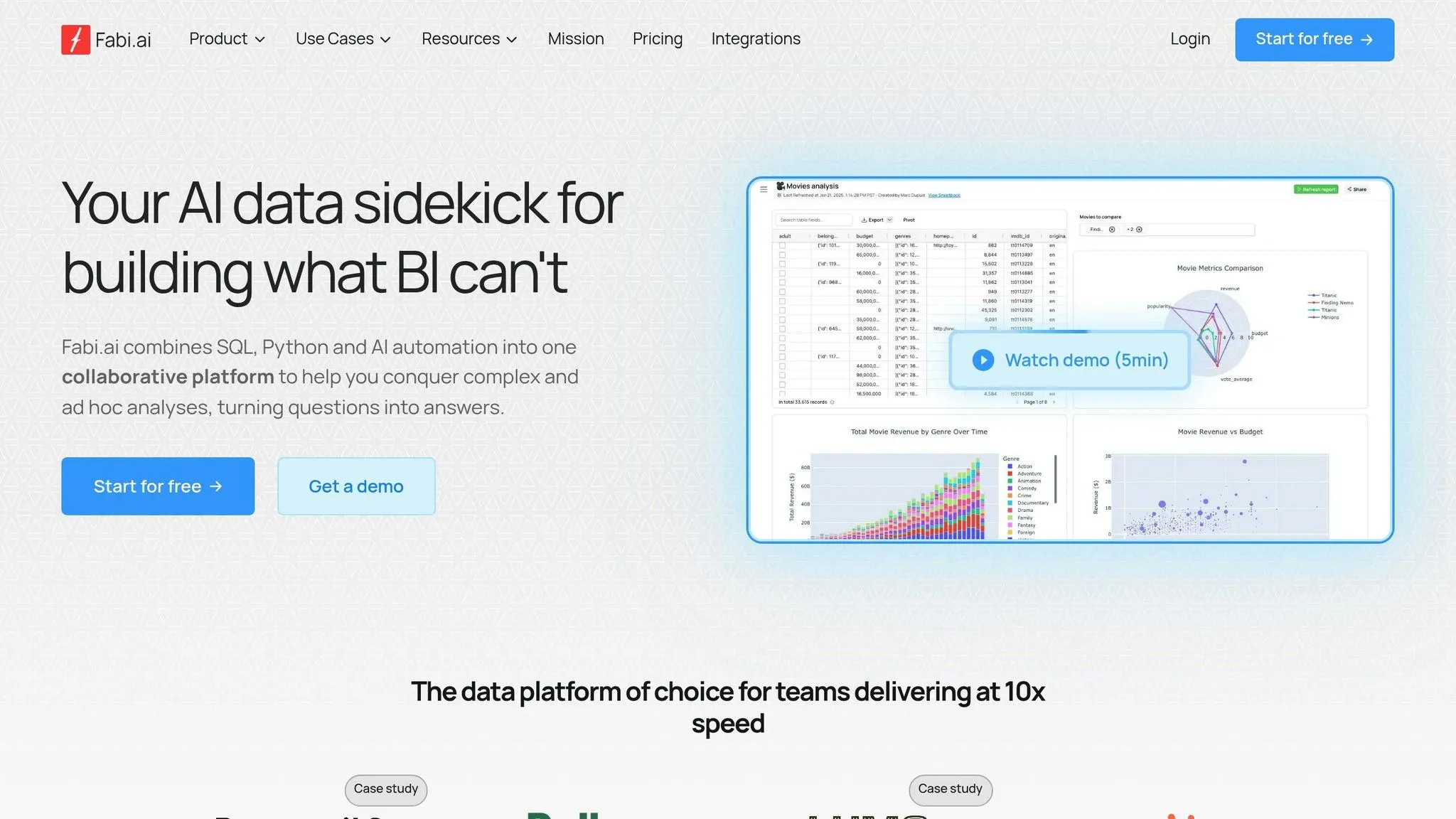
Fabi.ai brings together SQL, Python, and AI automation into a single, collaborative platform. It’s designed to help analysts, engineers, and BI teams tackle ad hoc questions, dive into exploratory analysis, and quickly prototype reports - all in one place [26, 27].
Main Features of Fabi.ai
Fabi.ai stands out by significantly speeding up data processing. With AI-assisted SQL queries, Python-powered data transformations, and automated reporting, teams can deliver insights up to 10× faster [26, 27]. The platform focuses on making data analysis straightforward and accessible for users across different skill levels. For instance, it generates SQL queries automatically, enabling even non-experts to create complex database queries. Meanwhile, its Python integration supports advanced data manipulation and machine learning tasks [28, 29].
One standout feature is its Smartbooks, which combine powerful computing capabilities with virtual machine management and built-in AI agents, such as the AI Analyst Agent [28, 29]. Fabi.ai also simplifies data integration by allowing in-memory joins from multiple sources - including direct CSV uploads - eliminating the need for complex ETL processes [11].
The platform seamlessly connects with major data warehouses like Snowflake, Amazon Redshift, and BigQuery, as well as popular business tools such as Slack, Microsoft Teams, Gmail, Google Sheets, and GitHub. Pre-built templates further streamline common analytics workflows, helping teams hit the ground running [11].
The real-world impact of Fabi.ai is hard to ignore. Take Hologram, for example. They cut their time to revenue insights by a staggering 94%. Zaied Ali, BI Lead at Hologram, shared:
"I went from a 'I'll get you this answer end of day' type timeline to 'I can get this now' in a few minutes." [12]
Other companies have seen remarkable improvements, too. obé Fitness reduced data analysis turnaround times by 75%, Lula Commerce saved 30 hours a week through automation, and Parasail.io created internal reports 10× faster than they could with traditional BI tools [12].
Even industry leaders are taking notice. Siddharth Patil, EVP of Data Science at Lyft, remarked:
"Fabi.ai is the future of data analysis. They're bringing an entirely new level of productivity to data practitioners and organizations are going to have access to entirely new insights previously out of reach." [11]
For teams looking to scale their efforts, Fabi.ai offers unlimited AI requests in higher-tier plans. Additional features include automated dashboard creation, full code inspection and editing tools, and scheduled reporting - giving teams the tools they need to deliver insights efficiently.
Compliance and Scalability
Fabi.ai treats security as a core priority, implementing rigorous measures to protect user data [9].
The platform holds SOC2 Type 2 certification, underscoring its adherence to strict U.S. regulatory standards. It also provides a Data Processing Addendum (DPA) to ensure privacy compliance [25, 33].
For enterprises, Fabi.ai is built to scale. Custom pricing plans include unlimited builder seats, access to all data connectors, tailored security reviews, and quarterly roadmap updates. These plans also offer access to a fractional data science team, making Fabi.ai a strong fit for large organizations with complex analytics needs [10].
While the platform uses third-party LLM providers, Fabi.ai ensures these models are not trained on customer data, maintaining strict privacy standards. Customers are notified at least ten days before any changes to sub-processors, and the platform conducts annual audits of its DPA compliance. Detailed security documentation is also made available for review [33, 34].
With its emphasis on privacy, scalability, and reliability, Fabi.ai delivers fast and secure insights tailored to meet the demands of modern businesses.
sbb-itb-284a532
Querio vs Fabi.ai: Side-by-Side Comparison
This section breaks down the key differences between Querio and Fabi.ai, focusing on features that matter most to U.S. businesses. With distinct approaches to data analysis and usability, these platforms cater to different needs. Here’s a closer look at how they stack up.
Feature Comparison Table
| Feature | Querio | Fabi.ai |
|---|---|---|
| Natural Language Querying | Plain English queries with no SQL needed | AI-assisted SQL generation with natural language support |
| Data Warehouse Support | Snowflake, BigQuery, Postgres (live connections) | Integrates with major data warehouses |
| Pricing Structure | Free plan; Core $2,499/mo (10,000 AI credits/month) | Team Plan: $199/month (unlimited AI requests) |
| User Model | Unlimited users on every plan | Builder seats + Smart Report viewers |
| Dashboard Creation | Drag-and-drop dashboards, included on every plan | Automated dashboard creation included |
| Code Integration | SQL and Python notebooks on every plan | Full SQL and Python integration available now |
| Compliance | SOC 2 Type II, 99.9% uptime SLA | Compliance standards not specified |
| Data Governance | Context layer with joins, metrics, glossary | - |
Querio's Free and Core plans ($0 and $2,499 a month) both have unlimited users. In contrast, Fabi.ai's Team plan costs $199 per month ($2,388 annually) and offers unlimited AI requests. Both include dashboards in their base price.
Pros and Cons
Let’s break down the strengths and limitations of each platform.
Querio's Strengths
Querio shines in its accessibility. Users can ask questions in plain English without needing technical skills, making it ideal for teams in areas like Product or Finance. Its governance layer allows data teams to define context and maintain control over how information is accessed. Plus, its unlimited viewer model eliminates per-user costs, enabling broader data access.
Querio's Limitations
However, AI usage past the included credits is billed per credit, and SSO and API access start on the Core plan.
Fabi.ai's Advantages
Fabi.ai offers a rich feature set right out of the box. Teams can use SQL, Python, and AI automation, and automated dashboard creation is included in the base pricing. Its Builder seat model works well for organizations with dedicated data analysts who handle reporting for the team.
Fabi.ai's Drawbacks
On the downside, costs can add up quickly when additional Builder seats are needed, priced at $39 per seat beyond the four included in the Team plan. While the platform supports natural language queries, users may need some technical expertise to fully utilize its advanced SQL and Python features.
For U.S. businesses, the decision often hinges on team composition and technical needs. Querio is a better fit for large, non-technical teams needing straightforward data access, while Fabi.ai appeals to organizations with dedicated data teams looking for advanced analytics tools.
Real-World Use Cases for U.S. Businesses
Both platforms deliver measurable outcomes for American companies across a range of industries, catering to the unique needs of various sectors.
How U.S. Companies Use Querio
Querio's user-friendly interface empowers non-technical teams to make informed decisions with ease. For example, product managers can ask about metrics like the Q4 2024 user retention rate and receive clear visualizations - no SQL skills or analyst assistance required. Finance teams also benefit by querying budget variances, tracking monthly recurring revenue trends, or analyzing cost per acquisition across marketing channels using simple, plain English.
The platform's governance layer ensures uniform business definitions across departments, eliminating inconsistencies in performance metrics. For executives, Querio simplifies reporting by providing real-time access to live warehouse data, removing the delays often associated with weekly or monthly updates. This makes Querio particularly effective in regulated sectors like healthcare and financial services, where precision and compliance are critical.
How U.S. Companies Use Fabi.ai
Fabi.ai's advanced analytics capabilities help American businesses improve efficiency in remarkable ways. For instance, obé Fitness cut its data analysis time by 75%, Hologram achieved a 94% reduction in time to revenue insights, and Lula Commerce saved 30 hours of manual data work per week [13].
Product analytics teams also see significant benefits. Lumo’s product leaders now analyze telemetry data in minutes instead of hours, enabling faster iteration on product features. Fabi.ai supports the creation of custom engagement metrics through SQL, Python, and AI assistance, allowing businesses to tailor analytics to their specific needs [13].
"As a product manager, Fabi.ai makes it incredibly easy to pull reports in order to make data-driven decisions." – Ethan Finkel, Product Manager – Standard Metrics [13]
Customer success teams use Fabi.ai to quickly retrieve lists of active customer accounts that meet specific criteria, improving targeted outreach and support strategies. Its collaborative tools enhance productivity - for instance, TheySaid's product team prototypes dashboards and reports to share with designers and engineers, ensuring aligned decision-making [13].
For organizations with advanced data practices, Fabi.ai offers tools for complex analyses like regression models and propensity scoring, all without requiring coding expertise. Teams still have access to the underlying SQL and Python for transparency and validation. Additionally, Fabi.ai’s specialized AI agents allow businesses to create tailored analytics tools for different departments - such as marketing, product, and customer success - ensuring faster deployment and reliable insights with curated datasets [14].
Which Platform Should You Choose
Deciding between Querio and Fabi.ai comes down to understanding your organization's priorities, technical expertise, and budget. While both platforms deliver AI-powered analytics, they cater to different types of users within American businesses. Here's a closer look at what sets them apart.
Querio is ideal for organizations that prioritize simplicity and governance. With a free plan to start and no per-seat pricing, it’s designed for non-technical teams - like finance, marketing, and product management - who want to access live data using natural language queries. On the other hand, Fabi.ai is better suited for businesses with advanced analytics needs. Its integration of SQL, Python, and AI-driven automation provides flexibility for technical teams looking to perform deeper data analysis. Fabi.ai also emphasizes collaboration, with integrations for tools like Google Sheets and Slack.
When it comes to security, both platforms meet enterprise-grade standards, including SOC 2 Type II certification and compliance with GDPR and CCPA. However, Querio goes a step further by encrypting data both at rest (using AES-256) and in transit (via HTTPS/TLS 1.3) on AWS servers [15]. As Querio highlights:
"At Querio, we understand the critical importance of data security in today's digital landscape and particularly in our industry." [15]
Integration capabilities also set these platforms apart. Querio connects directly to popular data warehouses like Snowflake, BigQuery, and Postgres without the need to copy data. It also supports non-database sources such as HubSpot and Google Sheets. Meanwhile, Fabi.ai focuses on enhancing collaboration through its integrations with platforms like Google Sheets and Slack.
Key Takeaways
- Choose Querio if your organization values simplicity, strong governance, and natural language querying. It’s particularly well-suited for mid-sized U.S. businesses seeking accessible data insights and robust security.
- Choose Fabi.ai if your organization requires advanced analytics capabilities and has the technical expertise to utilize SQL, Python, and AI automation for more complex data analysis.
Ultimately, the best choice depends on your organization's current analytics needs, available technical resources, and long-term goals. Both platforms can provide real value, but aligning their features with your specific requirements will help you make the right decision.
FAQs
::: faq
How do Querio and Fabi.ai differ in terms of accessibility and technical requirements?
Comparing Querio and Fabi.ai
Querio shines with its easy-to-use design and commitment to accessibility. Features like customizable interfaces, speech recognition, and video captions make it an inclusive choice for a diverse range of users. By adhering to accessibility standards, Querio ensures that businesses - big or small - can navigate the platform without a steep learning curve.
Fabi.ai, on the other hand, focuses heavily on AI-powered analytics and advanced data processing. However, this approach may demand more technical infrastructure and expertise to fully leverage its capabilities. While both platforms utilize cutting-edge AI technologies, Querio stands out for prioritizing simplicity and accessibility, making it a go-to option for users with varying levels of technical experience. :::
::: faq
What are the pricing options for Querio and Fabi.ai, and how can businesses choose the right plan?
Fabi.ai provides three pricing options to suit different needs: Starter (free with basic features), Team ($199/month, which includes extra seats and unlimited reports), and Enterprise (custom pricing designed for larger organizations). Choosing the right plan depends on factors like team size, reporting demands, and data security priorities.
The Starter plan is a good fit for small teams or those just getting familiar with the platform. For businesses that are expanding and need more robust analytics, the Team plan offers a scalable solution. Meanwhile, the Enterprise plan caters to large organizations that require tailored solutions and dedicated support. :::
::: faq
What features make Querio a great tool for non-technical teams compared to platforms designed for technical users?
Querio is a great fit for non-technical teams because of its natural language interface, which lets users ask questions about their data in plain English. No coding skills or technical expertise are required, making data analysis something anyone on the team can tackle.
The platform connects effortlessly with multiple data sources, ensuring team members can access the insights they need without jumping through hoops or undergoing extensive training. With its straightforward and easy-to-navigate design, Querio enables non-technical users to make decisions based on data quickly and with confidence, encouraging teamwork and boosting efficiency across the board. :::