Business Intelligence
Looker AI features natural language query Gemini 2025 2026
Overview of Looker's Gemini-powered natural language queries: conversational analytics, LookML and Visualization assistants, Code Interpreter, and governance needs.
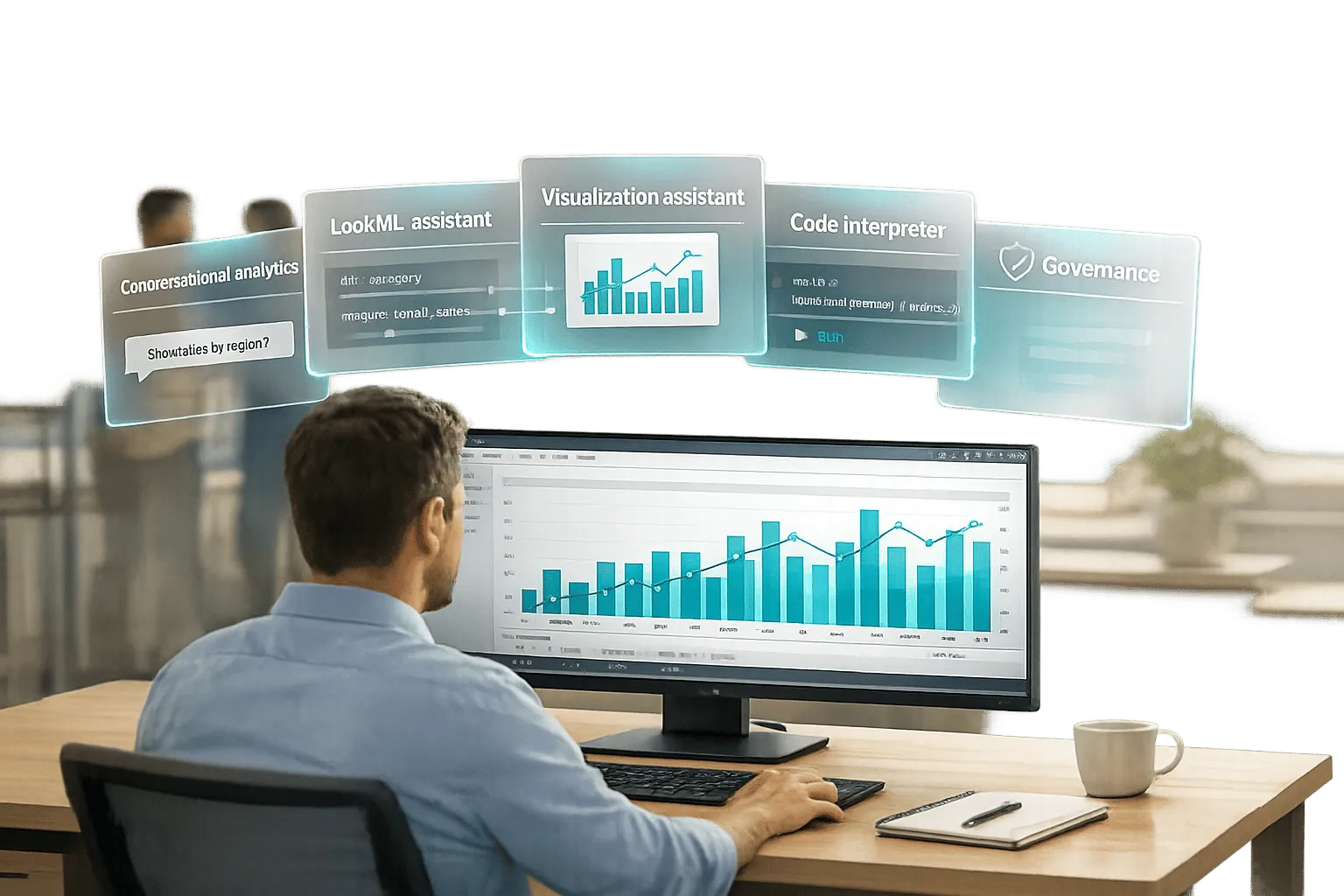
Looker AI's Gemini updates for 2025 and 2026 introduce natural language query capabilities, enabling users to interact with data effortlessly. Instead of writing SQL, you can type plain English questions like "What’s our Q1 2026 revenue by region?" and instantly get visual results. These updates simplify data analysis, reduce errors, and empower users across teams.
Key features include:
- Conversational Analytics: Ask follow-up questions like "Add a filter for enterprise customers" or "Show as a bar chart."
- Code Interpreter: Handles complex tasks like forecasting or anomaly detection by translating queries into Python.
- LookML Assistant: Generates LookML code from natural language, speeding up development.
- Visualization Assistant: Customizes charts using plain English commands.
Gemini's architecture integrates LookML's semantic layer for accuracy, a knowledge graph for better context, and fine-tuned models for SQL and Python generation. These tools allow businesses to move faster while maintaining data governance.
To access these features, organizations need Looker version 25.0 or later, specific permissions, and a Looker Studio Pro subscription. With these tools, teams can shift from routine data requests to more impactful analysis.
Looker Conversational Analytics
::: @iframe https://www.youtube.com/embed/k65G0yZD8X4 :::
sbb-itb-284a532
Gemini-Powered Natural Language Queries in Looker
Looker’s natural language query system taps into a Gemini-driven AI architecture to make data exploration smooth and intuitive. For instance, when you type something like, "Show me customer churn by industry for January 2026," the system processes your request and delivers accurate results in no time.
The magic behind this lies in LookML's semantic layer, which provides essential context about your data - such as its structure, relationships, and metrics. This ensures the AI understands business-specific terms (like "customer churn") and links them to the right datasets. As Vijay Venugopal, Director of Product Management at Google Cloud, and Kate Grinevskaja, Product Manager, explain:
"Looker's semantic layer reduces data errors in gen AI natural language queries by as much as two thirds" [1].
The architecture combines four key components to ensure precision: a reasoning agent that determines the optimal query path, the semantic layer acting as a reliable data foundation, a knowledge graph for enhanced context through retrieval-augmented generation, and fine-tuned models tailored for SQL and Python code generation. Together, these elements ensure generated queries align with governed data definitions.
How Gemini Enhances AI-Driven Analytics
Gemini builds on this solid foundation by enabling dynamic, multi-step conversations. You can refine your queries over time - like starting with customer churn analysis and then digging deeper into trends by customer size or over several months.
The system also supports customized data agents. These agents are tailored with specific business knowledge and can connect to up to five Explores at once. For example, a sales operations agent might integrate details about revenue recognition policies and link to Explores for deals, customers, and forecasts, delivering highly targeted responses.
For more advanced needs, such as forecasting or anomaly detection, the Code Interpreter steps in. It translates natural language queries into Python code and executes it, empowering business users to perform statistical analysis without needing Python expertise.
| Architecture Component | Function |
|---|---|
| Reasoning Agent | Identifies the best tools and steps to tackle complex, multi-part questions |
| LookML Semantic Layer | Provides governed definitions and relationships to ground AI responses in accurate data |
| Knowledge Graph | Adds context using Retrieval Augmented Generation (RAG) for better accuracy |
| Fine-tuned Models | Designed to generate precise SQL and Python code |
| Code Interpreter | Executes Python code generated from natural language, enabling advanced statistical tasks |
From Plain English to SQL: How It Works
When you submit a query in Conversational Analytics, the system kicks off a translation process. Semantic parsing for NL2SQL models and a knowledge graph provide the necessary metadata, while the reasoning agent reviews your query and conversation history. It pulls relevant fields, relationships, and metrics from LookML models to generate SQL that accurately queries your data warehouse.
For more complex queries - like forecasting or anomaly detection - the system switches gears to Python. The Code Interpreter generates and runs Python code securely, all while keeping the interface conversational. This dual approach allows Gemini to handle everything from simple sales questions to intricate 12-month forecasts with confidence intervals, bridging the gap between straightforward data retrieval and advanced analytics.
Throughout this process, your data privacy is a top priority. All prompts and outputs stay securely within your Looker instance, adhering to your organization’s governance framework.
New Features in 2025-2026
The 2025-2026 updates for Gemini build on its existing strengths, introducing tools that make data access faster and more precise. These updates are designed to cater to a wide range of users - from business analysts who need quick insights to developers working on data models. The focus is on simplifying complex processes while ensuring accuracy.
Conversational Analytics for Self-Service Data Access
Conversational Analytics transforms how users interact with data by enabling them to ask questions in plain English. Instead of relying on SQL experts, anyone can type a query like "What were our top-performing products last quarter?" and instantly receive results, complete with visualizations.
This feature supports multi-turn conversations, letting users refine their queries without starting from scratch. For instance, after asking about Q1 revenue, you can follow up with "Show that by region" or "Change this to a stacked area chart." The AI keeps track of the conversation and adjusts its responses accordingly. Greg Michnikov, Product Manager at Google Cloud, highlights its value:
"Conversational Analytics from Looker is designed to make BI more simple and approachable, democratizing data access, enabling users to ask data-related queries in plain, everyday language" [3].
To build trust in the results, transparency options like "Show reasoning" and "How was this calculated?" are available. For example, the "Show reasoning" feature explains how Gemini interpreted keywords and selected dimensions or measures, while "How was this calculated?" breaks down the query logic in plain text, showing raw field names and filters [7]. For deeper insights, the "Insights" button scans results for hidden patterns or trends.
The system can handle up to 5,000 rows per query and supports multiple chart types, including line, area, bar, scatter, and pie charts, all powered by Vega-lite [7]. Developers also benefit from automated code generation, simplifying model creation.
AI-Assisted LookML Development with 'Help Me Code'
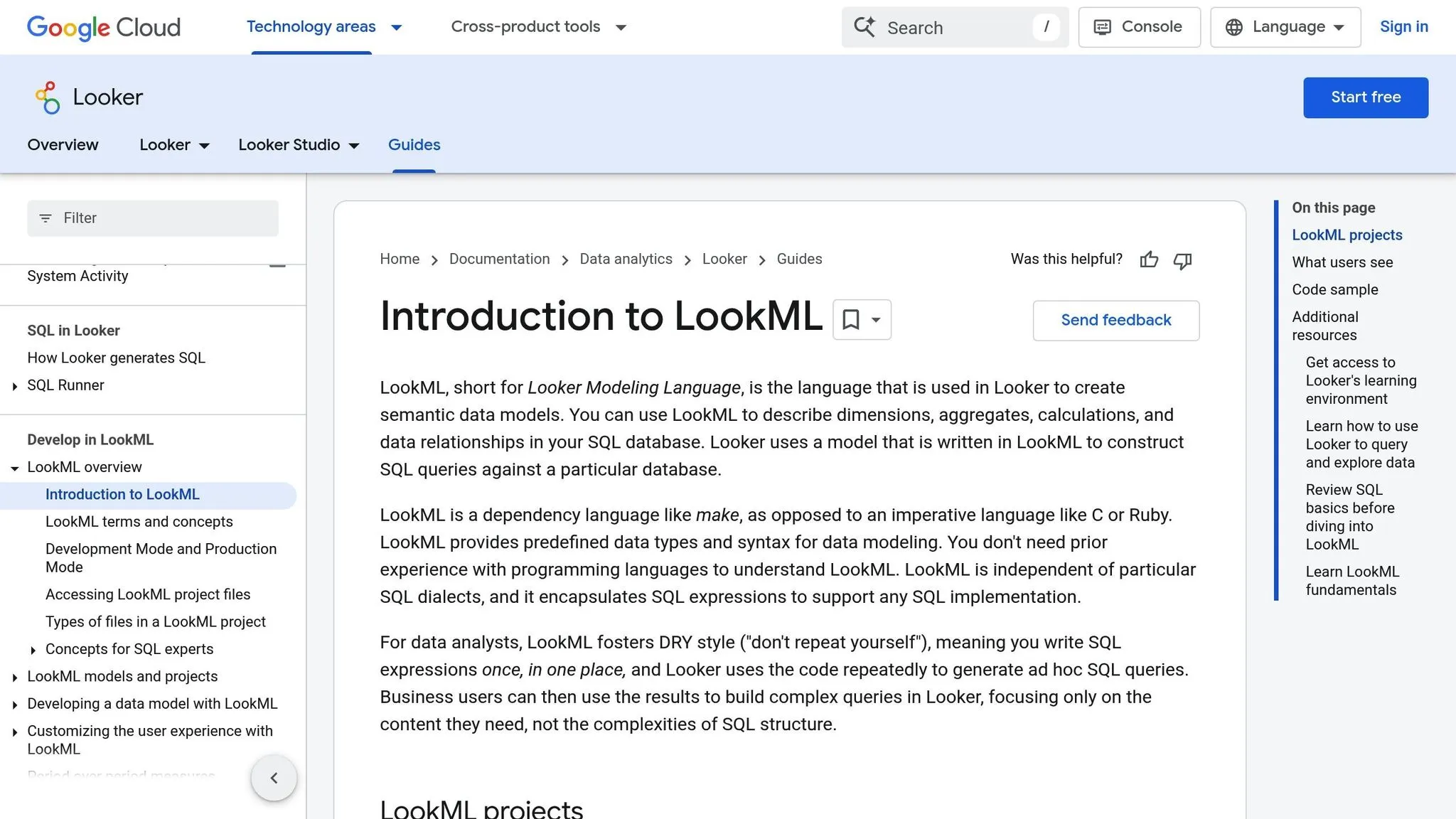
The LookML Assistant speeds up data modeling by generating code based on natural language descriptions. Developers can simply describe their requirements - like "Create a dimension group for order dates with month and quarter" - and the "Help Me Code" feature generates the corresponding LookML code directly in the Looker IDE [8].
Available to all users since April 2025, after its preview phase, this tool has already proven its usefulness. Sharon Zhang, Product Manager at Google Cloud, explains:
"LookML Assistant can help you get started with LookML and accelerate your workflow by simplifying the code-creation process, providing guidance and suggestions" [8].
For best results, use specific and conversational prompts. For instance, instead of saying "add location data," try "show coordinates with longitude and latitude" [6]. Always validate AI-generated code using the LookML Validator before deploying it to production [6].
Visualization Assistant and Smart Formula Suggestions
These tools further enhance the user experience. The Visualization Assistant eliminates the need to manually edit JSON configurations for chart customization. You can now use natural language to make adjustments - like changing colors, applying conditional formatting, or switching chart types - without having to dig through documentation [8].
The Formula Assistant simplifies creating calculated fields for quick analysis. Just describe the calculation in plain English, and the system generates the formula syntax automatically [1].
| Feature | Primary User | Time Saved |
|---|---|---|
| Conversational Analytics | Business Users | Eliminates wait time for SQL experts; instant query results |
| LookML Assistant | Developers | Speeds up creating dimensions and measures from descriptions |
| Visualization Assistant | Analysts | Avoids manual searches for JSON configuration details |
| Formula Assistant | Report Builders | Automates calculated field syntax generation |
| Code Interpreter | Data-Savvy Users | Enables Python-based forecasting and anomaly detection without coding |
All these tools work seamlessly within Looker's semantic layer, ensuring AI-generated outputs align with your organization's governed data definitions. This approach has reduced data errors in natural language queries by up to two-thirds [1].
How Teams Use Looker's AI Features
Looker’s Gemini-powered tools are transforming how marketing, sales, and analytics teams function daily. These tools simplify reporting and make forecasting more accessible.
Streamlined Business Reporting with Automated Insights
Marketing and sales teams can now save time creating stakeholder presentations using Automated Slide Generation. This feature seamlessly exports Looker reports to Google Slides, complete with AI-generated text summaries and critical insights. Plus, the slides remain synced with the original reports, meaning data updates automatically when changes occur [1].
Executives also benefit from Conversational Analytics, which allows them to ask direct questions like "What were Q2 sales by region?" and instantly receive visual, data-driven answers [10].
Enhanced Forecasting and Anomaly Detection with Code Interpreter
While automated insights simplify routine reporting, the Code Interpreter takes deeper analysis to the next level. This experimental tool translates natural language queries into Python code, enabling analytics teams to perform advanced tasks like time series forecasting and anomaly detection - even without extensive Python expertise [9]. For instance, asking "Identify outliers in my sales data to highlight standout products or regions" produces Python-powered analysis complete with visualizations [9].
The Code Interpreter supports robust Python libraries, including scikit-learn, statsmodels, tensorflow, and torch [9]. It’s designed to handle large datasets while maintaining a conversational interface, enabling teams to link advanced forecasting directly to actionable business questions in real time [9].
Google Cloud documentation highlights this feature’s value:
"The Code Interpreter enhances Conversational Analytics by enabling users to perform these types of advanced analysis, which otherwise would typically require specialized knowledge of advanced coding or statistical methods" [9].
Setting Up Looker AI and Gemini
::: @figure 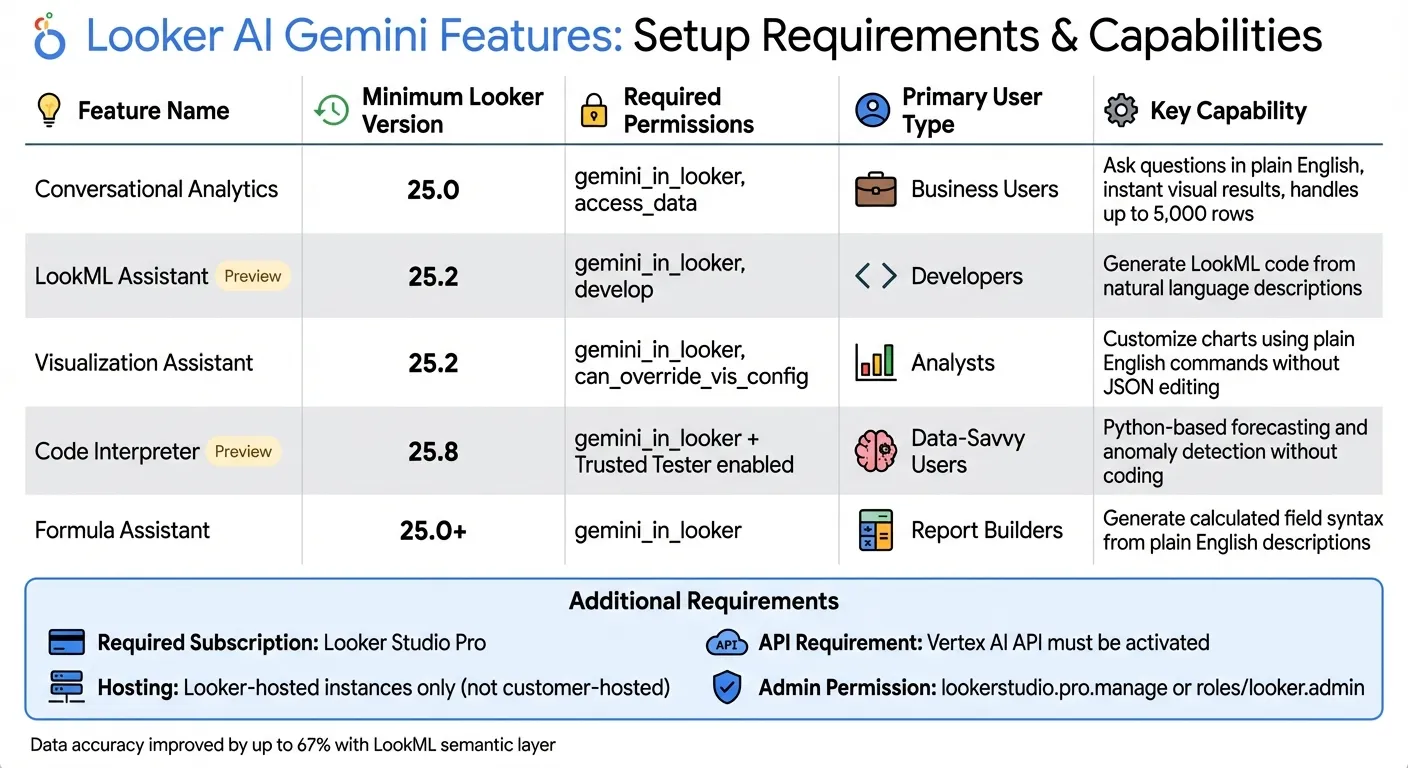 {Looker AI Gemini Features Comparison 2025-2026: Requirements and Capabilities}
:::
{Looker AI Gemini Features Comparison 2025-2026: Requirements and Capabilities}
:::
Getting the most out of Gemini's advanced features starts with proper licensing and permissions.
Licensing and Activation Requirements
To use Looker's AI tools, you'll need a Looker Studio Pro subscription and a Looker instance. For core features like Conversational Analytics, your Looker instance must be running version 25.0 or later, while tools like the LookML Assistant and Visualization Assistant require version 25.2 or higher[2]. Keep in mind, Gemini's capabilities are available only on Looker-hosted instances - customer-hosted deployments aren't supported[2].
Administrators play a key role in enabling these features. In Looker Studio, the lookerstudio.pro.manage IAM permission is required, which is included in the Owner or Looker Studio Pro Manager roles[13]. For Looker instances, admins must have either the Looker Admin role or the roles/looker.admin permission in Google Cloud core environments[2]. After these features are enabled, individual users must be granted the gemini_in_looker permission for the data models they will work with[11].
| Feature | Minimum Looker Version | Required Permission |
|---|---|---|
| Conversational Analytics | 25.0 | gemini_in_looker, access_data |
| LookML Assistant (Preview) | 25.2 | gemini_in_looker, develop |
| Visualization Assistant | 25.2 | gemini_in_looker, can_override_vis_config |
| Code Interpreter (Preview) | 25.8 | gemini_in_looker + Trusted Tester enabled |
For preview features like the Code Interpreter, admins need to enable the "Trusted Tester features" setting in the admin panel manually[12]. Additionally, the Vertex AI API must be activated in the linked Google Cloud project for Gemini features to work properly[14].
Once licensing and permissions are sorted, it's essential to ensure your security and governance standards align with enterprise needs.
Security and Governance Considerations
Looker's AI tools are designed with a strong focus on enterprise-level security and governance. The LookML semantic layer acts as the backbone, ensuring that AI-generated insights are based on governed, well-defined metrics instead of raw, unstructured data[1]. This approach not only ensures consistency across metrics but also significantly reduces data errors[1].
Vijay Venugopal, Director of Product Management at Google Cloud, highlights this commitment to security:
"Customer data, including prompts and generated output, is never used to train Google's generative AI models" [1].
Organizations can fine-tune permissions by assigning the gemini_in_looker permission only to specific data models containing non-sensitive information, instead of using the default "Gemini Default Users" group[2]. Furthermore, Conversational Analytics data remains securely stored within your Looker instance and is restricted to a single region to comply with data residency requirements[5].
For organizations working with regulated workloads, it's crucial to consult compliance officers before enabling Gemini. As of early 2026, Conversational Analytics does not fall under FedRAMP High or Medium authorization boundaries[5]. Finally, always use the LookML Validator to review any code generated by the "Help Me Code" feature before deploying it to production[6].
Conclusion
Looker's Gemini-powered natural language query features are reshaping the way businesses approach data analysis. By allowing users to ask questions in plain English instead of writing complex SQL queries, these tools break down traditional barriers to data access. As Vijay Venugopal and Kate Grinevskaja from Google Cloud explain:
"Data exploration is now as simple as chatting with your team's data expert." [1]
But it’s not just about convenience. Internal testing reveals that Looker's semantic layer reduces errors in generative AI natural language queries by up to two-thirds [1]. This improvement addresses a major concern around AI-generated insights by anchoring Gemini in LookML's governed semantic model, ensuring more reliable results.
These advancements also have a ripple effect on productivity. With conversational analytics tools enabling users to answer their own questions, data teams can shift focus from routine support tasks to strategic projects like building new data models or conducting in-depth investigations. Tools like the Code Interpreter further empower non-technical users, making tasks such as forecasting, anomaly detection, and cohort analysis accessible without requiring Python expertise.
Transparency and trust are central to the 2025-2026 updates. Features like "How was this calculated?" offer clear, natural language explanations of query logic, while the Conversational Analytics API lets developers integrate these capabilities into custom applications. This combination of usability, precision, and flexibility ensures Looker's AI tools help organizations make faster, more informed decisions in today’s data-driven world.
Organizations using Looker version 25.0 or later can start utilizing these features immediately, with the most advanced options available on version 25.2 and beyond [4][2]. Proper governance, including thoughtful permission management, is key to unlocking the full potential of these updates. By embracing these innovations, teams can transition from routine data management to delivering high-value strategic insights.
FAQs
::: faq
How does Looker’s natural language query feature make data analysis easier?
Looker’s natural language query feature takes the complexity out of data analysis by allowing users to ask questions in plain, everyday language. No need for complicated coding or advanced technical skills - this tool makes exploring data straightforward and accessible to everyone. Powered by Gemini, it delivers quick responses in the form of insights, charts, or data tables, helping teams make decisions faster and with greater confidence.
This functionality goes a step further by boosting collaboration. It enables anyone on the team, regardless of their technical expertise, to engage with data in real-time. By stepping away from static dashboards, Looker’s conversational analytics creates a more interactive and data-focused environment, making it easier for organizations to uncover meaningful insights effortlessly. :::
::: faq
What do I need to use Looker's Gemini features?
To start using Looker's Gemini features, you'll need administrative access to your Looker instance. An admin must enable these capabilities within the platform's settings. Beyond that, users will need specific permissions to access Gemini's AI-driven tools, which include natural language querying and conversational analytics.
Once everything is set up, you can interact with your data in a more intuitive way - just ask questions in plain English and get insights quickly. Ensure your Looker environment is configured correctly to make the most of these tools. :::
::: faq
How does Looker's Code Interpreter simplify advanced analytics for non-coders?
Looker's Code Interpreter brings advanced analytics within reach by turning natural language questions into Python code. The code is executed to provide detailed analyses and visualizations, removing the barrier of needing traditional coding expertise. This allows users, regardless of technical skill level, to dive into data and uncover insights effortlessly.
With this tool, users can simply phrase their queries in plain language to produce outputs like custom visualizations, statistical summaries, or data transformations. It simplifies workflows, reduces dependency on coding specialists, and speeds up decision-making processes. This means teams can dig deeper into their data and make smarter business decisions faster. :::