Business Intelligence
Hex Pricing Explained: What It Actually Costs in 2026
Editor seats, compute, and AI usage are the three cost layers that can push total platform spend far beyond base pricing.
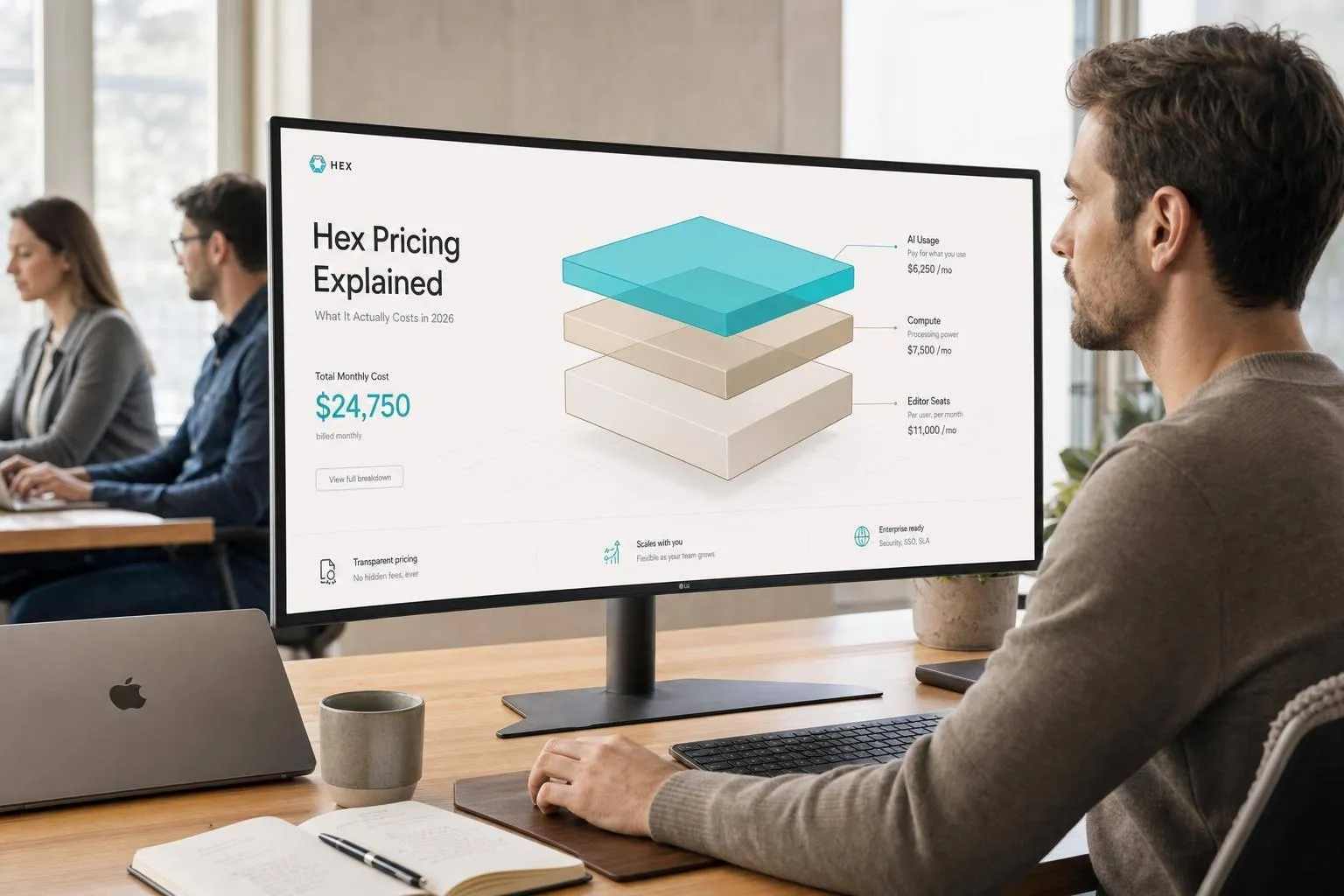
Hex does not stop at the seat price. In 2026, I’d budget for three cost layers: editor licenses, warehouse/Python compute, and AI usage.
Here’s the short version:
- Community: $0
- Professional: $36 per editor/month
- Team: $75 per editor/month
- Enterprise: custom pricing
But the base plan is only part of the bill.
If I were estimating Hex for a team, I’d look at:
- Who needs editor seats
- Whether business users need Enterprise viewer access
- How often notebooks and scheduled jobs run
- How much AI usage may go past included credits (see our guide to the best AI tools for comparison)
- Whether SSO, HIPAA, or audit logs push the deal into Enterprise
A few fast numbers from the article:
- 3–5 editors on Professional: $1,296–$2,160/year
- 3–5 editors on Team: $2,700–$4,500/year
- 10–20 editors on Team: $9,000–$18,000/year
- 30–50+ users on Enterprise: custom
::: @figure 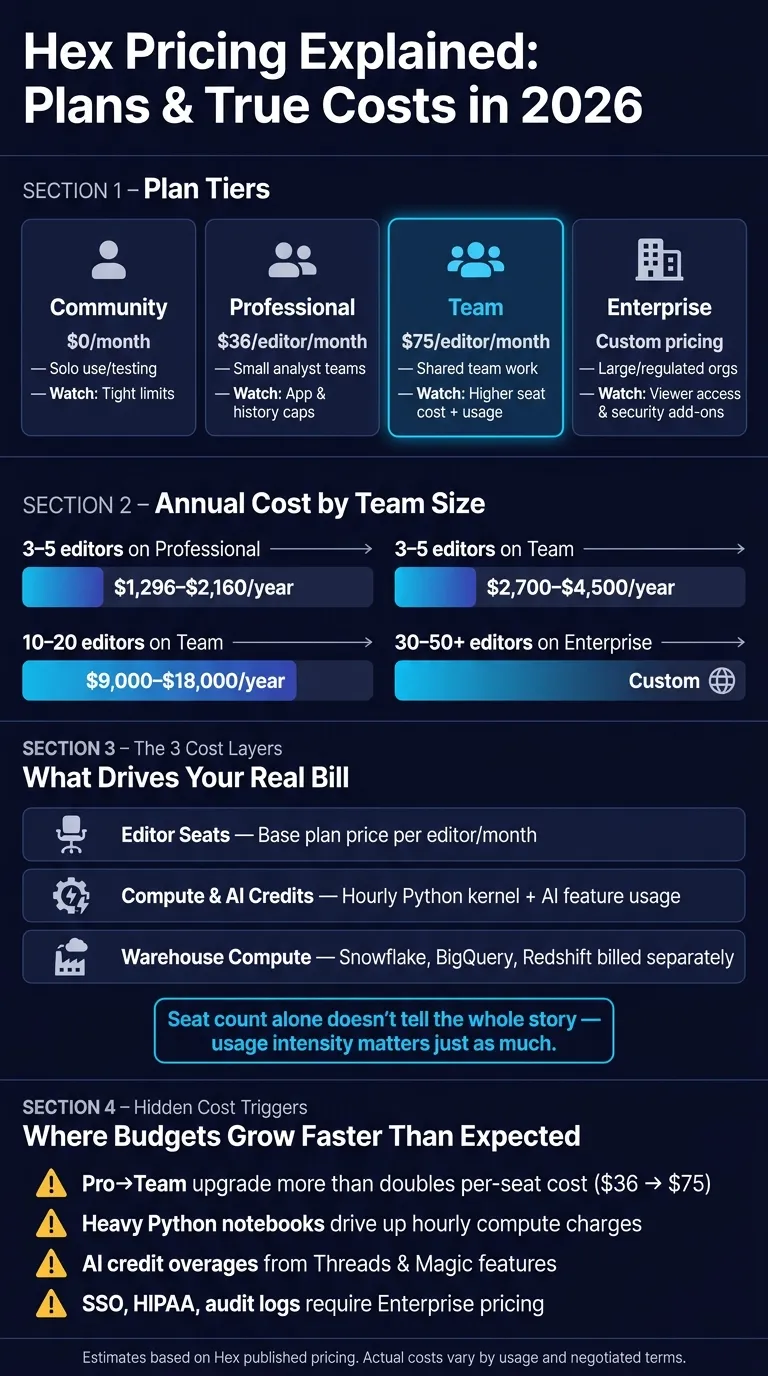 {Hex Pricing Plans 2026: Cost Comparison by Team Size}
:::
{Hex Pricing Plans 2026: Cost Comparison by Team Size}
:::
Hex Review: Best AI Data Analytics & Business Intelligence Platform in 2026? (Honest Review)
::: @iframe https://www.youtube.com/embed/T329C_PspZI :::
Quick comparison
| Plan | List price | Best fit | Main thing to watch |
|---|---|---|---|
| Community | $0 | Solo use, testing | Tight limits |
| Professional | $36/editor/month | Small analyst setups | App and history caps |
| Team | $75/editor/month | Shared team work | Higher seat cost plus usage |
| Enterprise | Custom | Large or regulated groups | Viewer access and security add-ons |
My takeaway: Hex pricing is simple at the start, then less steady once usage grows. If you use lots of Python notebooks, scheduled runs, or AI features (and how they compare across platforms), your total can move past the list price by a wide margin.
That’s the part I’d pin down before talking to sales.
How Hex pricing works in 2026: plans, seats, and usage charges
Start with the editor tier, then layer in usage charges and Enterprise-only seats to estimate what you’ll actually pay.
"Professional and Team customers can cancel or change their plan anytime from Settings > Manage Plan... Enterprise customers can manage renewals and cancellations with their account representative." - Hex Learn Docs [1]
Plan tiers and what each one includes
| Plan | Price (per editor/mo) | Best For | What Changes Cost |
|---|---|---|---|
| Community | $0 | Individuals, trialing | Limited compute, basic connections |
| Professional | $36 | Solo analysts, small teams | Unlimited notebooks, 5 published apps, 30-day history |
| Team | $75 | Growing data teams | Unlimited apps, Threads, scheduled runs |
| Enterprise | Custom | Larger or regulated teams needing SSO, audit logs, or HIPAA | Explorer seats, HIPAA, embedded analytics tools |
The jump from Professional to Team matters because Team removes the big caps around published apps and scheduled runs. If your group is starting to share more work or automate reports, that’s usually where the price math starts to shift.
Editor seats, explorer access, and who needs which license
Editor seats are for the people doing the work inside Hex: building SQL queries, writing Python, creating notebooks, and shipping apps.
Explorer seats are different. They’re Enterprise-only viewer seats for people who just need to use apps and dashboards, not build them. That split can change your budget a lot, especially when a small data team supports a much larger business team.
Compute, AI credits, and other variable charges
A few costs sit outside the base seat price, and this is where many teams get tripped up.
- Hex compute: Billed hourly [3]. Your total depends on compute size, runtime, and how often jobs are scheduled [1].
- AI credits: Paid plans include monthly credits per seat. Features like Magic and Threads use those credits [1].
- Warehouse compute: Queries still use Snowflake, BigQuery, or Redshift credits, so that spend stays outside your Hex invoice [1][3].
Once those pieces are clear, you can turn seat counts and usage into a yearly team budget.
What Hex costs per year for 3 common team scenarios
These are estimated 12-month budgets based on Hex's published pricing. Your actual invoice will vary based on usage, negotiated terms, and add-ons.
The simplest way to estimate Hex is to start with team size, then layer in usage and enterprise access.
Scenario 1: Small analytics team
A 3–5-person team will usually land on Professional or Team. That puts annual seat cost at about $1,296–$2,160 on Professional or $2,700–$4,500 on Team before usage.
The full cost has three parts:
- Seat cost
- Warehouse-native data analysis tools like Snowflake, BigQuery, or Redshift bill compute separately
- Hex usage charges for Python kernel compute and AI credits [1][3]
For a small team, seat cost is often the easy part. The tricky part shows up later. Once you move past a handful of editors, the bill can shift from mostly flat seat spend to usage-based overages.
Scenario 2: Growing BI function
A 10–20-editor Team deployment runs about $9,000–$18,000 per year before usage-based costs [1][2].
This is where costs can start moving in two directions at once. You’re adding more editors, and you’re also adding more activity across the platform. In practice, hourly compute and AI credit overages are usually the biggest variable costs [1][3].
At this stage, editor seats still matter. But for larger rollouts, access control and viewer licensing start to matter just as much.
Scenario 3: Enterprise rollout
Enterprise pricing is custom for 30–50+ users, including business viewers. Cost goes up not just because the team is larger, but because access control and Explorer seats for business users add another licensing layer. That sits alongside features like SSO, HIPAA, and audit logs [1][2][3].
For enterprise teams, the seat count alone doesn’t tell the whole story. The mix of editors, business viewers, and enterprise requirements has a big effect on the final price.
| Scenario | Plan tier | Editors | Est. annual seat cost | Main cost drivers |
|---|---|---|---|---|
| Small analytics team | Professional | 3–5 | $1,296–$2,160 | Included AI credits; warehouse usage billed separately |
| Small analytics team | Team | 3–5 | $2,700–$4,500 | Hourly compute; AI credit overages |
| Growing BI function | Team | 10–20 | $9,000–$18,000 | Hourly compute; AI credit overages |
| Enterprise rollout | Enterprise | 30–50+ | Custom | SSO, HIPAA, audit logs, Explorer seats |
Where Hex bills grow faster than expected
Once Hex is live, budgets often start to drift for a simple reason: usage begins to drive spend more than seats do. Seat counts are easy to model up front. The harder part is what happens after people start running more notebooks, scheduling more jobs, and opening access to more users.
The most common cost drivers teams miss
The first big surprise is the Team-tier price jump. Moving from Professional ($36/editor/month) to Team ($75/editor/month) more than doubles the per-seat cost [1]. That can hit fast when a team starts building stakeholder-facing workflows and suddenly needs Team-tier features.
The next issue is compute charges. Large notebooks and heavier Python workloads can push hourly compute costs up in a hurry [1][3]. This tends to show up with teams working on large dataframes in Snowflake or BigQuery, where long runtimes and stacked scheduled jobs can quietly add to the bill [1][2].
AI credit overages can sneak up the same way. If business users start running Threads queries on a regular basis, the monthly credit allotment tied to each seat may run out sooner than expected. At that point, teams may need to buy add-on credit packs [1].
Security and compliance can also change the price picture. For healthcare and finance teams, features like OIDC SSO, HIPAA-ready data analysis tools, audit logs, and custom Docker images sit behind Enterprise pricing [1][2].
Questions to ask sales or procurement before you commit
Before you sign, get clear answers to a few cost questions:
- What monthly credit grant comes with each seat type, and what do overages cost? Without that detail, it's hard to estimate total spend for teams using Threads or the Semantic agent heavily [1].
- Are spend caps or alerts available for hourly compute charges? If there isn't a hard cap, one heavy notebook run can lead to charges you didn't plan for [3].
- Which security features - OIDC SSO, HIPAA compliance, audit logs, or custom Docker images - require Enterprise pricing? Ask for this in writing before signing [1][2].
Get those details on paper before you commit. That's what turns a quote into something close to an annual cost estimate.
How Hex pricing compares with Querio for governed, warehouse-native analytics
Hex works best for teams that want SQL, Python, and stakeholder apps in one place. But once more people start using it, pricing can get harder to map out.
After you understand Hex’s seat-based and usage-based model, the next thing to look at is simple: how steady does that spend stay as usage climbs?
Per-editor plus usage pricing versus workspace-based pricing
Per-editor pricing with added usage charges can make budget planning less steady. The seat cost is easy enough to estimate. The tricky part is that notebook activity, scheduled runs, and AI credit use all change on their own.
That means headcount doesn’t tell the whole story. A team can keep the same number of editors and still watch costs move because usage moves.
Why this matters for Snowflake, BigQuery, Redshift, and dbt teams
For warehouse-native teams, the main budget variable usually isn’t the sticker price per seat. It’s notebook activity, scheduled runs, and AI usage.
Teams running heavier workloads in Snowflake, BigQuery, or Redshift can end up paying Hex compute charges on top of warehouse costs. Then AI credit overages add one more cost layer that seat counts alone don’t show [1][3].
Hex stands out when teams need notebook-to-app workflows. But if notebook use is heavy and AI activity climbs, total spend can move well past the base seat price. So when you’re building a Hex budget, editor count and usage intensity are the two numbers that matter most.