Guide
What Is a Schema in Database: what is a schema in database and why it matters.
Discover what is a schema in database and how its design affects performance, analytics, and growth. A practical guide for technical and business leaders.

Ever tried to build a complex piece of furniture without the instructions? You might end up with something that vaguely resembles a table, but you certainly wouldn't trust it to hold anything important. A database without a schema is pretty much the same—it’s a recipe for confusion and unreliable data.
A database schema is the architectural blueprint for your data. It lays out the structure, defines what kind of information is allowed, and maps out the critical relationships between different pieces of data.
What Is a Database Schema? Think of It as Your Data's Blueprint
At its core, a schema is the set of rules that governs your database, ensuring every piece of data is consistent, reliable, and easy to access. For anyone in a business or product role, a well-thought-out schema is the difference between a messy data swamp and a clean, organized data warehouse that produces analytics you can actually trust.
Without this blueprint, your database becomes a free-for-all. You end up with inconsistent entries, broken links between related information, and a reporting nightmare where no one is sure what the numbers really mean.
Think of it this way: if your database is a massive library, the schema is its detailed organizational system. It tells you exactly where to find each book (a data point), what genre it belongs to (its data type), and how it connects to other books in a series (data relationships). This system is what makes finding the right information quick and painless.
The Bedrock of Modern Data Management
The idea of a schema isn't some new tech trend; it’s been the foundation of stable data systems for decades. The concept was first properly defined by Edgar F. Codd in his influential 1970 paper that introduced the relational model for databases. This approach to organizing data was so effective that today, schemas are the backbone of over 80% of enterprise databases globally.
From e-commerce platforms managing millions of products to financial institutions processing trillions in transactions, schemas provide the stability needed to operate at scale. You can explore more about its foundational role in data management to see just how deep these roots go.
A well-designed schema acts as the single source of truth for your data's structure. It enforces consistency at the point of entry, preventing the "garbage in, garbage out" problem that plagues so many analytics projects.
This is a non-negotiable for building scalable products and making sound, data-driven decisions. Before we dive deeper, let's break down the core components that make up a schema.
Key Components of a Database Schema
A schema isn't just a high-level sketch; it’s built from specific, concrete parts that work together to bring order to your data. Understanding these building blocks is the first step to appreciating how a schema works its magic.
These components are the nuts and bolts that define the structure and rules of your database. The table below provides a quick summary of what they are and what they do.
| Key Components of a Database Schema at a Glance | ||
|---|---|---|
| Component | Description | Example |
| Tables | The main containers for data, organized into rows and columns, similar to a spreadsheet. | An Orders table or a Users table. |
| Columns | The individual attributes within a table that hold a specific piece of information. | A user_id column in the Users table. |
| Data Types | Rules that specify the kind of data a column can hold, like numbers, text, or dates. | INTEGER for user_id, VARCHAR(255) for an email address. |
| Relationships | Defined links between tables that show how data is connected across the database. | Linking the customer_id in an Orders table to the main Customers table. |
| Keys & Constraints | Rules that enforce data integrity and uniqueness. | A PRIMARY KEY to ensure every row is unique; a NOT NULL constraint to require a value. |
Each of these elements plays a crucial role in making the schema an enforceable blueprint, ensuring that the data stored within it remains clean, consistent, and useful for analysis.
2. Exploring the Different Types of Database Schemas
Think of a database schema like a set of blueprints. An architect wouldn't use the same plan for a skyscraper as they would for a single-family home, and the same logic applies to data. The type of schema you choose has a direct, and massive, impact on your database's performance, flexibility, and how easily you can analyze the information within it.
The first major distinction to get your head around is the difference between a logical schema and a physical schema. They’re two sides of the same coin, but they serve very different purposes.
Logical vs. Physical Schemas
Your logical schema is the conceptual plan. It’s the high-level design that lays out the tables, defines the different columns of data within them (like customer_id, order_date, etc.), and maps out the relationships between those tables. It’s all about the business rules and logic, without getting bogged down in the technical weeds of how it's all stored. Data architects and business analysts live in this world.
The physical schema, on the other hand, is the technical weeds. It’s the nuts-and-bolts implementation of that logical plan. It specifies how the data is physically stored on disk—the file paths, the storage engines, and the indexes used to speed up access. This is the domain of the Database Administrator (DBA), who is focused on optimizing storage and retrieval speed.
To make this distinction clearer, here’s a side-by-side comparison:
| Aspect | Logical Schema | Physical Schema |
|---|---|---|
| Purpose | Defines business rules, entities, and relationships. | Describes how data is physically stored and indexed. |
| Focus | "What" data is stored and how it relates. | "How" the data is stored on disk for efficiency. |
| Components | Tables, columns, primary keys, foreign keys, views. | Partitions, indexes, data types, file groups, storage engines. |
| Audience | Data Architects, Business Analysts, Developers. | Database Administrators (DBAs), Infrastructure Engineers. |
While both are critical for a functioning database, most strategy and design conversations—especially from a business perspective—revolve around the logical schema. It’s the blueprint that determines how your organization actually interacts with and understands its data.
The schema acts as the organizational layer within the database, providing the structure for the tables that hold all your valuable data.
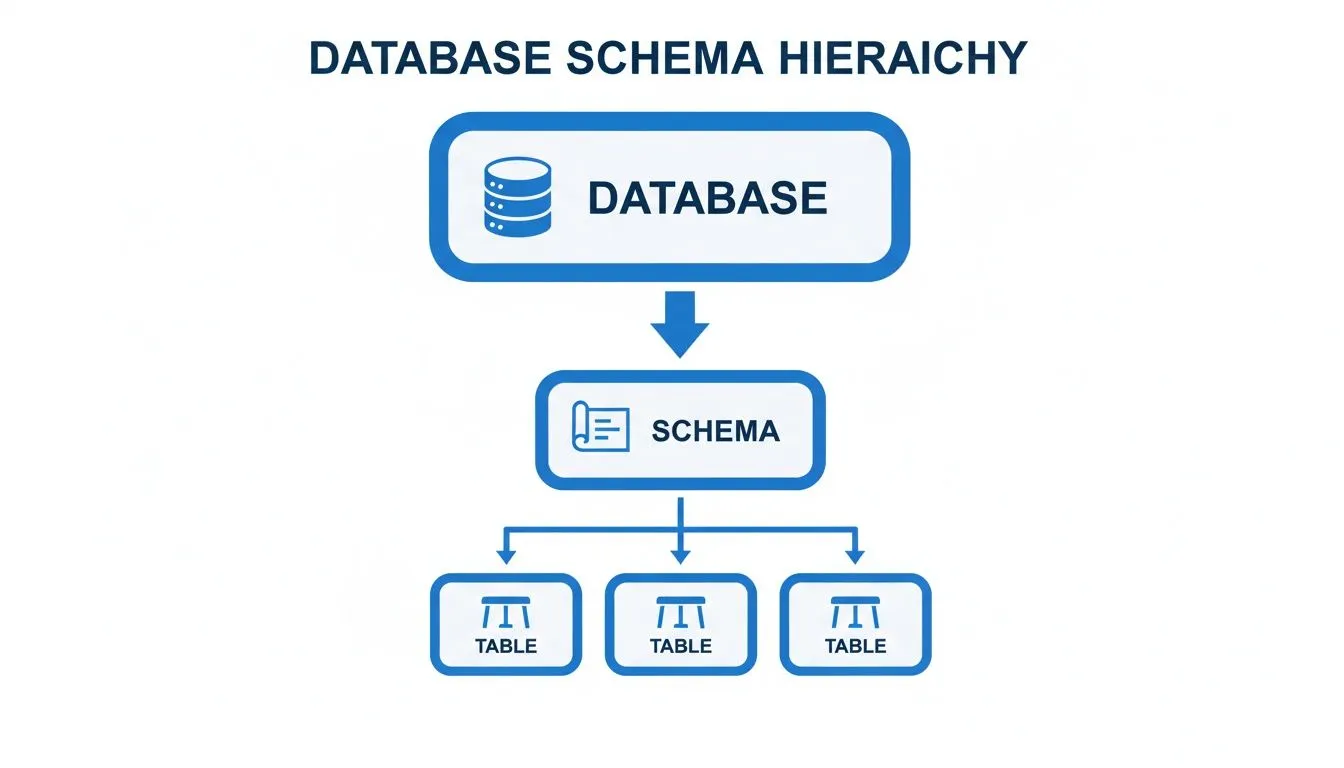
As you can see, the schema is the essential bridge between the database itself and the tables containing the raw information.
Transactional vs. Analytical Schemas
Beyond the logical/physical split, schemas are also specialized for different kinds of work. This is where things get really interesting for business intelligence and analytics.
-
Transactional (OLTP) Schemas: These are built for the fast-paced, day-to-day operations of a business. Think processing sales, updating inventory, or signing up a new user. They are designed for speed and data integrity, with a structure that is highly "normalized" to avoid data duplication and ensure every piece of information is accurate and consistent.
-
Analytical (OLAP) Schemas: These schemas have a completely different job. They are built for high-speed querying and reporting—powering the dashboards and deep-dive analyses that drive business decisions. They are often "denormalized," meaning data is intentionally duplicated to make it far quicker to pull together and summarize for analysis.
For example, a logical schema for a transactional system uses foreign keys to link tables, which is crucial for preventing orphaned records—a problem that plagues an estimated 25% of poorly managed databases.
A product manager at a growing startup needs to analyze user engagement. Instead of querying the live, transactional database (which would be slow and could impact performance), they turn to their data warehouse. This warehouse uses an analytical schema—specifically, a star schema. This design, found in over 70% of BI setups, features a central "fact" table surrounded by "dimension" tables, allowing for lightning-fast analysis. It's not uncommon to see query times drop by up to 90% compared to running the same analysis on a normalized transactional schema.
Popular designs for analytical work include the Star Schema and the Snowflake Schema. Both are optimized for the kind of read-heavy workloads typical in BI, where the priority is summarizing massive datasets quickly. For a deeper dive into this topic, you can check out our guide on star schema data modeling.
How to Design a Schema That Actually Performs
Alright, we’ve covered the "what"—now for the "how." How do you actually build a schema that doesn't buckle under pressure? A bad schema is a recipe for slow queries, duplicated data, and a mountain of technical debt. The real goal is to create a data foundation that works efficiently from day one and can grow with your needs.
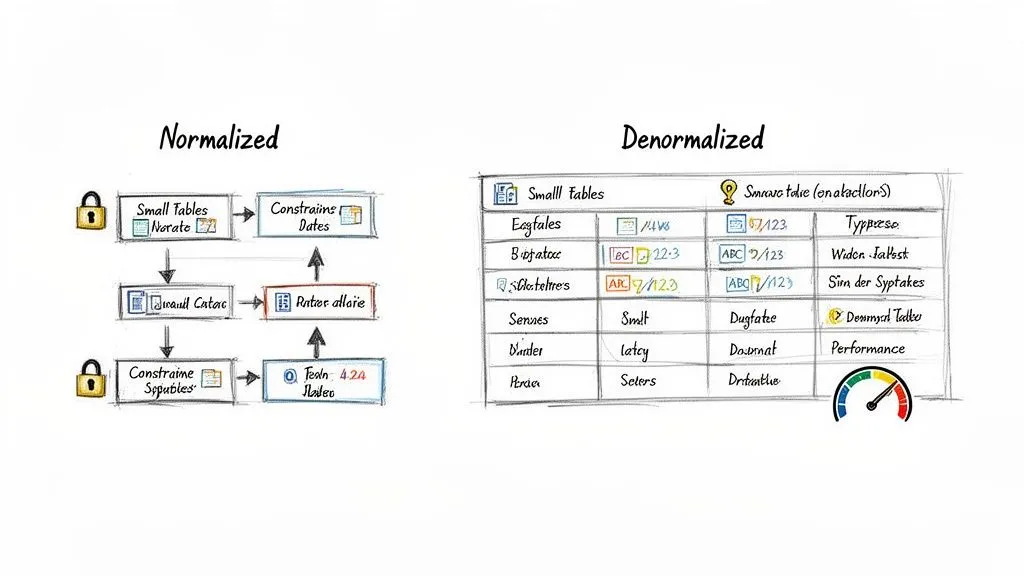
The first principle you'll hear about is data normalization. At its core, normalization is all about reducing redundancy and boosting data integrity. Think of it as a "store it once, reference it everywhere" philosophy.
For example, in a typical e-commerce schema, you wouldn't copy and paste a customer's full address into every single order they place. That would be a nightmare to update. Instead, you'd have a Customers table holding the address and an Orders table that just points to that customer’s unique ID. It's clean, efficient, and saves a ton of space.
The Art of Strategic Denormalization
While normalization is the gold standard for most transactional databases (OLTP), sometimes the best move is to intentionally break the rules. This is called denormalization—the process of deliberately adding redundant data back into your tables. It feels counterintuitive, but it's a calculated trade-off.
So, why on earth would you do this? One word: Performance.
In the world of analytics and BI, queries often need to pull data from many different tables at once. These multi-table joins can be incredibly slow and chew up server resources. By denormalizing—for instance, copying the customer's city directly into the Orders table—you can make a "sales by city" report run dramatically faster because the database doesn't have to perform that extra join.
In analytical systems, a small degree of planned redundancy is often the key to unlocking high-speed reporting. The goal isn't to eliminate all joins, but to eliminate the most expensive ones that are frequently used in BI dashboards and reports.
Choosing the Right Tools for the Job
Great schema design goes deeper than just table structure. The small details are what separate a decent schema from a truly high-performing one. This is where you get into the nitty-gritty of data types and constraints.
-
Select Appropriate Data Types: Don't use a massive
BIGINTfor a field that will never hold a number over 1,000. Wasting space slows everything down. Always pick the smallest, most logical data type for each column—like usingDATEinstead ofDATETIMEif you don’t need the timestamp. -
Implement Integrity Constraints: Think of constraints as the guardians of your data quality.
NOT NULLensures a field isn't left empty,UNIQUEprevents duplicate entries, andFOREIGN KEYconstraints are essential for keeping the relationships between your tables intact. These rules are what give a database schema its power to ensure data is reliable.
Getting these fundamentals right is the first step toward building a solid data architecture. To go deeper on this topic, our guide on data modeling best practices offers more advanced techniques. By finding the right balance between normalization and strategic denormalization and sweating the details on data types and constraints, you can design a schema that truly performs.
Bringing Schemas to Life with SQL Examples
It's one thing to talk about blueprints, but it’s another to see the building actually go up. Let's make the concept of a database schema real by translating our plan into code with SQL, the universal language of relational databases.
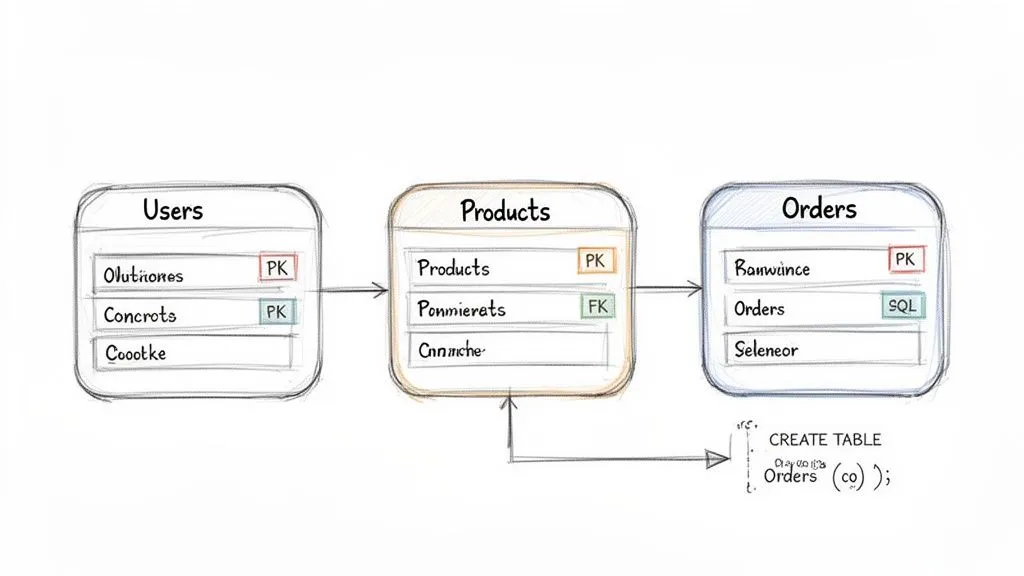
We'll work with a simple e-commerce setup that has three main tables: Users, Products, and Orders. This is a classic example that shows how a schema goes from a sketch on a whiteboard to a solid, functional structure in the database. The commands we'll use are known as Data Definition Language (DDL)—they're the specific SQL commands used to build and define the database structure itself.
Creating the Core Tables
First up, we need a place to store customer information. We'll define a Users table. Pay close attention to the PRIMARY KEY—this is a crucial rule that gives every user a unique ID, ensuring there are no duplicates.
CREATE TABLE Users ( user_id INT PRIMARY KEY, username VARCHAR(50) NOT NULL UNIQUE, email VARCHAR(100) NOT NULL UNIQUE, created_at TIMESTAMP DEFAULT CURRENT_TIMESTAMP );
Next, let's create a table for our inventory. The Products table will hold all the items we sell. Just like our Users table, it has its own PRIMARY KEY to identify each product. We also set specific data types, like DECIMAL for the price, to make sure our financial data is always accurate.
CREATE TABLE Products ( product_id INT PRIMARY KEY, name VARCHAR(100) NOT NULL, description TEXT, price DECIMAL(10, 2) NOT NULL );
With these DDL statements, we've just constructed the foundational "rooms" of our data warehouse, ready to be filled with information.
Connecting the Dots with Foreign Keys
Now for the magic. How do we link a user to their order? The Orders table is where all the relationships are defined. It needs to know which user placed the order and which product they bought.
We create these links using FOREIGN KEY constraints. Think of a foreign key as a pointer. It's a field in one table (like Orders) that points directly to the primary key of another table (like Users). This is the glue that holds your database together.
CREATE TABLE Orders ( order_id INT PRIMARY KEY, user_id INT, product_id INT, order_date DATE NOT NULL, quantity INT, FOREIGN KEY (user_id) REFERENCES Users(user_id), FOREIGN KEY (product_id) REFERENCES Products(product_id) );
With this in place, the database will actually prevent you from creating an order with a user_id that doesn't exist. These schema rules are more than just guidelines; they're your first line of defense against messy, invalid data. In fact, enterprises that enforce strong schema constraints have reported data breach risks dropping by as much as 55%.
These relationships are also fundamental to pulling meaningful insights from your data. Knowing how to work with them is why we created a complete guide to the top 10 SQL queries for analytics.
By defining these relationships, you create a logical and reliable data structure. You're not just storing data; you're storing meaningful connections that prevent orphaned records and ensure your analytics are based on a solid foundation.
Once your schema is live and collecting data, routine tasks like backing up your MySQL database become essential. It’s the final step in protecting the very structure you worked so hard to design and build.
The Unsung Hero of Modern Analytics and BI
Behind every great dashboard and every game-changing business report, there's a well-designed database schema working quietly in the background. While schemas feel technical, their real-world impact on the business is massive. They are the invisible foundation that makes modern analytics and BI possible.
A clean, logical schema is what finally unlocks self-serve analytics. It serves as an intuitive map, letting people across the company—not just data experts—navigate the data with confidence. When the structure is clear, finding the right information is no longer a scavenger hunt that requires constant pestering of the data team.
This clarity turns a static data blueprint into an interactive playground where team members can ask their own questions and, most importantly, trust the answers they get.
Fueling Intelligent Tools and AI Agents
The need for a great schema becomes absolutely critical when you bring automated tools into the mix, whether it's a traditional BI platform or a sophisticated AI agent. These systems have no human intuition; they depend entirely on the schema to make sense of your data.
A schema provides the essential "rules of the road" for an AI agent or BI tool. It explains what each piece of data means, how tables are related, and what constraints are in place, preventing the AI from generating nonsensical or wildly inaccurate queries.
Without this context, an AI trying to write SQL is like someone trying to get around a new city without a map or street signs. It might get somewhere, but the journey will be full of wrong turns and dead ends. In fact, research shows that giving an AI a clear schema is one of the single most effective ways to boost the accuracy of the SQL it generates.
This is why modern analytics platforms like Querio can provide such a clean interface for exploring complex data.
The effortless organization you see here is only possible because a well-defined schema is doing the heavy lifting behind the scenes, structuring the data so it can be explored so easily.
The Bridge to Self-Serve Analytics
Ultimately, a schema is the translator between raw, messy data and clear business meaning. It enriches the raw tables with vital context, creating the foundation for what’s often called a semantic layer. This is the layer that tools like Querio tap into, allowing you to ask questions in plain English and know the system will generate safe, accurate queries. If you want to dive deeper, you can learn more in our guide on what is a semantic layer.
A good schema gives a tool the business logic it needs to understand requests, such as:
- Joins: Knowing how to correctly link the
Userstable with theOrderstable to see what a customer has purchased. - Aggregations: Understanding how to calculate "Monthly Recurring Revenue" by summing the
amountcolumn in theSubscriptionstable. - Filters: Figuring out how to apply a date range to the
signup_datefield to find users who joined in the last quarter.
By providing this structural clarity, a database schema helps a company move from a state of data chaos to one of data confidence, where powerful insights are both accessible and trustworthy.
Your Common Questions About Database Schemas Answered
Once you get the hang of the basics, a few practical questions almost always surface when you start working with schemas in the real world. Let's get those cleared up.
What Is the Difference Between a Database and a Schema?
This is a big one. It helps to think of a database as the entire physical building—a library, for instance. It’s the foundation, the walls, the roof, and the electrical system. It's the whole container.
The schema, then, is the librarian's organizational plan. It's the blueprint that dictates where the fiction section goes, how the non-fiction aisles are arranged by topic, and what system is used to catalog the archives. The schema is the logic; the database is the physical space holding both the plan and all the books that follow its rules.
A database is the container; the schema is the organizational system within it. You can have multiple schemas within a single database, just like a large library might have separate organizational systems for its fiction, non-fiction, and archive sections.
So while they're tightly connected, the schema provides the structure, and the database provides the physical home for that structure and all the data it contains.
Can You Change a Schema After It Is Created?
Absolutely. You can and often will need to modify a schema after it's live and full of data. This process is called schema migration. Using commands like ALTER TABLE, data engineers can add new columns, tweak data types, or introduce new rules.
But you have to tread carefully. Making changes to a live schema is like trying to move the aisles in a busy grocery store while customers are shopping. One wrong move can break your application, corrupt your data, or lead to frustrating downtime. This is precisely why a thoughtful initial design is so critical—it saves you from having to perform risky, complex surgery down the road.
Do NoSQL Databases Have Schemas?
Here’s where a common myth needs busting. NoSQL databases like MongoDB were famously called "schemaless," but that isn't the whole story. It's more accurate to say they offer a schema-on-read approach, which is fundamentally different from their SQL counterparts.
Here’s how to think about it:
- Schema-on-Write (SQL): The rules are enforced before any data gets in. If incoming data doesn't match the schema's blueprint, it’s rejected at the door.
- Schema-on-Read (NoSQL): The database is flexible about what it stores. The structure is applied by your application when it pulls the data out to use it.
This flexibility is incredibly powerful for handling diverse or evolving data. In recent years, the lines have blurred, with many NoSQL systems adding optional schema validation. This gives developers a "best of both worlds" option: flexibility when you need it, and strict rules when you want them.
Overwhelmed data teams can’t keep up with analytics requests, creating a bottleneck that slows down the entire business. Querio deploys AI coding agents directly on your data warehouse, enabling both technical and non-technical users to query, analyze, and build on company data without waiting for an analyst. Move faster and make better decisions by exploring your data at the speed of thought. Learn how Querio provides safe, accurate self-serve analytics.