Guide
SQL IF NULL: A Guide to Handling Missing Data
Learn how to handle missing data with SQL IF NULL. This guide covers COALESCE, ISNULL, and NVL to prevent broken reports and silent data corruption.

A founder opens the weekly growth dashboard and sees a flat line where user activity should be climbing. A product manager checks the event funnel in Looker, then opens a Hex notebook to verify the numbers. An analyst reruns the SQL and gets no error. Everything looks valid. The chart is still wrong.
That’s the dangerous part of sql if null problems. They usually don’t break loudly. Their failures are often subtle.
In modern self-service analytics, the biggest risk often isn’t a syntax error. It’s a query that runs successfully while producing a misleading metric. One missing value in a join, one unhandled field in a formula, one NOT IN filter that encounters a NULL, and the business starts discussing the wrong story. Teams change priorities, founders worry about retention, and roadmap decisions get made from numbers that were never trustworthy.
NULL handling is the discipline that keeps that from happening. It’s not just a SQL detail for analysts. It’s part of metric integrity.
The Dangers of Unknown Data
A common version of this problem starts with a dashboard no one trusts.
A startup team is tracking weekly active users. The chart looked healthy yesterday. Today, one segment flatlines. Product, growth, and finance all ask the same question. Did usage drop, or did the query break? The SQL still runs. The BI tool still refreshes. Nobody gets an error message.
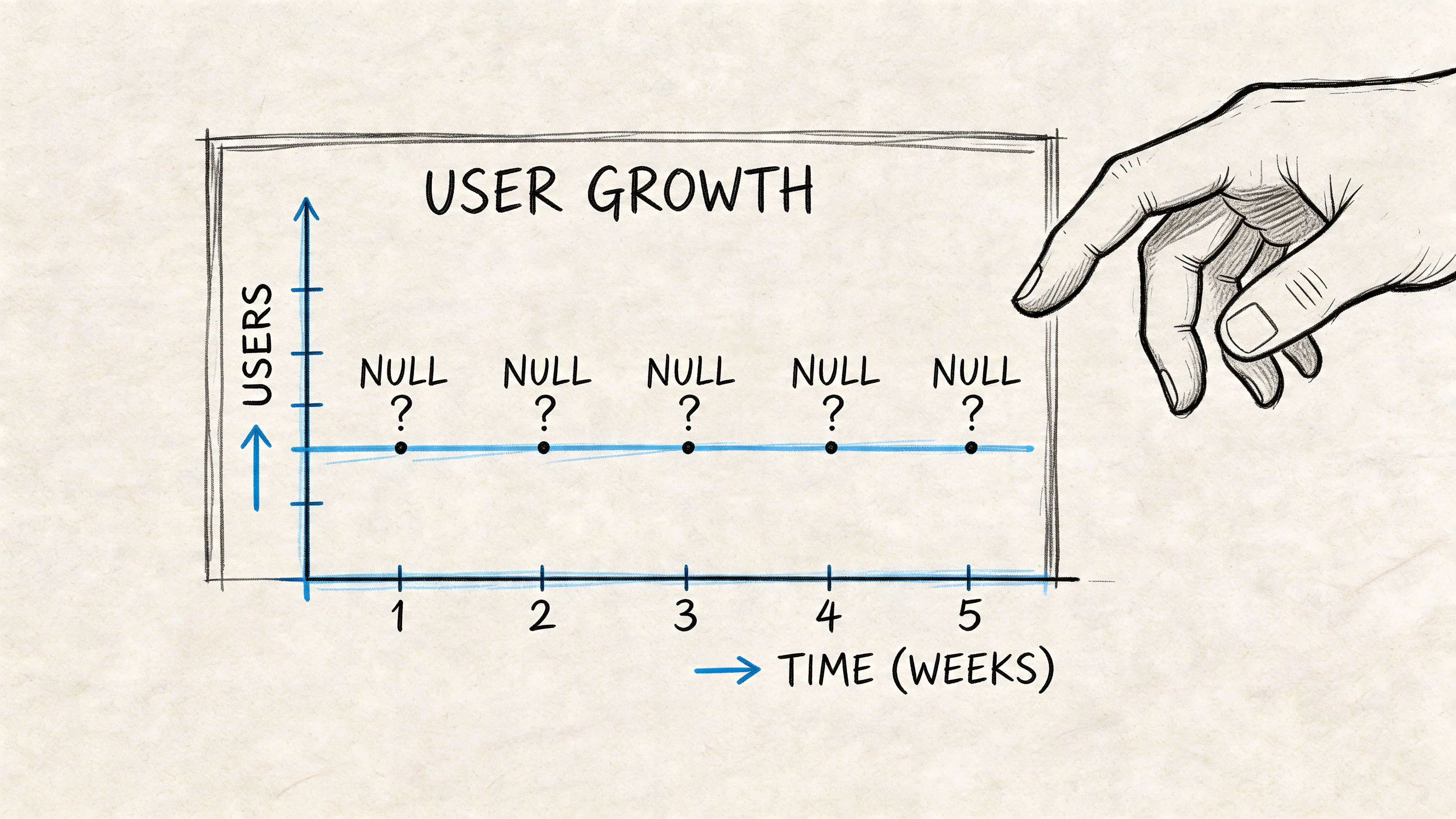
The culprit is often a single NULL value that entered the pipeline upstream. Maybe a join brought in an optional field like campaign source, trial plan, or reordered inventory count. Maybe one event payload missed a property. Maybe a CRM sync failed for a subset of records. In SQL, NULL doesn’t mean zero, empty, or false. It means unknown.
Why one unknown value can poison a metric
If that unknown value gets used in arithmetic, SQL often returns NULL for the whole expression. The classic example is Price * (InStock + InOrder). When InOrder is NULL, the result becomes NULL, not a partial calculation, which can corrupt KPI calculations and aggregations while the query still appears correct according to W3Schools' explanation of SQL null handling.
That’s what makes this a business problem, not just a technical one. A dashboard can show a revenue dip, stock shortage, or engagement drop that isn’t real. The team sees the chart, not the hidden NULL.
Practical rule: If a metric combines fields from multiple systems, assume missing values exist until you’ve explicitly handled them.
This gets harder in self-service environments. Product managers can now inspect metrics directly. Founders can ask AI tools to generate SQL. Analysts can publish notebooks quickly. That speed is valuable, but it also means more people are creating logic that touches incomplete data. Good governance starts with boring habits like null checks. If your team is cleaning up reporting reliability, this guide on improving data quality is a useful companion.
There’s also a security angle. When customer or internal records are incomplete, teams often discover the issue only after something else looks wrong. If you need to verify whether exposed records or leaked datasets may be part of the problem, a database leak check can help your team investigate the broader risk.
The real cost is trust
Once stakeholders see one bad chart, they start questioning every chart.
That loss of trust spreads fast. Product asks analytics to validate every number. Analysts become manual explainers instead of system builders. Leadership slows decisions because they can’t tell whether a dip is behavioral or technical. The damage isn’t only the wrong metric. It’s the operational drag that follows.
What SQL NULL Really Means
Most confusion starts with one mistaken assumption. People think NULL is a value.
It isn’t. NULL is the absence of a known value. In business terms, it means “we don’t know.” That’s different from “the value is zero” and different from “the field is blank on purpose.”
Think about a customer survey. If someone answers “No” to “Did you enjoy the event?”, that’s a real answer. If they leave it blank, you don’t know what they thought. Treating a blank as “No” would change the result. SQL protects that distinction by treating NULL as unknown.
Three-valued logic changes how filters behave
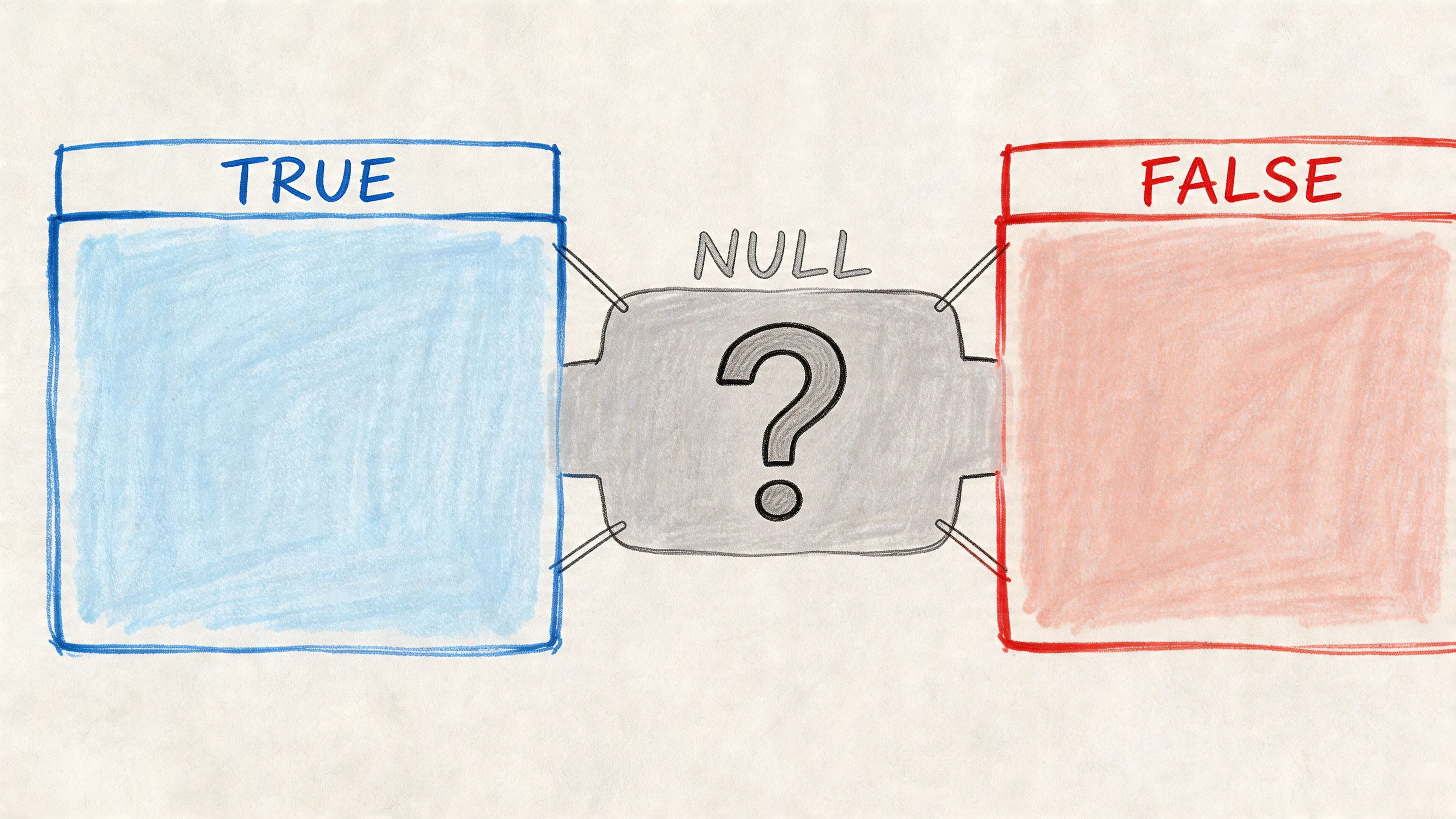
SQL doesn’t operate with only TRUE and FALSE. It uses three-valued logic: TRUE, FALSE, and UNKNOWN.
That third state is where many smart people get tripped up. If you compare something to an unknown value, SQL usually returns UNKNOWN, not TRUE. That’s why this common pattern fails:
SELECT *
FROM users
WHERE last_login = NULL;
That query won’t work the way people expect, because = NULL doesn’t produce a normal true-or-false comparison.
The correct version is:
SELECT *
FROM users
WHERE last_login IS NULL;
And the opposite is:
SELECT *
FROM users
WHERE last_login IS NOT NULL;
Why = NULL fails
Here’s the mental model I teach product teams. If I ask, “Is this user’s last login equal to a value we don’t know?”, you can’t answer yes or no. The only honest answer is “unknown.” SQL follows that logic.
That’s also why NULL behaves differently in joins, filters, and conditions. If you don’t account for it, rows disappear from results and no one can tell whether the query is wrong or the data is incomplete.
A lot of confusion around joins gets easier once you understand relationships and optional data paths. If you want a refresher on how linked tables shape results, this post on relationships in relational databases is useful context.
A fast intuition check
Use this test when you’re reading a query:
- If the field could be missing, ask whether missing should mean unknown, zero, false, or “exclude this row.”
- If you’re filtering, use
IS NULLorIS NOT NULL, not= NULL. - If you’re reporting to stakeholders, decide what a missing value should mean before the chart is built.
NULLis not a number hiding behind a blank. It’s an unanswered question embedded in your data model.
A short walkthrough helps make that visible:
Once you see NULL as “unknown” instead of “empty,” a lot of SQL if null behavior becomes easier to predict.
COALESCE The Universal Solution for SQL Nulls
If you learn one null-handling function first, learn COALESCE.
It’s the closest thing SQL has to a universal answer for replacing NULL values safely and readably. COALESCE() has been the ANSI SQL standard since 1999, works across MySQL, SQL Server, and Oracle, which together cover 85% of the global database market, and appears in 70% of enterprise queries involving NULLs according to ByteScout's overview of COALESCE and related functions.
How COALESCE works
COALESCE returns the first non-NULL expression from a list.
SELECT COALESCE(NULL, NULL, 'trial', 'free');This returns:
trialThat makes it perfect for fallback logic. If one source field is missing, SQL moves to the next one.
SELECT
  user_id,
  COALESCE(primary_email, billing_email, support_email) AS best_email
FROM customers;
For product and growth teams, that pattern is common. A user profile might have several possible identifiers, labels, or timestamps. You want the first known one, not a blank result that breaks downstream logic.
Why COALESCE is the default choice
The main advantage isn’t just syntax. It’s portability.
If your company works across warehouses, inherited systems, embedded analytics, and exported SQL snippets from different tools, dialect-specific functions become friction. A query that works in one environment may need rewriting in another. COALESCE reduces that problem because it travels well.
That matters in mixed stacks where teams touch BigQuery, Snowflake, SQL Server, or MySQL at different points in the reporting workflow. Standard SQL tends to age better than local shortcuts.
Working rule: When you’re writing new analytics SQL, start with
COALESCEunless you have a specific platform reason not to.
Practical sql if null examples
Here’s a basic revenue example:
SELECT
  order_id,
  price * COALESCE(quantity, 1) AS estimated_revenue
FROM orders;
If quantity is missing, the query uses 1 instead of letting the whole multiplication turn into NULL.
Here’s a reporting-friendly label example:
SELECT
  user_id,
  COALESCE(country, 'Unknown') AS country_group
FROM users;
This is especially helpful in dashboards, because grouped charts handle explicit labels more predictably than blank dimensions.
And here’s a common metric fallback:
SELECT
  product_name,
  price * (in_stock + COALESCE(in_order, 0)) AS inventory_value
FROM products;
That prevents a missing in_order value from erasing the result.
Why readability matters as much as correctness
Analysts often inherit SQL months after it was written. Product managers review logic in dashboards they didn’t build. Data engineers standardize patterns across notebooks and semantic layers. Readable null handling reduces mistakes during all of those handoffs.
Compare these two approaches:
ISNULL(ISNULL(primary_name, secondary_name), display_name)COALESCE(primary_name, secondary_name, display_name)The second one is easier to read and easier to extend. In a self-service environment, that matters.
If your team is building repeatable query patterns for product analytics, this collection of top SQL queries for analytics gives useful examples of where null-safe expressions show up in practice.
Comparing SQL IF NULL Functions ISNULL NVL and More
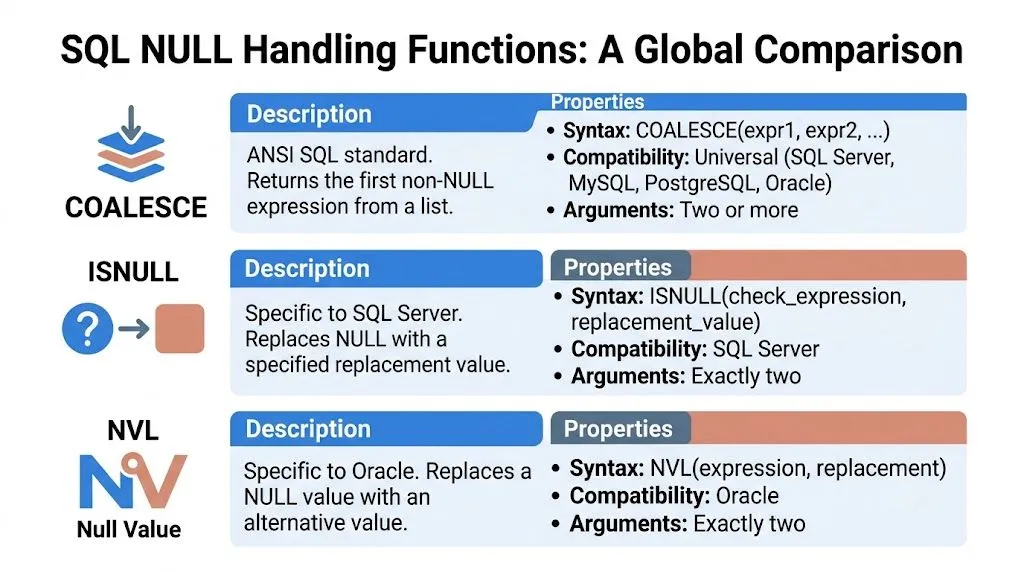
Once you start reading production SQL, you’ll see several versions of the same basic idea. COALESCE is the standard choice, but it lives beside local dialect functions like ISNULL, IFNULL, and NVL.
They all help with sql if null problems. They do not behave identically.
The fast comparison
Here’s the cheat sheet many teams need.
| Function | Supported Databases | Number of Arguments | Key Behavior / Note |
|---|---|---|---|
COALESCE |
SQL Server, MySQL, PostgreSQL, Oracle, and others | Two or more | Returns the first non-NULL expression from a list |
ISNULL |
SQL Server | Exactly two | Replaces NULL with a replacement value |
IFNULL |
MySQL | Exactly two | MySQL-specific null replacement |
NVL |
Oracle | Exactly two | Oracle-specific null replacement |
When each one shows up
COALESCE is what you should expect in modern, portable SQL. It’s the function you write when you want the same logic to survive a warehouse migration, a BI model rewrite, or copied SQL across tools.
ISNULL usually appears in SQL Server codebases, especially older internal reporting. It’s familiar and compact:
SELECT ISNULL(discount, 0)
FROM orders;
IFNULL is the MySQL version of that same idea:
SELECT IFNULL(discount, 0)
FROM orders;
NVL fills the same role in Oracle:
SELECT NVL(discount, 0)
FROM orders;
The practical difference that matters
The first difference is flexibility. COALESCE can evaluate multiple fallback options. The others are generally two-argument replacements.
That means this is easy with COALESCE:
SELECT COALESCE(mobile_phone, work_phone, home_phone, 'No phone');The local functions would need nesting or repeated logic.
The second difference is portability. If your analysts write notebooks in one environment and your engineering team later ports logic elsewhere, dialect-specific functions become migration debt.
A performance warning for SQL Server users
ISNULL becomes risky when people use it inside search predicates instead of handling nulls more directly. In SQL Server, ISNULL() in a WHERE clause can make a predicate non-SARGable, forcing a full scan and making it 5 to 10 times slower than WHERE field IS NULL; the example WHERE ISNULL(field,0)=0 on a 2-million-row table evaluates the function 2 million times according to SQLServerCentral discussion of ISNULL versus IS NULL performance.
That’s a technical phrase with a simple business meaning. Your dashboard filter gets slower because the database can’t use indexes efficiently.
Here’s the slower pattern:
SELECT *
FROM orders
WHERE ISNULL(shipping_fee, 0) = 0;
Here’s the cleaner version:
SELECT *
FROM orders
WHERE shipping_fee IS NULL
   OR shipping_fee = 0;
If a query powers a recurring dashboard, avoid wrapping indexed columns in functions inside
WHEREclauses unless you’ve checked the execution plan.
What to standardize on
For new analytics SQL, COALESCE should be made the default, and ISNULL, IFNULL, and NVL should be treated as compatibility tools for specific systems or inherited code.
That doesn’t mean local functions are wrong. It means they’re narrower. If your environment is fully SQL Server and you’re replacing one missing value in a SELECT list, ISNULL may be fine. If you’re writing shared logic across teams, COALESCE is usually the safer house style.
Advanced Pitfalls and Debugging Strategies
Most NULL tutorials stop too early. They explain IS NULL, show COALESCE, and move on.
The harder problems start later, when a query returns no rows, an average looks suspicious, or a ranking table omits records no one expected to lose. Those are the situations that consume debugging time because the SQL is valid and the output still feels wrong.

The NOT IN trap
This is one of the most expensive SQL surprises for business reporting.
Suppose you want to find customers who never placed an order:
SELECT customer_id
FROM customers
WHERE customer_id NOT IN (
  SELECT customer_id
  FROM orders
);
Looks harmless. But if the subquery returns even one NULL, the entire outer query can return an empty set. This NOT IN (subquery) issue is a frequent source of confusion and accounts for 42% of Stack Overflow questions tagged "sql null unexpected results" in a 2025 analysis summarized by W3Schools on SQL NULL values.
Why? Because SQL can’t confirm that any outer value is definitely not equal to an unknown member of the list.
A safer rewrite is usually NOT EXISTS:
SELECT c.customer_id
FROM customers c
WHERE NOT EXISTS (
  SELECT 1
  FROM orders o
  WHERE o.customer_id = c.customer_id
);
Or you can filter nulls out of the subquery itself:
SELECT customer_id
FROM customers
WHERE customer_id NOT IN (
  SELECT customer_id
  FROM orders
  WHERE customer_id IS NOT NULL
);
Aggregates don’t all treat NULLs the same way
Another common debugging problem shows up in summary metrics.
Consider these two expressions:
COUNT(*)
COUNT(email)
They are not interchangeable. COUNT(*) counts rows. COUNT(email) counts rows where email is not NULL.
That distinction matters when a product manager asks, “How many users do we have with contact data?” and someone accidentally reports total users instead.
Averages can mislead too. If you replace missing values with zero before calculating an average, you are changing the business meaning. Sometimes that’s correct. Sometimes you’ve converted “unknown” into “none” and pushed the metric down artificially.
Debugging habit: Before trusting an aggregate, run a companion query that counts how many relevant fields are
NULL.
A quick audit often helps:
SELECT
  COUNT(*) AS total_rows,
  COUNT(discount) AS rows_with_discount,
  COUNT(*) - COUNT(discount) AS rows_with_null_discount
FROM orders;
Window functions and rankings can hide NULL effects
Ranking tables often look clean while still reflecting bad assumptions.
Suppose you rank products by a score derived from multiple fields. If one input is NULL and you didn’t handle it before the calculation, the score can become NULL. Now that row may sort unexpectedly or fall into an odd position. In dashboards, this often shows up as missing ranked items, unstable leaderboards, or confusing “top 10” views.
When your ranking logic depends on derived values, calculate a null-safe intermediate field first, then rank on that field.
WITH scored_products AS (
  SELECT
    product_id,
    COALESCE(revenue, 0) + COALESCE(expansion_revenue, 0) AS total_value
  FROM product_metrics
)
SELECT
  product_id,
  ROW_NUMBER() OVER (ORDER BY total_value DESC) AS rank_num
FROM scored_products;
A short debugging checklist
When a dashboard number looks wrong, don’t start by rewriting everything. Check these first:
- Scan every arithmetic expression for fields that could be missing.
- Inspect subqueries used with
NOT IN. - Compare
COUNT(*)withCOUNT(column)to see how much data is absent. - Review joins on optional attributes like campaign, plan, region, or owner.
- Create a temporary audit column such as
CASE WHEN field IS NULL THEN 'missing' ELSE 'present' END.
Those checks usually surface the issue faster than staring at a finished chart.
Best Practices for Self-Service Analytics Pipelines
A product manager opens a self-service dashboard on Monday morning and sees conversion rate down. Nothing is broken in the chart. The SQL ran. The problem is quieter than that. A field went missing upstream, someone replaced NULL with 0 in one tool but left it untouched in another, and now the team is debating a business trend that is really a data meaning problem.
That is why null handling belongs in your analytics operating habits, not just in individual queries. In self-service tools such as Looker, Hex, and Querio, more people can ask and answer data questions without waiting on a central data team. That speed is useful. It also makes silent metric corruption easier to spread across dashboards, notebooks, and copied SQL.
Create a team-wide NULL policy
NULL works like an unlabeled box in a warehouse. You know something should be there, but you do not know whether the item is delayed, discontinued, optional, or missing because receiving forgot to scan it. If every team interprets that box differently, your dashboard definitions drift.
Set a small set of shared rules for important fields:
- Define the business meaning. For each key column, decide whether
NULLmeans unknown, not applicable, delayed from the source system, or missing because of a pipeline issue. - Set display rules. Decide when blank dimension values should show as
Unknown, remain blank, or be filtered out of stakeholder-facing charts. - Document approved examples. Show the right pattern for common metrics such as revenue, attribution, retention, and conversion rate.
Teams building repeatable workflows for business users often need more than a style guide. They need operating rules, review steps, and ownership. This self-service analytics implementation guide is a useful reference for that setup work.
Handle NULL before arithmetic
This habit protects metric integrity.
Modern dashboards often combine data from billing, product events, CRM, support tools, and spreadsheets synced into the warehouse. Any one of those sources can send a missing value. In arithmetic, one unhandled NULL can blank out the full result, or a careless replacement can turn "unknown" into "zero" and subtly lower a KPI.
Use patterns like:
SELECT
  COALESCE(trial_conversions, 0) + COALESCE(sales_assisted_conversions, 0) AS total_conversions
FROM weekly_metrics;
For division, protect the denominator too:
SELECT
  revenue / NULLIF(active_users, 0) AS revenue_per_user
FROM kpis;
That second example matters because dashboard users often trust ratios more than raw counts. If the denominator is wrong, the chart still looks polished while the business conclusion is off.
Standardize query patterns across tools
A metric rarely lives in one place. An analyst checks it in SQL, a product manager views it in Looker, someone else validates it in Hex, and a teammate pastes a variant into Slack. If each version handles missing values differently, the organization ends up with multiple answers to the same question.
Standardize the parts that tend to drift:
- calculations in semantic models
- fallback labels in reporting views
- null-safe helper snippets in shared notebooks
- metric definitions used by AI-generated SQL
Querio is one example of a tool teams use in this workflow. It deploys AI coding agents directly on the data warehouse and uses a file-system approach with custom Python notebooks. The specific tool matters less than the rule. Shared logic should encode null handling once, so people reuse the same business meaning instead of recreating it each time.
The expensive NULL bug is usually the one copied into several dashboards before anyone notices the metric definition changed.
Review outputs, not just syntax
A passing query only proves that SQL can run. It does not prove the metric means what your team thinks it means.
For important dashboard changes, add a short review routine. Check a sample of raw rows behind the metric. Compare counts before and after any COALESCE. Ask whether the fallback value changes the business story. If a chart says "zero," make sure the team is comfortable saying "none happened," not "we do not know."
That distinction is where self-service analytics either builds trust or erodes it.
Frequently Asked Questions About SQL IF NULL
How does GROUP BY handle NULL values
GROUP BY treats NULL values as their own group.
If you group users by country and some users have no country recorded, those rows will usually appear together in one null bucket. In dashboards, that often appears as an empty label unless you replace it with something readable.
SELECT
  COALESCE(country, 'Unknown') AS country_group,
  COUNT(*) AS user_count
FROM users
GROUP BY COALESCE(country, 'Unknown');
This is usually better for stakeholder-facing reports because blank dimension labels are easy to misread.
Should I always replace NULL with zero
No. Replace NULL with zero only when zero matches the business meaning.
If discount_amount is NULL because no discount was applied, zero may be reasonable. If discount_amount is NULL because the source system never sent the field, zero changes “unknown” into “none,” which can distort averages and summaries.
A useful test is simple. Ask whether you’d be comfortable saying the replacement value out loud in a business review. If not, don’t force it into the metric.
Is COALESCE safe in a WHERE clause
It can work, but be careful.
Wrapping a column in a function inside WHERE can make filtering less efficient, especially on indexed columns. For filtering nulls, direct predicates are often clearer and more index-friendly.
Prefer this:
SELECT *
FROM users
WHERE deleted_at IS NULL;
Over this:
SELECT *
FROM users
WHERE COALESCE(deleted_at, '2099-01-01') = '2099-01-01';
Use COALESCE mainly in the SELECT list or in derived calculations unless you have a specific reason otherwise.
What’s the difference between COALESCE and NULLIF
They solve opposite problems.
COALESCE replaces NULL with the first available non-null value. NULLIF turns a specific value into NULL.
Example:
SELECT NULLIF(0, 0);This returns NULL.
That’s useful for safe division:
SELECT
  revenue / NULLIF(active_users, 0) AS revenue_per_user
FROM metrics;
If active_users is zero, NULLIF converts it to NULL, which avoids a division-by-zero failure.
Why does my query return no rows with NOT IN
Because the subquery may contain NULL.
If even one null value comes back, SQL may not be able to prove that any outer row is safely excluded, so the result becomes empty. This is one of the most common hidden null bugs in analytics SQL.
The fix is usually to switch to NOT EXISTS or explicitly remove nulls from the subquery.
SELECT c.customer_id
FROM customers c
WHERE NOT EXISTS (
  SELECT 1
  FROM orders o
  WHERE o.customer_id = c.customer_id
);
What’s the best default function to learn for sql if null
Start with COALESCE.
It’s readable, portable, and flexible. Then learn the local equivalent used in your database, such as ISNULL, IFNULL, or NVL, so you can read inherited code without confusion.
If you keep one principle in mind, make it this: missing data is not just a technical edge case. It’s a decision-quality issue.
If your team is trying to scale self-serve analytics without turning data people into a constant support queue, Querio is worth a look. It lets teams query and build on warehouse data through AI coding agents and notebook-style workflows, which makes consistent logic, including NULL handling, easier to reuse across analysis and reporting.