Guide
Mastering Relationships in Relational Databases A Practical Guide
Unlock the power of relationships in relational databases. Our guide covers keys, joins, and integrity with practical SQL examples for robust data modeling.

Ever feel like you're staring at a bunch of disconnected spreadsheets, trying to piece together a story that just isn't there? That’s what data looks like without relationships. Relationships in a relational database are the crucial links that turn all those separate tables of information into a single, cohesive picture.
Without them, you’re just looking at isolated lists. With them, you have a powerful, interconnected story.
Why Database Relationships Are Your Secret Weapon
Think of your company's data as a set of separate islands. You’ve got a "Customers" island, a "Products" island, and an "Orders" island. Each one holds valuable information, but on its own, it’s incomplete. You can see who your customers are, but not what they've bought. You can list all your products, but you have no idea who's buying them. It’s organized chaos.
Database relationships are the bridges that connect these islands.
By building a simple bridge—linking the customer_id from your Customers table to the Orders table—you suddenly unlock every customer's complete purchase history. That one connection transforms raw, static data into dynamic, actionable intelligence.
From Disconnected Lists to Business Intelligence
This is where the magic really happens. Connecting the dots between different datasets is the bedrock of modern data analysis. It lets you go beyond simple reporting and start asking the questions that actually drive the business forward.
- Behavioral Analysis: Which types of customers buy certain products most often?
- Operational Efficiency: Are there patterns in product returns? Is a specific user group returning items more frequently?
- Strategic Growth: What's the total lifetime value of customers who came from our latest marketing campaign?
You simply can't answer these kinds of questions without well-defined relationships. They provide the structural backbone that allows your database to support everything from daily operations to high-level strategic decisions. This isn't just a niche concept; it's fundamental. The global market for relational databases was valued at USD 71.1 billion in 2024 and is expected to hit USD 142.3 billion by 2030. That massive growth underscores just how critical this technology is. You can explore more about the relational database market's growth to see how it's powering modern businesses.
In this guide, we'll break down exactly how these connections work. We'll show you how to build a robust and scalable database that turns simple lists of data into your company's most valuable asset.
Understanding the Three Core Relationship Types
At the core of any good database design are the connections that bring order to otherwise chaotic data. These connections, known as relationships, are the secret sauce that turns a bunch of isolated tables into a powerful, interconnected system. Getting a handle on the three fundamental types is the first real step toward building databases that are both efficient and easy to understand.
These three structures—one-to-one, one-to-many, and many-to-many—are the building blocks for just about every data model you’ll ever come across. Each one has a specific job, designed to mirror a different kind of real-world connection between your data.
Think of it like this: without relationships, your tables are just separate puzzle pieces. With them, you can snap those pieces together to form a complete picture that tells a meaningful story.
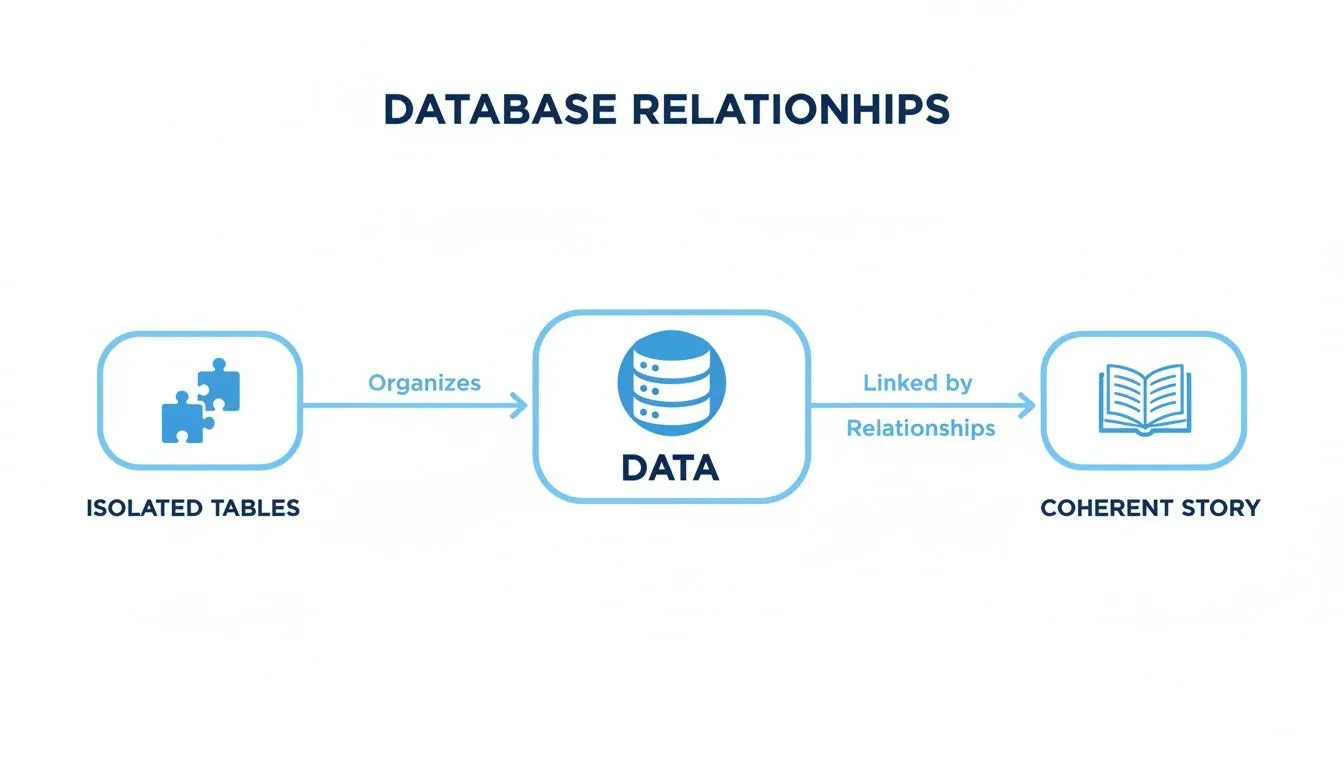
Let's break down each of these relationship types.
To give you a quick overview, here’s a simple table that sums up the three relationship types we're about to explore.
Database Relationship Types at a Glance
| Relationship Type | Description | Example Use Case | Implementation Method |
|---|---|---|---|
| One-to-One (1:1) | One record in Table A is linked to exactly one record in Table B. | A users table and a separate user_profiles table for optional, detailed info. |
A foreign key in one table that references the primary key in the other. |
| One-to-Many (1:M) | One record in Table A can be linked to many records in Table B. | A customers table and an orders table; one customer can have many orders. |
A foreign key in the "many" table (orders) that points to the primary key of the "one" table (customers). |
| Many-to-Many (M:N) | Many records in Table A can be linked to many records in Table B. | students and classes; a student takes many classes, and a class has many students. |
A third table, called a junction table, that holds foreign keys from both tables. |
This table provides a great starting point, but let's dig into the details to see how they work in practice.
The One-to-One Relationship
First up is the one-to-one (1:1) relationship, which is the simplest of the bunch. This is where a single record in one table is tied to exactly one record in another table, and that’s it. A great analogy is a person and their social security number; one person has one number, and that number belongs to only that one person.
You won't see this one as often as the others, but it's a lifesaver in a few key situations. You might use it to:
- Break up a massive table: If you have a table with tons of columns, and some of them are only used occasionally, you can move them into a separate table. This can speed things up. For instance, you could have your main
userstable for login info and auser_profilestable for extra details like a bio or profile picture. - Boost security: Highly sensitive information, like payroll or personal health data, can be locked down in its own table. By linking it with a 1:1 relationship, you can restrict access to that table without locking down the main user data.
The One-to-Many Relationship
Next, we have the workhorse of relational databases: the one-to-many (1:M) relationship. This is hands-down the most common type you'll encounter. It’s when a single record in one table can be associated with multiple records in another, but each of those records in the second table is linked back to only one in the first.
The classic example is customers and orders. One customer can place many orders over time, but each of those orders belongs to just one customer. This simple structure is the foundation of everything from e-commerce platforms to internal ticketing systems.
To make this work, the "many" side of the relationship (the orders table) gets a foreign key that points back to the primary key of the "one" side (the customers table). So, you'd have an orders.customer_id column that corresponds to customers.id. If you're new to this, our guide on what are databases and why can't you just use Excel is a great place to start. This elegant link is what lets you pull up a customer's entire order history with a simple query.
The Many-to-Many Relationship
Finally, there’s the many-to-many (M:N) relationship. This happens when multiple records in one table can be related to multiple records in another. Think about students and classes: a student can enroll in many classes, and each class is filled with many students.
Here's the catch: you can't actually create a direct many-to-many link between two tables in a relational database. It would create a mess. Instead, we use a clever workaround: a third table that sits in the middle. This is often called a junction table or an associative table, and its job is to break the complex relationship down into two manageable one-to-many relationships.
For our student and class example, we’d create a table called enrollments. This table would contain just two key pieces of information:
- A
student_idthat links to thestudentstable. - A
class_idthat links to theclassestable.
Each row in enrollments represents a single connection—one student signed up for one class. This design is what allows a database to cleanly model these intricate, real-world connections. If you're ready for a deeper exploration, this guide helps you know everything about database relationships.
Once you master these three core relationship types, you have the tools to model almost any data scenario you can think of, setting you up for a solid and scalable database.
Building a Database From Scratch With SQL and ERDs
Theory is great, but there's no substitute for getting your hands dirty. The best way to really get a feel for relationships in relational databases is to build something. So, let's step away from the abstract concepts and build a simple e-commerce database from the ground up. This little project will tie all three relationship types together into one functional system.
We'll be creating three main tables: users, products, and orders. By carefully mapping out the connections between them, you'll see firsthand how a well-designed database can answer crucial business questions and act as the solid foundation for a real application.

This walkthrough will give you the complete blueprint, from the SQL code (Data Definition Language, or DDL) for creating the tables to a clear Entity-Relationship Diagram (ERD) to see the whole picture. If you want to dig deeper into building a rock-solid foundation, check out these enterprise-grade database design best practices for more advanced strategies.
Designing the E-commerce Schema
Before we write a single line of SQL, we need a plan. An ERD is the perfect tool for this job. Think of it as a visual map of our tables (the "entities") and how they're all connected.
Here's the plan for our design:
- users: This table will hold customer info, like their name and email. The
user_idwill be its unique identifier, or primary key. - products: This is where we'll keep our inventory details—name, description, price. Its primary key will be
product_id. - orders: This table tracks every purchase. It will have its own
order_id(primary key), but it will also include auser_id, which is a foreign key that points back to theuserstable. This sets up our one-to-many relationship: one user can place many orders. - order_items: This is our junction table, the magic piece that connects
ordersandproducts. It's what allows us to model a many-to-many relationship. Why? Because a single order can have multiple products, and a single product can show up in many different orders.
An Entity-Relationship Diagram (ERD) isn't just some technical drawing; it's the architectural blueprint for your data. It clarifies how information connects, helps you spot design flaws early, and creates a common language for developers and business folks alike.
Creating the Tables With SQL
Okay, time to turn our ERD into actual SQL code. The following CREATE TABLE statements will build the structure for our four tables. Notice how we define primary keys, foreign keys, and other rules (constraints) to lock in those relationships.
1. The users Table
We'll start simple with a table to hold our customer data.
CREATE TABLE users ( user_id INT PRIMARY KEY AUTO_INCREMENT, first_name VARCHAR(50) NOT NULL, last_name VARCHAR(50) NOT NULL, email VARCHAR(100) UNIQUE NOT NULL, created_at TIMESTAMP DEFAULT CURRENT_TIMESTAMP );
2. The products Table
Next up, a table to store our inventory.
CREATE TABLE products ( product_id INT PRIMARY KEY AUTO_INCREMENT, product_name VARCHAR(100) NOT NULL, description TEXT, price DECIMAL(10, 2) NOT NULL );
3. The orders Table (One-to-Many)
Here’s where we create our first real connection. The line FOREIGN KEY (user_id) REFERENCES users(user_id) is the crucial piece of syntax that tells the database every order must belong to a valid user.
CREATE TABLE orders ( order_id INT PRIMARY KEY AUTO_INCREMENT, user_id INT, order_date TIMESTAMP DEFAULT CURRENT_TIMESTAMP, FOREIGN KEY (user_id) REFERENCES users(user_id) );
4. The order_items Junction Table (Many-to-Many)
This table is the linchpin for our many-to-many relationship. It doesn't hold much data on its own, but it connects orders and products using two separate foreign keys, which is what lets us model complex shopping carts.
CREATE TABLE order_items ( order_item_id INT PRIMARY KEY AUTO_INCREMENT, order_id INT, product_id INT, quantity INT NOT NULL, FOREIGN KEY (order_id) REFERENCES orders(order_id), FOREIGN KEY (product_id) REFERENCES products(product_id) );
Answering Business Questions With Queries
Now that our database is built, the real power of relationships in relational databases shines through when we start asking questions. Let's tackle a common business request: "Show me the complete order history for a specific customer."
To pull this off, we need to join our tables together. We'll connect users to orders, then orders to order_items, and finally order_items to products. This chain of joins lets us gather all the scattered pieces of information into one neat report. If you're looking for ways to speed this up, our guide on using an SQL query generator for easy database tasks might come in handy.
Here’s the SQL query (using Data Manipulation Language, or DML) to get every order for the user 'jane.doe@example.com':
SELECT u.first_name, u.last_name, o.order_id, o.order_date, p.product_name, oi.quantity, p.price FROM users u JOIN orders o ON u.user_id = o.user_id JOIN order_items oi ON o.order_id = oi.order_id JOIN products p ON oi.product_id = p.product_id WHERE u.email = 'jane.doe@example.com';
This single query effortlessly travels across all the relationships we defined to build a complete picture. It's a perfect demonstration of how a little bit of thoughtful design up front directly enables powerful business analytics down the road.
How to Ensure Data Integrity and Peak Performance
Just building relationships between tables is only the beginning. To get to a database that’s truly robust and ready for the real world, you need rules in place to protect your data and make it run like a well-oiled machine. This is what separates a fragile, throwaway structure from a reliable system your application can count on for the long haul.
Think of these best practices as the guardrails for your data highway. They aren't just technical formalities; they keep your information clean, consistent, and fast. By putting them into practice, you make sure the relationships in relational databases you so carefully designed stay accurate and efficient, even as your data piles up.
Protecting Data with Referential Integrity
Picture this: a user in your users table gets deleted, but all their past orders in the orders table just sit there. Now, those orders are pointing to a user that no longer exists. These are called orphan records, and they're a recipe for errors and confusing data down the line.
This is exactly the problem referential integrity solves. It’s a set of rules your database enforces to guarantee that the links between your tables are always valid. The main tool for this job is the foreign key constraint, which physically stops you from adding a record to one table unless a matching record already exists in the table it’s linked to.
You can even tell the database exactly what to do when a primary record is deleted or updated. These cascade options are powerful tools for keeping your data clean automatically.
ON DELETE CASCADE: If a user is deleted from theuserstable, this rule automatically wipes out all of their orders from theorderstable. It's incredibly handy but use it with caution—you don’t want to accidentally delete huge chunks of data.ON DELETE SET NULL: Instead of deleting the related orders, this option just sets the foreign key field (user_id) toNULL. This is great if you want to keep the order history but simply unlink it from the now-deleted user.
Referential integrity is your database’s built-in self-policing mechanism. It makes sure every foreign key always points to a real, existing primary key, preventing your data from becoming a tangled mess of broken links.
Reducing Redundancy Through Normalization
Normalization is the formal process of organizing your tables to cut down on data redundancy and, in turn, boost data integrity. It can get pretty academic with its different "normal forms" (1NF, 2NF, 3NF), but the core idea is simple and incredibly powerful.
At its heart, normalization is about making sure each piece of information has one—and only one—home. For example, instead of storing a product's name and price over and over again in your order_items table, you store it just once in a products table and simply refer to it using its product_id.
This simple change brings some major wins:
- Saves Space: Why store the same text thousands of times? It's a huge waste of disk space.
- Prevents Inconsistencies: If a product's price changes, you only have to update it in one spot: the
productstable. Every order, past and future, will then reflect the correct information instantly. - Simplifies Data Management: Your whole data structure becomes more logical and way easier to work with over time.
Supercharging Performance with Indexing
A database without indexes is like a book with no table of contents. If you want to find a specific chapter, you’re stuck flipping through every single page. It's the same with your database. When you run a JOIN, the system has to scan entire tables to find the rows that match—a painfully slow process.
An index is basically a special lookup table that the database engine uses to find data almost instantly. Your primary keys get indexed automatically, but it is absolutely critical to manually create indexes on your foreign key columns.
Let's go back to our e-commerce site. When you pull up a customer's order history, the database joins the users and orders tables on user_id. Without an index on the orders.user_id column, the database would have to scan every order it has ever processed just to find the ones for that one customer. But with an index? It’s a near-instant lookup.
As your systems get bigger, you can even explore more advanced strategies, like the ones we cover in our guide on how hash partitioning improves load balancing, to squeeze out even more performance.
The need for this kind of tuning is only growing as relational databases continue to dominate globally. While North America holds the biggest market share today, the Asia-Pacific region is catching up fast. The market in the Americas alone is expected to jump from USD 62.8 billion in 2025 to USD 118.6 billion by 2032. A massive driver of this growth is the boom in cloud-managed databases (DBaaS), which are seeing an 18.3% CAGR as companies ditch on-premise hardware for more flexible solutions. Discover more insights about the relational database market's growth to see why performance optimization is more important than ever.
Common Pitfalls and When to Break the Rules
Even when you know the rules by heart, designing effective relationships in relational databases can be surprisingly tricky. It’s all too easy to stumble into common traps that cause more headaches than they solve, turning what seemed like a smart design into a maintenance nightmare. Knowing what these pitfalls look like is the first step to avoiding them.
One of the most common mistakes I see is building monstrously complex JOIN queries. Sure, joins are powerful, but when you find yourself chaining ten or more tables together just to answer one question, it's a huge red flag. This usually means your design is too fragmented or that you need a totally different approach for your reporting needs.
Another classic blunder is the circular dependency. This is where Table A has a foreign key to Table B, and Table B has one right back to Table A. This kind of loop can completely tie your application logic in knots, making simple data entry and deletion operations a chaotic mess.
The Dangers of Cascading Deletes
Speaking of messes, let's talk about the overuse of cascading deletes. The ON DELETE CASCADE command can be a handy tool for automatically tidying up related data. For example, it's perfect for deleting a user's comments when their account gets removed. But it's also a double-edged sword.
Just imagine a countries table is linked to your users table. If an administrator accidentally deletes a country from that list, a cascading delete could instantly vaporize every single user from that country. Gone. This is why you have to handle this feature with extreme caution. It should only be used for relationships where the child records are genuinely meaningless without their parent.
Strategic design isn't just about following the textbook; it's about understanding the real-world consequences of every choice. The goal is a database that is not only technically correct but also practical and safe for your specific application.
Knowing When to Break the Rules: Denormalization
While normalization is the gold standard for keeping data clean and consistent, there are times when breaking the rules is the right call. This practice is called denormalization, and it involves deliberately duplicating data across tables to boost read performance.
Why on earth would you do that? Think about systems where read speed is everything—like a data warehouse or a high-traffic analytics dashboard. In these cases, the performance hit from complex joins can be a deal-breaker.
For example, an e-commerce platform might decide to store the product_name directly in its order_items table, even though that name already lives in the products table. This bit of duplication means the system doesn't have to perform a join every single time a user looks at their order history, making the experience feel much faster.
It's a calculated trade-off. You give up some storage efficiency and make data updates a little more complex, but in return, you get lightning-fast queries. Knowing when and how to denormalize is what separates good database architects from great ones—it shows you know how to balance theoretical purity with practical, real-world performance needs.
Asking Complex Questions Without Writing SQL
So, you’ve meticulously designed your database relationships. The real magic isn't just in the elegant structure; it's what that structure unlocks for the entire team. A database with clear, logical connections is a goldmine of business intelligence, but what good is it if only the SQL wizards can dig for treasure? This is where your careful data modeling starts to pay huge dividends for everyone.

This push for accessible data is a game-changer. It empowers teams to make sharp, informed decisions on the fly, without getting stuck in a long queue waiting for an analyst.
Unlocking Data for Everyone
Think of modern business intelligence platforms as expert translators. They bridge the gap between human curiosity and the complex, structured world of your database. These tools are built to understand the relationships you've forged—the links between customers and their orders, or products and their inventory—and use that context to answer questions posed in plain English.
Let’s say a product manager wants to know, "What was our best-selling product category in Europe last month?" Traditionally, that simple question would kick off a request for a developer to write a tricky JOIN query. Now, tools like Querio can understand that natural language, trace the data relationships automatically, and build the correct SQL query behind the scenes. We dive deep into how this works in our article on what is text-2-SQL.
It's as simple as someone typing their question into an interface:
The platform instantly translates the question into a query, joins the right tables, and whips up a visual answer. A complex data dive becomes a simple conversation.
This isn't just a niche feature; it’s part of a much bigger industry shift. The market is moving toward automated, cloud-based, and distributed relational systems that use AI for self-tuning and optimization, making data interaction feel almost effortless. You can discover more insights about relational database market trends and how they’re creating more unified access to data.
By opening up your database relationships through an intuitive interface, you change data from a walled-off technical asset into a company-wide tool for discovery. Everyone, from marketing to operations, can start exploring their own hunches and get answers in seconds.
Frequently Asked Questions
When you're wrestling with database relationships, a few key questions pop up time and time again. Let's get them answered so you can move forward with confidence.
What's the Difference Between a Primary Key and a Foreign Key?
This is probably the most fundamental question, and the answer is all about a key's job.
A primary key is the unique ID for a record in its home table. Think of it like a Social Security Number for a person or a VIN for a car—it's the one thing that guarantees you're looking at a specific, unique entry. It absolutely cannot be null or duplicated within its table.
A foreign key, on the other hand, is a field that acts as a signpost pointing to a primary key in a different table. It’s the glue that connects your data. So, in an orders table, the customer_id column is a foreign key that points back to the primary key in the customers table, telling you exactly who placed that order.
Can a Table Have Multiple Foreign Keys?
Yes, and it happens all the time. It's especially common in tables that serve as a central hub connecting several other tables.
A perfect example is a junction table, like order_items. This table's whole purpose is to link orders and products. It would naturally have at least two foreign keys: one for order_id (linking to the orders table) and another for product_id (linking to the products table). Each foreign key creates a distinct relationship, weaving the data together.
The real magic of a junction table is how it takes a messy many-to-many relationship and neatly breaks it down into two simple one-to-many relationships. It does this by holding multiple foreign keys, with each one linking back to one of the main tables.
Why is Normalization Important for Database Relationships?
Think of normalization as the "single source of truth" principle for your data. Its main goals are to cut down on redundant data and protect data integrity.
Here’s why that matters. Imagine a customer updates their shipping address. If you’ve normalized your database, you only have to change it in one place: the customers table. But if that address was copied into every single order record for that customer, you'd have a nightmare trying to update them all. You'd almost certainly miss some, leading to shipping errors and a very unhappy customer.
Getting normalization right makes your database cleaner, your relationships more reliable, and your life a lot easier.
Ready to ask questions of your own data without writing a single line of SQL? Querio's AI-powered platform understands natural language, turning your team's curiosity into instant, accurate answers and visualizations. Explore how Querio can unlock self-serve analytics for your business.