Unlock BI Self Service: Smarter Decisions for 2026
Unlock faster, smarter decisions with BI self service. This guide covers benefits, pitfalls, governance, & how modern tools transform data teams in 2026.
https://www.youtube.com/watch?v=zzsS85R5Phg
published
Outrank AI
bi self service, self service analytics, data democratization, business intelligence tools
c9754643-e074-4a97-9d99-ac4b5f02746e
A product manager asks a simple question before a roadmap review. Which onboarding step causes the biggest drop-off for new users?
The answer should take minutes. In many companies, it takes days. Sometimes longer. The request lands in Slack, then in a Jira ticket, then in an analyst queue behind finance reporting, board prep, and a dashboard refresh nobody trusts anyway.
That is the everyday problem bi self service is supposed to solve.
I have seen this from both sides. In one environment, the BI team owned every metric, every dashboard, and every follow-up cut. The result was clean reporting on paper and constant delay in practice. In another, we moved to a more modern stack with a governed warehouse layer and flexible analysis surfaces. Casual users got faster answers. Power users stopped exporting data into side spreadsheets. The data team stopped acting like a ticket desk.
Self-service only works when you treat it as an operating model, not a dashboard rollout. The tooling matters. The governance matters more. The user experience for both casual users and advanced analysts matters most of all.
The End of the Data Bottleneck
A familiar scene plays out in growing companies.
The product team needs retention data before a launch decision. Marketing wants campaign performance by segment. Customer success wants renewal risk by cohort. None of these questions are unusual. What breaks is the route to the answer.
When the data team becomes a human API
In traditional BI setups, the data team becomes the translation layer for the whole company. Business teams ask questions in business terms. Analysts rewrite them in SQL, join the right tables, validate the output, package the result into a dashboard, then answer three rounds of follow-up questions that should have been interactive from the start.
That pattern does not scale.
A primary problem is not only backlog. It is decision latency. By the time someone gets the report, the meeting has happened, the campaign has moved on, or the team has settled for instinct.
What changes with bi self service
BI self service changes who can ask questions, who can answer them, and how fast the loop closes.
Instead of routing every request through analysts, teams get direct access to curated data, familiar metrics, and tools designed for exploration. Executives check performance without waiting on a deck. Product managers filter a funnel on demand. Operators investigate exceptions when they happen, not in next week’s report review.
Gartner predicted in a January 2018 report that by 2019, the analytics output of business users with self-service BI would surpass that of professional data scientists, highlighting the democratizing shift already underway in analytics adoption (CIO coverage of the Gartner prediction).
The best self-service environments do not remove the data team. They change its job from answering every question to building a system where good questions can be answered safely by many people.
The practical shift is straightforward:
Fewer queued requests: Teams answer routine questions themselves.
Better follow-up analysis: Users can slice, filter, and compare without opening another ticket.
Increased effectiveness for analysts: Analysts spend less time rebuilding the same report and more time improving models, definitions, and infrastructure.
The bottleneck ends when access, trust, and usability improve together. Not before.
What Is BI Self Service Really
Many teams define self-service too loosely. They think it means giving everyone dashboard access, or worse, giving everyone raw table access and hoping the organization sorts itself out.
That is not self-service. That is unmanaged exposure.
Consider a professional kitchen
Traditional BI feels like ordering from a fixed restaurant menu. You can choose what is listed. If you want something slightly different, you ask the kitchen. If you want something new, you wait.
Self-service BI is closer to giving trusted staff access to a professional kitchen with prepped ingredients, labeled stations, and clear safety rules. The data team still decides what ingredients are available, how they are prepared, and what counts as safe handling. But business users can assemble what they need without asking the chef for every plate.
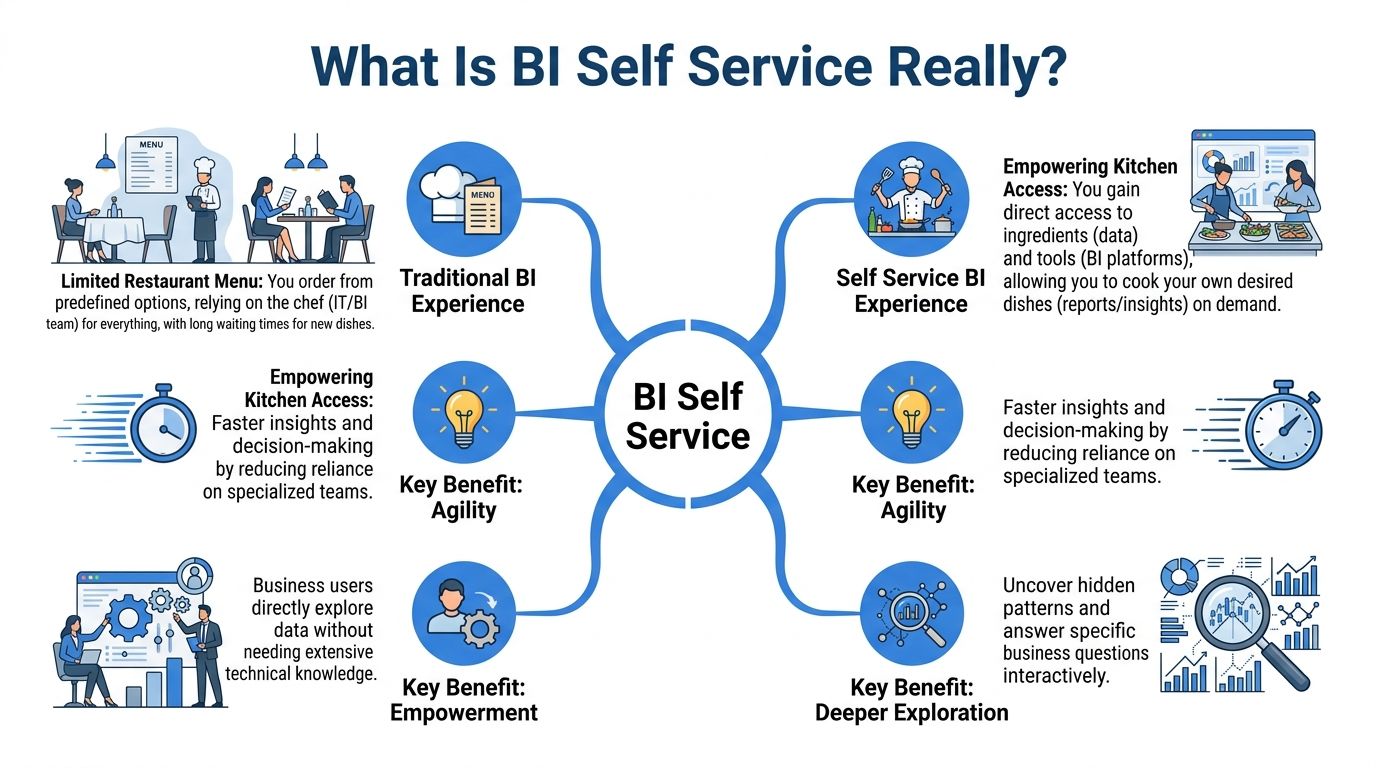
That distinction matters. Good bi self service is not open season on the warehouse. It is a governed environment where users can work independently inside reliable boundaries.
What users should get access to
A working self-service model typically gives business users three things.
Curated data: Clean, approved tables or semantic definitions with business-ready names.
Simple analysis tools: Drag-and-drop reports, guided filtering, natural language prompts, or reusable notebooks depending on the user.
Shared metric logic: Revenue, active users, conversion, retention, and pipeline numbers should mean the same thing across teams.
If any one of those is missing, self-service degrades fast. Users either cannot answer the question, or they answer it differently from everyone else.
What it does not mean
Self-service does not mean the finance manager should model event streams from raw logs. It does not mean every team should invent their own churn formula. It does not mean analysts disappear.
It means the company moves from data scarcity to controlled data abundance.
If you want a useful companion read on where this is heading, this breakdown of what self-serve analytics means in 2025 captures the shift from report consumption to active exploration.
Why the model keeps expanding
The demand side is obvious. More teams need answers faster. The supply side has changed too. Interfaces are easier, warehouse access is faster, and users no longer need heavy technical skills to do useful work.
The result is broader participation in analysis. Business users can inspect trends, test assumptions, and answer narrow operational questions themselves. Analysts still handle model design, edge cases, and complex investigations. The difference is that they are no longer the only door to insight.
Self-service succeeds when users can do meaningful work on their own and still remain inside a system the data team trusts.
That balance is the whole point.
The Business Case for Self Service Analytics
The business case is not “people like dashboards.” The case is speed, impact, and fewer handoffs.
When companies adopt self-service well, they change the economics of decision-making. Questions get answered closer to the moment of action. Teams stop waiting on specialists for every variation of the same report. Data teams spend more time improving the system and less time repeating exports.
What leaders get from it
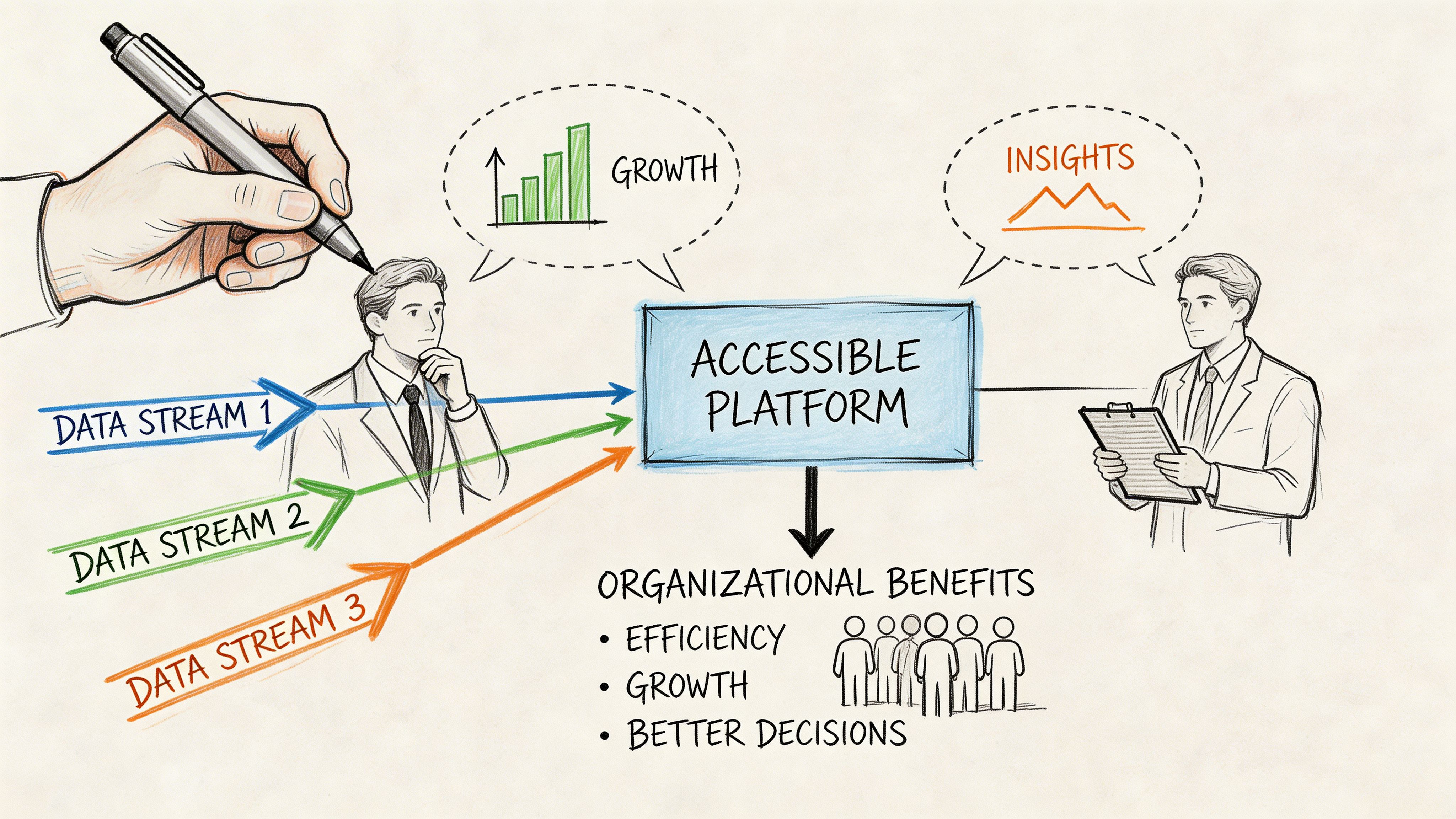
Executives often care about self-service once they see one thing clearly. Better access changes operating speed.
Modern self-service platforms can support 100+ data connectors and use features such as anomaly detection and natural language processing, which are associated with query response times dropping from hours to seconds and with 2-5x faster decision-making cycles in mid-market companies (Itransition on self-service BI capabilities).
That matters in ordinary situations, not only in major strategic reviews. A revenue leader can inspect pipeline changes without waiting for sales ops. A product team can check activation by segment before shipping. An operations lead can identify where a process is failing on the same day the issue appears.
What data teams get from it
For analysts and data engineers, the upside is different.
A healthy self-service model removes a class of work that drains senior talent. Rebuilding the same dashboard for a different region. Pulling another CSV because a team wants one extra filter. Explaining metric definitions one Slack thread at a time.
What replaces that work is more valuable:
Modeling the source of truth
Improving warehouse performance
Defining reusable metrics
Building tools and workflows other teams can use safely
This is why strong data leaders often talk about moving from report factory to platform team. It is not branding. It is workload design.
If your team is evaluating the broader operating model behind this shift, this piece on self-service analytics as the key to data-driven teams is a useful complement.
Why adoption accelerates once users feel the difference
Self-service becomes sticky when the first useful answer arrives quickly and the user trusts it.
That often starts with narrow use cases:
Product analytics: Funnel checks, feature adoption, retention slices
Go-to-market analytics: Campaign pacing, segment performance, conversion checks
Operational analytics: SLA monitoring, exception review, staffing patterns
Users do not need infinite flexibility on day one. They need a short path from question to answer.
A practical way to evaluate tools and workflows is to look at broader ecosystems of analytics software and compare where each one sits on the spectrum between polished reporting and open-ended exploration.
Here is a short test I use when judging whether self-service is producing business value:
Signal | What it usually means |
|---|---|
Business teams ask better follow-up questions | They are engaging with the data directly, not just consuming dashboards |
Analysts spend less time on simple requests | The platform is absorbing repetitive work |
Meetings reference live data instead of stale exports | The decision loop is tightening |
Teams challenge metrics less often | Definitions and trust are improving |
A lot of BI programs fail because they promise autonomy and deliver another read-only dashboard layer. Real self-service creates working time for both sides. That is the case for investing in it.
A short primer can help teams align on the terminology before rollout.
Navigating the Common Pitfalls of Self Service BI
Self-service BI is easy to oversell.
Vendors show clean interfaces and instant charts. Leaders picture a company where everyone uses data responsibly and nobody waits on analysts. Then the rollout happens, and six months later there are five versions of the same KPI, a dashboard graveyard, and a data team doing even more cleanup than before.

Governance fails before tools do
The market for self-service BI is growing at nearly 19% year-over-year as of 2026, yet only about one-third of companies say their initiatives are successful, with governance emerging as the main barrier rather than technology (Zebra BI on self-service BI adoption and success rates).
That matches what happens in practice. Most failures are not caused by weak charting or missing connectors. They happen because nobody decided which data is certified, which metrics are official, and which users need which level of freedom.
If you need a concise overview of these trade-offs, this article on the benefits and challenges of self-service business intelligence is worth sharing internally.
Analysis sprawl is real
The first common failure mode is analysis sprawl.
One team builds a revenue dashboard using booked amounts. Another uses recognized revenue. A third exports data into a spreadsheet and adjusts it manually. All three feel reasonable in isolation. Together they create a reporting argument the company cannot afford.
This usually starts with good intentions. Teams want to move fast. They duplicate logic because it is easier than requesting changes centrally. Without guardrails, self-service turns into parallel analytics.
Signs you are already there:
Metric drift: The same label means different things in different places.
Private dashboards everywhere: People trust their own version more than the shared one.
Spreadsheet fallbacks: Teams export data to “fix” it outside the platform.
Data quality problems move downstream
The second failure mode is less visible at first. Users get access, but the data itself is messy, poorly documented, or easy to misread.
In that environment, self-service distributes confusion faster.
A drag-and-drop tool does not tell users whether a field is delayed, backfilled, duplicated, or scoped differently across systems. Natural language prompts do not fix broken modeling. If the underlying definitions are weak, people build polished nonsense.
Self-service amplifies whatever sits underneath it. Clean models become powerful tools. Messy models become chaos with a friendly interface.
Simplicity is often an illusion
The third trap is assuming that easy-to-use tools require no enablement.
They do.
Casual users need to understand which metric set to trust, how filters change meaning, when a chart is directional rather than definitive, and when to ask for help. Power users need room to do deeper work without having to escape the governed environment.
Many implementations stop at provisioning licenses. That is not adoption. That is software distribution.
Where traditional rollouts go wrong
I have seen the same rollout mistakes more than once:
Too much freedom too early: Everyone gets access before the core model is stable.
No user segmentation: Executives, operators, analysts, and builders all receive the same tool and training.
Read-only culture with self-service branding: Teams can view dashboards but cannot explore.
No ownership model: Nobody knows who certifies datasets or retires bad content.
The irony is that poor self-service can increase analyst workload. Analysts now field the original requests plus the correction requests.
What to watch for early
A struggling rollout often reveals itself before leadership notices.
Early symptom | Likely underlying issue |
|---|---|
Different teams challenge the same KPI in meetings | Metric definitions are not centralized |
Usage spikes, then fades | Users were curious but not enabled |
Analysts keep getting “quick validation” requests | People do not trust the self-service output |
Power users keep working outside the platform | The tool is too rigid for deeper analysis |
If self-service feels messy, the answer is rarely “buy another dashboard tool.” The answer is to tighten the operating model and support different user types properly.
Building Your Foundation for Scalable Self Service
Scalable self-service rests on two supports: one organizational and one technical. Many teams overinvest in the second and underinvest in the first.
The platform matters, but the system around it decides whether users trust it and keep using it.
Start with governed access
Effective governance creates a single source of truth through governed data libraries and differentiated user tiers. BARC notes that this approach can reduce IT bottlenecks for ad hoc requests by up to 50% while preserving trust in the data (BARC on governed self-service BI).
That sentence contains the core design principle. You do not scale self-service by flattening all permissions. You scale it by giving each group the right degree of access and responsibility.
A small internal working group often helps here. Some organizations call it a Center of Excellence. The label matters less than the job. Someone has to define standards, approve shared metrics, support onboarding, and resolve disputes before they spread.
Design for personas, not for “the business”
“The business” is not a user type. It is a budget line.
The actual users of bi self service are different from one another. A VP reviewing pipeline on a phone does not need the same environment as a product analyst testing event logic. If you force them into the same workflow, one group gets overwhelmed and the other gets trapped.
BI Self Service User Personas and Needs
User Persona | Typical Tasks | Required Capabilities |
|---|---|---|
Executive Viewer | Check KPIs, monitor trends, review team performance | Certified dashboards, simple filters, mobile access, strong metric definitions |
Business Explorer | Slice results by segment, compare periods, answer operational questions | Guided exploration, governed datasets, natural language or drag-and-drop analysis |
Power Analyst | Build custom analysis, combine sources, prototype metrics, investigate anomalies | Flexible modeling, notebook-style workflows, warehouse access, reusable code and versioned work |
Data Team Maintainer | Curate data models, manage permissions, certify definitions, monitor usage | Semantic layer control, lineage visibility, security controls, performance tuning |
Build a technical layer people can trust
The technical side should support the operating model, not compete with it.
This typically means:
A governed data layer: Shared dimensions, measures, and definitions users can rely on.
Warehouse-native performance: Queries should run on current data without fragile export chains.
Permissions that reflect real roles: Not everyone needs the same tables or write paths.
Reusable assets: Saved models, certified datasets, and versioned analysis work.
If your team is modernizing the underlying stack, this overview of the modern data stack gives a practical frame for where self-service fits.
Training should be role-specific
A mistake I would avoid every time is generic training.
Executives need ten minutes on what they can trust and how to inspect changes. Business users need examples built around their own decisions. Power users need room to learn the advanced surface without being pushed into shadow tooling.
Here is what tends to work better than a single company-wide workshop:
Role-based onboarding Show finance how finance questions get answered. Show product how product questions get answered.
Certified starting points Give users approved dashboards, datasets, and notebooks they can adapt rather than blank canvases alone.
Visible ownership Every shared metric and model should have a clear owner.
If nobody owns a metric definition, the loudest stakeholder eventually does.
Keep the governance lightweight but real
Governance should not feel like a permit office. It should feel like road design. The point is not to stop movement. The point is to make safe movement the default.
That means a few durable rules:
Shared metrics are defined once.
Sensitive data is access-controlled.
Certified assets are easy to find.
Deprecated assets are retired, not left around to confuse people.
Complex changes go through review before they become company-wide references.
The organizations that get this right do something subtle. They make the trusted path the easiest path. Once that happens, self-service scales without turning into reporting entropy.
Modern Self Service Versus Traditional BI Tools
Traditional BI tools solved an important problem. They gave companies a reliable way to publish dashboards, standardize reporting, and distribute metrics widely. Tools like Tableau, Looker, Power BI, and ThoughtSpot became central because they made data visible to more people.
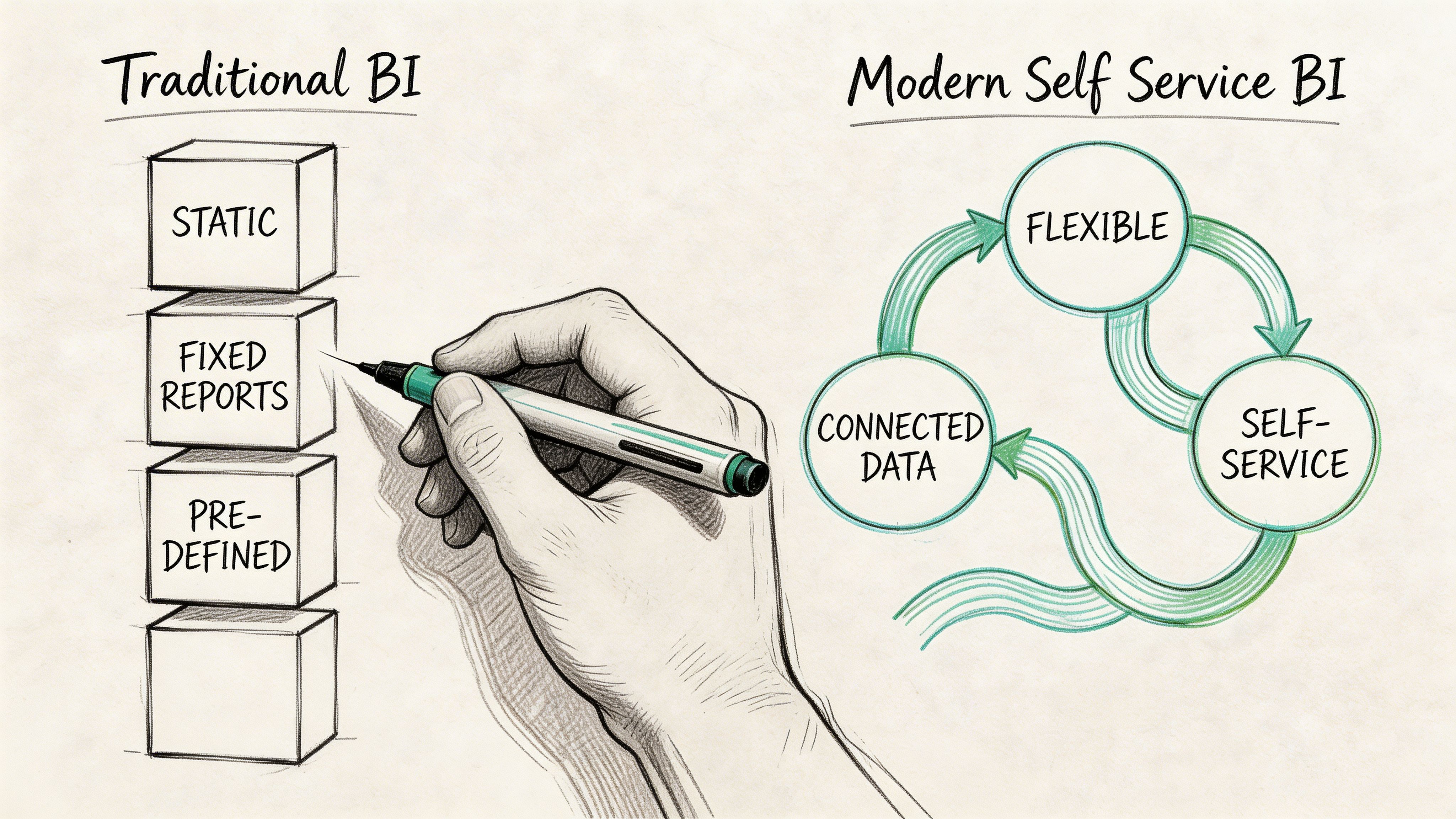
But they were designed around a dashboard-first workflow.
That works well for consumption. It works less well for exploration that changes shape while you are in the middle of it.
Where traditional tools still fit
Traditional BI remains strong when the job is to deliver polished, repeatable reporting to broad audiences.
A well-managed Looker instance can standardize definitions. Tableau can present executive reporting cleanly. Power BI can cover a lot of ground for organizations that want broad distribution and familiar visuals.
For casual users, that is often enough.
The friction appears when a question stops being standard. A product analyst wants to test a new cohort definition. A growth lead wants to blend campaign behavior with warehouse data in a one-off workflow. A business analyst needs iterative work, not just another chart tile.
Why power users break out of the system
This is the underserved part of self-service.
Self-service BI initiatives fail 70% of the time for complex needs because they lack the collaboration features and flexibility required for nuanced exploration beyond drag-and-drop interfaces, especially for power users who often create shadow analytics (insightsoftware on the hollow-promise problem in self-service BI).
When the platform is too rigid, power users leave. They move into spreadsheets, local notebooks, side databases, or isolated Python workflows. The company ends up with two analytics systems. One official. One useful.
This is expensive. It weakens governance, duplicates effort, and hides important work outside shared visibility.
What modern self-service changes
Modern self-service platforms try to unify those worlds.
Instead of treating dashboards as the only product, they support multiple surfaces for different depths of work. A business user might ask a question in plain English and inspect the generated logic. A power user might work in a notebook or file-based project structure, reuse code, and keep analysis close to the warehouse. The same environment can still expose approved outputs to less technical teams.
That model is better suited to real analysis because real analysis is iterative. You start with one question and discover three more.
One example in this category is Querio, which uses a file-system and notebook-style approach on top of the data warehouse so both technical and non-technical users can query, inspect, and build on company data without routing everything through analysts.
A similar tension shows up in adjacent software categories too. This comparison of Competitive Intelligence Software: Enterprise Platforms Vs Self Serve Tools is useful because it frames the trade-off between centralized control and user autonomy in a broader way.
A practical comparison
Dimension | Traditional BI tools | Modern self-service models |
|---|---|---|
Primary strength | Published dashboards and standardized reporting | Flexible exploration across user types |
Best for | Casual consumers and recurring KPI reviews | Mixed audiences including power users |
Common weakness | Rigid workflows for iterative analysis | Requires stronger operating discipline |
Power user path | Often outside the platform | Ideally inside the governed environment |
Team impact | Data team often remains report bottleneck | Data team shifts toward enablement and infrastructure |
If power users need separate tools to do serious work, your self-service stack is incomplete.
The goal is not to replace every dashboard. The goal is to stop forcing every analytics need into a dashboard-shaped box.
Your Roadmap to BI Self Service Adoption
Most companies should not roll out self-service all at once. They should earn it in layers.
Start with one painful workflow
Pick a use case where delay is already visible. Product funnel analysis. Weekly pipeline inspection. Support volume by segment. Choose a small group of engaged users and give them governed access, clear definitions, and a workflow that removes tickets from the queue.
Good early KPIs are simple:
Time to insight
Reduction in analyst tickets for that use case
Expand with controls that users can live with
Once a pilot works, broaden access carefully. Formalize ownership for datasets and metrics. Separate user tiers. Retire duplicate assets instead of letting them pile up.
At this stage, useful KPIs include:
Adoption rate among target users
Usage of certified datasets or approved analysis paths
Mature into a real analytics operating model
The final phase is where many teams stop too early.
At this point, you support power users properly, keep advanced work inside the governed environment, and let the data team focus on platform quality instead of request triage. It is also where AI-assisted querying, reusable notebooks, and customer-facing analytics start to become realistic extensions rather than experiments.
The KPIs shift too:
Share of analysis completed without analyst intervention
Volume of repeated requests eliminated through reusable assets
Self-service is not finished when users can open a dashboard. It is working when business teams can answer the questions they should own, and data teams can focus on building a stronger system instead of manually carrying every question across the line.
If your team is trying to move from dashboard bottlenecks to a more flexible self-service model, Querio is one option to evaluate. It deploys AI coding agents directly on the data warehouse and uses a notebook and file-system approach so business users and power users can work in the same governed environment, while data teams maintain the infrastructure rather than acting as a human API.

