Business Intelligence
AI Analytics Tools That Improve Decision Making
AI analytics platforms turn complex data into faster, more accurate business decisions using real-time processing, predictive models, and governance.

AI analytics tools make decision-making faster and more accurate. These platforms analyze complex data, provide actionable insights, and simplify access through natural language queries. Businesses using these tools report increased productivity and reduced analysis time.
Here’s a quick look at five popular platforms and their strengths:
- Querio: Transforms plain English queries into SQL/Python, offers real-time data processing, and ensures strong data security.
- Microsoft Power BI: Seamlessly integrates with Microsoft tools, supports predictive analytics, and provides robust governance features.
- Qlik Sense: Enables flexible data exploration with predictive tools and real-time updates.
- DataRobot: Automates machine learning workflows, supports diverse data types, and emphasizes transparency.
- IBM watsonx: Combines structured and unstructured data for instant insights and advanced governance.
Key takeaway: The right tool depends on your team’s expertise, data needs, and budget. Each platform offers unique features to simplify turning raw data into insights, helping businesses make smarter, faster decisions.
1. Querio
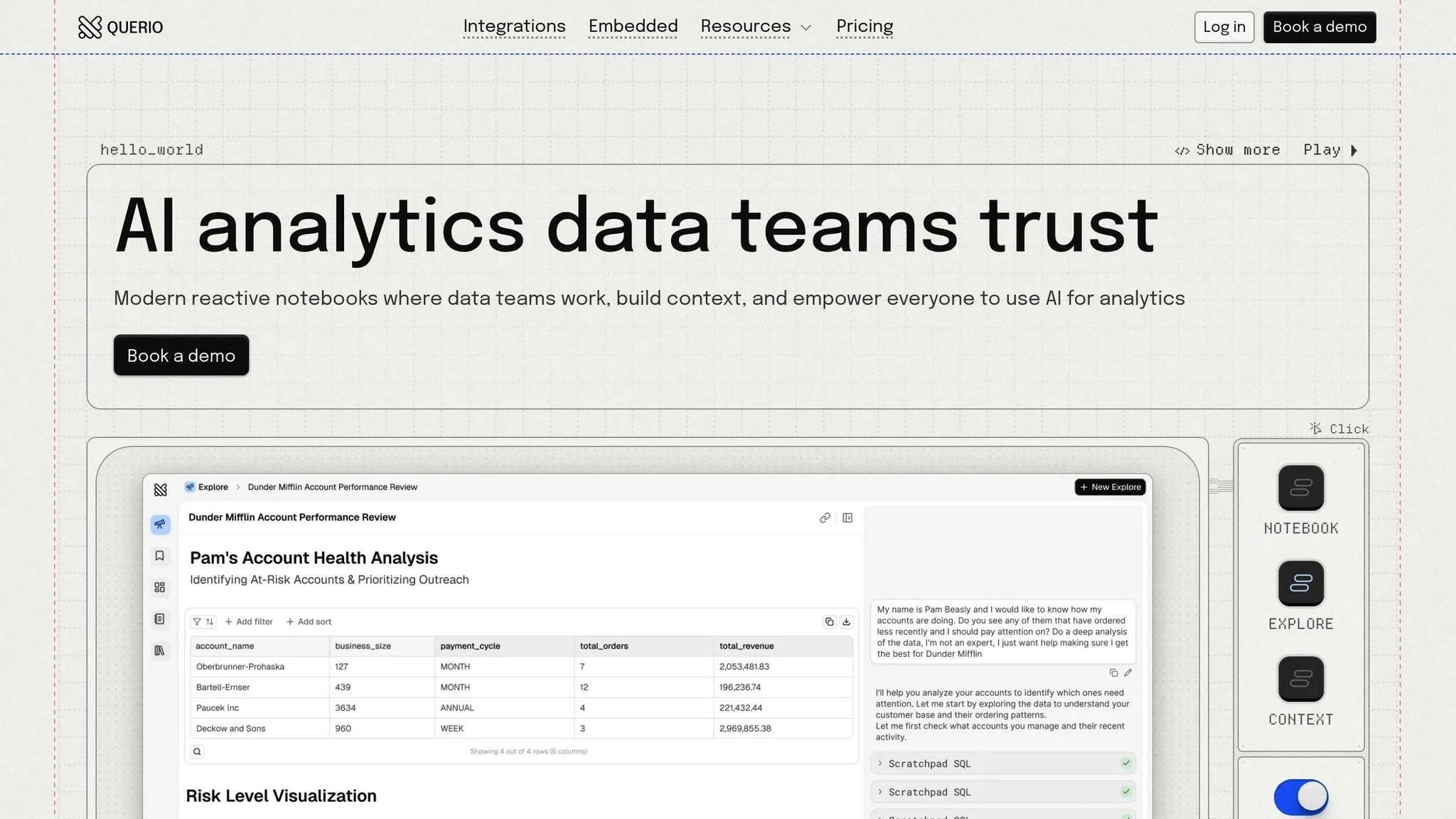
Querio is designed to provide fast and clear insights by connecting directly to your data warehouse. It transforms plain English queries into SQL and Python code, giving you full visibility into how each result is generated. This level of transparency is essential for making well-informed, data-driven business decisions quickly.
Real-Time Data Processing
Querio fetches data in real time from your warehouse, using secure, read-only credentials to ensure that the information is always up-to-date. It works seamlessly with major data warehouses like Snowflake, Google BigQuery, Amazon Redshift, ClickHouse, and PostgreSQL. By leveraging Querio, data teams have reported cutting their data request backlogs by 80% [2]. With access to current data, teams can make decisions based on accurate and timely information, fostering greater confidence in their processes.
Enterprise Integration and Security
The platform features a native notebook environment that combines SQL and Python, making it easier to conduct in-depth analyses and create reports [2]. Additionally, Querio provides full visibility into both AI and user activity, allowing for comprehensive monitoring [2]. For organizations prioritizing data privacy, the Code Execution Environment supports private deployments, ensuring sensitive information stays secure [1]. Querio also meets stringent security standards as it is SOC 2 Type II, GDPR, HIPAA, and CCPA compliant [2]. To help businesses evaluate its capabilities, Querio offers a free pilot program before any long-term commitment [2].
2. Microsoft Power BI
Microsoft Power BI connects to over 500 data sources and integrates seamlessly with other Microsoft products. Thanks to its connection with Microsoft Fabric, it supports real-time intelligence workloads, enabling businesses to process and monitor data as it streams in [3][4]. The Direct Lake mode allows on-demand data querying without needing to import or cache, making it possible to analyze massive datasets instantly [3]. These integrations pave the way for advanced features in forecasting and data governance.
Predictive Analytics Capabilities
Power BI leverages machine learning to analyze historical data, uncover patterns, and detect anomalies. Its Copilot feature simplifies trend analysis by generating DAX queries and supports natural language queries to explore future trends. Under Jerod Ridge's leadership, Microsoft’s automation capabilities in Power BI saved nearly 10,000 manual hours in a single year, enabling teams to focus on strategic initiatives [3]. This level of predictive insight empowers businesses to make quicker, more informed decisions.
AI Governance and Explainability
Power BI offers more than trend forecasting - it also ensures clarity and accountability in analytics. The platform explains DAX queries, helping users understand the AI-driven insights they receive. Governance is strengthened through secure analytics platforms and Microsoft Purview, which includes features like sensitivity labeling, audit logs, and row-level security (RLS). Additionally, verified answers created by report authors ensure AI-generated responses are consistent and trustworthy. Microsoft’s leadership in analytics was highlighted in the June 2025 Gartner Magic Quadrant for Analytics and Business Intelligence Platforms, where it ranked highest for "Ability to Execute" and furthest for "Completeness of Vision" [3].
Enterprise Integration and Security
Power BI integrates effortlessly with Microsoft 365 tools like Teams, Excel, and PowerPoint, as well as the Power Platform. Security is a priority, with Azure Private Link and Azure Virtual Networks ensuring secure data traffic. Organizations can also use BYOK (Bring Your Own Key) for greater control over encryption. In 2024, Kaya implemented Microsoft Dynamics 365 alongside Power BI, boosting operational efficiency. This led to a 4% year-over-year growth in sessions booked and an 11% increase in collections from new customers [3].
Pricing for Power BI Pro is set at $14.00 per user/month (billed annually), while Power BI Premium Per User costs $24.00 per user/month (billed annually) [3].
3. Qlik Sense
Qlik Sense uses an associative engine to enable non-linear data exploration. This means users can freely explore and uncover data relationships without being confined by preset paths. The platform integrates effortlessly with a wide range of native data sources and supports on-premises, cloud, or hybrid deployments. This flexibility allows organizations to tailor their infrastructure to meet specific needs. Its strong connectivity also powers advanced predictive tools.
Predictive Analytics Capabilities
Qlik Sense takes data exploration a step further by embedding predictive analytics directly into workflows. With tools like Qlik Predict and AutoML, users can access multivariate forecasting that automatically detects seasonality - no manual coding or extra modules required. These models adapt and improve based on user interactions, continuously refining the insights they deliver. Additionally, interactive SHAP visuals provide dynamic, real-time transparency into prediction models, updating as users interact with the data. This approach goes beyond traditional solutions, which often rely on static explanation reports.
AI Governance and Explainability
The platform offers built-in tools to manage the entire model lifecycle without needing external MLOps solutions. Features like integrated data lineage and cataloging ensure teams can trace data from its origin to its final insights, promoting accountability throughout the analytics process. These visual tools not only enhance transparency but also simplify compliance efforts, reducing reliance on third-party governance platforms.
Enterprise Integration and Security
Qlik Sense offers flexible deployment options, ensuring that sensitive data can remain within secure infrastructures. Whether deployed on-premises or in the cloud, the platform meets the security needs of organizations that require tight control over their data. Its native connectors eliminate the need for middleware, simplifying integration with enterprise systems. This streamlining supports real-time decision-making, delivering a level of efficiency that surpasses traditional data methods.
4. DataRobot
DataRobot streamlines the machine learning process from start to finish, handling everything from data preparation to model deployment. It simplifies tasks like data cleaning, deduplication, and feature engineering, helping businesses turn raw data into actionable insights. This efficiency allows teams to test ideas quickly and scale successful models across different markets.
Tom Thomas, Vice President of Data Strategy, Analytics & Business Intelligence at FordDirect, shared: "What we find really valuable with DataRobot is the time to value. We can test new ideas and quickly determine the value before we scale across markets. DataRobot helps us deploy AI solutions to market in half the time we used to do it before" [5].
By automating these processes, DataRobot enables businesses to unlock powerful predictive capabilities.
Predictive Analytics Capabilities
DataRobot supports predictive modeling across various data types, including text, images, geospatial, and time-series data. This versatility allows businesses to perform in-depth analysis within a single platform. With over 40 modeling techniques for classification, regression, and clustering, the platform automatically selects the best model for the task [8].
For time-series forecasting, it offers advanced features like nowcasting for real-time insights, cold start forecasting for cases with minimal historical data, and anomaly detection to spot unusual patterns in business cycles [6]. Additionally, its interactive what-if analysis tools let stakeholders explore scenarios and potential outcomes without needing technical expertise.
Diego J. Bodas, Director of Advanced Analytics at MAPFRE ESPAÑA, highlighted the platform's ease of deployment: "For data scientists, it's only a push of a button to move models into production" [6].
AI Governance and Explainability
DataRobot places a strong emphasis on governance and transparency. Its centralized AI Registry provides version control and plain-language audit documentation [8]. The Governance Console acts as a hub for monitoring deployed models, offering automated alerts for issues like data drift or performance drops [8].
Interactive visualizations make it easy to understand how models make decisions. Built-in tools detect bias by analyzing prediction results based on variables like age, race, or gender, ensuring fair outcomes. Feature effects analysis further enhances transparency by identifying non-linear relationships and flagging irrelevant features that could affect model accuracy [6].
Enterprise Integration and Security
The platform integrates seamlessly with popular data platforms like Snowflake, SQL, and S3, and also connects with SAP tools.
Venkatesh Sekar, Enterprise Architect for AI/ML at NetApp, noted: "The platform made it easy to bring together data across Snowflake, SQL, and S3 - and helped us automate and accelerate the entire forecasting process" [7].
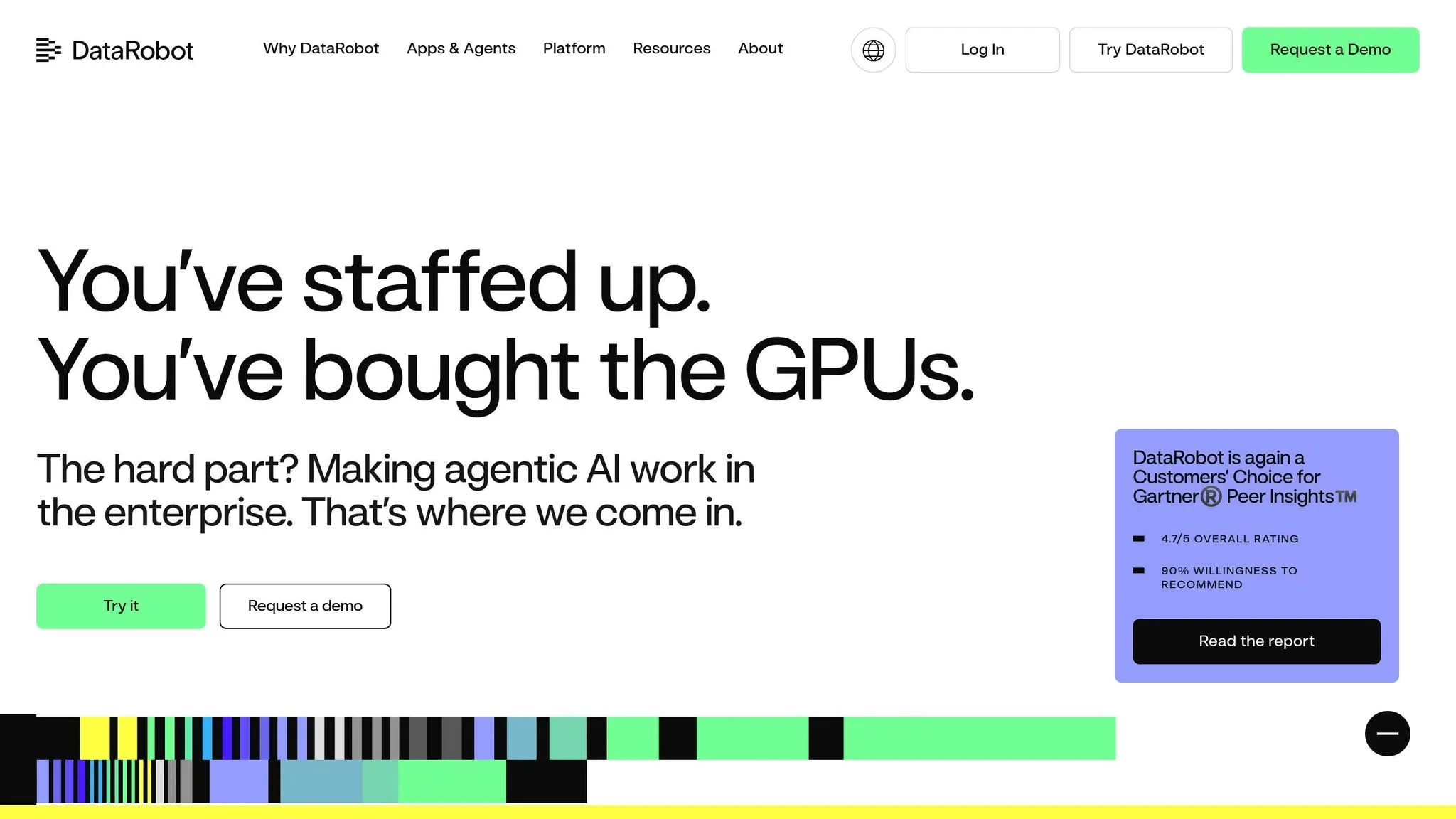
DataRobot supports flexible deployment options, including on-premise, VPC, or managed SaaS [8]. It ensures data security with user and agent authentication, enforceable approval workflows, and robust API controls. The platform can handle real-time prediction requests up to 50MB and process datasets up to 10GB for AutoML projects [9]. With a 4.7/5 rating on Gartner Peer Insights and 90% of users recommending it, DataRobot has proven its effectiveness in enterprise environments [5].
5. IBM watsonx
IBM watsonx moves from dashboards to dialogue to deliver actionable insights in seconds. Acting as an AI-powered business insight agent, this platform provides instant guidance, enabling decision-makers to act swiftly [11]. Its open, hybrid data architecture seamlessly integrates both structured and unstructured data from any source, ensuring decisions are informed by a broad and complete dataset [12]. This shift enables advanced, real-time data processing capabilities.
Real-Time Data Processing
With a governed semantic layer and a centralized metrics catalog, watsonx ensures consistent data usage across teams [11]. This eliminates conflicting interpretations that can slow down decision-making. watsonx.data combines inputs from multiple sources simultaneously, aligning business rules and metrics with predictive machine learning models and generative AI insights [13]. For instance, Vodafone saw a 99% improvement in turnaround time for journey testing after implementing watsonx, showcasing its ability to significantly speed up processes [12].
AI Governance and Explainability
watsonx.governance simplifies AI risk management and regulatory compliance through automated, transparent workflows [12]. It includes tools designed to detect and address biases - such as gender or racial bias - in machine learning models, which is essential for fair decision-making in areas like hiring or loan approvals [14]. The platform also provides clear, detailed explanations of model predictions, highlighting which variables (like income or location) had the most influence on outcomes [14].
According to Gartner: "In 2025, Gartner predicts that 95% of decisions that currently use data will be at least partially automated" [10].
Enterprise Integration and Security
IBM watsonx supports deployment on any cloud and works with open-source, proprietary, or IBM models, offering flexibility for diverse business needs [12]. It can process unstructured data - like PDFs, emails, and images - to uncover insights that traditional BI tools might overlook [14]. For example, IBM reduced the time required to create Red Hat Ansible Playbooks by over 40%, while Dun & Bradstreet clients cut supplier risk evaluation time by more than 10% using watsonx [12]. The platform also ensures full traceability, from policy creation to business outcomes, with a SaaS-native design that scales effortlessly [13].
Pros and Cons
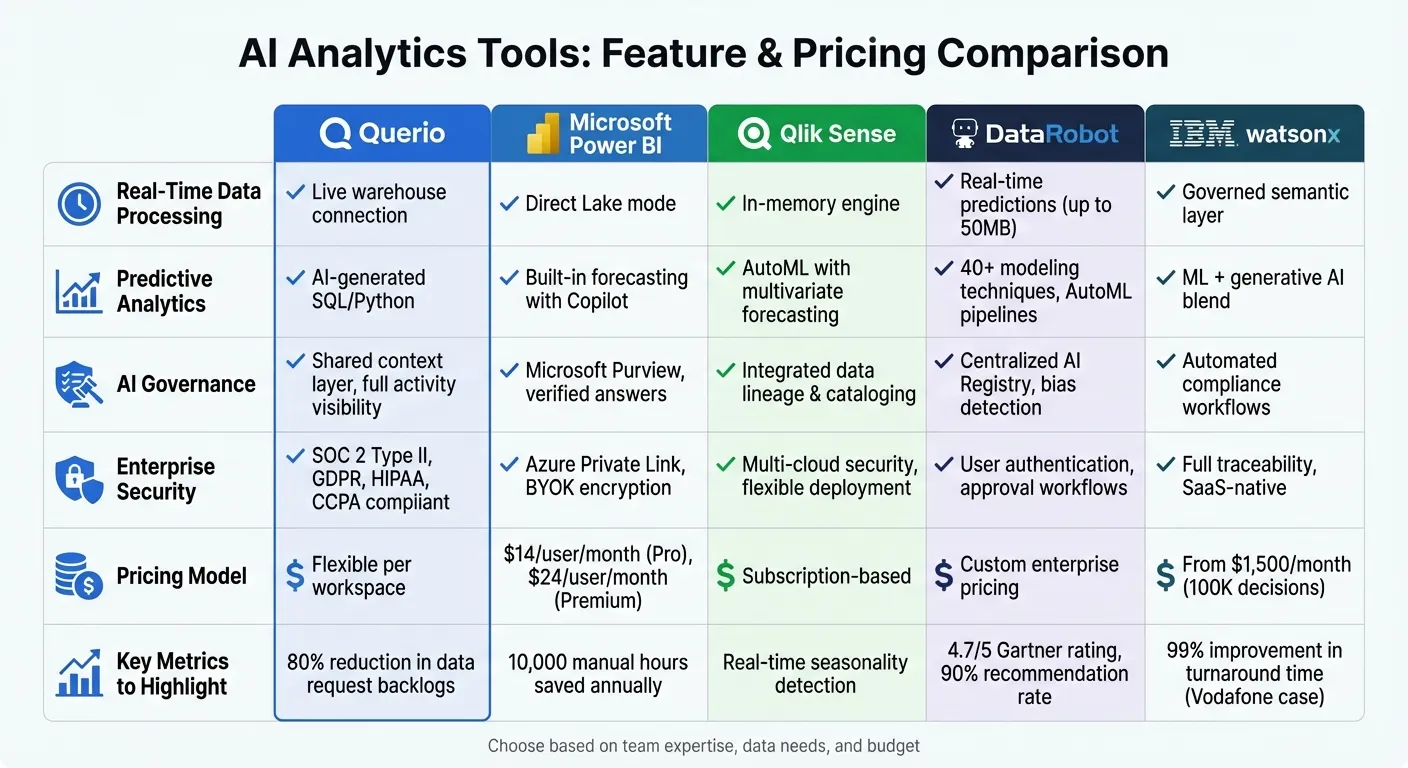
AI analytics tools bring a mix of strengths and challenges, and their value often depends on what your organization prioritizes. One of the standout benefits is speed and efficiency - these tools can process massive datasets far quicker than traditional methods. This allows businesses to respond to market changes faster and uncover intricate patterns or trends that might escape human analysis [10][15]. However, choosing the right tool requires integrating AI into your analytics workflow with careful consideration of factors like usability, governance, and cost.
Key Strengths and Features
Each tool approaches usability and functionality differently. For example, Querio simplifies analytics by offering natural-language queries supported by SQL and Python, making it beginner-friendly while ensuring transparency for technical users. Microsoft Power BI focuses on making data interpretation clearer with features like Decomposition Trees and Anomaly Detection, which help highlight unexpected data shifts [14]. IBM watsonx takes a more enterprise-oriented approach, emphasizing decision intelligence through conversational insights, though its robust capabilities come at a starting price of $1,500 per month for up to 100,000 decision executions [13].
Explainability is another critical factor, especially in areas like hiring, lending, or pricing, where decisions must be fair and accountable. Tools like DataRobot and IBM watsonx offer bias detection and provide clear reasoning behind their predictions, which helps build trust and ensures accountability [14].
Cost Considerations
Pricing models vary widely and can influence how you manage budgets. Consumption-based pricing allows flexibility - you pay for what you use - but requires close monitoring to avoid unexpected costs. On the other hand, fixed pricing offers predictability, helping organizations plan capacity more effectively. The trade-off here revolves around flexibility versus predictability.
Feature Comparison Table
| Feature | Querio | Microsoft Power BI | Qlik Sense | DataRobot | IBM watsonx |
|---|---|---|---|---|---|
| Real-Time Data Processing | Yes (live warehouse) | Yes | Yes (in-memory) | Yes | Yes (governed semantic layer) |
| Predictive Analytics | AI-generated SQL/Python | Built-in forecasting | Augmented analytics | AutoML pipelines | ML + generative AI blend |
| AI Governance | Shared context layer | Role-based access | Governed data model | Bias detection tools | Automated compliance workflows |
| Enterprise Security | SOC 2 Type II, SSO | Microsoft security stack | Multi-cloud security | Model explainability | Full traceability, SaaS-native |
| Pricing Model | Flexible per workspace | Per user/month | Subscription-based | Custom enterprise | From $1,500/month [13] |
Each tool brings unique strengths to the table, whether it's ease of use, advanced analytics, or enterprise-grade security. The right choice depends on balancing your specific needs with the tool's features and pricing.
Conclusion
Choosing the right AI analytics tool for your business comes down to understanding essential BI tool features and how it aligns with your needs. Querio stands out for its user-friendly, natural-language queries, backed by inspectable SQL and Python, making analytics more accessible and transparent. Microsoft Power BI is a strong contender for organizations already embedded in the Microsoft ecosystem. For enterprises that prioritize governance and explainability, IBM watsonx's AutoAI module simplifies the process by automatically selecting and ranking algorithms while providing clear, actionable insights into its predictions [14]. Meanwhile, Qlik Sense shines in managing real-time data with its in-memory engine and augmented analytics, making it a go-to for teams handling fast-changing, complex datasets.
Start by pinpointing the specific challenge you’re aiming to address. Whether it’s accelerating reporting, gaining predictive insights, or ensuring enterprise-level security, align those needs with the platform that best fits the job [14]. By doing so, you can harness the strengths of these tools to enhance your decision-making process.
Beyond features, data quality and integration are equally important. The tools mentioned here each bring unique advantages, but their impact depends on how well they integrate with your existing tech stack and align with your team’s expertise, budget, and scalability needs. Whether you prefer flexible per-workspace pricing, a consumption-based model, or fixed enterprise subscriptions, make sure your choice supports your long-term goals. With the right platform in place, you’ll be better equipped to deliver faster, more accurate, and data-driven results.
FAQs
How does Querio protect my data and ensure privacy?
Querio takes data security and privacy seriously, employing top-tier protections such as SOC 2 compliance, detailed user permission settings, and secure data management protocols. These steps ensure sensitive data stays safe and is only accessible to the right people.
On top of that, Querio links directly to live data warehouses, cutting out the need for duplicating data. This not only reduces exposure risks but also allows for secure, real-time access to your information. With these safeguards in place, Querio delivers fast, accurate insights while keeping your data protected.
What are the key advantages of using AI analytics tools for better decision-making?
AI analytics tools offer powerful benefits for making better decisions. By automating complex data analysis, they simplify the process and deliver precise insights in record time. For example, tools like Querio let users ask questions in plain English and receive instant, accurate answers. This feature is especially helpful for non-technical users, as it eliminates the need for SQL knowledge, reduces errors, and speeds up the decision-making process.
These tools also improve the quality of decisions through features like predictive analytics, scenario modeling, and real-time data interpretation. With these capabilities, businesses can forecast trends, assess risks, and make more informed, data-driven choices. By making data more accessible and turning it into actionable insights, AI analytics tools help organizations maintain their edge in today’s fast-moving world.
How do AI analytics tools work with my current business systems?
AI analytics tools are built to fit right into your current business systems, making data flow smoothly without causing disruptions. Take Querio, for example - it links directly to live data warehouses, allowing users to ask questions in plain language and get quick, actionable insights. The best part? You don’t need to be a tech wizard to use it. This makes decision-making easier and boosts efficiency for teams that aren't highly technical.
These tools typically rely on methods like direct database connections, APIs, and prebuilt connectors to bring together data from a variety of sources - think transaction records, IoT signals, or even external databases. They also focus heavily on maintaining data quality and security, using features like bi-directional data flows and governance protocols. This ensures the insights you get are not only real-time but also reliable, helping your business make smarter decisions.