Guide
Mastering slowly changing dimension: A practical SCD guide
Learn how slowly changing dimension enables accurate history tracking, with types, SQL patterns, and practical best practices for modern data warehouses.
A slowly changing dimension (SCD) is how data professionals track changes to descriptive data over time in a data warehouse. Think of it as a methodical way to keep a history of things like a customer's address, a product's name, or a sales rep's assigned territory. It’s all about making sure your historical reporting reflects reality as it was, not just how it looks today.
Why Your Historical Data Is Lying to You
Here’s a classic scenario: you run a report on quarterly sales performance by sales rep. But the numbers look off. You soon discover that all historical sales are being credited to the current sales rep for each territory, completely ignoring the reps who actually made those sales months or years ago.
This is a common and destructive form of "data amnesia." It happens when we simply overwrite old information with new data. Your data isn't just a snapshot; it's a living story that evolves over time.
When a customer moves, a product is rebranded, or a sales territory is redrawn, the way you record that change dictates whether your analytics are trustworthy or not. Getting this wrong can completely skew your most important KPIs and make reliable trend analysis impossible.
A slowly changing dimension isn't just a technical task—it's the foundation for creating a single source of truth. It is the very backbone of reliable historical reporting and sound business strategy.
The Real Cost of Overwriting History
The idea of the slowly changing dimension has been a core concept in data warehousing since Ralph Kimball first popularized it back in the 1990s. Yet, decades later, many teams still get it wrong. For instance, if you overwrite a customer's old subscription plan with their new one (a simple "Type 1" update), you erase all evidence they were ever on the previous plan. Suddenly, you can no longer accurately calculate metrics like customer lifetime value or analyze upgrade/downgrade trends.
For many organizations, this isn't a minor glitch—it's a critical flaw that silently corrupts data and erodes trust in analytics.
This guide is your practical roadmap to finally mastering SCDs. We’ll break down:
- Core SCD Types: Simple solutions for different historical tracking needs.
- Implementation Patterns: Real-world SQL and ETL examples you can use.
- Best Practices: How to avoid the common pitfalls that lead to messy data.
By learning to manage these changes correctly, you ensure your data tells the whole story, accurately and completely. This knowledge is essential for anyone working in business intelligence and data warehousing. For a broader look, check out our guide on the relationship between business intelligence and data warehousing.
Exploring the Core Types of Slowly Changing Dimensions
When an attribute in your data changes—like a customer moving to a new city or a product being recategorized—you hit a fork in the road. Do you overwrite the past, effectively pretending it never happened? Or do you meticulously preserve it? Your choice here will make or break your ability to produce reliable historical reports. This is where slowly changing dimension (SCD) techniques come into play.
To make this feel real, let's follow a simple story. Imagine you're running an e-commerce business, and one of your loyal customers, Jane Doe, lives in Chicago. We’ll watch what happens to her customer record as she moves and see how different SCD types handle the same event.
This single example will clearly show how each method directly impacts your power to analyze the past.
A Quick Guide to SCD Types 0, 1, 2, and 3
Before diving into the details, it helps to have a high-level map of the territory. The four most common SCD types offer different trade-offs between simplicity and historical accuracy.
Here’s a quick comparison to get you started:
| SCD Type | Method | Historical Data Impact | Best For |
|---|---|---|---|
| Type 0 | The Fixed Attribute: No changes are ever made. | History is irrelevant as the data is static. | Foundational data like birth dates or original sign-up dates. |
| Type 1 | Overwrite: The old value is replaced with the new one. | Historical context is completely lost. | Correcting errors or when past states have zero analytical value. |
| Type 2 | Add New Row: A new row is created for each change. | Full, accurate history is preserved. | Dimensions where trend analysis and point-in-time reporting are critical. |
| Type 3 | Add New Column: A new column tracks a previous value. | Limited history (usually just one step back) is kept. | Simple before-and-after analysis where full history isn't needed. |
Now, let's unpack what each of these means for Jane Doe's record and your business reporting.
Type 0: The Fixed Attribute
The easiest approach is SCD Type 0, but it’s less of a technique and more of a rule: some attributes should simply never change. Think of them as the bedrock of your data.
Once a value is recorded, it's set in stone. Good examples include:
- A customer's original sign-up date
- An employee's date of birth
- A product's initial launch date
In our story, Jane Doe's customer_id (say, 123) and her signup_date would be perfect Type 0 attributes. They are foundational facts about her relationship with your company and should never be altered. You're not tracking history here because, by definition, there is no history to track.
Type 1: Overwriting History
Now, things get interesting. Let’s say Jane moves from Chicago to a new home in Denver. If you’re using SCD Type 1, you just update her record. The old value is erased, gone forever.
Here’s a look at her row in the DimCustomer table before and after the change:
Before the move:
CustomerID: 123Name: Jane DoeCity: Chicago
After the move (Type 1):
CustomerID: 123Name: Jane DoeCity: Denver
Simple, right? But this simplicity comes at a steep price: historical blindness. If you run a report on sales by city from last year, all of Jane's past purchases will now look like they came from Denver. The data now lies about the past.
This is what some people call "data amnesia." You've chosen to forget a crucial piece of context, which can distort your metrics and lead to flawed conclusions.
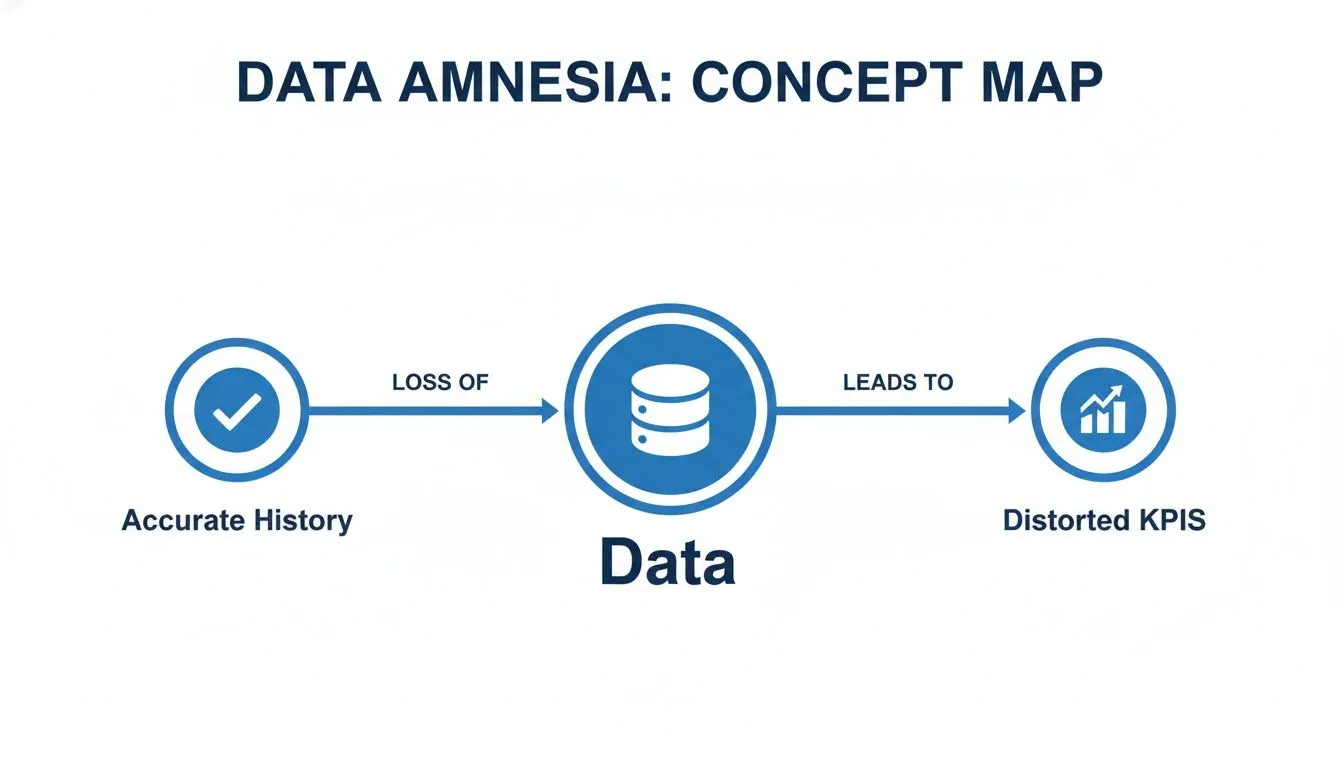
By overwriting history, you head down the path on the right, where the story your data tells becomes unreliable.
Type 2: Preserving Full History
For anyone who needs to perform true historical analysis, SCD Type 2 is the undisputed champion. Instead of overwriting the old record, you preserve it and create an entirely new record to reflect the change. You're treating each version of Jane Doe as a distinct state in time.
To pull this off, you need to add a few extra columns to your dimension table:
- A Surrogate Key: This is a unique ID for each version of a record (e.g.,
customer_key). - Effective Dates: A
start_dateandend_dateto define the precise period when that version was active. - A Current Flag: A simple
is_currentflag makes it easy to find the most recent record.
When Jane moves from Chicago to Denver, we "expire" her old record by updating its end_date and setting is_current to False. Then, we insert a brand-new row for Denver.
The result (Type 2):
| CustomerKey | CustomerID | Name | City | StartDate | EndDate | IsCurrent |
|---|---|---|---|---|---|---|
| 501 | 123 | Jane Doe | Chicago | 2022-01-15 | 2024-05-20 | False |
| 502 | 123 | Jane Doe | Denver | 2024-05-21 | NULL | True |
Voilà! You now have a complete, auditable history. You can accurately report on sales in Chicago from 2023 because Jane's record from that time is perfectly preserved. This is the real power of a well-implemented SCD. Modern techniques for Streaming Slowly Changing Dimensions are also evolving how data teams maintain this historical accuracy in real-time.
Key Insight: Type 2 is non-negotiable for any dimension where you need to analyze trends or report on data 'as it was' at a specific point in time. It's the bedrock of trustworthy business intelligence.
Type 3: Tracking Limited History
What if you don't need a full audit trail, but completely overwriting history feels too destructive? SCD Type 3 offers a practical middle ground. It works by adding a new column to track a single previous state.
Let’s say Jane moves again, this time from Denver to Austin. With Type 3, you would update the current_city and shift the old value (Denver) into a previous_city column.
Before the move:
CustomerID: 123Name: Jane DoeCurrentCity: DenverPreviousCity: Chicago
After the move (Type 3):
CustomerID: 123Name: Jane DoeCurrentCity: AustinPreviousCity: Denver
Notice what happened? Her history in Chicago just vanished. Type 3 only remembers one step back.
This is useful for simple before-and-after comparisons. For example, you could analyze how a territory reassignment impacted a salesperson's performance. But it falls apart as soon as you need to track a third, fourth, or fifth change.
Choosing the right SCD type is fundamental to building a reliable data model. That data model, in turn, is a core building block of a well-defined semantic layer. By understanding these different approaches, you can make sure your data warehouse tells the true story of your business over time. You can learn more about how this all fits together in our guide to semantic layers and their benefits.
How to Implement SCDs with SQL and Modern ETL Tools
Knowing the theory behind slowly changing dimensions is a great start, but the real magic happens when you put that knowledge into practice. Let's shift from concepts to code and look at the practical ways you can manage historical data, both by writing your own SQL and by using today's data tools.
To make this concrete, we’ll use a classic business scenario: changing a product's category in our DimProduct table. This simple, everyday update is perfect for showing how the two most common SCD patterns work.
Implementing SCD Type 1 with a SQL UPDATE
SCD Type 1 is your go-to when you simply need to fix a mistake or when historical accuracy isn't a concern. You just overwrite the old value.
Imagine a product, "Pro Widget," was mistakenly put in the "Gadgets" category when it really belongs in "Electronics." Since this is just a data correction, there's no reason to keep a record of the error. We just want to fix it.
The solution is a straightforward UPDATE statement. In a real data pipeline, this logic would be part of a larger ETL or ELT job.
The process is simple:
- Find the record you need to change (we'll use its
ProductID). - Update the
Categorycolumn with the new, correct value.
Here's how that looks in SQL:
UPDATE DimProduct SET Category = 'Electronics' WHERE ProductID = 'PW-1001' AND Category = 'Gadgets';
This command finds the "Pro Widget" and replaces its category, wiping out the "Gadgets" value for good. It's clean and efficient for data corrections but completely erases that piece of history.
Implementing SCD Type 2 with SQL
Now, let's flip the script. What if history is absolutely critical? Suppose the "Pro Widget" is being moved from "Electronics" to a new "Premium Electronics" category. This isn't a mistake; it's a strategic rebranding. You definitely need to know which sales happened before the change and which happened after.
This is a job for SCD Type 2. Here, we don't overwrite anything. Instead, we "expire" the old record and insert a new one. To do this, our DimProduct table needs a few extra columns to track the different versions, like StartDate, EndDate, and IsCurrent.
The
MERGEstatement is the workhorse of many SCD Type 2 implementations. It lets you systematically compare new data with your existing dimension table and apply the right versioning logic.
The process has two main parts, which should happen in a single transaction to avoid data inconsistencies:
- Expire the Old Record: Find the current active record for the product, set its
EndDateto now, and flip itsIsCurrentflag toFalse. - Insert the New Record: Create a brand new row for the same product (
ProductID'PW-1001') with the updated category ('Premium Electronics'). This new row gets a newStartDate(right now), aNULLEndDate, and itsIsCurrentflag set toTrue.
Let's assume you have a staging table (Staging_DimProduct) that holds the incoming changes. Here’s a simplified two-step approach:
-- Step 1: Find records that have changed and expire them UPDATE DimProduct p SET p.EndDate = CURRENT_TIMESTAMP(), p.IsCurrent = FALSE FROM Staging_DimProduct s WHERE p.ProductID = s.ProductID AND p.IsCurrent = TRUE AND p.Category <> s.Category; -- Only update if the category is different
-- Step 2: Insert the new or updated records as current INSERT INTO DimProduct (ProductID, ProductName, Category, StartDate, EndDate, IsCurrent) SELECT s.ProductID, s.ProductName, s.Category, CURRENT_TIMESTAMP(), NULL, TRUE FROM Staging_DimProduct s LEFT JOIN DimProduct p ON s.ProductID = p.ProductID AND p.IsCurrent = TRUE WHERE p.ProductID IS NULL; -- Only insert if no current record exists (either it's a new product or we just expired the old version)
This two-step dance gives you a perfect historical timeline, allowing you to accurately analyze sales by category, both before and after the big rebranding.
Let Modern ETL/ELT Tools Do the Heavy Lifting
Hand-crafting SQL for every slowly changing dimension can quickly become a headache. It's complex, prone to bugs, and a pain to maintain, especially as your data grows. This is exactly where tools from the modern data stack come in to save the day. You can learn more about how they all fit together in our guide to the modern analytics stack.
Tools like dbt, Fivetran, and Airbyte are designed to automate this kind of repetitive, tricky work.
-
dbt (Data Build Tool): dbt has a fantastic feature called "snapshots" that automates SCD Type 2 logic. You just tell it which columns to watch for changes and define a unique key. From there, dbt handles all the versioning, timestamps, and underlying
MERGEstatements for you. -
Fivetran & Airbyte: These popular ELT tools often have built-in options for handling SCDs right out of the box. They can detect changes in your source systems and automatically apply Type 2 logic as they load data into your warehouse. What was once a tough engineering problem becomes a simple toggle in a configuration menu.
By leaning on these tools, data teams can set up solid historical tracking quickly and reliably. This frees them from writing boilerplate pipeline code and lets them focus on what really matters: finding valuable insights in the data.
Advanced SCD Techniques for Complex Data Histories
While the first three SCD types cover a lot of ground, some business problems are just too thorny for them alone. When you start dealing with attributes that change almost constantly or need to see the past through multiple lenses at once, it's time to bring out the specialized tools.
These hybrid models, like Type 4 and Type 6, give you the power to handle those intricate data histories without creating a performance nightmare. They were designed specifically to get around the limitations of the core types, offering clever ways to manage complex change.
SCD Type 4 for Rapidly Changing Attributes
Let's say you have a massive DimCustomer table with millions of people in it. Now, what if you want to track something that changes all the time, like a customer's satisfaction score from a weekly survey or their most recent activity on your website?
If you tried to use SCD Type 2 for this, you'd be in for a world of hurt. Your customer table would explode in size, adding a new row for every single minor update. This is the classic "rapidly changing attribute" problem, and it will absolutely cripple your query performance and make your dimension table a monster to manage.
This is exactly where SCD Type 4, often called a "Mini-Dimension," saves the day. The idea is simple but brilliant: you just pull those rapidly changing attributes out into their own separate dimension table.
Your main DimCustomer table stays nice and stable, holding just the core info like name and sign-up date. Meanwhile, a new mini-dimension, say DimSurveyResponse, would contain all that volatile survey data, complete with its own keys and versioning. You then link both of these dimensions to your fact table.
This gives you two huge wins:
- Performance: Your main dimension table stays lean, so queries against it are fast.
- Organization: It creates a clean separation between stable demographic data and fast-moving behavioral data.
SCD Type 6 for Hybrid Historical Analysis
Here's another common headache: what if your analysts need to see history from two different points of view at the same time? For example, they might want to analyze sales based on the sales territory at the time of the sale (the historical context) and the sales territory as it's organized today (the current context).
Neither Type 1 nor Type 2 can handle this alone. This is the perfect job for SCD Type 6, which cleverly blends the simplicity of Type 1 with the rich history of Type 2 to give you the best of both worlds.
SCD Type 6 is a hybrid technique that combines Type 1 (overwrite), Type 2 (add new row), and sometimes Type 3 (add new column) to provide maximum analytical flexibility.
How does it work? You start with a standard Type 2 structure. Then, on top of the versioned rows with start_date and end_date, you add a Type 1 attribute that always reflects the most current value.
Take a DimSalesperson table, for instance. It might have:
Territory(Type 2): The territory assigned when that specific record was active.CurrentTerritory(Type 1): The salesperson's territory right now, which gets updated across all of their historical records whenever it changes.
This setup lets an analyst group sales by Territory to see performance "as it was" or by CurrentTerritory to re-evaluate historical performance under the "as it is" structure. This is incredibly useful in finance and operations for everything from trend analysis to compliance.
For example, in banking, customer addresses can change for 4-6% of the customer base every year. By versioning this data with a Type 6 approach, you ensure audit trails can show both 'as-is' and 'as-was' states, which is often a non-negotiable regulatory compliance requirement.
Putting Your SCDs to Work with BI Tools
Building a solid SCD structure in your data warehouse is a huge accomplishment, but it's only half the journey. A perfect SCD Type 2 table is practically useless if your business intelligence (BI) tools can't interpret it. This is where many teams stumble, turning their carefully preserved history into a source of mass confusion.
The most common pitfall? A BI tool that simply ignores your start_date and end_date columns.
When that happens, the tool sees every version of a record as a totally separate entry. Imagine a customer has three historical records in your dimension table. A simple query like COUNT(DISTINCT customer_id) could accidentally triple-count them, creating wildly inaccurate reports that mush past and present data together.
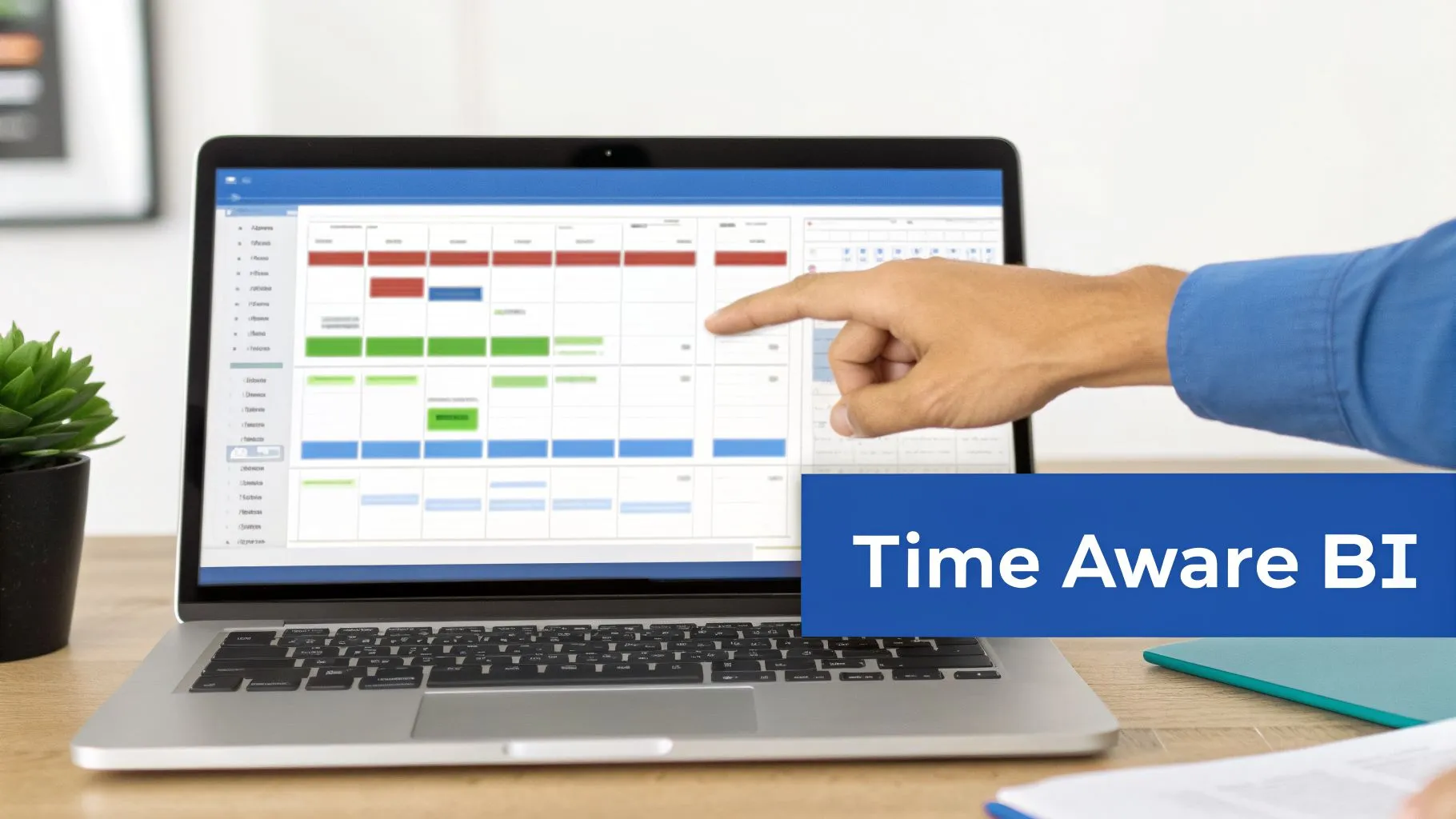
Teaching Your BI Tool to Think in Time
To pull accurate historical insights, you have to make your BI tool "time-aware." This means setting it up to filter dimension records based on the timestamp of the events you’re analyzing. The goal is simple: join your fact table (like FactSales) to the version of the dimension that was active when the event happened.
Most BI platforms require a more advanced join condition in the data model to get this right. Instead of a basic join on a key, you need a time-bound one.
Instead of this: FactSales.CustomerKey = DimCustomer.CustomerKey
You need something like this: SELECT ... FROM FactSales f JOIN DimCustomer c ON f.CustomerKey = c.CustomerKey WHERE f.OrderDate BETWEEN c.StartDate AND c.EndDate; This query makes sure every sales transaction is linked to the customer's attributes as they were on the day of the purchase. Getting this logic right is the key to unlocking the real power of your SCDs. For a deeper dive on this, you can learn more about how to connect your BI solutions to business apps.
This isn't just a minor technicality. In product analytics, for example, mishandling historical data can completely wreck retention insights. Studies show that poorly handled SCDs erode user trust in over 60% of BI dashboards. It leads to bizarre metric shifts, like a 10-15% variance in Monthly Active Users (MAU) just because of unversioned location data.
The Next Wave: SCD-Aware BI Platforms
Manually writing date-aware SQL for every single query is a headache and a recipe for mistakes. Thankfully, a new generation of BI platforms is built to understand SCD structures natively. Tools like Querio can automatically recognize and interpret versioning columns like StartDate, EndDate, and IsCurrent right from your data warehouse.
This built-in intelligence lets business users ask straightforward questions in plain English—"Show me customer churn by region for Q3 last year"—and get a historically accurate answer without writing a single line of SQL.
The platform does the heavy lifting, handling the complex time-variant joins behind the scenes. It knows that "region" means where the customer lived in Q3, not where they live today. Once your SCDs are in place, they become the engine for trustworthy reporting and advanced analytics, enabling accurate insights across the board, from e-commerce to analytics for banking. This automation is what finally closes the gap between your data warehouse and the people who need to make decisions, building confidence and trust in the data.
Common Questions About Slowly Changing Dimensions
Once you start getting the hang of slowly changing dimensions, a bunch of questions usually pop up. It’s a concept that sits right at the intersection of big-picture data strategy and nitty-gritty technical work, so it's totally normal to hit a few confusing spots. Let's walk through some of the most common questions to clear things up.
Think of this as your quick-reference guide. It’s here to reinforce what you’ve learned and help you tackle those tricky "what if" scenarios. Getting straight answers now will save you from common mistakes and help you build a data warehouse that you can actually trust.
When Should I Use SCD Type 2 Instead of Type 1?
This is probably the most important question you'll ask, and the answer comes down to one simple thing: do you need to analyze the past?
You should reach for SCD Type 2 anytime you need to report on data 'as it was' at a specific point in time. If your team is asking questions like, "How did our customer demographics in Q1 compare to Q3?" or "Which sales territory was this customer in when they made that purchase last year?" then Type 2 is your only option. It keeps a complete historical timeline by preserving every version of a record.
On the other hand, SCD Type 1 is perfect when history just doesn't matter. Use it for fixing simple data entry mistakes (like a misspelled name) or when you only care about the most current value (like a customer's main shipping address). If overwriting old data won't mess up your analytics, Type 1 is a much simpler way to go.
Key Takeaway: If losing a piece of historical data would break a report or lead to a wrong conclusion, you need Type 2. If it wouldn't, Type 1 is probably fine.
How Do SCDs Impact Database Performance?
Implementing a slowly changing dimension, especially Type 2, will absolutely have an impact on your database. Since Type 2 adds new rows for every change instead of just updating them, your dimension tables are going to get bigger, faster. That extra storage is the price you pay for keeping a full historical record.
Of course, larger tables can lead to slower queries if you're not careful. A few key strategies can help keep things running smoothly:
- Indexing: Be sure to create indexes on the surrogate keys you use to join to fact tables. It’s also a great idea to index the
start_dateandend_datecolumns, since you'll be using them constantly inWHEREclauses to find the right historical record. - Partitioning: For really huge dimension tables, you can partition the table by a date or a "current" flag. This helps the database engine scan less data, which speeds things up.
- Advanced SCD Types: As we covered, techniques like Type 4 (Mini-Dimension) are specifically designed to protect performance by moving rapidly changing attributes into a separate table, keeping your main dimension table lean.
What Is the Difference Between an SCD and a Fact Table?
This question gets right to the core of dimensional modeling. These two tables do very different jobs, but they work together.
A slowly changing dimension (SCD) table holds all the descriptive details about your business entities. It answers the "who, what, when, where, and why." Think of them as the nouns of your business—customers, products, employees, and locations. The attributes in these tables, like a customer's name or a product's category, are what change over time.
In contrast, a fact table stores the numbers—the measurements, metrics, and events from your business processes. It answers "how much" or "how many." Facts are the verbs—sales, clicks, transactions, or logins. A fact record captures a specific moment in time and links back to the exact versions of the dimensions that were active when that event happened.
Can I Implement SCDs Without Deep Engineering Knowledge?
Yes, absolutely. While knowing the SQL behind it all is great, you don't have to be a data engineering wizard to implement SCDs anymore. The modern data stack has made this process much more accessible.
ETL/ELT tools like Fivetran and Airbyte often have simple toggles for managing historical data, automatically applying SCD Type 2 logic for you. Likewise, transformation tools like dbt have features like snapshots that let you set up Type 2 versioning with just a few lines of configuration. These tools handle all the complex MERGE statements and date logic behind the scenes, so you can focus on the business rules instead of the boilerplate code.
Ready to stop writing complex SQL and let everyone on your team get accurate, historical answers? Querio is an AI-powered BI platform that automatically understands your SCDs, so anyone can ask questions in plain English and get trustworthy insights in seconds.
Explore how Querio can transform your analytics at querio.ai