Mastering Inner Join SQL: Syntax & Best Practices
Unlock powerful data analysis. Our 2026 guide to inner join sql covers syntax, multi-table joins, performance tuning, and avoiding common mistakes.
https://www.youtube.com/watch?v=lGXAXR28AYc
published
Outrank AI
inner join sql, sql joins, data analysis, sql tutorial, database query
f3f31f45-7f96-4818-a833-565cee1a1b47
You’re probably staring at two tables right now that should answer a simple question but don’t.
One table has users. Another has purchases, subscriptions, support tickets, or feature events. The business question sounds easy: Which active users bought something? Which accounts that churned had open tickets? Which signups used the feature before upgrading? Then the true work starts. CSV exports. Spreadsheet tabs. VLOOKUPs. Duplicate IDs. Missing rows. A result that feels plausible but not trustworthy.
That’s the moment inner join sql stops being a syntax lesson and starts being a business skill. It’s how analysts, product managers, and founders connect related data without manually stitching records together. It’s also one of the first places people get tripped up by missing keys, wrong filters, and slow queries.
Table of Contents
Introduction Why Manual Data Matching Fails
Manual matching breaks down fast because business data rarely lives in one tidy place. Product events might sit in one table, billing in another, CRM data in a third. If you try to answer a cross-functional question in Excel, you usually end up copying exports into tabs and hoping every ID lines up.
That approach creates two problems. First, it’s slow. Second, it’s fragile. One extra space in a key, one duplicated customer ID, or one missing row can change the answer without warning. If a founder asks why trial conversions look low, you don’t want to say, “I think the spreadsheet is right.”
A relational database solves this by storing connected data in separate tables and linking them through shared fields like user_id, customer_id, or order_id. If you want a plain-English grounding before the SQL, this explainer on why databases beat spreadsheets for connected data is a useful starting point.
Manual matching feels manageable when the dataset is small. It becomes risky the moment you use it for reporting, forecasting, or customer decisions.
A good inner join answers the core business question underneath the data task: “Show me only the records that exist in both places.” Not every user. Not every purchase. Only the matching pairs.
That’s why inner joins show up everywhere in analytics work. You use them when you want to connect signups to activation events, customers to invoices, or subscriptions to plan metadata. The code matters, but the bigger point is trust. An inner join gives you a repeatable way to combine data so the next person can inspect it, rerun it, and rely on it.
What Is an SQL INNER JOIN The Core Concept
An SQL INNER JOIN returns only the rows that match in both tables based on a condition you define. If Table A has customers and Table B has orders, an inner join gives you customers who have matching orders. Anyone without a match stays out of the result.
Think of it as the overlap
The cleanest mental model is a Venn diagram. You have two circles. One is Table A. One is Table B. An inner join keeps only the middle where they overlap.
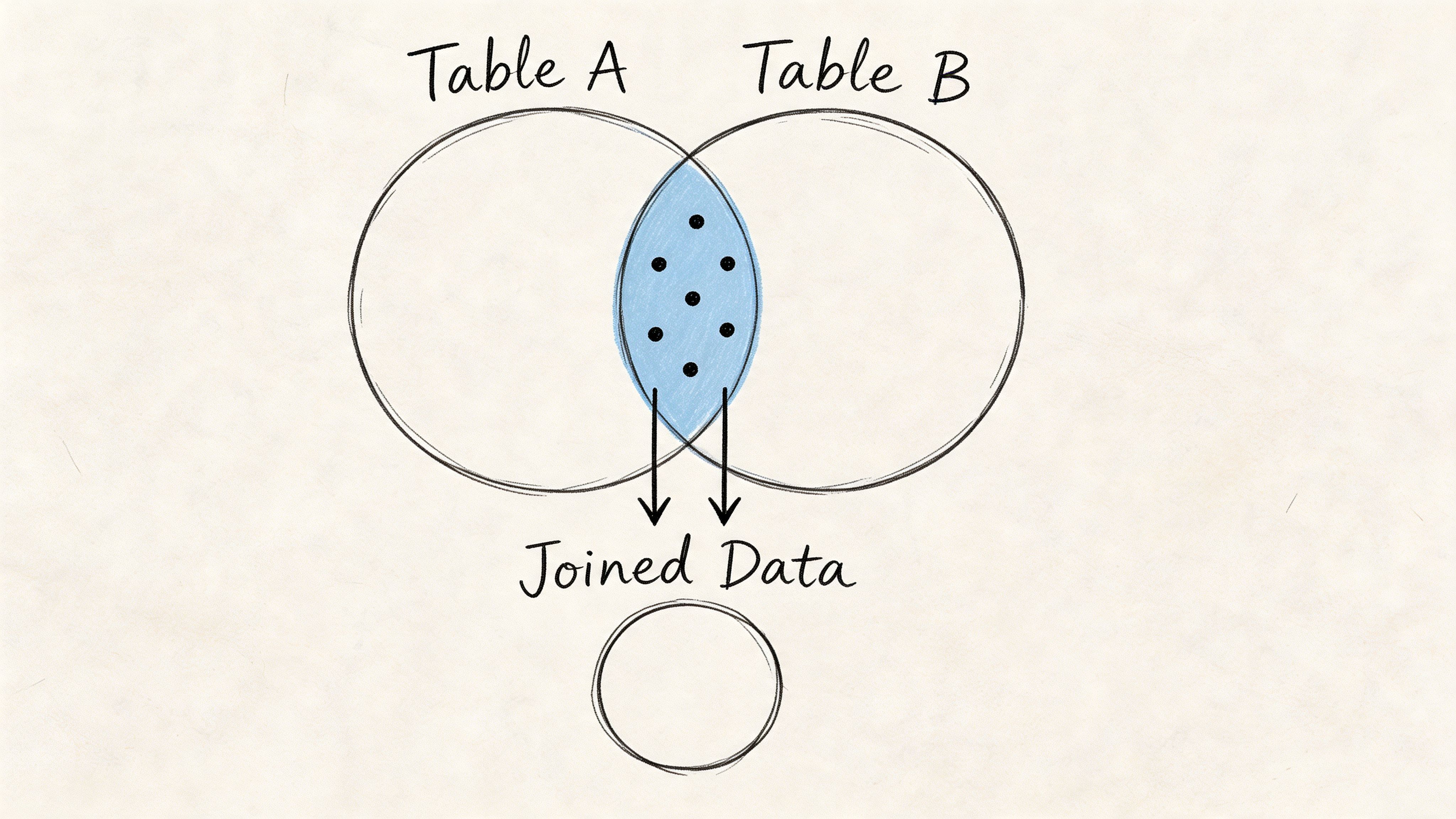
That sounds simple because it is simple. The confusion usually comes from forgetting what “match” means. SQL doesn’t guess. You have to tell it which column connects the two tables.
For example:
A
customerstable might usecustomer_idAn
orderstable might also usecustomer_idYour join condition tells SQL to pair rows where those values are equal
If you want a deeper primer on how tables relate to each other, this guide to relationships in relational databases helps make the structure behind joins much clearer.
One reason inner join sql feels so foundational is that the syntax itself was formalized in SQL-92. GeeksforGeeks notes that SQL INNER JOIN was standardized as part of the SQL-92 specification, replacing more ambiguous WHERE clause joins and improving readability and reliability across major databases. That change mattered because explicit joins make the logic visible. You can look at a query and see how tables connect instead of hunting through a long filter clause.
The syntax is just the idea written in SQL
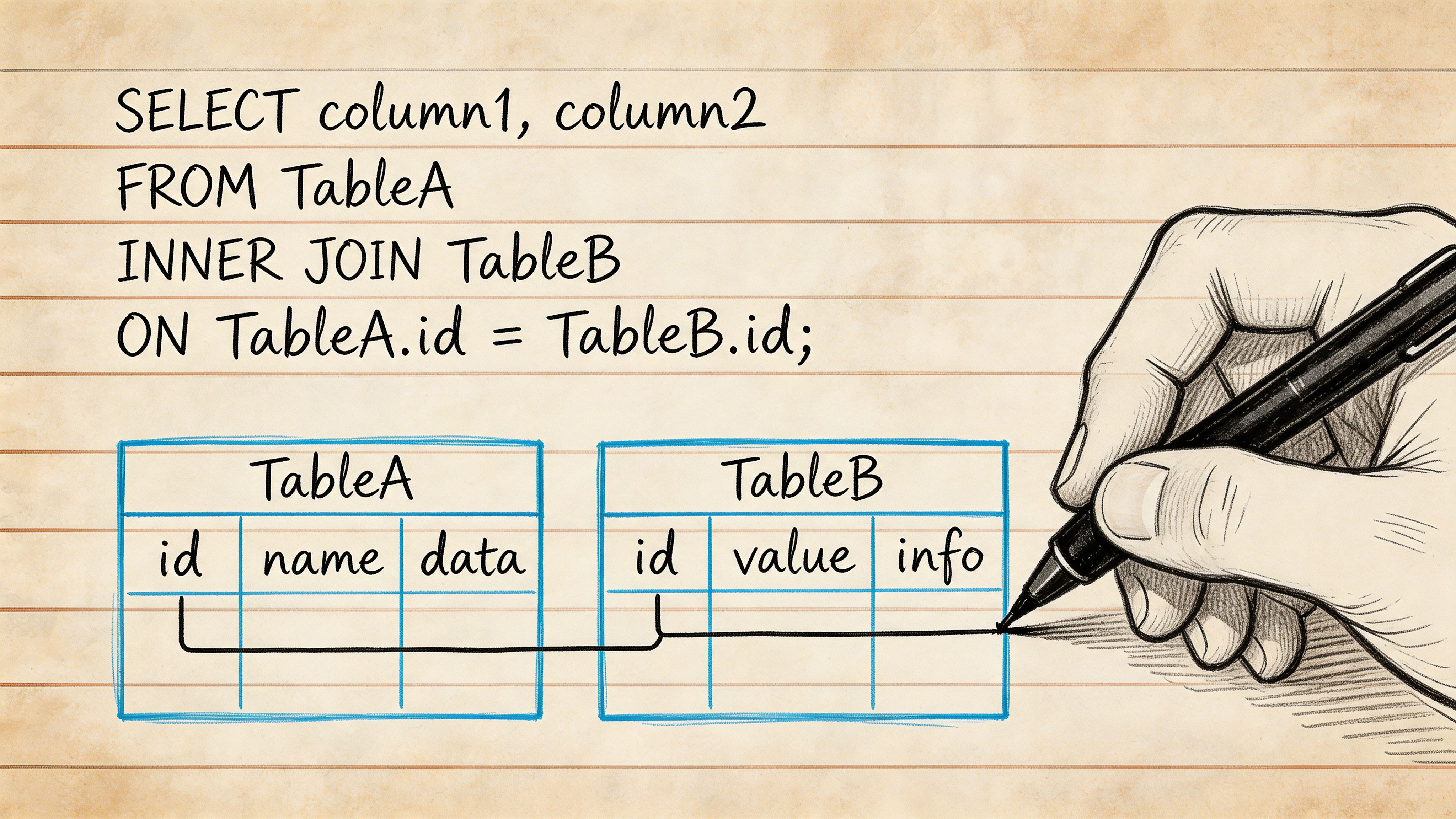
Here’s the basic pattern:
Read it in plain language:
Start with the
customerstable.Bring in the
orderstable.Match them where
customer_idis the same.Return selected columns from the matched rows.
That ON clause is the heart of the join. It’s the handshake between tables.
Practical rule: If you can’t explain your
ONclause in one sentence, you probably don’t fully trust the join yet.
A lot of juniors try to memorize syntax first. I’d flip that around. First ask, “What pair of records should count as the same business entity?” Once you know that, the SQL becomes much easier to write.
Mastering INNER JOIN Syntax and Examples
Individuals often learn inner join SQL through a toy customers and orders example. That’s fine as a starting point, but the true skill involves turning a business question into a precise join.
Here’s a visual to keep in mind while reading the examples:
A simple two table join
Say a product manager asks, “Which customers placed orders this month?”
This query does one clear thing. It returns only customers who have a matching order row. A customer with no order won’t appear, because there’s no overlap.
That makes inner joins great for questions like:
Which users completed onboarding and also created a project?
Which accounts have an active subscription and a recent login?
Which support tickets belong to paying customers?
Using aliases to keep queries readable
Aliases are short names for tables. They don’t change the data. They make the query easier to read.
Compare this:
With this:
The second version is easier to scan, especially once you join more than two tables.
A good alias should still be recognizable. c for customers and o for orders is fine. Random aliases like a, b, and x1 make debugging harder than it needs to be.
Joining more than two tables
Business questions usually span more than one relationship. A founder might ask, “Which customers bought which products?” That means you often need multiple joins in one query.
This query follows the business path:
customer places order
order contains line items
line items point to products
If you skip a relationship table, your result can be logically wrong even if the query runs.
A short walkthrough can help if you want to see joins explained live:
Joining on multiple conditions
Sometimes one column isn’t enough. You may need to join on a key plus a date, region, or status to avoid false matches.
That kind of join matters in finance, inventory, and subscription reporting where the same entity appears many times over time.
Here’s a useful habit when you write multi-table joins:
Start with the business grain. One row per customer, order, event, or invoice.
Add one join at a time.
Check whether the row count still makes sense.
Only then add filters and calculations.
If your row count suddenly explodes after a join, stop there. The query may be technically valid but logically broken.
That discipline matters more than clever SQL. Most reporting issues come from joining the wrong tables, at the wrong level, with the wrong assumptions.
INNER JOIN vs Other SQL Join Types
You don’t really understand an inner join until you compare it with the alternatives. The syntax can look similar while the output means something very different.
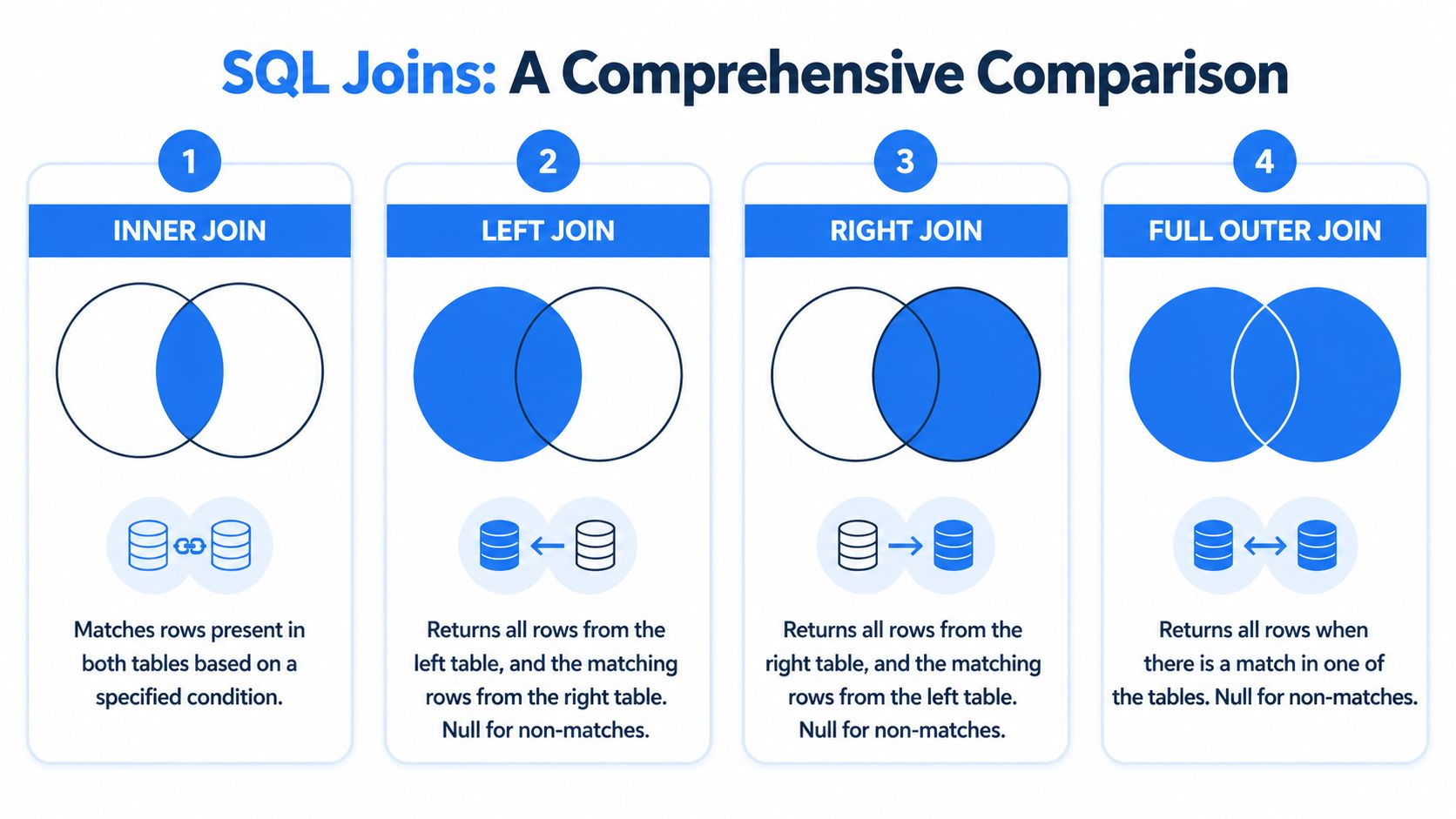
How the result changes by join type
Use a simple example. Suppose you have:
customersorders
And some customers haven’t ordered yet.
Join type | What you get |
|---|---|
INNER JOIN | Only customers with matching orders |
LEFT JOIN | All customers, plus matching orders when they exist |
RIGHT JOIN | All orders, plus matching customers when they exist |
FULL OUTER JOIN | Everything from both tables, matched where possible |
That difference changes the business meaning of the report.
If a marketing lead asks, “Which customers placed an order?” use INNER JOIN.
If they ask, “Which customers have not placed an order yet?” start with LEFT JOIN, then look for rows where the right-side match is missing.
For teams that also use subqueries, this guide on nested select queries is helpful because some questions can be solved with either pattern, but they don’t produce the same shape of result.
When INNER JOIN is the right choice
Inner join is usually the right default when your question is about confirmed relationships, not possible relationships. You want completed signups tied to actual usage, paid invoices tied to actual customers, or feature events tied to known accounts.
W3Schools cites a 2022 Databricks analysis saying INNER JOIN makes up 70-85% of join operations in production databases and appears 4x more often than LEFT JOIN in real-world workloads. That lines up with everyday analytics work. Most operational questions care about records that are connected.
A simple way to choose:
Use INNER JOIN when absence should exclude the row.
Use LEFT JOIN when absence is itself part of the answer.
Use RIGHT JOIN rarely. In practice, many analysts just flip the table order and use LEFT JOIN.
Use FULL OUTER JOIN when you need to audit both sides for gaps.
The join type isn’t just a syntax choice. It decides who gets included in the story your data tells.
That’s why analysts get careful about wording. “Show me users and their subscriptions” sounds similar to “Show me subscribed users,” but those are not the same query.
Common INNER JOIN Mistakes and How to Fix Them
The hardest part of inner join sql isn’t writing a query that runs. It’s writing one that answers the right question and doesn’t inadvertently drop important data.
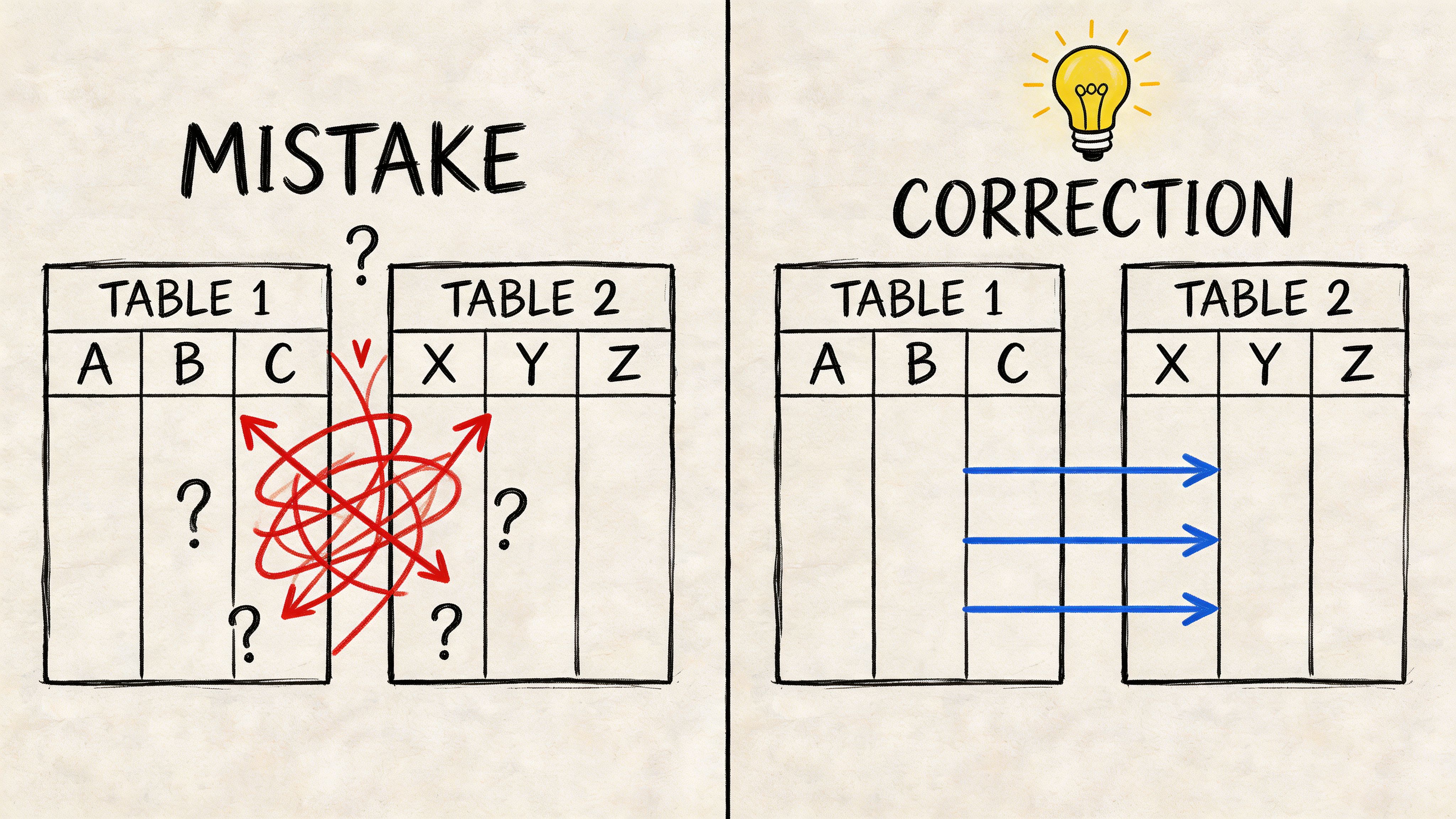
Forgetting the join condition
If you join tables without a proper ON clause, SQL can create a huge set of combinations. Every row from one table gets paired with every row from the other. That’s called a Cartesian product.
The result usually looks absurd. Duplicated users. Inflated revenue. Event counts that suddenly don’t match any dashboard. When that happens, don’t start tweaking filters first. Inspect the relationship between the tables.
A quick debugging checklist helps:
Check the key: Are you joining
customer_idtocustomer_id, or did you accidentally use a name or email field?Check uniqueness: Does one side have one row per key, or many?
Check the grain: Are you joining user-level data to event-level data without aggregating first?
NULL values quietly removing rows
This is the mistake many tutorials skip, and it causes real reporting issues. SQL Shack explains that INNER JOIN excludes rows where the join key is NULL in either table because NULL does not equal NULL, and this can underreport metrics by 10-20% in datasets with incomplete keys.
That surprises people because they think, “Both sides are blank, so they should match.” SQL doesn’t work that way. NULL means unknown, not empty. Unknown does not equal unknown in a join condition.
Suppose you write:
Any row where u.user_id or l.user_id is NULL will be excluded.
One fix is to clean the data upstream. Another is to handle the missing value explicitly:
Use that pattern carefully. It’s useful when a shared fallback value is correct for your business logic. It’s dangerous if it creates fake matches.
Missing keys don’t throw an error. They quietly remove rows, which is why join bugs often survive until someone challenges the business number.
Joining on the wrong level of detail
This one is subtle. Maybe your accounts table has one row per company, but your events table has many rows per user per day. If you join them directly and then sum revenue, you may multiply values by accident.
The fix isn’t always a different join. Sometimes you need a staging step first:
aggregate the event table
deduplicate the dimension table
then join at the level your metric expects
A good analyst treats joins like accounting. Every row needs a clear reason to exist.
Performance Tuning for Faster INNER JOINs
A correct join can still be painfully slow. That’s common once tables get large and analysts start layering filters, calculations, and multiple relationships into one query.
Why join speed changes so much
Databases don’t just “connect two tables.” They choose an execution plan. That plan decides how data is scanned, when rows are filtered, and how much intermediate work gets created.
Two habits usually matter most:
Join on indexed columns when possible: If the database can locate matching keys quickly, it does less work.
Filter early: If you can eliminate rows before a large join expands the working set, the engine has fewer records to process.
A lot of people write a join that’s logically fine but asks the database to carry too much unnecessary data through the query.
Move filters closer to the join
One often-missed optimization is putting a relevant filter inside the ON clause instead of leaving all filtering for the WHERE clause. Ben Nadel’s analysis found that restructuring a query this way reduced execution time by 37% on multi-million row tables by enabling earlier row elimination.
Here’s the idea.
Less efficient pattern:
More selective pattern:
The business meaning is the same if you intend to join only active customers. The second version can let the database discard rows earlier.
If query performance is turning into a bottleneck, this walkthrough on optimizing a query gives a useful broader framework.
One more practical note. Modern teams don’t always hand-write every join from scratch. Some use warehouse-native notebooks, dbt models, or AI-assisted query tools. Querio is one option in that category. It generates SQL against warehouse schemas, including multi-table joins, so teams can inspect and build on the resulting logic rather than manually assembling every relationship each time.
Conclusion From SQL Queries to Self-Serve Analytics
Inner joins are basic in the best sense of the word. They’re fundamental. If your company stores related data in separate tables, you need a dependable way to bring matching records together. That’s what inner join sql does.
But the useful skill isn’t memorizing INNER JOIN ... ON. It’s knowing what should match, what shouldn’t, where rows disappear, and how performance changes when the query gets bigger. That’s the difference between writing SQL that runs and writing SQL people can trust.
For data teams, this also points to a bigger shift. The goal isn’t for every stakeholder to become a join expert. The goal is to build systems where product, finance, and operations teams can answer routine questions without turning analysts into a reporting queue. Strong SQL foundations make that possible because self-serve analytics still depends on correct joins under the hood.
If your team wants that kind of self-serve workflow, Querio is built for it. It runs AI coding agents directly on your data warehouse, generates SQL and Python in a notebook-style environment, and helps technical and non-technical users work with connected data without waiting on a manual reporting backlog.

