Guide
10 Strategic Examples of Business Intelligence That Drive Growth in 2026
Discover 10 real-world examples of business intelligence transforming operations. Explore actionable BI use cases for product, finance, sales, and more.
Business intelligence is more than just charts and graphs; it's the engine for smarter, faster decision-making. In a world saturated with data, the ability to transform raw numbers into strategic action is what separates market leaders from the rest. Generic dashboards are no longer enough. Modern BI empowers every team, from finance and operations to product and sales, to ask critical questions and get immediate, reliable answers.
This guide moves beyond theory to provide 10 concrete examples of business intelligence in action. We are not just listing ideas; we are breaking down the specific tactics and strategic insights behind each use case. You will learn how successful companies track key performance indicators (KPIs) and what visualizations they use to uncover opportunities for growth and efficiency.
We will explore specific, replicable strategies for:
- Automating financial planning and board reporting.
- Embedding analytics directly into your product to drive user engagement.
- Consolidating operations metrics to create a single source of truth.
- Optimizing marketing spend with precise attribution models.
For each example, we'll detail the business impact and show how modern tools are making sophisticated analytics accessible to non-technical users. You'll see how platforms with natural language querying and embedded capabilities can compress weeks of manual work into seconds, turning data curiosity into a significant competitive advantage for your entire organization.
1. Self-Service Analytics & Natural Language Querying
One of the most transformative examples of business intelligence is the shift toward self-service analytics, supercharged by Natural Language Querying (NLQ). This approach empowers non-technical users, from product managers to finance leaders, to ask complex business questions in plain English. Instead of relying on a data analyst to write SQL, a user can simply type, “What was our user churn rate last month, broken down by acquisition channel?” and receive an instant, accurate visualization.
This technology democratizes data access, dismantling the traditional bottleneck where business users wait days or weeks for data reports. It works by using natural language processing (NLP) to interpret the user's intent, translate it into a formal database query, and return the results in a digestible format.
Strategic Application & Impact
The primary goal of self-service NLQ is to dramatically shorten the time from question to insight. This speed enables agile decision-making across the organization.
- Product Teams: Can instantly query user behavior data like, "Show me feature adoption for our new dashboard among enterprise users in the last 30 days." This allows for rapid iteration based on real-time feedback.
- Finance Teams: Can move beyond static spreadsheets by asking, "Compare revenue from our subscription tiers for Q1 vs Q2." This facilitates dynamic financial planning and analysis.
- Operations: Can investigate anomalies on the fly, such as, "List all transactions over $10,000 with a 'failed' status from yesterday."
Key Takeaway: Implementing NLQ shifts your data culture from reactive reporting to proactive exploration. It empowers domain experts with direct data access, fostering a more data-literate and autonomous workforce.
How to Implement NLQ Successfully
For organizations looking to adopt this model, a strategic rollout is crucial. To dive deeper into the mechanics, explore this guide on how self-service analytics works and the best tools to use.
A successful implementation starts with a well-defined data foundation. Begin by documenting clear metric definitions and establishing data governance to ensure consistency. Train users not just on the tool, but on how to ask specific, measurable questions for the most accurate results.
2. Embedded Analytics for Product-Led Growth
Another powerful example of business intelligence is embedding analytics directly into a SaaS product. This strategy, known as embedded analytics, moves BI from an internal tool to a customer-facing feature. Instead of forcing users to leave your app to analyze their data, you provide white-labeled dashboards and interactive reports within their natural workflow, turning insights into an integral part of the user experience.
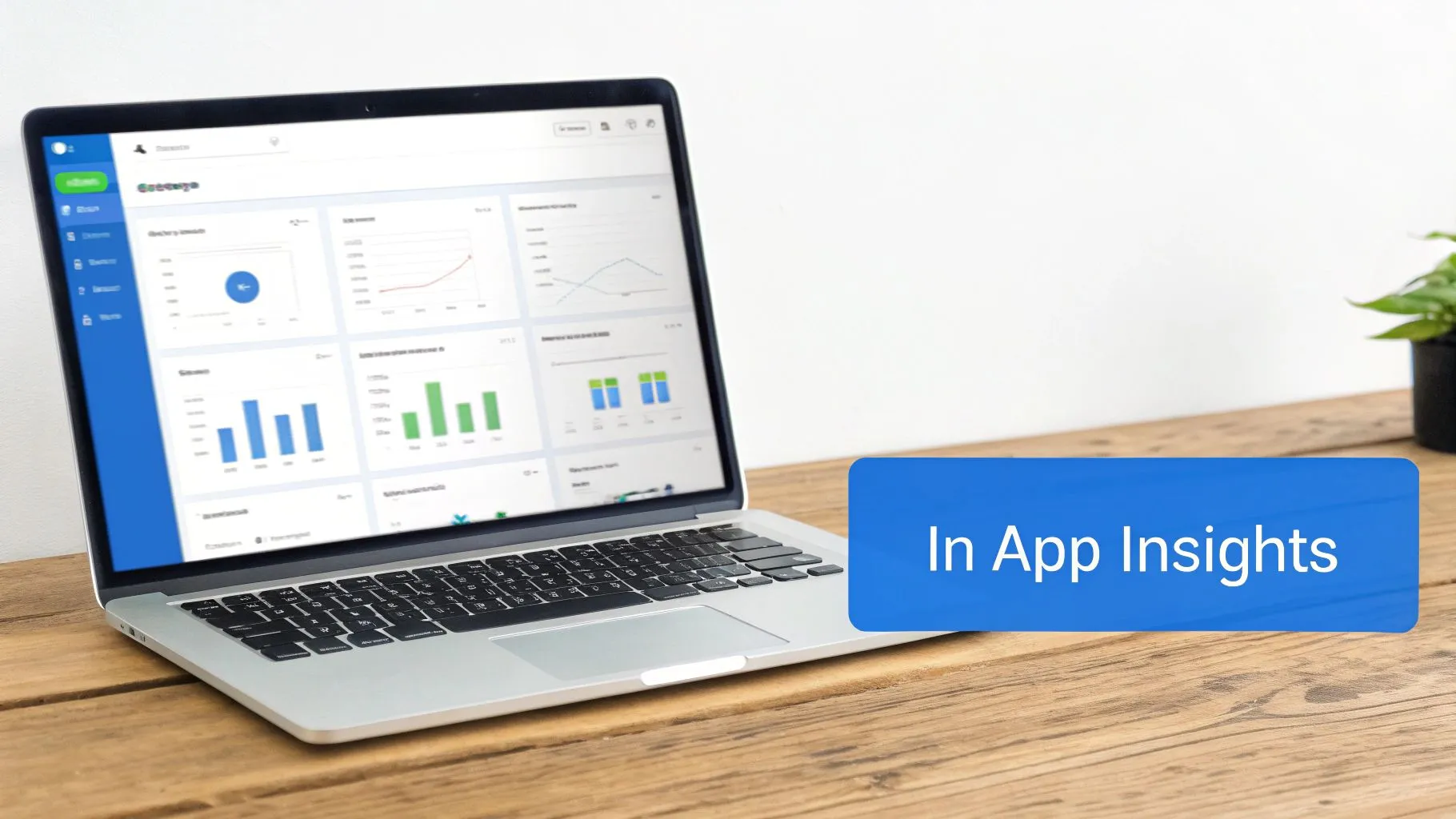
This approach is central to product-led growth, where the product itself drives user acquisition, engagement, and retention. By offering in-app analytics, companies like HubSpot (embedding campaign performance dashboards) and Shopify (showing sales analytics to merchants) make their products stickier and more valuable.
Strategic Application & Impact
The core goal of embedded analytics is to deliver immediate, contextual value to the end-user, increasing product engagement and reducing churn. It transforms your application from a simple tool into an indispensable insights platform.
- SaaS Platforms: Can provide customers with dashboards showing their own usage, ROI, or performance metrics. For example, a marketing automation tool could show a user their email campaign open rates directly within the campaign editor.
- Customer Success Teams: Can use embedded analytics adoption as a key health metric. Customers who actively use analytics are more likely to understand the product's value and less likely to churn.
- Product Teams: Can monetize analytics by offering advanced dashboards as part of premium subscription tiers, creating a new revenue stream.
Key Takeaway: Embedded analytics shifts data from a backend operational tool to a front-end, value-add feature. It creates a competitive advantage by making your product the single source of truth for your customers' data and performance.
How to Implement Embedded Analytics Successfully
Implementing this requires more than just dropping charts into a UI. It demands a thoughtful approach to user experience and a robust technical foundation. To explore a detailed framework, see this guide on how to build a data product inside your SaaS app.
A successful launch starts by identifying the highest-ROI metrics that your customers care about most. Ensure the design is responsive for various devices and implement strict row-level security within your multi-tenant architecture to guarantee customers only see their own data.
3. Financial Planning & Analysis (FP&A) Automation
Another powerful example of business intelligence is the automation of Financial Planning & Analysis (FP&A). This application transforms finance from a reactive, report-generating function into a strategic, forward-looking partner. It automates the tedious processes of data collection, consolidation, and modeling from disparate sources like accounting systems, CRMs, and payment processors.
Instead of spending weeks manually piecing together spreadsheets, finance teams can create dynamic forecasts, track KPIs in real-time, and generate board-ready reports in hours. This system allows for drill-down analysis into variances and provides an integrated view of financial health, from high-level cash flow down to individual transaction details.
Strategic Application & Impact
The core objective of FP&A automation is to replace manual, error-prone tasks with efficient, data-driven workflows. This frees up finance professionals to focus on high-value strategic analysis rather than data wrangling.
- Startups: Can monitor key survival metrics like monthly burn rate and runway in real-time, enabling founders to make critical fundraising or operational decisions with up-to-the-minute data.
- Growth-Stage Companies: Can automate the creation of investor updates and board packages, ensuring consistency and accuracy while tracking crucial KPIs like Customer Acquisition Cost (CAC) and Lifetime Value (LTV).
- Large Enterprises: Can consolidate financial data from multiple global divisions or subsidiaries, providing a unified and accurate picture of corporate performance for strategic planning and compliance.
Key Takeaway: Automating FP&A builds a resilient and agile finance function. It embeds data-driven decision-making into the core of the business, enabling accurate forecasting, robust scenario planning, and faster, more confident strategic moves.
How to Implement FP&A Automation Successfully
To get started, finance teams must first establish a solid data foundation. To learn more, check out this guide on the top FP&A data analysis tools for forecasting and scenario planning.
A successful implementation hinges on standardizing your chart of accounts and clearly defining key financial metrics upfront. Automate data feeds from primary sources like your accounting software to ensure data integrity and build rolling forecasts that are updated monthly with actuals, providing a constantly current view of the business.
4. Product Analytics & Growth Metrics Tracking
Another powerful example of business intelligence is the consolidation of product analytics and growth metrics into a unified view. This practice centralizes critical data on user behavior, such as feature adoption rates, onboarding funnel conversions, and cohort retention. It empowers product managers to make data-informed decisions without constantly switching between different analytics tools.
By integrating this data, organizations can create a single source of truth for product performance. This eliminates data silos and ensures that teams across product, marketing, and sales are aligned on the same key performance indicators (KPIs), from daily active users (DAU) to customer lifetime value (LTV).

Strategic Application & Impact
The core objective is to create a direct feedback loop between user actions and product strategy. This allows teams to measure the impact of experiments, identify user friction points, and double down on features that drive engagement and retention.
- SaaS Companies: Can monitor onboarding funnel completion rates, asking, "What percentage of new users from last week completed our three key activation steps?" This helps pinpoint where users drop off.
- Mobile App Teams: Can track feature engagement by analyzing, "Show me the daily usage of our new 'photo filter' feature among users in North America." This validates the utility of new releases.
- Marketplace Platforms: Can identify high-value user cohorts for personalization initiatives, investigating, "Which user segments have the highest repeat purchase rate in the last 90 days?"
Key Takeaway: Centralizing product analytics transforms your product development from a gut-feel process into an evidence-based engine for growth. It connects every feature release and experiment directly to measurable business outcomes.
How to Implement Product Analytics Successfully
A successful implementation hinges on a meticulously planned data strategy, starting with a consistent event taxonomy. Define and document every user action you want to track to ensure data quality from day one.
Establish clear dashboards that track both leading indicators (like feature adoption) and lagging indicators (like revenue or churn). Set up automated alerts for significant drops or spikes in key metrics, enabling your team to react quickly to anomalies. Finally, make these insights accessible to non-technical stakeholders to foster a shared understanding of product health and drive cross-functional alignment on growth initiatives.
5. Sales & Revenue Operations Intelligence
Another powerful set of examples of business intelligence comes from Sales and Revenue Operations. This application centralizes data from CRM systems like Salesforce to create a single source of truth for pipeline health, forecast accuracy, and sales team performance. It transforms raw sales data into actionable insights for optimizing sales cycles and maximizing revenue.
Instead of manually pulling reports, sales leaders get real-time visibility into every stage of the funnel. This allows them to analyze win/loss reasons, identify at-risk deals, and pinpoint high-performing territories or reps, making data-driven coaching and strategy adjustments possible.
Strategic Application & Impact
The core objective is to move from reactive sales management to proactive revenue optimization. By integrating BI directly into the sales workflow, teams can shorten sales cycles, improve forecast reliability, and increase win rates.
- Sales Leadership: Can monitor pipeline velocity and forecast vs. actual revenue in real-time. A query like, "Show me our current sales pipeline coverage for this quarter by region," helps leaders allocate resources effectively.
- Sales Reps: Can self-diagnose their performance by tracking leading indicators like meetings set or proposals sent, alongside lagging indicators like closed revenue.
- Revenue Operations: Can perform sophisticated win/loss analysis by asking, "What is our win rate for deals over $50k in the financial services industry?" This reveals patterns that inform sales strategy and training.
Key Takeaway: Sales BI is not just about historical reporting; it’s about providing predictive and prescriptive insights. It equips the entire revenue team with the data needed to make smarter decisions at every stage of the customer journey.
How to Implement Sales BI Successfully
A successful rollout depends on impeccable data hygiene within your CRM. Start by implementing validation rules and standardizing data entry processes to ensure the insights are based on accurate, reliable information.
From there, create role-specific dashboards for reps, managers, and VPs to ensure everyone sees the metrics most relevant to their responsibilities. Make these dashboards mobile-accessible so teams can access crucial data on the go, whether they are in the office or preparing for a client meeting.
6. Customer Success & Retention Intelligence
Another powerful example of business intelligence is the use of data to drive customer success and retention. This involves creating a comprehensive view of customer health by tracking key metrics like product usage, support ticket volume, and engagement levels. It allows teams to move from a reactive to a proactive stance, identifying at-risk accounts before they churn and pinpointing ideal moments for expansion.
This intelligence is built by consolidating data from various sources such as the product, CRM, and helpdesk software. BI tools then process this information to generate a unified customer health score or highlight risk indicators. For instance, a SaaS company might flag an account where user logins have dropped by 50% in a month, triggering an automated alert for the Customer Success Manager (CSM).
Strategic Application & Impact
The primary goal of customer success intelligence is to maximize Net Revenue Retention (NRR) by minimizing churn and maximizing expansion revenue. This data-driven approach equips teams with the foresight needed to manage their customer portfolio effectively.
- Proactive Churn Prevention: CSMs can monitor dashboards that flag accounts with declining health scores, enabling them to intervene with targeted support or training before the customer considers leaving.
- Identify Expansion Opportunities: By analyzing usage patterns, teams can identify "power user" accounts that are prime candidates for upsells. A Product-Led Growth (PLG) platform might target cohorts hitting usage limits for a higher-tier plan.
- Improve Onboarding: BI can reveal where new users drop off during the onboarding process, allowing teams to refine the experience and improve long-term adoption and stickiness.
Key Takeaway: Customer success intelligence transforms retention efforts from guesswork into a data-driven science. It provides the early-warning signals needed to save at-risk customers and highlights the behavioral cues that signal an opportunity for growth.
How to Implement Customer Health Scoring
To effectively build a retention intelligence system, start small and iterate. Begin by defining a customer health score based on 3-5 critical signals, such as daily active users, feature adoption rate, and the number of support tickets. Validate this score monthly against actual churn data to refine its predictive accuracy.
Create clear, actionable playbooks for your CS team based on different health score segments (e.g., "At-Risk," "Healthy," "Expansion-Ready"). To learn more about building these systems, this guide on measuring product-market fit with NRR offers valuable insights into the core metrics that drive retention.
7. Operations & KPI Dashboard Consolidation
One of the most impactful examples of business intelligence is the consolidation of disparate operational metrics into a single, unified dashboard. This process eliminates the dependency on manual, error-prone spreadsheets by connecting directly to source systems like HRIS, logistics platforms, and IT service management tools. The result is a real-time, cross-functional view of organizational health.
This approach transforms operational oversight from a fragmented, reactive practice into a proactive, data-driven strategy. Instead of managers chasing down ad-hoc reports from different departments, they gain instant visibility into critical performance indicators, allowing them to spot and address bottlenecks before they escalate.
Strategic Application & Impact
The core goal of KPI dashboard consolidation is to create a single source of truth for operational performance, enabling leaders to make faster, more informed decisions. This holistic view reveals how different parts of the business affect one another.
- Supply Chain Teams: Can monitor key metrics like inventory turnover, order fulfillment rates, and on-time delivery percentages in one place, correlating logistics costs with supplier performance.
- IT Operations: Can consolidate system uptime, incident response times, and infrastructure costs to optimize resource allocation and ensure service level agreement (SLA) compliance.
- Human Resources: Can track employee turnover, time-to-hire, and staffing levels against departmental productivity, linking workforce metrics directly to business outcomes.
Key Takeaway: Centralizing operational KPIs shifts the focus from data collection to strategic analysis. It empowers leaders to understand the interconnectedness of their operations and drive efficiency across the entire organization.
How to Implement Dashboard Consolidation Successfully
A successful implementation hinges on a clear strategy and a phased rollout. Begin by identifying the most time-consuming manual reporting processes, as automating these will deliver the quickest wins and build momentum for the project.
Establish a "single source of truth" by creating standardized definitions for each KPI across all departments. To maximize adoption, build role-specific dashboards that provide relevant, actionable information rather than a one-size-fits-all solution. Finally, schedule regular reviews of the metrics to ensure they remain accurate and aligned with evolving business objectives.
8. Marketing Attribution & Campaign Performance Analytics
Another powerful set of examples of business intelligence comes from tracking marketing attribution and campaign performance. This BI application connects marketing activities directly to business outcomes like leads, pipeline, and revenue. It allows teams to move beyond vanity metrics like clicks and impressions to measure the true ROI of their efforts across every channel and campaign.
This involves collecting data from disparate sources like Google Ads, social media platforms, email marketing tools, and your CRM. A BI platform then unifies this data to create a holistic view of the customer journey, assigning credit to the marketing touchpoints that influenced a conversion. This enables marketers to understand which channels, campaigns, and messages are most effective.
Strategic Application & Impact
The core goal is to optimize marketing spend and strategy based on data-driven performance insights. By understanding what truly works, marketing teams can allocate their budget more effectively and prove their value to the organization.
- B2B Companies: Can use multi-touch attribution models to track a lead's journey from their first interaction (e.g., a blog post) to a closed deal, informing content and channel strategy.
- E-commerce Brands: Can analyze ad spend versus customer lifetime value (LTV) by channel, allowing them to scale profitable campaigns and cut underperforming ones.
- SaaS Teams: Can measure the influence of content marketing, like webinars and whitepapers, on generating marketing-qualified leads (MQLs) and sales pipeline.
Key Takeaway: Attribution analytics transforms marketing from a cost center into a predictable revenue driver. It provides the evidence needed to justify budgets, double down on successful tactics, and align marketing efforts with overall business goals.
How to Implement Attribution Analytics Successfully
For organizations aiming to master this, choosing the right attribution model is the first critical step. A model should align with the typical length and complexity of your sales cycle. For example, a simple last-touch model may work for e-commerce, while a more complex U-shaped or time-decay model is better for B2B.
To get started, centralize your marketing data and establish clear definitions for key events like "lead," "MQL," and "conversion." Build dashboards tailored to different stakeholders, from high-level ROI views for executives to granular campaign performance metrics for managers. Regularly review channel performance and establish a feedback loop with the sales team to continuously refine lead quality and strategy.
9. Data Governance & Compliance Monitoring
A crucial, though often behind-the-scenes, example of business intelligence is its application in data governance and compliance monitoring. This involves using BI tools to ensure data is accurate, secure, and used ethically across the organization. It provides audit trails, access logs, and data quality dashboards to meet strict regulatory requirements like GDPR, CCPA, and HIPAA, which is essential for any business handling sensitive customer or financial information.
Instead of manual, periodic checks, BI automates the monitoring of who accesses what data and when. This proactive system can flag unusual activity, track data lineage to its source, and report on data quality metrics in real time. For organizations dealing with sensitive data, understanding security frameworks like SOC 2 compliance is crucial for effective data governance and risk mitigation.
Strategic Application & Impact
The primary goal is to build and maintain trust in your data while mitigating risk. A strong governance framework prevents data breaches, ensures regulatory adherence, and provides a single source of truth for all analytics.
- Financial Services: Use BI dashboards to monitor transaction logs and user access, generating automated reports to satisfy FINRA and SOX compliance requirements.
- Healthcare: Track access to patient records (PHI) to ensure HIPAA compliance, with alerts for unauthorized or anomalous data views.
- SaaS Platforms: Maintain SOC 2 Type II certification by providing auditors with clear, verifiable logs of data access controls, changes, and incident responses.
Key Takeaway: BI-driven data governance transforms compliance from a burdensome, manual task into an automated, strategic asset. It protects the business from risk and builds a foundation of trust that makes all other analytics more reliable.
How to Implement BI for Governance
Successful implementation requires integrating governance principles directly into your BI platform from the start. This means establishing clear rules before granting widespread data access. To see how this can be achieved, you can read more about how a governance-first approach to BI protects your data.
Start by documenting data ownership and classifying data based on sensitivity. Implement the principle of least privilege, ensuring users can only access the data necessary for their roles. Finally, establish automated quarterly access reviews and immutable audit logs to create a transparent and secure data environment.
10. Board & Executive Reporting Automation
Another powerful example of business intelligence is the automation of board and executive reporting. This process replaces the slow, manual, and often error-prone assembly of board packages, investor updates, and C-suite scorecards. Instead of analysts spending days pulling data into spreadsheets and slide decks, automated BI platforms connect directly to data sources to populate pre-designed templates with the latest metrics and trends.
This approach ensures that high-stakes reporting is consistent, timely, and reliable. It allows leadership to focus on strategic interpretation rather than questioning data accuracy, while also providing the flexibility to quickly adapt reports as strategic priorities or investor questions evolve.

Strategic Application & Impact
The primary goal is to standardize and streamline communication with the most critical stakeholders: the board, executive team, and investors. This automation builds trust and frees up valuable analyst time for higher-impact work.
- Venture-Backed Startups: Can automate the creation of monthly board decks, ensuring key metrics like ARR, burn rate, and customer acquisition cost are always up-to-date and consistently calculated.
- Public Companies: Can streamline the data-gathering phase for quarterly earnings reports, pulling verified performance data into packages for internal review before public disclosure.
- Private Equity Firms: Can consolidate performance reporting across multiple portfolio companies, creating standardized scorecards that allow for easy comparison and oversight.
Key Takeaway: Automating executive reporting elevates the strategic conversation from "Is this data right?" to "What does this data mean for our business?" It institutes a rhythm of disciplined, data-driven governance.
How to Implement Reporting Automation Successfully
A successful rollout depends on clear alignment between stakeholders on what matters most. Begin by collaborating with the board and executive team to define the critical KPIs that truly reflect business health and strategic progress.
Start with a standardized board reporting template that directly addresses investor and director interests. While the data pulls should be fully automated for speed and accuracy, ensure a human review layer remains to add crucial narrative commentary and strategic context. Implement version control for all packages to easily track changes and reference historical reports.
Top 10 Business Intelligence Use Cases Comparison
| Solution | 🔄 Implementation complexity | ⚡ Resource requirements | 📊 Expected outcomes | 💡 Ideal use cases | ⭐ Key advantages |
|---|---|---|---|---|---|
| Self-Service Analytics & Natural Language Querying | Medium — NLP training and governance required | Medium — data models, connectors, user training | Faster ad-hoc insights; fewer analyst backlogs | Business users asking metric questions in plain English | Reduces analyst dependency; accelerates decisions |
| Embedded Analytics for Product-Led Growth | High — frontend embeds, multi-tenant isolation | High — engineering, security, performance tuning | Increased engagement, lower churn, upsell revenue | In-app dashboards for SaaS customers | Product differentiation; higher customer stickiness |
| Financial Planning & Analysis (FP&A) Automation | High — accounting integrations and roll-ups | Medium–High — finance ops, data consolidation | Faster close cycles; improved forecast accuracy | Forecasting, board packs, multi-entity consolidation | Eliminates manual Excel work; real-time financial visibility |
| Product Analytics & Growth Metrics Tracking | Medium — event taxonomy and instrumentation | Medium — tracking SDKs, pipelines, analytics tools | Faster experiment insights; better retention analysis | Funnel analysis, cohort tracking, feature adoption | Enables data-driven product decisions and experimentation |
| Sales & Revenue Operations Intelligence | Medium — CRM integration and data hygiene | Medium — CRM admins, ops analysts, dashboards | More accurate forecasts; pipeline health visibility | Pipeline management, territory performance, forecasting | Improves forecast accuracy and deal quality |
| Customer Success & Retention Intelligence | Medium — multi-source integration and scoring | Medium — CS tooling, usage data, analytics | Early churn detection; increased NRR and expansion | Proactive churn intervention; upsell identification | Enables targeted interventions and scalable playbooks |
| Operations & KPI Dashboard Consolidation | High — multi-source ETL and KPI standardization | High — data engineering, change management | Real-time ops visibility; standardized KPIs | Cross-functional ops monitoring (HR, supply chain, IT) | Eliminates manual spreadsheets; speeds issue resolution |
| Marketing Attribution & Campaign Performance Analytics | High — attribution modeling and privacy constraints | Medium–High — ad / analytics stack integration | Optimized spend; measurable campaign ROI | Channel ROI, CAC optimization, campaign measurement | Justifies marketing spend and improves budget allocation |
| Data Governance & Compliance Monitoring | High — policy, lineage, and audit implementation | High — security, compliance teams, tooling | Regulatory compliance; auditability; data trust | Regulated industries; SOC 2 / GDPR / HIPAA readiness | Reduces legal risk; enforces access controls and provenance |
| Board & Executive Reporting Automation | Medium — template definitions and narrative rules | Medium — finance owners, reviewers, integration | Faster, consistent board packs; reduced errors | Board decks, executive scorecards, investor updates | Saves time on report assembly; consistent, trusted narratives |
From Examples to Action: Implementing BI That Works
The diverse examples of business intelligence we've explored, from Product-Led Growth dashboards to automated board reporting, all point to a single, transformative truth. Successful BI is not measured by the quantity of reports generated, but by the quality and speed of decisions made. The days of siloed data teams fielding endless ticket requests are being replaced by a more agile, decentralized approach.
The common thread woven through each use case is the strategic shift from reactive data retrieval to proactive, self-service insight discovery. Whether it's a marketing manager adjusting campaign spend in real-time or a product leader analyzing user friction points without writing a single line of SQL, the goal is the same: to reduce the time from question to answer. This is the essence of building a data-driven culture.
Distilling the Core Principles
Across all the powerful business intelligence examples discussed, a few core principles emerge as non-negotiable for modern organizations. These are the strategic pillars that support a successful BI implementation.
- Democratization Over Gatekeeping: True BI maturity is achieved when business users are empowered, not restricted. Providing tools that allow non-technical team members to safely explore data fosters curiosity and ownership, turning every employee into an analytical asset.
- Speed as a Competitive Advantage: The value of an insight diminishes with every hour it takes to uncover. The ability to ask and answer complex business questions in minutes, not days, allows teams to pivot faster, capitalize on opportunities, and mitigate risks before they escalate.
- Embedded Insights at the Point of Decision: Analytics should not live in a separate, isolated platform. By embedding dashboards and querying capabilities directly within the applications teams use every day (like a CRM for a sales team or a SaaS product for a customer), you integrate data directly into their workflow, making data-informed actions seamless and intuitive.
Strategic Takeaway: The ultimate goal of any BI initiative should be to make data so accessible and intuitive that it becomes an invisible, indispensable part of every team's daily operations. The focus must be on empowering the end-user.
Your Actionable Path Forward
Moving from theory to practice can feel daunting, but it doesn't have to be. The key is to start with a single, high-impact problem. Don't try to boil the ocean by overhauling every department's reporting at once. Instead, identify the area of your business currently experiencing the most friction from slow, manual data processes.
- Identify Your Biggest Bottleneck: Which team is most reliant on ad-hoc Excel reports? Where do data requests pile up the most? Is it the finance team struggling with manual board decks, or the operations team trying to consolidate KPIs?
- Select a Pilot Use Case: Choose one of the examples of business intelligence from this article that directly addresses that bottleneck. For instance, if sales forecasting is a constant struggle, focus on implementing a Sales & Revenue Operations Intelligence dashboard.
- Implement a Modern Tool: Adopt a platform built for speed and self-service. Solutions that leverage natural language querying and easy embedding, like Querio, dramatically lower the barrier to entry and accelerate time-to-value.
- Measure and Expand: Track the impact. How much time was saved? Were decisions made faster? Use the success of this initial pilot project to build momentum and champion a wider rollout across the organization.
By embracing this iterative approach, you transform the abstract potential of business intelligence into tangible operational improvements. You move beyond simply looking at data to actively using it as a strategic lever for growth, efficiency, and competitive differentiation. The future of business belongs to those who can not only collect data but also empower their entire organization to act on it with confidence and speed.
Ready to move beyond static dashboards and empower your teams with true self-service analytics? Querio provides an AI-powered platform for natural language querying and embedded analytics, allowing anyone to get answers from your data instantly. See how the leading examples of business intelligence are made simple by visiting Querio and requesting a demo.