A Guide to Architecture Business Intelligence
Discover how architecture business intelligence can transform your data strategy. Learn to build a scalable data stack with AI-powered analytics.
https://www.youtube.com/watch?v=Zncp9HHociE
published
Outrank AI
architecture business intelligence, data architecture, modern data stack, ai business intelligence, embedded analytics
44bdd9eb-d9df-4a20-a10c-27a9b921ee07

Your modern business intelligence architecture isn't just a technical diagram; it's the blueprint for how your company turns raw data into smart decisions. It's the central nervous system that ensures information flows where it's needed, transforming data from a messy liability into a genuine strategic asset. This structure is what truly separates data-driven leaders from companies drowning in spreadsheets.
Your Blueprint for Modern BI Architecture
Think of your BI architecture like a city's water supply system. Your various data sources—the SaaS tools, databases, and event streams—are the raw water from rivers and reservoirs. The data pipelines are the mains that transport it, the data warehouse is the central treatment plant that purifies and organizes it, and your BI tools are the faucets in every home, delivering clean, usable insights on demand.
Without a well-planned system, you end up with data chaos. You get disconnected puddles of information, constant reporting bottlenecks, and teams forced to make critical decisions with gut feelings instead of facts.
This chaos is a massive drag on growth. When your product team has to wait two weeks for an analyst to pull a simple report on feature usage, they lose precious momentum. When finance can't reconcile numbers from different systems, strategic planning becomes pure guesswork. The core problem isn't a lack of data; it's that the valuable data you have is inaccessible, untrustworthy, or just too slow to be useful.
A well-designed architecture cuts through that noise. It creates a single source of truth that empowers everyone, from marketing to operations, to make their own data-informed decisions. At its heart, this blueprint is about building a clear, repeatable process for turning raw inputs into strategic outputs.
The Foundational Layers of BI
Building this system really comes down to three fundamental stages, each with a clear job to do:
Data Ingestion: First, you have to collect all the raw data from its original sources. This means pulling information from your CRM (like Salesforce), your product database (like Postgres), marketing platforms (like Google Analytics), and payment processors (like Stripe).
Data Storage and Transformation: Once collected, that data gets loaded into a central hub—typically a data warehouse or a more flexible data lakehouse. This is where the real magic happens. The raw data is cleaned up, structured, and modeled so it's ready for analysis. We dive deeper into these components in our guide to the modern analytics stack.
Data Visualization and Analysis: This is the final layer where your team actually interacts with the data. Tools like Querio connect to the prepared data, allowing people to explore insights, build dashboards, and get answers to their questions without needing to write code.
Before you even think about tools, a successful BI architecture must be guided by a business-driven data strategy. This ensures the entire system is built to answer the questions that actually matter to the business.
To make this clearer, let's break down the core components and their roles in a simple table.
Core Components of a Modern BI Architecture
Component Layer | Primary Function | Example Technologies |
|---|---|---|
Data Sources | The origin of raw, unprocessed data from business operations. | SaaS apps, production databases, event streams |
Ingestion & Storage | Collects data and stores it in a central repository. | Fivetran, Airbyte, Snowflake, BigQuery |
Transformation | Cleans, models, and prepares raw data for analysis. | dbt, Coalesce |
Analysis & BI | The user-facing tools for querying, visualizing, and exploring data. | Querio, Looker, Tableau |
Governance & Security | Defines access rules, ensures data quality, and maintains security. | Atlan, Collibra, built-in platform features |
Each layer builds on the last, creating a reliable flow from raw data to actionable insight.
A strong BI architecture isn't just a technical framework; it's a strategic enabler. It's what gives you speed, clarity, and the ability to innovate faster by turning curiosity into answers and answers into action.
This fusion of enterprise architecture and business intelligence is fundamentally changing how companies operate. The global market for enterprise architecture tools alone is projected to grow from USD 989 million in 2020 to USD 1,283 million by 2026, which shows just how seriously companies are taking the need for integrated, holistic data systems.
Choosing Your Architectural Pattern
Once you've got the foundational layers figured out, the real work begins: picking the right blueprint for your company. This isn't just a technical exercise. The architectural pattern you choose will define how you grow, how fast your team gets answers, and how smoothly you can deliver insights to the people who need them. Think of it like choosing the right type of building for your needs—are you constructing a massive, all-encompassing library, a modular workshop with specialized tools, or a pre-integrated smart home?
Getting this decision right is the key to escaping data chaos for good. This flowchart lays out the very first step in that journey, helping you decide if building a structured BI architecture is your next big move.
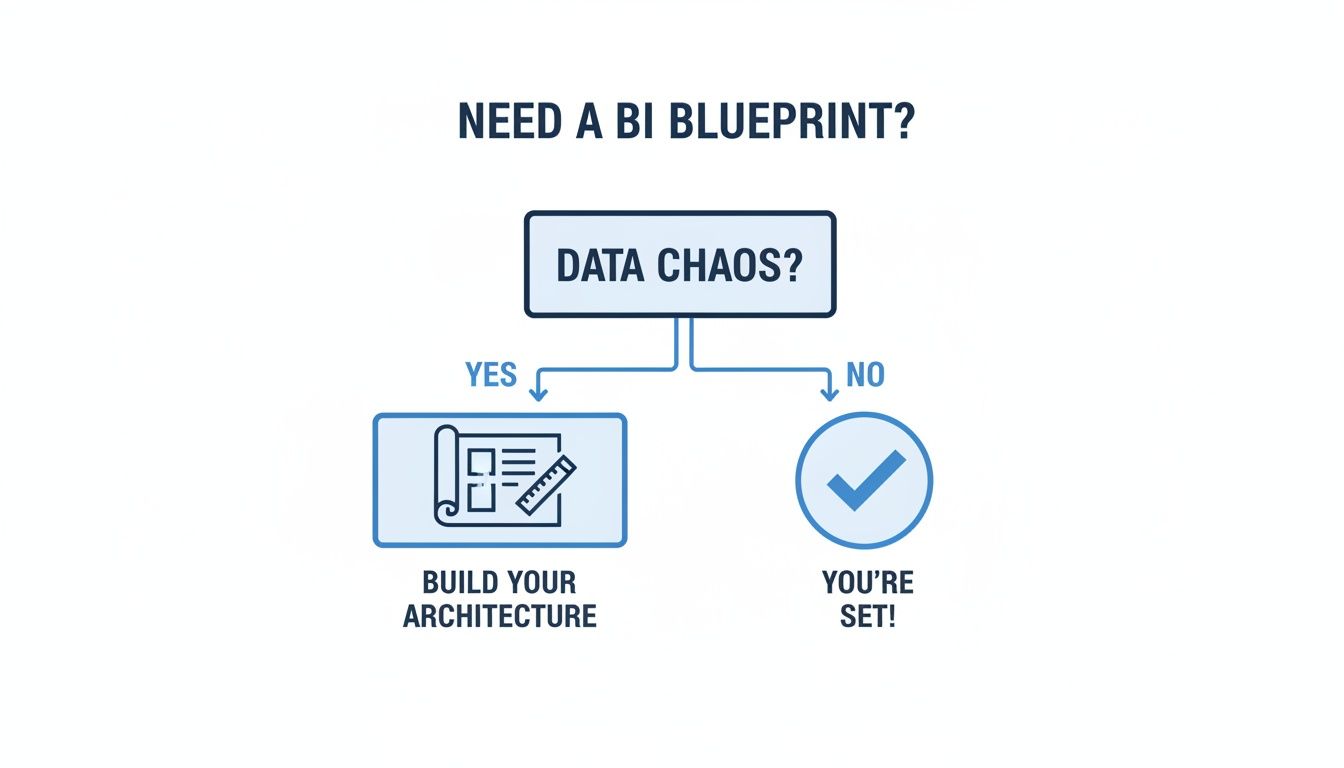
The flowchart makes the starting point pretty simple: if you're drowning in disorganized data, it's time to build a real architecture. So, let's dive into the three dominant patterns that modern teams are using to bring order to their data universe.
The Data Lakehouse: A Unified Library
One of the most powerful patterns to emerge recently is the Data Lakehouse. It’s a hybrid approach that brilliantly merges the cheap, massive storage of a data lake with the high-performance management features of a traditional data warehouse. Imagine a modern library that can hold everything from raw, messy manuscripts (like server logs or images) to perfectly cataloged, structured first-editions (like your financial reports), all in one place.
Key Advantage: It gets rid of the need for separate data lakes and warehouses, which massively simplifies your architecture business intelligence stack and cuts down on data duplication.
Best For: Companies wrestling with all sorts of data—structured and unstructured—that want a single source of truth for both traditional BI and more advanced data science work.
This unified model makes life so much easier. All your data becomes instantly available for any kind of analysis, without having to shuttle it between different systems.
The Modern Data Stack: A Modular Workshop
The Modern Data Stack (MDS) is a completely different beast. Instead of a single, unified system, it’s all about a modular, "best-in-class" philosophy. Think of it like building a custom workshop where you hand-pick the absolute best tool for each specific job: a high-powered table saw for cutting, a hyper-precise drill press for holes, and a top-of-the-line finishing station.
In the MDS world, you assemble a chain of specialized, cloud-native tools:
Ingestion: A tool like Fivetran grabs data from all your different sources.
Storage: A cloud data warehouse like Snowflake or BigQuery acts as the central hub.
Transformation: A tool like dbt steps in to clean, model, and prepare the data for analysis.
Analysis: Finally, a BI platform like Querio sits on top, giving your users a clean interface to explore everything.
The big win here is specialization and flexibility. You get market-leading performance at every single step. The trade-off? You have to manage integrations and contracts with multiple vendors, which can add a layer of complexity and overhead.
Embedded Analytics: The Integrated Utility
Our third pattern, Embedded Analytics, isn't really about building a standalone system at all. It’s about weaving BI directly into an application or product you already have. It’s like installing a smart meter right into a home appliance—the data and controls are right there in the user's natural workflow, not hidden away in a separate dashboard.
For product companies, this is a game-changer. Embedded analytics transforms your application from a simple tool into a value-added insights platform, giving your customers the data they need right where they work.
This pattern is a must-have for SaaS companies looking to offer their customers in-app reports, custom dashboards, or even natural language query features. Platforms like Querio are built for this, offering robust SDKs that let you seamlessly add white-labeled charts, dashboards, and an "Ask your data" bar directly into your UI.
So, which pattern is right for you? It all comes down to your goals. Are you building an internal analytics powerhouse for your own team, or are you delivering insights as a killer feature for your customers? Do you want one unified system or a flexible, best-in-class stack? Your answer will point you to the architecture business intelligence blueprint that will set you up for success.
Designing for Data Flow and Transformation
A solid architectural pattern is your blueprint, but the real work happens in the data kitchen. Designing a successful business intelligence architecture means mastering the journey data takes from its raw, messy state to a refined, analysis-ready ingredient. This flow is the heart of your entire BI operation.
At the center of this process are two core methodologies: ETL (Extract, Transform, Load) and ELT (Extract, Load, Transform). They sound similar, but their operational differences are huge and dictate how your data team works and what’s possible with your analytics.

Let's break them down with a simple cooking analogy.
ETL: The Home Prep Method
Imagine you're going to a potluck. With the ETL approach, you do all the prep work at home. You chop the vegetables, marinate the meat, and pre-cook parts of your dish in your own kitchen before you ever leave the house.
In data terms, this means all the transformation work—cleaning, structuring, and modeling—happens on a separate, dedicated server. Only after the data is perfectly prepped is it loaded into its final destination, the data warehouse. This was the go-to method for years, back when warehouse storage was pricey and computing power was limited.
ELT: The Modern Cloud Kitchen
Now, picture that same potluck, but this time it's at a friend's house with a massive, professional-grade kitchen. Instead of prepping at home, you just bring the raw groceries. This is the ELT approach.
You extract the data from your sources and load it directly into a powerful cloud data warehouse like Snowflake or Google BigQuery. Then, you use the warehouse's immense computational power to do all the chopping and cooking right there.
This modern method takes full advantage of the cloud's cheap storage and scalable computing. It's faster, far more flexible, and lets analysts play with raw data without waiting for rigid, pre-defined transformation pipelines to run.
To help you decide which approach fits your needs, here’s a quick comparison.
ETL vs. ELT: A Practical Comparison
Aspect | ETL (Extract, Transform, Load) | ELT (Extract, Load, Transform) |
|---|---|---|
Data Transformation | Occurs on a separate processing server before loading. | Occurs directly inside the data warehouse after loading. |
Data Loading | Loads only structured, transformed data into the warehouse. | Loads raw, unstructured data directly into the warehouse. |
Flexibility | Less flexible. Changes to transformation logic are complex. | Highly flexible. Analysts can transform raw data as needed. |
Speed | Can be slower due to the intermediate transformation step. | Faster data loading; transformation speed depends on warehouse power. |
Ideal Use Case | On-premise systems, strict compliance, well-defined data models. | Cloud-based architecture, big data, agile analytics teams. |
Ultimately, ELT has become the dominant pattern in modern data stacks because of its agility and efficiency.
Regardless of your choice, building robust data flows requires following established Data Engineering Best Practices to keep your system scalable and secure from day one.
The Semantic Layer: Your Universal Translator
Whether you choose ETL or ELT, one component has become absolutely essential for making data useful to everyone: the semantic layer. Think of it as a universal translator or a shared business dictionary that sits between your complex data warehouse and your end-users.
It translates cryptic database names like fct_sales.rev_usd into plain business terms everyone understands, like "Total Revenue." This layer pre-defines your most important business metrics, calculations, and relationships in one central place.
The semantic layer is the engine of trust in your data. It ensures that when five different people ask for "Monthly Active Users," they all get the exact same number, calculated the exact same way.
This is the component that makes the next generation of BI, especially AI-powered tools and natural language querying, actually work. For an AI to reliably answer a question like, "What was our Q3 customer churn rate by region?" it needs a semantic layer to understand the business definitions of "customer," "churn rate," and "region."
Here’s why it's so critical:
Consistency: It creates a single source of truth for every business metric, killing ambiguity.
Accessibility: It empowers non-technical users to explore data confidently without needing a PhD in SQL.
Agility: Your data team can update logic in one central place, and the changes instantly cascade to every report and dashboard.
By creating this "business-friendly" view of your data, you dramatically lower the barrier to entry for getting insights. To go deeper, check out our guide on the key concepts and benefits of a semantic layer: https://querio.ai/articles/semantic-layers-101-key-concepts-and-benefits. It’s the final, crucial step in turning a well-designed data flow into an insights engine that everyone can use.
Securing Your Data and Enabling Multi-Tenancy
A powerful BI architecture is worthless if it's not secure. In fact, if you democratize data access without rock-solid security and governance, you're not creating a data-driven culture—you're creating a massive liability. These measures aren't just afterthoughts or boxes to check; they are the very foundation of trust, especially when you're embedding analytics directly into your product for customers to see.
Think of your entire BI system as a high-tech apartment building. You wouldn't just hand out a master key to everyone, right? Each tenant gets a key that only opens their own front door, and a doorman at the main entrance verifies everyone's identity before they can even get inside. That’s exactly how security needs to work in your data architecture.

This analogy gets to the heart of the challenge: giving people the seamless access they need while building impenetrable walls around the data that isn't theirs.
Implementing Granular Access with Row-Level Security
The first line of defense inside the building is Row-Level Security (RLS). This is the crucial mechanism that makes sure users only see the specific rows of data they're actually allowed to see. It’s the individual lock on each tenant's apartment door.
For instance, in a sales dashboard, RLS ensures that a sales rep for the East region sees data only for their accounts. They can't peek at the West region's performance, even if all that data lives in the same table in the database. This is non-negotiable for both internal dashboards and customer-facing analytics.
Without it, every user sees everything, which is a recipe for a major privacy or competitive disaster. Modern BI platforms allow you to build RLS rules directly into the data model, which makes managing this complex security layer far more scalable.
Streamlining Enterprise Access with SSO
While RLS secures the data, Single Sign-On (SSO) secures the front door. This is your doorman. SSO lets users log in to your BI platform using their existing company credentials, whether that's from Google Workspace or Microsoft Azure AD.
This move is brilliant for two reasons:
Tighter Security: Authentication is handled by your company's main identity provider. When someone leaves the company and their main account is deactivated, their BI access is cut off automatically. No loose ends.
A Better Experience: Users don't have to juggle yet another password. This frictionless access is key to getting people to actually use the BI tools you've invested in.
If you're selling to enterprise customers, SSO isn't a "nice-to-have." It’s a table-stakes security requirement they will demand.
Architecting for Multi-Tenant Isolation
The stakes get even higher when you embed analytics into your product for your own customers. Each of your customers is a "tenant," and their data must be completely, unequivocally isolated from every other tenant. This is the core principle of multi-tenancy.
A multi-tenant architecture guarantees that one customer can never, under any circumstances, see another customer's data. This logical separation is the bedrock of trust for any SaaS product offering embedded analytics.
Achieving true data isolation demands careful architectural planning from day one. BI platforms like Querio are designed specifically for this, using programmatic security rules and signed embed tokens to enforce strict data boundaries for every single tenant. If you’re building this kind of product, our deep dive on multi-tenant embedded analytics architecture provides a complete blueprint for getting it right.
Ultimately, a secure architecture strikes a critical balance between accessibility and control. It empowers your users with the data they need, but it also gives data leaders the peace of mind that every query and dashboard operates under strict governance rules. This foundation of trust is what allows a data culture to scale safely.
The Rise of AI Agents in Business Intelligence
The biggest thing happening in modern BI architecture isn't about faster databases or bigger data lakes. It’s about completely changing how people interact with data. AI agents are breaking down the final wall between complex business questions and immediate, trustworthy answers. We're moving from a world of rigid dashboards to one of fluid conversation.
Think about how user interfaces have evolved over the years. We started by typing cryptic commands into a terminal, then moved to clicking icons on a desktop, and now we just talk to our devices. Business intelligence is going through the exact same change. The days of waiting for an analyst to translate a business question into SQL are numbered, and natural language querying (NLQ) is taking its place.
This is much more than a simple chatbot layered on top of a database. True AI agents, like the ones powering the Querio platform, are built to understand the unique context of your business. They plug into your data model and semantic layer, learning what "monthly active user" or "customer churn rate" actually means for your company. This deep-seated understanding is what makes it a reliable tool instead of just a neat trick.
From Weeks to Minutes: The New Analytics Workflow
For a long time, the traditional analytics workflow has been a huge bottleneck. A product manager might have a burning question about user engagement, but getting an answer is a slow, multi-day ordeal:
File a Ticket: The PM submits a request to the data team.
Wait in Line: The ticket sits in a backlog, waiting to be prioritized.
Manual Work: An analyst finally gets to it, writes some SQL, pulls the data, and builds a chart.
Back and Forth: The PM looks at the chart, realizes they need to see the data differently, and the whole cycle starts over.
This friction means that by the time an insight arrives, it's often too late to matter. AI agents completely collapse this process. Now, that same product manager can just ask, "Show me user engagement for our new feature, broken down by subscription plan over the last 30 days." They get an answer in seconds and can ask follow-up questions on the spot.
This isn't just about efficiency; it's a culture change. When anyone in the company can get reliable answers to their own questions, you create a truly data-informed organization where curiosity is rewarded with instant insight.
This new level of accessibility is fueling massive growth. The global Business Intelligence market is expected to jump from USD 37.96 billion in 2026 to USD 72.21 billion by 2034, according to Fortune Business Insights. The demand for tools that empower non-technical users is what’s driving this surge.
Empowering Every Team Member
The power of this conversational approach touches every corner of a business. Operations teams can track inventory in real-time. The finance department can analyze spending without getting lost in spreadsheets. And leadership can get a quick pulse on key metrics whenever they need it.
This shift truly democratizes data analytics. It removes the technical gatekeepers and puts the power of insight directly into the hands of the people making the decisions. You can explore more about the top use cases for AI agents in data analytics to see how this plays out in different roles. By building AI agents into your BI architecture, you’re not just adopting a new piece of tech—you're building a faster, smarter, and more agile organization.
Your Actionable BI Architecture Checklist
Alright, let's move from theory to action. Building a solid business intelligence architecture isn't an overnight project; it’s a methodical process. This checklist breaks that journey down into four clear phases, taking you from initial discovery to a fully adopted system.
Think of this as the construction plan that brings the blueprint to life. We’ll cover everything from assessing what you have today to launching a system that actually gets used.
Phase 1: Assess Your Current State
Before you can build the future, you have to get painfully honest about the present. This first phase is all about discovery and mapping out the specific pain points you need your new BI architecture to solve.
Audit Your Data Sources: Where is your data hiding? Make a simple list of every critical source—your SaaS tools (think Salesforce, HubSpot), production databases, and any third-party data feeds.
Identify Reporting Bottlenecks: Where do things grind to a halt? Pinpoint how long it takes to answer basic business questions. Who are the gatekeepers everyone has to go through for a simple report? Write it all down.
Map Existing Workflows: How are people getting answers right now? Document the manual steps, especially the nightmare of exporting CSVs and wrestling with spreadsheets. This is the chaos you’re about to fix.
Define Key Business Questions: Go talk to your teams. What are the top three questions your Product, Finance, and Ops leaders need answered to do their jobs better and faster?
Phase 2: Design Your Future Architecture
Now that you have a clear picture of the problems, you can start designing the solution. This is where you make the big architectural decisions that will directly address the bottlenecks you just identified.
A well-designed architecture solves today's problems without boxing you in for tomorrow. It’s a balancing act between immediate wins and long-term, scalable strategy.
Choose Your Architectural Pattern: Will you go with a Data Lakehouse, a composable Modern Data Stack, or an Embedded Analytics approach? The right choice depends entirely on your business goals and the skills you have on your team.
Select Your Core Technology: It's time to pick your tools. You'll need a central data warehouse (like Snowflake or Google BigQuery), a data transformation tool (most teams are standardizing on dbt), and the user-facing BI platform itself.
Plan Your Semantic Layer: This is crucial. Decide on the handful of critical business metrics and definitions that will become your single source of truth. Think "customer," "MRR," "active user"—and define them once.
Outline Security and Governance: Don't treat security as an afterthought. Map out your needs for SSO, Row-Level Security (RLS), and multi-tenancy right from the start.
Phase 3: Implement and Migrate
This is where the rubber meets the road. The key to a successful implementation is to do it in phases. You need to build momentum by delivering value quickly, not by attempting a massive, disruptive "big bang" migration.
Develop a Phased Rollout Plan: Please, don't try to move everything at once. Start small. Pick a single department or one critical set of reports to migrate first. A quick win here builds incredible trust and excitement.
Build Your Data Pipelines: Start setting up your ingestion and transformation jobs. The goal is to get data flowing reliably from your sources into the new warehouse.
Implement Security Protocols: Get your SSO integrations working and define your RLS policies before you let the first user in.
Phase 4: Drive Adoption and Scale
A technically perfect architecture is completely worthless if no one uses it. The final, and arguably most important, phase is all about people. It’s about training, support, and fostering a culture where asking questions with data is the default.
Launch with a Pilot Group: Find a few enthusiastic "data champions" in the company. Onboard them first. Their feedback will be invaluable, and they’ll become your biggest advocates.
Provide Hands-On Training: Forget boring feature demos. Run training sessions that show people how to answer their actual business questions with the new tools. Make it relevant to their daily work.
Establish a Center of Excellence: This doesn't have to be formal. It can start as a dedicated Slack channel where people can ask questions, share cool dashboards, and get help from the experts.
Monitor Usage and Gather Feedback: Keep a close eye on adoption metrics. More importantly, talk to your users constantly. Their feedback is the fuel for every future improvement you'll make.
Common Questions About BI Architecture
If you're building a BI architecture, you're not alone in wondering where to start or what pitfalls to avoid. Let's tackle a few of the most common questions that come up for founders, product managers, and data teams.
We're Drowning in Spreadsheets. Where Do We Even Begin?
This is the classic starting point for almost everyone. The good news is you don't have to boil the ocean. The secret is to start small and prove the value quickly.
Resist the urge to connect every data source you have. Instead, find the single most painful, time-consuming reporting process in your company. Is it the finance team's manual month-end close? Or marketing's struggle to stitch together campaign performance?
Pick one of those high-impact areas and focus all your energy on automating that specific workflow. A successful first project builds incredible momentum and shows real, immediate value. That makes it a whole lot easier to get the buy-in you'll need to expand the system to other parts of the business.
What's the Biggest Mistake People Make?
The most common trap is treating a BI project as a purely technical, IT-led initiative. When the data team builds something in a silo, you often get a technically perfect system that completely misses the mark on answering the questions the business actually cares about.
The best BI architectures aren't just built for the business; they're built with the business. It’s a partnership. That collaboration is the only way to ensure the end result is not just powerful, but genuinely useful for making better decisions every day.
Always, always start with discovery. Sit down with stakeholders from sales, marketing, operations—everyone. Understand their goals, their frustrations, and what they need to know to do their jobs better. This upfront investment saves a mountain of rework later and guarantees your architecture is aligned with real business goals from the get-go.
Does Every Company Really Need a Data Warehouse?
If you plan on scaling your analytics at all, the answer is a hard yes. It's tempting to take a shortcut and point your BI tools directly at your production databases for a quick peek at the data. But that approach is fragile and dangerous.
Running complex analytical queries directly against your live application database can slow it down for your customers. Worse, it leads to inconsistent reports and a lack of trust in the data.
A dedicated data warehouse (or a more modern lakehouse) gives you a stable, reliable foundation. It provides:
A single source of truth: All your data from different systems comes together in one place for a complete picture.
Performance: It's designed specifically for the heavy lifting of analytics, so queries are fast and won't disrupt your core business operations.
Historical context: It captures snapshots of your data over time, letting you analyze trends in a way most production databases can't.
Think of it this way: your production database is for running the business, and your data warehouse is for understanding it. It's an essential investment, not a luxury. A modern BI architecture simply can't function reliably without this central hub.
Ready to build an AI-powered BI architecture that gives every team the power of self-serve analytics? With Querio, you can eliminate reporting bottlenecks and turn curiosity into accurate answers in seconds. Explore the platform today.

