Business Intelligence
Databricks Genie API: What You Can Build and Where It Falls Short
Why a conversational BI copilot suits low-volume Q&A but needs governance, caching, and semantic controls at scale.

My take: Genie works for narrow, governed Q&A inside Databricks - but it does not replace a full BI or semantic layer.
If I strip the article down to the parts that matter most, here’s the answer:
- Genie is good for internal chat-style analytics, embedded Q&A, Slack or Teams bots, and simple KPI checks.
- Genie starts to struggle when you need stable metric definitions, high request volume, or multi-step workflows.
- The hard limits are clear: about 5 questions per minute for the Conversation API free tier and about 20 questions per minute for iframe use across a workspace.
- SQL visibility helps: I can inspect the generated SQL, but I still need people and backend logic to keep answers accurate and traffic under control.
- Other tools solve different problems: Querio leans into live warehouse logic and editable queries, ThoughtSpot leans into search, and Looker leans into centralized metric definitions.
If you want the short version, it’s this: Genie is a curated copilot, not a hands-off analytics layer. That matters a lot if your team wants governed self-serve analytics that stays steady as usage grows.
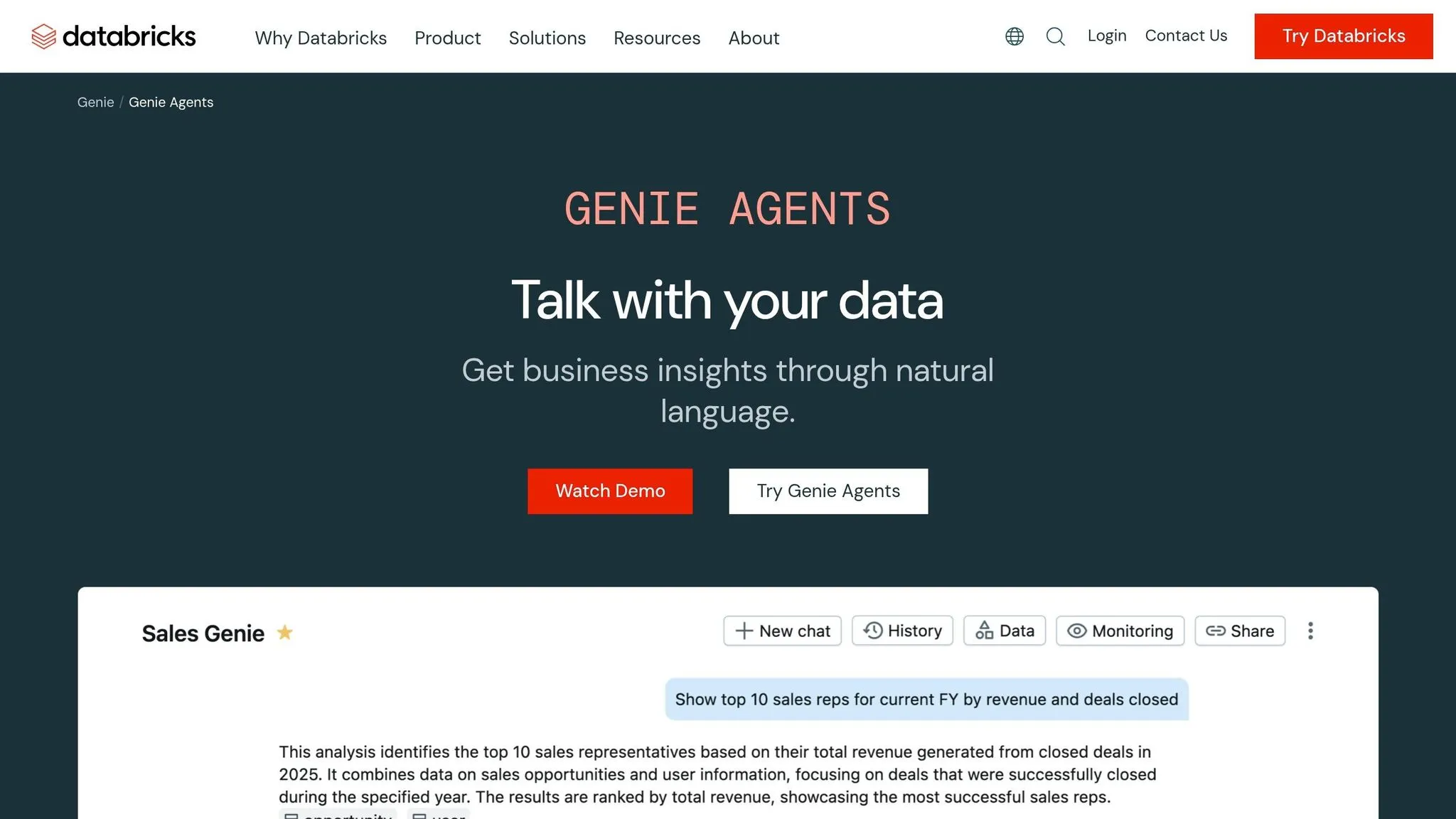
Unleash the power of Databricks Genie via an API
::: @iframe https://www.youtube.com/embed/ntqvSFIcR5I :::
Quick Comparison
::: @figure 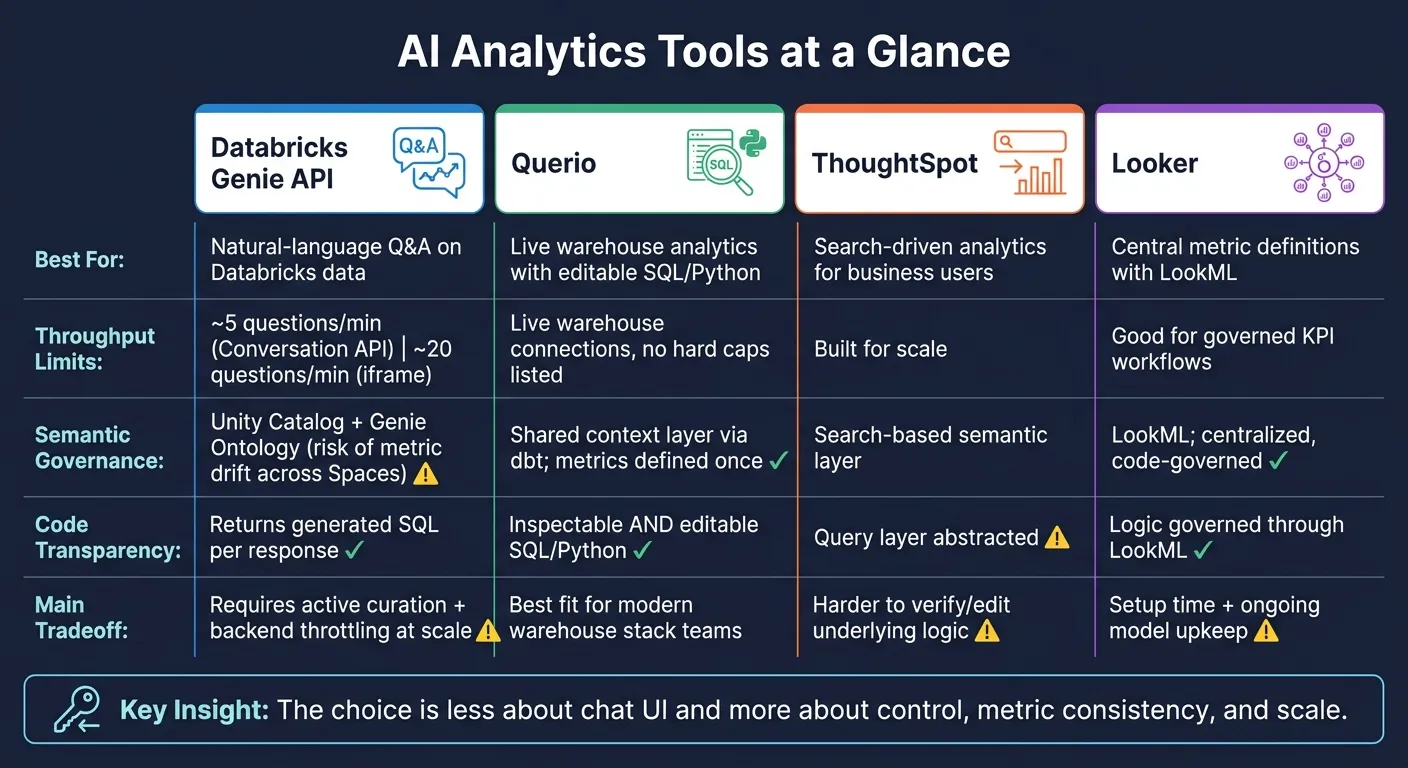 {Databricks Genie vs Querio vs ThoughtSpot vs Looker: AI Analytics Tool Comparison}
:::
{Databricks Genie vs Querio vs ThoughtSpot vs Looker: AI Analytics Tool Comparison}
:::
| Tool | Best for | Main limit |
|---|---|---|
| Databricks Genie API | Natural-language Q&A on Databricks data | Low throughput, more backend work, metric drift risk |
| Querio | Live warehouse analytics with editable SQL/Python | Best fit for warehouse-first teams |
| ThoughtSpot | Search-based analytics for business users | Less control over query logic |
| Looker | Central metric definitions with LookML | More setup and model upkeep |
What I see here is simple: the choice is less about chat UI and more about control, metric consistency, and scale.
1. Databricks Genie API
Embedded AI Analytics
Genie gives teams two ways to embed it: an iframe for fast setup in internal portals, and a Conversation API for custom chat experiences in Slack, Microsoft Teams, or internal apps [1][7]. Both support the same main use cases: portal Q&A, Slack copilots, Teams copilots, and workflow-triggered metric checks.
The big difference comes down to control vs. simplicity. The iframe is easier to roll out. The Conversation API gives you more room to shape the experience, but it also asks more from your team once you deal with the semantic layer and usage limits.
Throughput is the first hard limit. The iframe supports about 20 questions per minute per workspace across all Genie Spaces, while the Conversation API free tier is limited to about 5 [1]. If you're serving 10,000+ daily users, you'll want a backend layer with caching, throttling, and exponential backoff [1]. Without that, things can get crowded fast.
Semantic Governance
Genie relies on Unity Catalog for row-level and column-level security, but that doesn't automatically keep business meaning clean and aligned. Semantic consistency still depends on analysts keeping definitions, SQL examples, and documentation up to date [2][5]. Genie can also import Tableau and Power BI files so teams can reuse business logic they already have [3].
That said, governed data isn't the same as correct answers. Teams still need to inspect the SQL Genie produces.
Why does that matter? Because text-to-SQL can look great in neat test cases and then stumble when things get messy. One cited example drops from 92% accuracy to as low as 28% when organizational complexity and ambiguous terminology enter the picture [4]. In plain English: if your company uses fuzzy terms, overlapping metrics, or team-specific definitions, the model can miss the mark.
Inspectable SQL
Genie returns the SQL it generated, which makes review and debugging much easier [2]. That's a strong feature, especially for teams that don't want a black box answering business questions.
But there's a catch. Seeing the SQL helps you check the answer after the fact. It doesn't handle multi-step orchestration for you.
Production Reliability
As of mid-2026, Genie Agent Mode is not available through the direct API [2]. So if your team needs multi-step workflows, you'll have to orchestrate them in your own backend [2].
| Deployment Option | Throughput (Free Tier) | Customization | Complexity |
|---|---|---|---|
| Conversation API | ~5 questions/min per workspace [1] | High - full UX control | High |
| Iframe Embedding | ~20 questions/min per workspace across all Genie Spaces [1] | Low - standard Genie UI | Low |
2. Querio
Embedded AI Analytics
Genie often asks for more orchestration and upkeep. Querio takes a different path. It keeps the experience connected to live warehouse data and gives teams logic they can edit.
Querio embeds natural-language analytics right on top of live Snowflake, BigQuery, Redshift, and Postgres data through APIs or iframes. There are no CSV exports and no shadow copies in the mix.
Semantic Governance
Querio works with dbt models, which helps metric definitions, joins, and business terms stay in line with your warehouse logic. You define terms once - revenue, active user, churn - and those definitions stay the same across ad hoc queries, dashboards, and embedded answers.
That kind of consistency matters most when analysts need to review the logic, tighten it up, and make sure answers are ready before they go live.
Inspectable and Editable SQL/Python
Every answer Querio generates includes the underlying SQL or Python, and both are visible and editable. Analysts can inspect joins, fix logic errors, and turn checked queries into dashboards or scheduled reports.
Production Reliability
Because Querio runs on a live, warehouse-backed analysis layer, connected analyses update when the underlying logic or data changes. That helps cut drift over time. It also supports governed access with role-based access controls, standard SSO integrations, and SOC 2 Type II compliance.
3. ThoughtSpot
Embedded AI Analytics
ThoughtSpot takes a different path from Genie. Instead of asking teams to piece together more of the orchestration on their own, it leans into governed, user-facing analytics that business users can query directly.
That’s where ThoughtSpot shines. It’s best for search-driven analytics that let business users get answers without writing SQL. If your goal is to give non-technical teams a clean way to search data, check dashboards, and move fast, that setup makes a lot of sense.
Where it starts to fall short is when teams want tighter control. If you need full ownership over metric logic, custom workflows, or heavily tailored embedded experiences, ThoughtSpot can feel a bit boxed in.
Semantic Governance and Auditability
ThoughtSpot works best when business terms are defined once and then reused the same way across search, dashboards, and reporting. That keeps conversational answers in line with dashboards and embedded experiences, which is a big deal when different teams are looking at the same numbers.
The main production question is simpler than it sounds: Can analysts inspect and validate the logic behind each answer before business users depend on it? That matters most when answers feed internal reporting or customer-facing workflows, not just ad hoc exploration.
From there, the next issue is how much semantic control and embed flexibility a team needs to support day-to-day reporting.
sbb-itb-284a532
4. Looker
Semantic Governance and Auditability
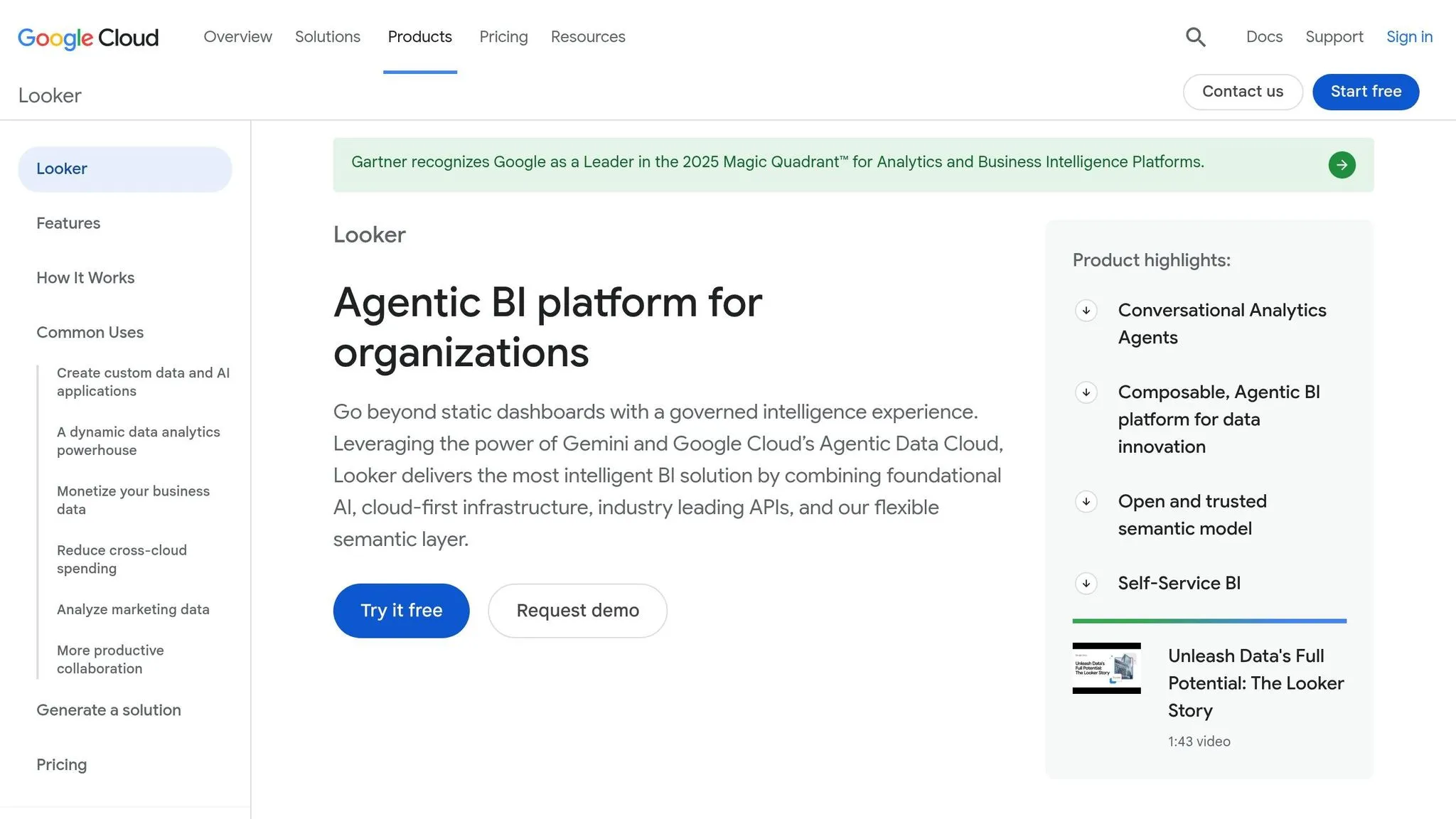
Looker takes a more opinionated path than Genie. With LookML, teams get one governed place to define metrics, dimensions, and business logic. That matters because every dashboard, embed, and query that uses those definitions stays in sync. In plain English: fewer mismatched numbers, less semantic drift, and less extra orchestration.
Genie handles this differently. It uses Genie Ontology for business context, while Unity Catalog manages access control and row-level security [8][2][6].
Code Transparency and Production Reliability
Genie returns the generated query with each answer, which makes review easier [2]. You can see what the system actually ran instead of treating the output like a black box.
There is, however, a tradeoff. At higher embed volumes, Databricks says teams may still need a backend layer for caching and request handling [2]. So the split is pretty clear: Looker fits teams that want a built-in governance layer, while Genie works better for teams that are okay owning more orchestration.
The core difference comes down to control. Looker standardizes the semantic layer up front. Genie gives teams the rawer building blocks.
How These Differences Play Out for Real Teams
These differences shape a pretty practical decision: is Genie a light copilot, or can it serve as a production analytics layer?
Embedded AI analytics is where Genie's limits show up first. The iframe route supports about 20 questions per minute per workspace, and the Conversation API free tier is capped at about 5 questions per minute [1]. That's fine for a small internal copilot. It’s a different story for a high-traffic SaaS workflow. If your team is shipping analytics into internal apps, Slack, or customer-facing flows, the big question is simple: does the experience hold up as usage climbs?
Semantic governance is where domain drift can hit fast. Different Genie Spaces can return different answers for the same metric if the Genie Ontology behind them isn’t aligned across spaces [8]. That becomes a problem the moment Sales, Finance, and Customer Success all need to trust the same revenue or churn number. Looker’s LookML and Querio’s shared context layer use a more centralized setup. You define metrics once, then apply them the same way across analysis, dashboards, and embedded use cases.
Code transparency is one place where Genie does well. The API returns the generated SQL with every response [2], which gives analysts a clear view into the logic. Querio pushes this further with inspectable and editable SQL and Python inside a reactive notebook setup. That matters when teams need to adjust logic, not just check the output.
Here’s the same comparison in plain decision terms:
| Criteria | Databricks Genie API | Querio | ThoughtSpot | Looker |
|---|---|---|---|---|
| Embedded AI Analytics | iframe ~20 questions/min; Conversation API ~5 questions/min [1] | APIs and iframes on live warehouse data | Search-driven embedded analytics | Dashboard-centric embedding |
| Semantic Governance | Unity Catalog and Genie Ontology; domain-specific Spaces [8] | Shared context layer; metrics defined once | Search-based semantic layer | LookML; centralized, code-governed |
| Code Transparency | Returns generated SQL per response [2] | Inspectable and editable SQL/Python | Abstracts the query layer | Logic governed through LookML |
| Production Reliability | Requires backend caching and throttling at scale [1] | Live warehouse connections; no CSV exports | Built for scale | Good for governed KPI workflows |
Production reliability is where teams often get caught off guard with Genie. Throughput limits are a known constraint, and the work needed to smooth that out - caching, throttling, and request routing - falls on your engineering team [1]. If you want governed self-serve analytics on live warehouse data without taking on that overhead, the tradeoffs start to look very different.
The next section breaks those tradeoffs into clear pros and cons for each tool.
Pros and Cons of Each Tool
Each tool fits a different analytics workflow. The simplest way to compare them is by the job each one does best: curation, governance, search, or standardization.
Start with Genie's fit for Databricks-first teams, then look at the day-to-day tradeoffs that come with it.
Databricks Genie API is a good fit for teams already on Databricks that want conversational Q&A without building a custom NL-to-SQL layer. It tends to work best when analysts keep it curated and maintain it on a regular basis.
From there, the big question is whether your warehouse data needs a governed context layer with editable logic.
| Tool | Strongest At | Main Tradeoff |
|---|---|---|
| Databricks Genie API | Conversational Q&A inside Databricks; SQL transparency | Requires active curation; works best for teams already on Databricks |
| Querio | Governed self-serve on live warehouse data; inspectable SQL/Python | Best fit for teams already on a modern warehouse stack |
| ThoughtSpot | Search-driven embedded analytics | The abstracted query layer makes verification and edits harder |
| Looker | Centralized metric governance via LookML | Setup time and ongoing modeling upkeep |
Querio fits teams that need governed, live analytics on Snowflake, BigQuery, Redshift, or Postgres without shadow copies or CSV exports. Every answer shows inspectable, editable SQL or Python.
That same lens also works for search-first and governance-first tools: inspectability, consistency, and maintenance overhead.
ThoughtSpot is a strong pick when search-driven analytics and embedded experiences matter. The abstracted query layer can make verification and edits harder when analysts need to confirm or change the logic underneath.
Looker centralizes metric definitions across dashboards and embeds, which helps keep KPI definitions consistent at scale. The tradeoff is setup time and the ongoing work of maintaining models.
Conclusion
Genie is a good fit for Databricks teams that want a natural-language way for non-technical users to access governed data. It works best when the data is already curated and the team wants a clean interface on top of it. In practice, Genie shines as a governed layer backed by human-defined questions and clear operational guardrails.
The main tradeoff is scale. The biggest limit is throughput: the Conversation API free tier supports about 5 questions per minute per workspace, and the iframe option is capped at about 20 [1]. That makes Genie workable for internal use cases. But for high-traffic workflows, you’ll likely need a backend layer to handle the load.
You can use Genie to build embedded Q&A, copilots, and metric lookups. What you can’t do is treat it like a fully autonomous BI layer. Its value comes from governed, narrow use cases, not broad, hands-off analytics coverage. That’s where the surrounding semantic layer and workflow logic matter. For teams that need stable metrics, inspectable logic, and governed self-serve across the warehouse, Genie alone isn’t enough.
FAQs
::: faq
When is Genie enough on its own?
Databricks Genie works well on its own when you want a turnkey, domain-specific conversational BI setup for natural-language data exploration.
It’s a good fit for low-to-moderate volume, standardized conversational BI, and fast deployment through iframe embeds. But it starts to come up short if you need custom UX, complex routing, higher throughput, or tighter semantic consistency for production use. :::
::: faq
What backend work does Genie need at scale?
At scale, the Databricks Genie API takes a lot of backend work to keep things stable, fast, and within budget. Since it’s a managed service with workspace-level throughput limits, most teams need extra orchestration around it.
That usually means adding caching, throttling, and retry logic with exponential backoff. Teams also tend to route requests to curated, domain-specific Genie Spaces instead of sending everything through one path. In production, many teams add extra modeling or human review too, so answers stay semantically consistent. :::
::: faq
How can teams prevent metric drift in Genie?
Teams keep metrics from drifting in Databricks Genie by treating it like a living, curated asset, not a set-it-and-forget-it tool. That matters because Genie leans on Unity Catalog metadata. If those definitions are weak, things can drift fast, leading to context rot and mismatched metrics.
To keep results consistent, start with a governed data layer. That means documented business rules, formal metric definitions, clear data lineage, curated Genie Spaces, and steady benchmarking and monitoring. Genie works best for ad hoc analytics. For repeated reports or mission-critical metrics, stick with pre-defined queries or dashboards. :::