Guide
Embedded Analytics Tableau A Guide to Seamless Integration
Discover how to use embedded analytics Tableau to bring data to life within your apps. Learn integration strategies, best practices, and real-world use cases.

When you hear about embedded analytics with Tableau, it's all about putting interactive dashboards and data visualizations directly inside your business applications, portals, or websites. Instead of making users jump over to a separate BI tool, you bring real-time, actionable insights right into their natural workflow.
Bringing Your Data to Life with Embedded Analytics
Imagine your data isn't just a static report but an active, breathing part of your application. That's the real promise of embedding Tableau. It shifts analytics from a separate, often clunky process into the very fabric of how your users get their work done. It’s the difference between handing someone a map and a compass versus giving them a built-in GPS that updates every second.

This approach delivers insights that are aware of the user's context, right where and when they need them most. By weaving beautiful, interactive dashboards into the user journey, you can fundamentally change how people interact with data, making it far more intuitive and valuable.
Driving Engagement and Adoption
When analytics are just part of the workflow, user engagement skyrockets. People no longer need to export data to a spreadsheet or switch contexts just to find an answer. This seamless integration makes your entire application "stickier" and more essential to their daily tasks. For a great primer on the core concepts, check out our guide on what is embedded analytics.
By embedding analytics, you’re really empowering users to explore data and find their own insights, which naturally leads to higher product adoption and satisfaction. For example, projects focused on displaying financial charts in a web application perfectly illustrate how dynamic data can be delivered directly to users, immediately boosting their decision-making power.
The goal is to make data feel less like a report and more like a feature. When analytics are seamlessly integrated, they become an organic part of the product, driving value instead of creating friction.
Creating New Business Value
Beyond just making for a better user experience, embedded analytics Tableau solutions create real, tangible business value. This integration can open up entirely new revenue streams, like offering premium analytics features to your customers or using the data to provide more personalized services.
Ultimately, this strategy transforms your product from a simple tool into an intelligent platform. It gives you a serious competitive advantage by:
- Increasing Customer Loyalty: Users who get more value from your application are far less likely to churn.
- Monetizing Data Assets: You can turn your data into a premium, revenue-generating feature.
- Improving Decision-Making: Equip your customers with the tools they need to make smarter, data-driven choices without ever leaving your platform.
This guide will walk you through everything from the core architecture to the nuts and bolts of implementation, showing you just how embedding Tableau can be a true game-changer.
Why Top Companies Choose Tableau for Embedding Analytics
When a company decides to build analytics right into its own products, picking the right platform is a huge decision. Time and again, top companies land on Tableau because it delivers a knockout combination of beautiful visualizations, ironclad security, and a mature, reliable ecosystem. It’s not just about slapping some charts into an app; it's about creating a premium, data-rich experience that feels like it was always meant to be there.
Think of it like choosing the engine for a luxury car. You need something powerful and dependable, backed by years of proven engineering. Tableau is that engine. It gives product teams the horsepower they need to build analytics features that users love and that create real business value.
Making Your Application Stickier
The biggest reason to embed analytics is to make your application utterly indispensable. When you put interactive dashboards directly into a user's natural workflow, they no longer have to jump to another program or export a CSV to get answers. This seamless integration keeps them in your product longer and makes them more engaged.
A perfect example is a SaaS company embedding usage dashboards for its clients. Customers can see exactly how their teams are using the software, helping them get the most out of their subscription. This kind of transparency is a powerful tool for reducing churn and building loyalty. The analytics stop being a nice-to-have and become a core feature.
The real magic of embedding Tableau is that it turns data into a conversation. When users can filter, drill down, and explore insights without ever leaving your app, they become active participants in their own data discovery. Your product becomes fundamentally more valuable to them.
This in-context approach gets results. Industry reports show that applications with embedded analytics see a 41% higher adoption rate. Your product transforms from a simple tool into a smart, data-driven partner.
Unlocking New Ways to Make Money
Beyond just making users happier, embedding Tableau can open up entirely new revenue streams. Companies can start selling access to premium data insights, creating a direct and measurable return on their investment.
Imagine a fintech app that shows users a basic transaction history. With Tableau, they could roll out a premium tier offering features like:
- Deep Spending Analysis: Interactive dashboards that automatically categorize expenses and show spending trends over time.
- Peer Benchmarking: Anonymized data comparing a user's financial habits to others in a similar demographic.
- Future Forecasting: Projections based on past behavior to help users plan their finances more effectively.
Each of these features, powered by embedded Tableau dashboards, is a new product you can sell. This strategy is catching on fast; a recent industry summary pointed out that embedding analytics can drive up to a 30% increase in product revenue. You can find more insights on this and other market trends at SRAnalystics.io.
Tapping into a Market Leader's Ecosystem
Choosing Tableau isn't just about buying software; it's about plugging into a massive, active, and supportive ecosystem. With a market share of around 13%, Tableau stands shoulder-to-shoulder with competitors like Power BI as a clear industry leader.
That leadership position brings some very real advantages:
- A Deep Talent Pool: The huge global community means it’s far easier to find developers and analysts who already know Tableau inside and out.
- Endless Resources: There’s a treasure trove of official documentation, community forums, and online tutorials to help you solve just about any problem you might run into.
- Enterprise-Grade Reliability: Tableau is built for the big leagues, offering the robust security, governance, and scaling capabilities that large organizations absolutely require.
By betting on a platform with such a solid foundation, companies reduce risk and ensure their analytics solution is built to last. For anyone currently weighing their options, our guide on the top embedded analytics tools for 2025 offers a detailed breakdown of the leading platforms. This powerful support system is a major reason why so many companies confidently choose Tableau to power their customer-facing analytics.
Understanding the Architecture of an Embedded Solution
To really get a feel for how Tableau embedded analytics works, it helps to peek behind the curtain. What you see as a clean, seamless dashboard in your app is actually a carefully choreographed dance between three main players: your application, the Tableau platform, and your user’s web browser.
Think of your web application as the mission control. It knows who the user is, what they're doing, and what data they should be able to see. Meanwhile, your Tableau platform—either Tableau Server or Tableau Cloud—is the powerful analytics engine doing all the heavy lifting, housing the interactive dashboards and connecting to the data.
The magic that connects these two worlds is the Tableau Embedding API. This isn't just a simple link; it's a dynamic, two-way communication channel. It lets your app securely ask for a specific dashboard, apply filters based on who the user is, and even react when a user clicks on a particular data point within the visualization.
The Core Components of an Embedded System
Let's break down the key parts of this setup. Each piece has a specific job to do, and understanding how they fit together is the first step to building a solid integration.
- Your Web Application: This is your product, the place where your users live and work. It's responsible for managing user identity and sending requests to Tableau on their behalf.
- Tableau Platform (Server or Cloud): This is the backend powerhouse. It's where you build, publish, and manage your dashboards. It handles all the complex data processing and rendering.
- Tableau Embedding API: Think of this as the toolkit (mostly JavaScript) that enables your app to talk to Tableau. It's what you use to request content and manage all the cool interactive features.
- End-User's Browser: This is where it all comes together. The browser renders your application's interface and the embedded Tableau content, creating a single, unified experience for the user.
When these components work together effectively, they drive real business results, from boosting revenue to improving user adoption.
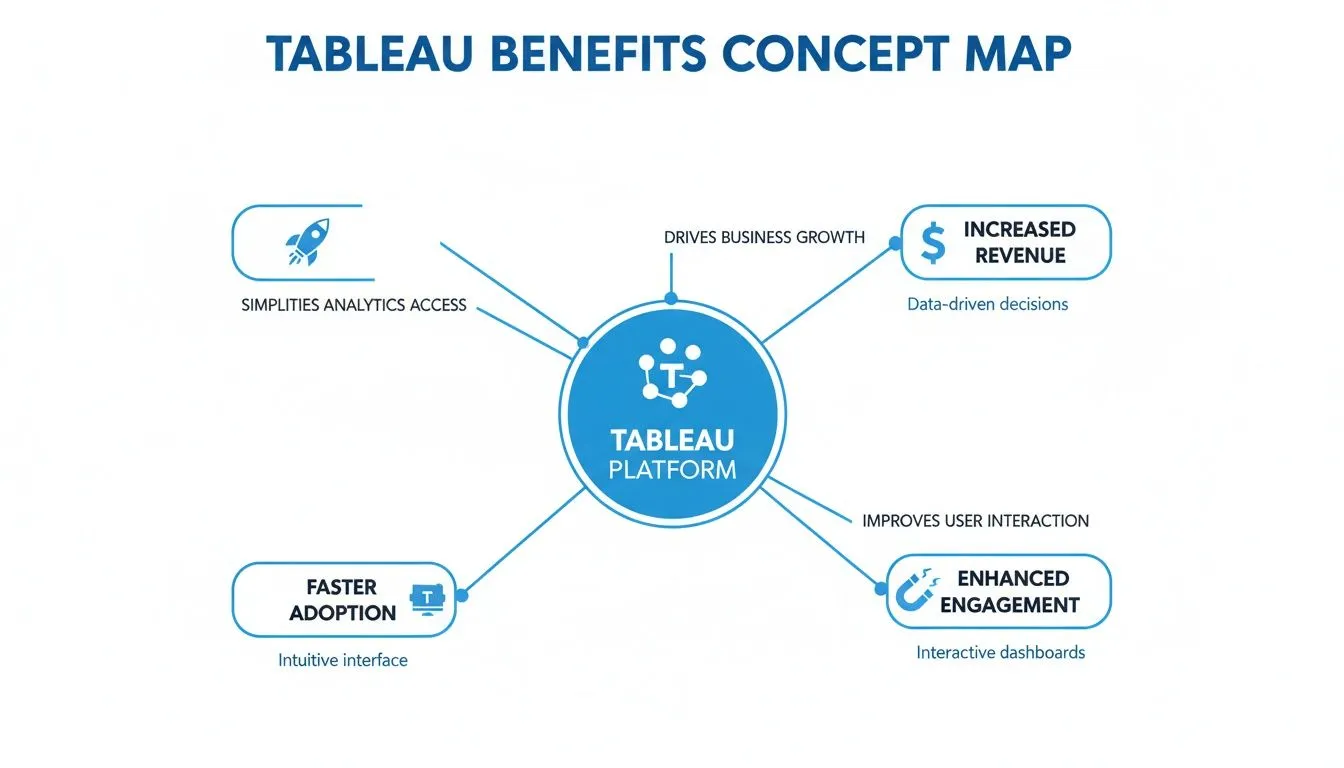
As the map shows, a well-designed technical foundation is what allows you to achieve those bigger strategic goals.
Securing the Connection for a Seamless Experience
So, how do you prove to Tableau that a user from your app is legit and should see a dashboard—without making them log in all over again? This is where single sign-on (SSO) is absolutely essential.
Let's say your app needs to show a user their specific sales numbers. Instead of clumsily passing the user's login details to Tableau, your application server talks directly and securely with the Tableau server. It authenticates itself and requests a special, temporary "ticket" or token just for that user and that session.
The whole process is built on trust. Your application vouches for the user's identity, and Tableau trusts your application. This secure handshake happens in a split second, creating a completely frictionless experience where the right dashboard just appears.
Tableau gives you a couple of ways to pull this off:
- Trusted Authentication (Trusted Tickets): This is the classic method. You add your application's backend server to a "trusted list" on Tableau Server. From there, it can request single-use tickets to show a view to a specific user.
- Connected Apps with JWTs: This is the more modern approach, especially for Tableau Cloud. Your application generates a signed JSON Web Token (JWT) that contains the user's details, and Tableau verifies this token to grant access.
This security layer is a cornerstone of any good business intelligence architecture, making sure your data is both easy to access and properly protected.
Why This Is More Than Just a Simple Iframe
Finally, it’s crucial to understand the difference between a true embedded solution and just sticking a dashboard in an <iframe> tag. Pasting a public link into an iframe is a one-way street. The dashboard is in your app, but your app has no real control over it; it's just a static window.
A dynamic integration using the Embedding API, on the other hand, creates a two-way conversation. Your application can tell the dashboard, "Hey, filter this view to show only Q4 data," or "Zoom in on the West Coast region." That level of programmatic control is what transforms a simple chart into a deeply integrated, context-aware feature that feels like it was built for your product from day one.
Your Step-By-Step Guide to Embedding a Tableau Dashboard
Alright, let's move from theory to practice. Getting a Tableau dashboard live inside your own application is where things get really exciting. It’s a pretty methodical process, but if you follow the steps, you'll successfully bridge your app's user interface with Tableau's powerful analytics engine.
Think of it like installing a custom window into your house of data. First, you have to get the window frame (your application) ready and make sure the house itself (Tableau) is prepped for the install. Then, you bring in a special set of tools—the Embedding API—to fit the window securely, making sure it’s airtight and easy for users to look through and interact with.
This isn't just a niche skill anymore; it's becoming a standard feature in modern software. The global embedded analytics market is exploding, with some estimates putting it between USD 60–80 billion in the mid-2020s. This boom is all about cloud adoption and the massive demand for data experiences baked directly into the apps people use every day. It's exactly why knowing how to handle an embedded analytics Tableau integration is such a valuable skill.
Preparing Your Environment and Dashboard
Before you write a single line of code, the real work begins with preparation. A little upfront effort in configuring your Tableau environment and the specific dashboard you want to embed will save you countless headaches down the road.
First, you’ll need to figure out if you're working with Tableau Cloud or Tableau Server, as the way you handle authentication is slightly different for each. Make sure your server or cloud site is licensed for embedding. This usually means a core-based license for Server or a specific usage-based model for Cloud.
Next, turn your attention to the dashboard itself. Performance is everything here.
- Optimize Your Data Sources: Whenever you can, use Tableau data extracts (.hyper files) instead of a live connection. Extracts are Tableau's secret weapon for performance, leading to much faster load times.
- Keep It Simple: An embedded view is not the place for a dozen filters and overly complex charts. Reduce the number of marks (data points) and simplify your calculations.
- Test, Test, Test: Use Tableau’s built-in Performance Recording feature. It will show you exactly what’s slowing your dashboard down so you can fix it before you embed it.
Implementing the Tableau Embedding API
With a speedy dashboard ready to go, it's time to get your hands dirty with some code. The Tableau Embedding API v3 is a modern JavaScript library that makes this whole process feel surprisingly straightforward. It’s what lets your web app "talk" to the Tableau content.
The basic implementation breaks down into three simple steps:
- Include the API Script: Just add the Tableau Embedding API script tag into the
<head>of your HTML file. - Create a Placeholder: In your HTML, define a
<div>element where you want the dashboard to appear. Give it a unique ID, like<tableau-viz id="tableauViz"></tableau-viz>. - Initialize the Viz: Write a bit of JavaScript to create a new
TableauVizobject. You’ll point it to your placeholder ID and give it the URL of the dashboard you’re embedding.
The real power of the Embedding API is its ability to create a dynamic, two-way conversation between your app and the dashboard. You're not just displaying a static image; you're creating an interactive data experience that feels native to your product.
This approach is what separates a decent integration from a great one. For teams that need to build white-label dashboards or deeply integrated features, looking into a dedicated embedded analytics SDK can seriously speed up development time and handle complex things like multi-tenant security right out of the box.
Handling Authentication and Interactivity
A simple embed is a good start, but a truly professional solution needs to feel seamless. Your users should never, ever see a Tableau login screen. This is where Single Sign-On (SSO) comes in, using methods like Trusted Authentication or Connected Apps with JSON Web Tokens (JWTs).
Here’s how it works: your application's backend securely requests an authentication token from Tableau. It then passes that token to the front end, where the Embedding API uses it to load the dashboard specifically for that user. This also ensures they only see the data they’re supposed to see.
Once they're in, you can make the whole experience interactive. The API lets your application:
- Apply Filters Programmatically: Your app can automatically filter the dashboard based on the user's context. For instance, if they’re in the sales department, you can show them just sales data.
- Listen for Events: You can write code that "listens" for things the user does inside the dashboard, like clicking on a specific bar in a chart or selecting a filter.
- Trigger Custom Actions: When an event happens, your app can react. Imagine a user clicking on a customer's name in a Tableau chart, and a modal window instantly pops up in your application showing that customer's full profile.
This two-way communication turns the dashboard from a simple report into a living, breathing part of your application.
Crafting a Seamless User Experience with Best Practices
A powerful embedded analytics solution is defined by more than just its technical backend; its real success is measured by how it feels to the end-user. Just dropping a dashboard into your application and calling it a day is a recipe for a clunky, disjointed experience. The goal is to create something so intuitive and seamless that it feels like a natural extension of your product, not a bolted-on afterthought.
This means sweating the small stuff. Every detail matters, from how quickly a dashboard loads to whether the font matches your brand's style guide. It’s the difference between a feature users tolerate and one they genuinely rely on.

Optimize for Peak Performance
In the world of user experience, speed is a non-negotiable feature. A dashboard that takes more than a couple of seconds to pop up will frustrate people and drive them away. For any embedded analytics Tableau project, optimizing performance has to be your first priority.
Your data is the best place to start. Instead of forcing a live connection for every single dashboard, lean on Tableau's proprietary .hyper extracts. Think of these as super-charged, in-memory snapshots of your data, built specifically for lightning-fast queries. They can slash your load times.
Next, adopt a "less is more" philosophy for your workbook design:
- Limit Visuals: Don't try to cram every possible chart onto a single dashboard. Each visual you add increases the rendering time. Be selective.
- Reduce Marks: The total number of data points, or "marks," in a view is a huge factor in performance. Filter your data or use aggregations to keep that number in check.
- Simplify Calculations: Complicated table calculations can really bog things down. If you can pre-calculate values in your database before they even get to Tableau, do it.
Design for Brand Cohesion
Your embedded dashboards should look and feel like they belong inside your application. A jarring visual disconnect instantly makes the experience feel clunky and can even erode user trust. This is where thoughtful customization comes in.
Tableau gives you the tools to tweak colors, fonts, and tooltips to perfectly match your application’s existing design. You can also hide unnecessary Tableau branding, headers, and toolbars to create a much cleaner, more integrated view. Getting insights from a professional user experience designer can make a world of difference here. The idea is to make users completely forget they're even interacting with a third-party tool.
A truly seamless integration is invisible. The user shouldn't be thinking about the analytics tool; they should be thinking about the insights they're discovering within your product.
Achieving this level of cohesion builds confidence and makes the analytics feel like a core part of what your product offers.
Implement Ironclad Security and Governance
Security is the absolute foundation of a successful embedded analytics project, especially if you're serving multiple customers in a multi-tenant setup. You have to guarantee that users only see the data they are supposed to see. Period. This is precisely what Row-Level Security (RLS) is for.
RLS is a powerful data governance feature that filters data based on who is looking at it. By mapping users in your application to specific data rules in Tableau, you can use a single, master dashboard to securely serve all your customers without ever mixing up their information.
As your user base grows, you’ll also need a solid plan for governance and scale:
- Manage Content Wisely: Set up clear internal processes for how dashboards are developed, tested, and published. This prevents a chaotic mess of outdated or duplicate content.
- Define Permissions: Use Tableau's projects and groups to control exactly who can view, interact with, or edit different pieces of content.
- Monitor Licensing: Keep a close eye on your licensing model, whether you're paying per user or by core. This is crucial for managing costs as your solution becomes more popular.
This focus on structured governance ensures your analytics remain secure, manageable, and cost-effective as you grow. The market is increasingly leaning into these kinds of scalable, secure solutions. In fact, cloud deployments are expected to account for roughly 60% of market revenue by 2025. This cloud-first mentality, combined with a sharp focus on industries like finance and use cases in ERP/CRM systems, explains why vendors are prioritizing features like multi-tenancy and robust security. You can explore more detailed market breakdowns to see how these forces are shaping the industry.
Common Questions About Embedding Analytics with Tableau
As you start mapping out your integration, a few key questions are bound to pop up. Getting these sorted out early is crucial for making sure your project gets off on the right foot—from picking the right architecture to managing costs and delivering a great user experience.
Think of this as a practical FAQ for teams moving from a great idea to the actual implementation. We’ll tackle the most common concerns head-on so you can make these critical decisions with confidence.
How Does Tableau Licensing Work for Embedded Analytics?
Getting a handle on the licensing model is one of the first things you need to do. Tableau has a few different ways to slice it, and the right choice really depends on who will be using your dashboards—internal teams or external customers—and how many of them you expect.
The standard per-user licenses (Creator, Explorer, Viewer) you might already use for internal BI just aren't built for large, external-facing applications. They'd get expensive, fast.
For those customer-facing scenarios, Tableau offers a couple of much more scalable options:
- Core-Based Licensing (Tableau Server): With this model, you license the physical CPU cores on the server that runs Tableau. The beauty of this is that it supports an unlimited number of users, making it a predictable and often cost-effective choice if you have a large or rapidly growing audience.
- Usage-Based Licensing (Tableau Cloud): This is a newer, more flexible approach based on consumption, sometimes called "analytical capacity." It can be a smart financial move when you have a massive number of users who might only log in and view a dashboard every now and then.
The best fit really comes down to forecasting your user activity. If you have a small group of power users, a per-seat model might work. But if your product serves thousands of occasional users, you'll almost certainly want to look at a core-based or usage-based plan to keep things financially sustainable.
What Is the Difference Between Tableau Cloud and Tableau Server?
This is a fundamental fork in the road for your architecture: do you go with Tableau's self-hosted platform or their SaaS solution?
Tableau Server puts you in the driver's seat. You manage the hardware, you handle the software updates, you configure the security. This makes it the go-to for organizations with strict data sovereignty rules or those navigating complex internal network environments.
On the other hand, Tableau Cloud is a fully hosted solution managed entirely by Tableau. This route massively cuts down on your administrative workload. There's no infrastructure to maintain and no software upgrades to worry about.
It really boils down to a trade-off: control versus convenience. Tableau Server gives you maximum control but requires more operational effort. Tableau Cloud offers speed and simplicity by taking care of the backend for you.
For teams that want to move quickly and don't have a lot of dedicated IT resources to spare, Tableau Cloud is often the fastest path to getting an embedded solution up and running.
Can I Embed Tableau Dashboards in Any Web Application?
Yep, the short answer is that Tableau's embedded analytics are built to be incredibly flexible. You can integrate dashboards into just about any modern web application that can render HTML and execute JavaScript. This is a huge reason why so many teams choose Tableau in the first place.
All your host application needs is the ability to make API calls for authentication and to use the Tableau Embedding API to create a dynamic, interactive experience. This means it plays nicely with all the major front-end frameworks, including:
- React
- Angular
- Vue.js
This broad compatibility ensures that no matter what your tech stack looks like, you can weave embedded analytics Tableau dashboards right into your user experience.
How Do I Ensure My Embedded Dashboards Perform Well?
Performance is everything. A slow-loading dashboard can kill the user experience before it even gets started. The secret to a snappy, responsive embedded dashboard isn't one single trick; it's about optimizing at every layer, from the data source to the dashboard design and the final embed code.
First, start with your data. Whenever you can, use Tableau's high-performance .hyper extracts instead of a live connection to your database. Inside the dashboard itself, keep your designs clean and simple—limit the number of visuals and avoid overly complex calculations.
Finally, a pro tip: use the Embedding API to apply filters as the dashboard loads. That way, it only has to render the specific slice of data the user needs to see right away, which can make a world of difference in load times.
Ready to bring powerful, intuitive analytics to your own users? Querio makes it simple. Our AI-powered platform lets you drop white-label dashboards, charts, and an “Ask your data” bar right into your app. With our developer-friendly SDK, you can create a seamless, secure, and multi-tenant analytics experience that feels native to your product. Learn more and get started at Querio.ai.