Rami Abi Habib

Product
13
m
Notebooks Are Dead. Long Live the Notebook (Part 1)
This is a two-part series about the single most important decision in the history of Querio, and why this decision will define the agentic data space for the next decade.
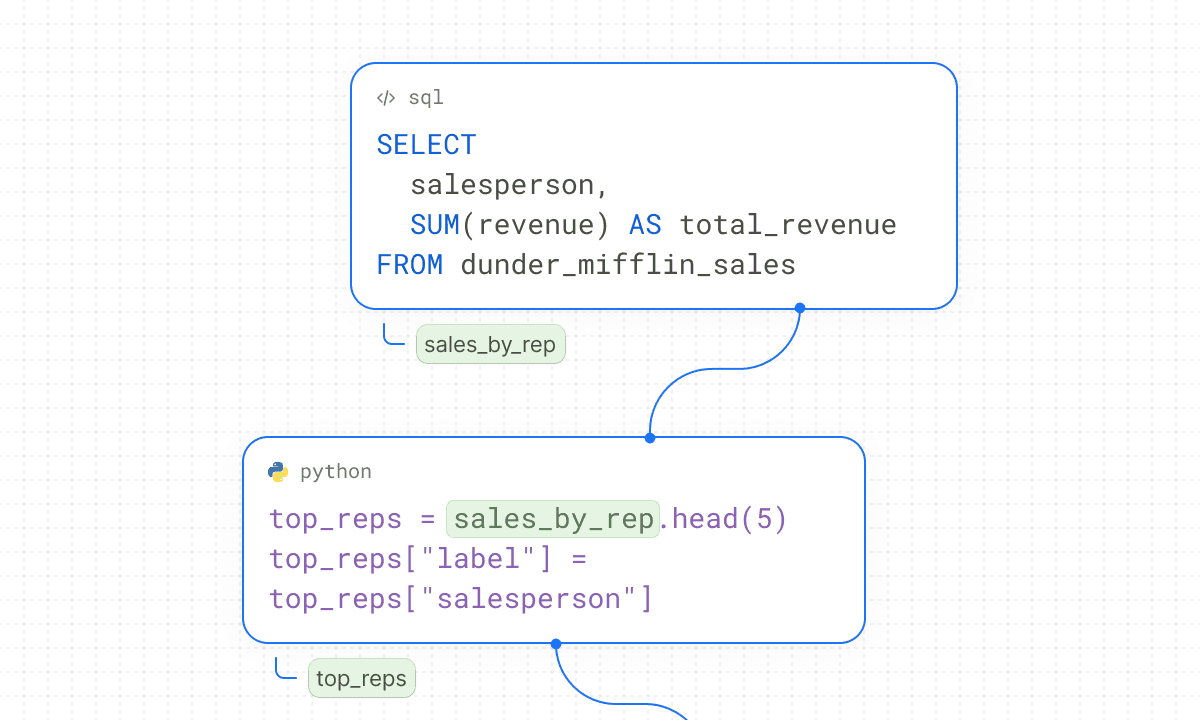
If you've ever been to our landing page, you might have noticed the background of the website looks like a paper notebook. If you look at the background of this blog you’ll see the same thing. This all hints at something fundamental about Querio: Everything is a notebook.
We're building Querio to be the definitive data platform for the agent era. The product that replaces the fragmented mess of BI tools, notebook tools, data app builders, ML platforms, and reporting layers with one thing. To pull it off, we built our product around the notebook, the computation kind (not paper). The kind data teams know, and the kind most data teams have a complicated relationship with.
It powers everything in our product. The AI chat, boards, data apps, scheduled reports, API endpoints, even some saved context files, all of it is a notebook running underneath. We don't lead with that in our marketing because the word "notebook" has a lot of baggage. People hear "notebook" and think Jupyter, and then they think of all the reasons they hate Jupyter. Fair.
But the notebook is the most important architectural decision we've made, and I think most people building in this space got it wrong. This blog is about why we made that bet, what we actually built, and why it lets us do things nobody else can.
What even is a notebook?
If you've never used one: a computational notebook is a document where you can write code, run it, and see the results right there inline. Think of it like a Google Doc that can execute Python. You write a SQL query in one cell, a table of results appears below it. You write some Python in the next cell to transform that data, a chart renders underneath. You add a markdown cell explaining what you found. Now you have code, output, and narrative all in one place.
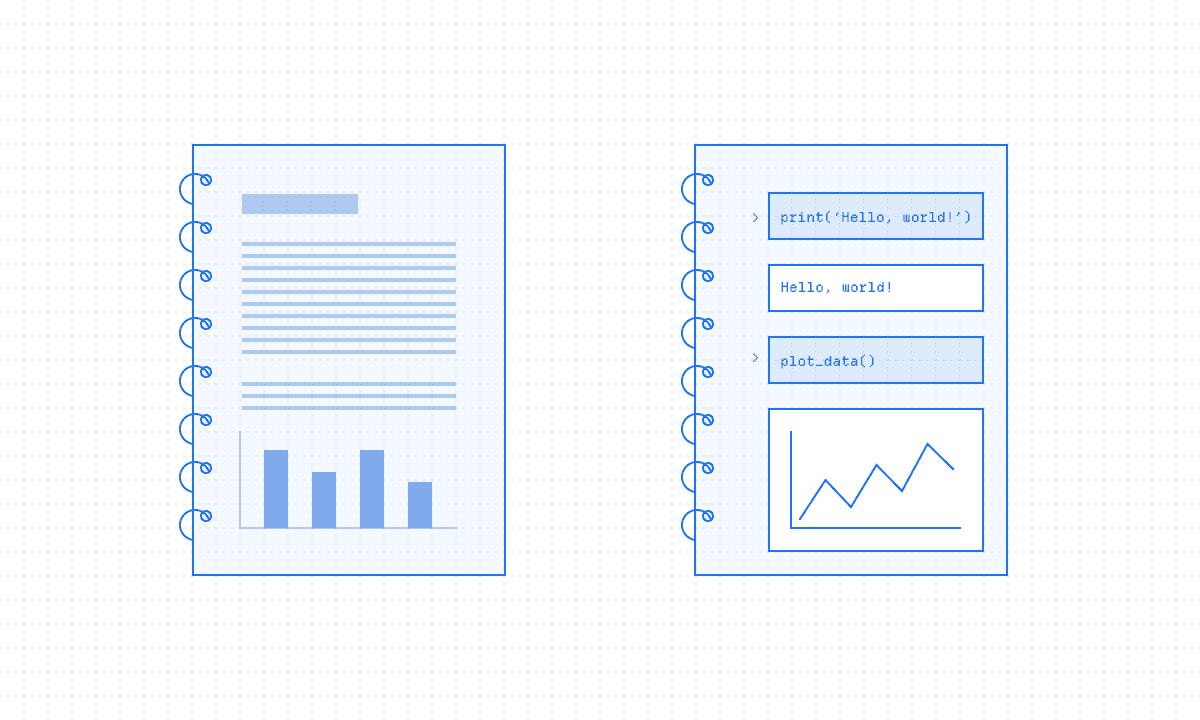
Jupyter is the most famous one. It's been around since 2014, actually the name is a nod to the three core languages it supports (Julia, Python, R). Millions of people use it. It's taught in universities. It's used at every major tech company. It changed how people do data work. There's a reason for that though and it's because it has all the context in one file. You get the full chain of thought, visible and reproducible. Someone can read your notebook top to bottom and understand not just what you concluded but how you got there. The query, the transformation, the visualization, the interpretation. All in one artifact.
Well, that was the theory anyway. In practice, notebooks have become one of the most criticized tools in data science, especially for production use-cases. The idea is amazing, but in reality they break constantly.
How notebooks actually work
To understand why notebooks went wrong you need to understand how they work under the hood. Bear with me on this because it explains everything that comes after.
A Jupyter notebook has two parts: the frontend (what you see in your browser) and the kernel (a live Python process running on a server somewhere). When you type code in a cell and hit run, the frontend sends that code to the kernel. The kernel executes it, and whatever output it produces gets sent back to the frontend and displayed below the ceall.
The kernel maintains state. It's a running Python process with memory. When you run a cell that says `revenue = 1000000`, that variable `revenue` now exists in the kernel's memory. When you run the next cell that says `print(revenue)`, it pulls from that same memory. The cells share a single, persistent namespace.
This seems fine. Intuitive even. How you'd expect things to work.
But think about what happens over the course of a real workday.
You write Cell 1: pull some data.
You write Cell 2: clean it.
You write Cell 3: make a chart.
Then you realize your cleaning logic was wrong, so you go back and edit Cell 2 and re-run it.
But you don't re-run Cell 3. Cell 3 is still showing the chart from the OLD data.
The output on your screen no longer matches the code in Cell 2.
Nothing tells you this.
Multiply that by 50 cells and a few hours of work.
Now you delete Cell 1 entirely because you rewrote the data pull somewhere else.
But the variables from Cell 1 are still in the kernel's memory.
Cell 2 still works, referencing variables that come from code that doesn't exist in the notebook anymore.
If you restart the kernel and run everything top to bottom, Cell 2 will crash because the variable it needs is gone.
But you won't discover that until you try. Or worse, until someone else tries.
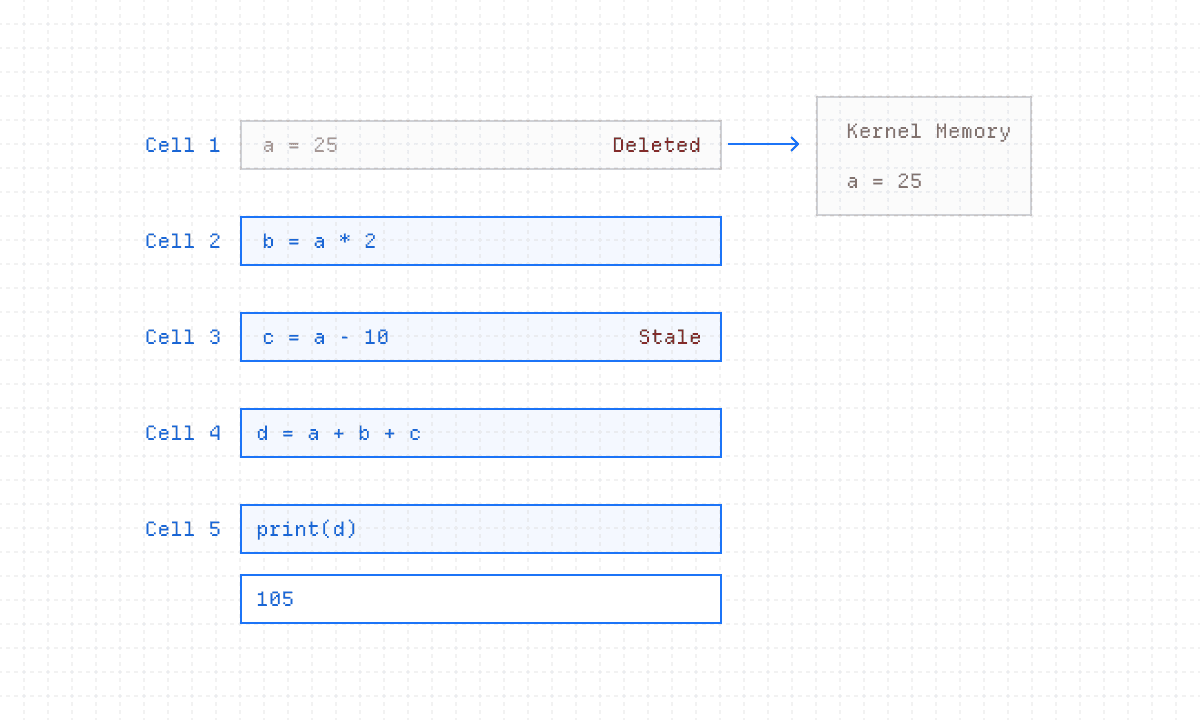
This is what people mean by "hidden state." The notebook shows you one thing. The kernel holds another. There's no mechanism to reconcile the two. The notebook doesn't know which cells depend on which. It has no awareness that Cell 5 reads a variable that Cell 2 defined. It's a collection of independent text boxes that happen to share a runtime.
A study on public GitHub notebooks found that 75% of them don't even run when you try to execute them from scratch. 96% don't reproduce their original results. When you understand hidden state, this makes complete sense. These notebooks were written in a specific order, with a specific kernel state, and that state was never captured. The file is a snapshot of the code, but not of the execution path that produced the results. Cell 2 was never rerun after it’s variable was deleted.
The file format makes it worse
Jupyter saves everything as `.ipynb` files, which are JSON blobs. The JSON contains your code, your outputs (including encoded images and data), metadata about the kernel, execution counts, all sorts of structural stuff.
Try reviewing an `.ipynb` file in a git diff. A one-line code change produces 50 lines of JSON diff because the execution count changed, the output changed, or the cell metadata changed. Version control basically can't function, code review doesn't work, and merge conflicts are constant and unreadable.
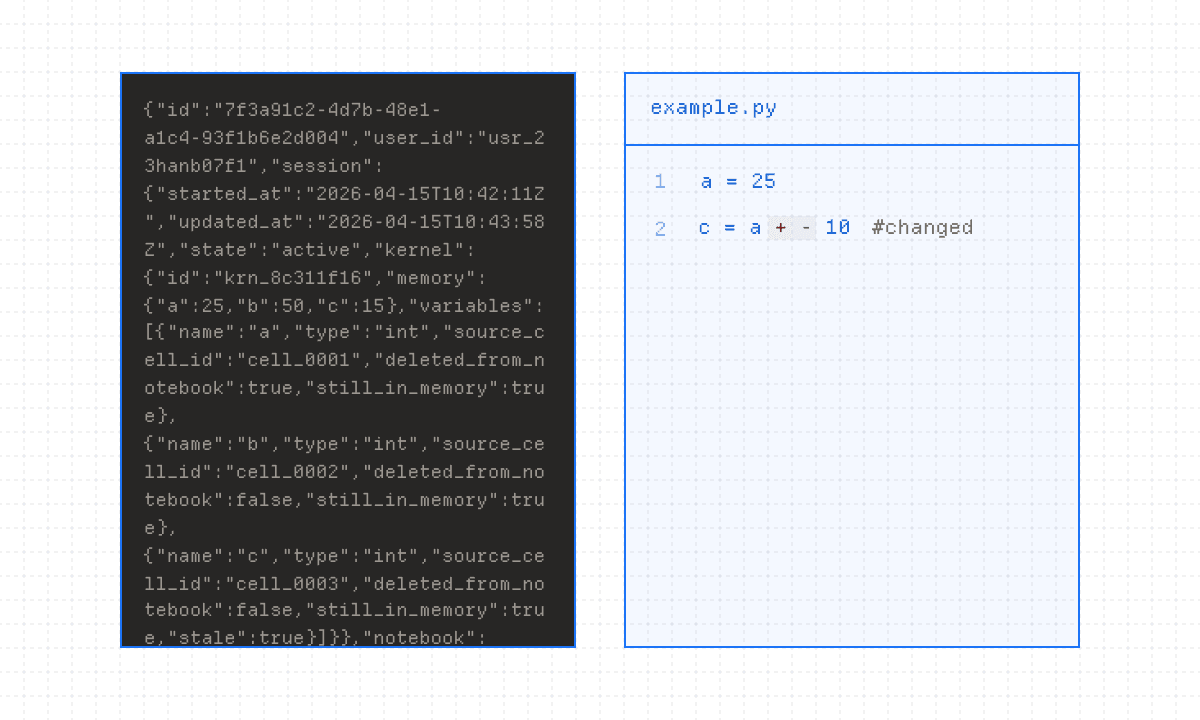
So notebooks become isolated artifacts. They live on someone's laptop and never get deployed or make it to production. The standard advice in the industry is literally "don't put notebooks in production." Martin Fowler's team published a whole article about it.
A CHI study by Microsoft Research surveyed 156 data scientists and found nine distinct categories of pain points: notebooks crash with large datasets, they lack basic IDE features, kernels die mid-operation leaving everything in an inconsistent state, and the whole workflow breaks down the moment you try to move from exploration to production. Everyone knows this. Data scientists know this better than anyone. Notebooks are dead. The industry has spoken.
Except, they shouldn't be.
Why AI needs notebooks
When we started building Querio, we had to figure out what environment an AI agent actually works in.
This is a harder question than it sounds. An AI agent that does data analytics needs to do a LOT of things in sequence. Write SQL to pull data. Write Python to transform it. Generate a visualization. Maybe add interactive UI elements like a date filter or a dropdown. Explain its reasoning in plain English. And all of this needs to be visible, editable, and verifiable by a human.
What format supports all of that?
Dashboards can't. They're rigid output surfaces. You can look at them but you can't see the logic, can't edit the query, can't verify the transformation.
SQL editors can't, you lose Python, visualizations, and narrative.
Code editors can't, you lose the inline outputs that make the work legible to non-technical people (the chart sitting right below the query that produced it).
Chat interfaces definitely can't, you get throwaway answers with no persistence, no structure, no way to build on previous work.
The notebook is the only format that supports code + output + narrative + interactivity in a single document. Flexible enough for an AI agent to do real analytical work and for a human to understand, trust, and build on that work afterward.
The concept was always right. Code and output and reasoning, together. The implementation was the problem. Everything we just covered make this hard: Hidden state, JSON files, fragile kernels, no reactivity. So we kept the concept and decided to rebuild everything else.
So we made a bet. Keep the concept, rebuild everything else from scratch.
Part 2 covers what we actually built, why it makes Querio work, and where it's going.
If you're curious now, reach out at rami@querio.ai.
Written by

