Business Intelligence
how to use ai in sql server
Learn how to leverage AI in SQL Server for advanced data analysis, predictive analytics, and streamlined business intelligence.

Artificial intelligence (AI) in SQL Server simplifies data analysis and business intelligence by integrating tools like machine learning, natural language queries, and vector embeddings directly into your database. These features allow you to perform predictive analytics, automate routine tasks, and access insights faster without needing external systems. You can even auto-generate SQL with AI to bridge the gap between business users and complex databases.
Key Highlights:
- AI Features: Use Python and R for predictive modeling, vector embeddings for semantic searches, and natural language query tools for simplified data access.
- Business Applications: Predict customer churn, detect fraud, optimize inventory, and enable real-time decision-making.
- Setup Requirements: SQL Server 2022 or 2025 Preview, Windows 10+ or Windows Server 2016+, and Machine Learning Services.
- Integration Options: Connect SQL Server to external AI services like Ollama or Azure AI for advanced capabilities.
- Security: Ensure compliance by securing data, monitoring AI activities, and adhering to U.S. regulations.
SQL Server AI tools streamline operations, improve decision-making, and make advanced analytics accessible to nontechnical users. Whether you're running predictive models or enabling natural language queries, these features can transform how your business handles data.
New AI integration for your SQL databases | RAG, Vector Search, Admin Automation
::: @iframe https://www.youtube.com/embed/-8DJ6FXuIa8 :::
Setting Up AI Features in SQL Server
Getting your SQL Server ready for AI involves ensuring the right hardware, software, and configurations are in place. This setup ensures your system can efficiently handle AI workloads.
Prerequisites for Using AI in SQL Server
Before diving into AI features, your system must meet certain requirements. SQL Server 2022 and the SQL Server 2025 Preview include robust AI capabilities, while Machine Learning Services (supporting R and Python) have been available since SQL Server 2016 [1].
To optimize performance, your hardware should meet these minimum specs: an x64 processor running at 1.4 GHz (2.0 GHz or faster is better), at least 1 GB of memory (4 GB or more is recommended for production workloads, and 2 GB is required for the Data Quality Server component), and at least 6 GB of available hard drive space. For example, the Database Engine with R Services alone may need roughly 2,744 MB [1]. Additionally, if your disks have sector sizes larger than 4 KB, specific settings may need adjustment [1].
| Component | SQL Server 2022 | SQL Server 2025 Preview |
|---|---|---|
| Operating System | Windows 10 (1607 or later) or Windows Server 2016+ | Windows 10+ or Windows Server 2019+ |
| Processor | x64, 1.4 GHz minimum (2.0 GHz+ recommended) | x64, 1.4 GHz minimum (2.0 GHz+ recommended) |
| Memory | 1 GB minimum (4 GB+ recommended) | 1 GB minimum (4 GB+ recommended) |
| .NET Framework | 4.7.2 required | 4.7.2 required |
The operating system must also align with the version of SQL Server you’re using. SQL Server 2022 works with Windows 10 (version 1607 or later) or Windows Server 2016 and above. Meanwhile, the SQL Server 2025 Preview supports Windows 10 and beyond or Windows Server 2019 and newer. Both versions require .NET Framework 4.7.2, which can be installed during setup [1].
For U.S.-based operations, using standard regional settings - such as the MM/DD/YYYY date format, USD ($) currency, and imperial units - helps ensure consistent data handling across AI workflows.
Enabling Built-In AI Tools
To activate AI capabilities in SQL Server, you’ll need to select the Machine Learning Services option during setup. This allows you to install the R, Python, or both language runtimes [3]. After installation, enable external script execution by running the following commands:
EXECUTE sp_configure 'external scripts enabled', 1;
RECONFIGURE WITH OVERRIDE;
Don't forget to restart the SQL Server service for these changes to take effect. Once restarted, you can test the setup using the sp_execute_external_script procedure.
For advanced features, like using vector embeddings with external models, you’ll need to enable external REST endpoint functionality. Run this command:
EXECUTE sp_configure 'external rest endpoint enabled', 1;
GO
RECONFIGURE WITH OVERRIDE;
This step allows SQL Server to connect to external AI services and embedding models [2]. Afterward, you can integrate external AI services to expand your system’s capabilities.
Connecting SQL Server with External AI Services
To enhance AI functionality, you can link SQL Server to external services. For instance, Ollama provides local embedding models compatible with SQL Server. You can install Ollama using the Windows Package Manager:
winget install Ollama.OllamaOnce installed, download the required models, such as nomic-embed-text [2].
If your production environment requires secure HTTPS connections, you can use nginx as a proxy. Install nginx, configure SSL certificates with OpenSSL (winget install OpenSSL.Light), and update the nginx.conf file to route requests to your Ollama instance. This ensures secure communication between SQL Server and your AI models.
For Azure AI services, configure API endpoints and authentication keys. Once the REST endpoint is set up, you can use the AI_GENERATE_EMBEDDINGS function to connect to various external tools [2].
To validate your setup, Microsoft’s AdventureWorksLT2025 database offers realistic business scenarios for testing AI configurations [2].
Security and Compliance Considerations
With AI features enabled, securing your SQL Server setup is critical. To minimize vulnerabilities, avoid installing SQL Server on a domain controller, as this limits service account options and could introduce security risks [1]. If your organization requires CLR integration, enable it only when necessary and ensure proper security settings are in place [4].
For service accounts like the NexLP Service Account, verify that it has the necessary permissions, including domain user status, read/write access to shared folders, administrative rights on the SQL Server, and "Log On As A Service" privileges [4].
Enabling SQL Full Text indexing is recommended for processing unstructured text data in AI applications [4]. Regular monitoring through XEvent sessions can help you track AI-related activities, diagnose issues with REST calls, and troubleshoot embedding operations [2].
Practical AI Techniques for Business Intelligence
With your SQL Server AI environment set up, you’re ready to turn raw data into actionable insights. These techniques help businesses automate decisions, predict trends, and refine operations by leveraging intelligent data analysis. Let’s explore how to make the most of SQL Server’s AI capabilities.
Using Natural Language to SQL
Natural language querying bridges the gap between business users and technical databases. Instead of crafting intricate SQL statements, users can simply ask questions in plain English and get instant results.
For example, a sales manager might say, “Show me the top 5 customers by revenue in Q3 2024,” instead of dealing with complex JOIN operations, date filters, or aggregations. Using AI tools that write SQL integrated through sp_execute_external_script, the system interprets the query, generates the corresponding SQL command, executes it, and returns the results in a clear format. When implementing this at scale, it is crucial to use a safe NL2SQL permission model to protect sensitive data.
This method works especially well for recurring business questions like revenue analysis, inventory tracking, and customer segmentation. To make it even more effective, you can train the system on your company’s specific terminology by creating a knowledge base that maps common terms to database fields. Once set up, you can enhance these insights further with predictive analytics using Python or R.
Predictive Analytics with Python or R
SQL Server Machine Learning Services allows you to run Python or R scripts directly within the database, transforming it into a predictive analytics powerhouse. This setup minimizes data movement and supports real-time predictions.
Take customer churn prediction as an example. By analyzing historical behaviors, transaction patterns, and engagement metrics, you can identify customers likely to cancel subscriptions or reduce spending. Python scripts, executed via sp_execute_external_script, access customer data stored in SQL Server. Libraries like scikit-learn and pandas process the data, train predictive models (e.g., random forests or gradient boosting), and save the predictions back into database tables.
EXEC sp_execute_external_script
  @language = N'Python',
  @script = N'
import pandas as pd
from sklearn.ensemble import RandomForestClassifier
# Model training and prediction logic here
OutputDataSet = predictions_df
',
  @input_data_1 = N'SELECT customer_id, feature1, feature2 FROM customer_data';
Other use cases include inventory forecasting, where retailers predict demand based on seasonal trends, or fraud detection, where transactions are analyzed in real time to flag suspicious activity.
Vector Embeddings for Advanced Use Cases
Vector embeddings convert text, images, and other data into numerical formats that capture their meaning, enabling advanced features like semantic search, recommendations, and content analysis.
- Semantic Search: Instead of simple keyword matching, semantic search understands the intent behind queries. For instance, embeddings for product descriptions, reviews, and search terms can be stored in SQL Server. By calculating cosine similarity, the system identifies the most relevant matches.
- Recommendation Engines: Embeddings help suggest personalized recommendations. By comparing the embeddings of items a user interacts with to other products, the system can offer tailored suggestions based on browsing behavior, clicks, or purchase history.
- Document Analysis: Embeddings can categorize and extract insights from unstructured text, like customer feedback or market research reports. This helps uncover themes, sentiment trends, or emerging patterns without manual effort.
Retrieval-Augmented Generation (RAG) takes this a step further by combining embeddings with large language models. For example, customer service teams can query internal documents or support tickets in plain language, and the system retrieves and synthesizes relevant information based on semantic similarity.
Automating Routine Queries and Performance Optimization
AI-driven automation simplifies database management and improves performance by analyzing query patterns and optimizing processes.
- Query Optimization: Machine learning can analyze execution plans and suggest better indexing strategies. It identifies frequently accessed data patterns, recommends new indexes, or tweaks existing ones to prevent slowdowns.
- Dynamic Reports: Automated reports adapt to changing business conditions. For instance, monthly sales reports can highlight unusual trends, compare current performance to historical averages, and flag areas needing attention.
- Capacity Planning: AI can predict database growth, query loads, and resource needs based on historical data and seasonal trends. This helps plan for hardware upgrades or configuration changes proactively.
- Data Quality Monitoring: AI models detect anomalies, outliers, and potential errors by learning normal data patterns. This ensures issues like data entry mistakes or system glitches are flagged early.
- Maintenance Scheduling: Backup and maintenance tasks are scheduled intelligently during low-usage periods, minimizing disruptions while maintaining peak performance.
sbb-itb-284a532
Using Querio for AI-Driven Business Intelligence
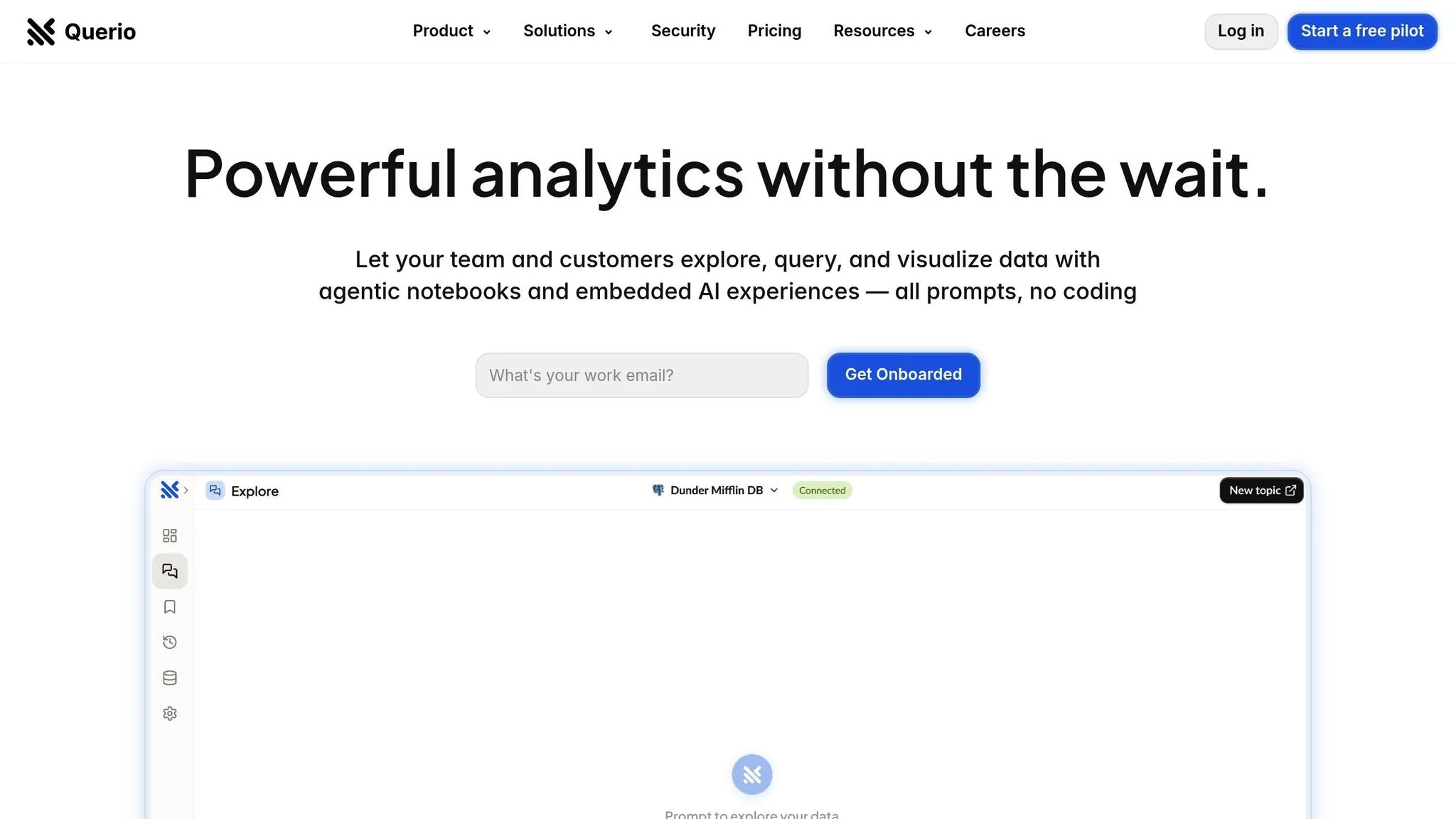
Traditional data platforms can leave business users struggling with complicated queries and overwhelming visualizations. Querio changes the game by building on SQL Server's advanced AI capabilities, delivering real-time insights directly to users in a way that's simple and intuitive. It connects seamlessly to your existing data infrastructure, creating an AI-powered workspace that makes advanced analytics accessible to everyone. Let's dive into how Querio simplifies data analysis for businesses.
Overview of Querio's AI Capabilities
Querio redefines how teams interact with their data by making enterprise data accessible through natural language and removing the technical barriers that often keep business users from accessing critical insights. It serves as an natural language BI workspace, allowing users to ask questions about live data in plain English and receive accurate, visually appealing charts in seconds.
At the heart of Querio is a natural language engine that understands business questions and ensures consistent metric definitions through its customizable context layer. Data teams can define relationships between tables and columns, establish key business metrics, and create a glossary that standardizes terminology across the organization. For example, when someone asks about "customer lifetime value", Querio automatically applies the correct calculations and pulls data from the appropriate sources, ensuring every analysis is accurate and consistent.
For more advanced needs, Querio also supports AI Python notebooks. These notebooks allow data scientists to dive deeper into the same governed data, enabling advanced modeling and statistical analysis alongside the natural language queries used by business users.
Key Features for Data Integration
Querio connects directly to your data sources in real time without the need for data duplication or complex ETL processes. This ensures that analyses are always up-to-date while maintaining strict security standards, including encrypted credentials and SOC 2 Type II compliance.
The platform’s user-friendly drag-and-drop dashboard makes it easy to create detailed KPI tracking systems and engaging data presentations. Users can combine multiple visualizations, add annotations for context, and schedule automated reports to keep stakeholders informed - all without relying on additional tools.
Querio also offers unlimited viewer access, ensuring that insights are available to everyone in the organization. For those who need more advanced features, Querio provides tiered pricing options that scale based on organizational needs, not the number of users. Plus, businesses can embed Querio's natural language querying directly into their applications or customer-facing dashboards, extending its functionality beyond internal use.
| Feature | Benefit |
|---|---|
| Live Connections | Access real-time data without duplicating or transforming it |
| Natural Language Queries | Analyze data without needing SQL skills |
| Context Layer | Standardized definitions for consistent analysis |
| Drag-and-Drop Dashboards | Quickly create interactive visualizations |
| Unlimited Viewers | Share insights across the entire organization |
Compliance and Localization for U.S. Businesses
Querio is built with the specific needs of U.S. businesses in mind. It complies with SOC 2 Type II standards and guarantees a 99.9% uptime SLA, ensuring reliable and secure business intelligence operations.
The platform is localized for U.S. audiences, with currency displayed in USD, dates formatted as MM/DD/YYYY, and numbers using commas for thousands and periods for decimals. This makes it easier for financial analysts, executives, and other stakeholders to interpret and act on the data quickly.
Pricing is designed to align with common U.S. business practices. Annual plans start at $14,000, which includes one database connection, 4,000 prompts per month, and unlimited viewer access. Additional database connections cost $4,000 per year each, and the dashboards add-on is available for $6,000 annually.
For companies that need more control over their data, Querio offers a self-hosted deployment option. This comes with a 50% premium on recurring fees and requires a minimum annual spend of $60,000, giving businesses full oversight of their infrastructure while benefiting from Querio’s advanced analytics. If monthly billing is preferred, it’s available with a 10% surcharge, offering flexibility for organizations with unique budgeting needs.
Best Practices and Considerations
To get the most out of AI in SQL Server, it's essential to follow smart strategies and ensure compliance with relevant regulations. These steps can help you achieve strong performance while staying aligned with legal requirements.
Selecting High-ROI Use Cases
Focus on use cases that deliver the most value, like anomaly detection. AI can automatically identify unusual patterns in transaction data or system performance metrics, offering broader and faster insights compared to manual SQL queries with fixed thresholds. This approach improves both efficiency and coverage [6].
Starting with Prebuilt Models
Kick off your AI journey using prebuilt models designed for common business needs. SQL Server's Machine Learning Services provides algorithms for tasks like classification, regression, and clustering. These models are ready to use with minimal setup, making it easier to demonstrate results quickly before investing in more complex custom solutions.
Good starting points include customer segmentation, sales forecasting, or inventory management. Once these initial models prove successful, you can move on to more advanced scenarios that require tailored development.
Monitoring and Tuning AI Models
AI models need ongoing monitoring and fine-tuning to stay accurate and efficient [5]. Regularly check for inefficiencies, debug issues, and adjust and optimize query execution plans as needed [5]. AI is especially effective at dynamically updating thresholds across large datasets, reducing the risk of overwhelming users with unnecessary alerts [6]. Keeping models aligned with technical best practices and regulatory standards is key to long-term success.
U.S.-Specific Regulatory and Cultural Considerations
In addition to technical optimization, staying compliant with U.S. regulations is crucial. AI-related laws in the U.S. are continually evolving, with state-level rules adding to federal guidelines and executive orders [7]. Organizations should establish governance frameworks that address critical areas like data privacy, algorithm transparency, and auditability while remaining flexible enough to adapt to new regulations.
To meet compliance standards, consider implementing tools for tracking data lineage, adding features for model explainability, and conducting regular bias testing. Make sure to document all AI-related decision-making processes and maintain clear audit trails to simplify regulatory reviews. This proactive approach helps ensure your AI systems are both effective and compliant.
Conclusion
This article explored how AI can elevate SQL Server, revealing the opportunities it brings for U.S. businesses. By combining AI features like natural language querying and predictive analytics with SQL Server's powerful database tools, businesses can uncover deeper insights and streamline their operations.
To get started, focus on use cases that deliver the most impact - such as anomaly detection or customer segmentation. Using prebuilt models can quickly showcase the value of AI, while ongoing adjustments and governance ensure models remain accurate and compliant with evolving business requirements.
A great example of this synergy is Querio, an AI-powered business intelligence solution. Querio works hand-in-hand with SQL Server, enabling natural language queries and SQL generation and instant visualizations to simplify decision-making.
FAQs
::: faq
What are the advantages of using AI in SQL Server for data analysis and business intelligence?
Bringing AI into SQL Server can transform how businesses handle data analysis and business intelligence. It allows you to automate complex queries, boost database performance, and simplify data processing, leading to quicker and more efficient decision-making.
AI also unlocks predictive analytics, which can reveal trends and patterns buried in your data, making business forecasting smarter and more accurate. On top of that, it enables self-service reporting by converting natural language questions into optimized queries. This means users can access insights without needing advanced technical skills.
Incorporating AI into SQL Server enhances operational efficiency, cuts down response times, and delivers actionable insights. These tools help businesses stay ahead of the curve and make well-informed decisions in an ever-competitive landscape. :::
::: faq
What do I need to set up SQL Server for using AI features effectively?
To get your SQL Server ready for AI features, make sure your setup aligns with these key requirements:
- Hardware: You'll need at least 1 GB of memory (512 MB is fine for Express editions), a 1.4 GHz x64 processor (though 2.0 GHz or faster is better), and at least 6 GB of free disk space.
- Software: Ensure you're running Windows 10 or later, or Windows Server 2019 or later, along with .NET Framework 4.7.2.
- Security: Prioritize strong security measures, such as configuring database roles and permissions, to protect your data effectively.
Meeting these requirements ensures your SQL Server is ready to integrate AI features and expand its functionality. :::
::: faq
What should I consider for security and compliance when using AI in SQL Server in the U.S.?
When integrating AI with SQL Server, safeguarding sensitive information and adhering to U.S. regulatory standards should be top priorities. Start by encrypting sensitive data with features like Always Encrypted and Dynamic Data Masking, ensuring its protection both at rest and during transmission. Additionally, use Row-Level Security (RLS) and column-level permissions to control access based on user roles, limiting exposure to unauthorized users.
To maintain oversight, implement robust auditing practices to monitor server and database activities, especially where sensitive data is involved. Strengthen authentication by using Active Directory with multi-factor authentication to add an extra layer of protection. Compliance with regulations like HIPAA, PCI DSS, and SOX requires maintaining secure and updated systems.
For AI-specific concerns, secure gateways can be employed to block unauthorized access and prevent credential leaks. Tools such as Microsoft Purview Data Loss Prevention (DLP) are also invaluable for identifying and safeguarding sensitive data, ensuring it isn’t accessed or processed inappropriately. :::