Business Intelligence
AI data analytics tools for non-technical users
Explore how AI analytics tools empower non-technical users to gain insights effortlessly, transforming data analysis into an accessible asset for all.

AI-powered data analytics tools make it easier for non-technical users to analyze and understand data without needing coding or technical expertise. Here's what you need to know:
-
What They Do: These tools simplify data analysis through features like natural language querying (ask questions in plain English), drag-and-drop dashboards, and automated insights.
-
Why It Matters: Non-technical users can now access insights quickly, without relying on technical teams, speeding up decision-making and improving efficiency.
-
Key Benefits:
-
Natural Language Queries: Ask questions like “What were our top-selling products last quarter?” and get instant answers.
-
Drag-and-Drop Dashboards: Easily create visual reports without coding.
-
Automated Insights: Save time by letting AI clean data, detect trends, and flag anomalies.
-
Collaboration: Share insights and dashboards across teams seamlessly.
-
Speed: Analyze large datasets in minutes, not hours.
-
Quick Comparison Table
| Feature | Advantage | Limitation |
|---|---|---|
| Natural Language Queries | Easy for non-technical users to ask questions | May misinterpret vague queries |
| Drag-and-Drop Dashboards | Build reports without technical skills | Limited for advanced customization |
| Automated Insights | Saves time and spots trends | Relies on data quality |
| Real-Time Processing | Fast insights from live data | Heavy dependence on clean data |
Example: Querio
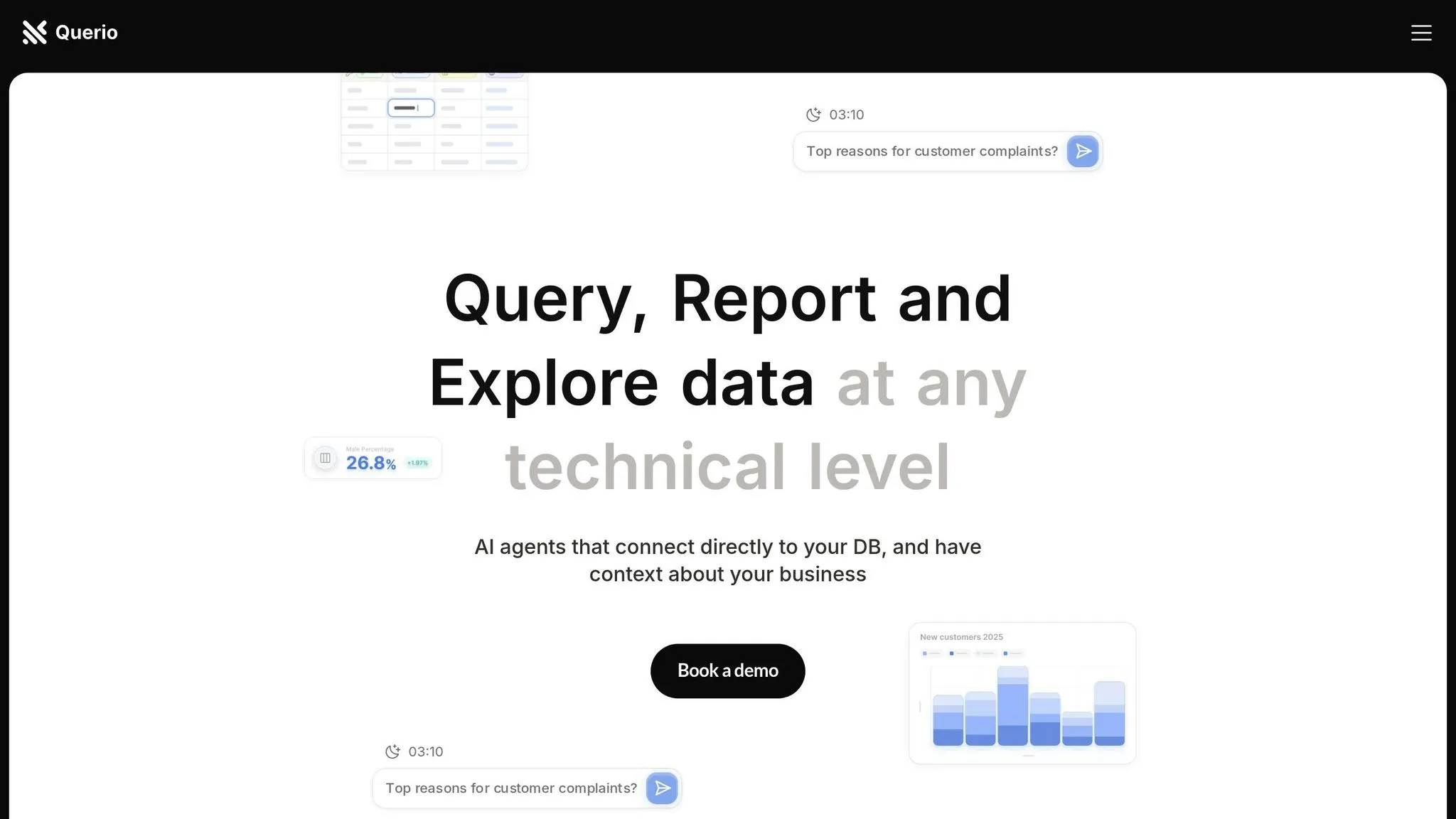
Querio is an AI-driven platform designed for non-technical users. It integrates with data warehouses like Snowflake and BigQuery, allowing users to query data in plain English and create live dashboards. Querio has a free plan, and Core is $2,499/month, with dashboards included on every plan.
AI analytics tools are transforming how businesses use data, making insights accessible to everyone and reducing reliance on technical teams. They’re ideal for sales, finance, and operations teams looking to make quicker, data-driven decisions.
Simplifying AI for Non-Tech Leaders
::: @iframe https://www.youtube.com/embed/ZC5AHhpKN9I :::
Main Features of AI Analytics Tools for Non-Technical Users
Building on the automation of data tasks mentioned earlier, these essential features of modern business intelligence tools make it easier for anyone, regardless of technical expertise, to uncover insights from data. Let’s take a closer look at what makes the best AI analytics tools so user-friendly.
Natural Language Querying
For those without a technical background, natural language querying is a game-changer. It removes the need to learn coding or navigate complex menus. Instead, users can simply type questions like, "What were our top-selling products last quarter?" or "How did revenue change over the past six months?" The AI processes these plain-language queries and delivers clear, actionable insights in seconds. This feature tackles a common hurdle in data analysis - many organizations struggle to utilize unstructured data, with less than 20% making effective use of it due to its complexity [4]. By simplifying access, natural language querying helps make data analysis a tool for everyone in the organization.
Drag-and-Drop Dashboards
Visual control is crucial for non-technical users, and drag-and-drop dashboards make it easy to create custom visualizations. Instead of waiting on technical teams to prepare reports, users can build dashboards themselves in minutes. Just drag a chart or graph into place, tweak it as needed, and voilà - your data comes to life. These dashboards also support real-time collaboration, allowing multiple team members to contribute simultaneously. This ensures that different viewpoints are included, creating a more comprehensive and dynamic presentation of the data.
Automated Insights and Data Preparation
Data preparation often eats up a massive chunk of time - sometimes more than 40% of a project’s timeline [5]. AI analytics tools address this by automating tedious tasks like cleaning data, suggesting visualizations, and spotting anomalies. They can quickly identify errors, standardize formats, and merge datasets, delivering polished, ready-to-use data. Beyond that, these tools excel at finding patterns you might miss and even enrich your data with external details like demographic stats or market trends. This automation not only saves time but also allows users to focus on analyzing results and making strategic decisions. It’s a faster, smarter way to adapt to changing business needs.
Business Use Cases for Non-Technical Users
With tools like natural language querying and drag-and-drop dashboards, AI has made it easier for non-technical users to unlock insights. Let’s look at how sales, finance, and operations teams are using these intuitive features to drive results.
Sales and Revenue Operations
AI is transforming sales processes by enhancing forecast accuracy - up to 10 times better than underperforming teams [8]. It also automates time-consuming tasks like data entry and follow-ups [7], freeing up sales reps to focus on what they do best: building relationships and closing deals. By analyzing historical data, current trends, and market factors, AI delivers more reliable revenue forecasts. This helps managers allocate resources wisely and adjust strategies as needed. Plus, AI-powered insights enable sales reps to create personalized messages that truly connect with potential buyers.
Financial Analysis
Finance teams are turning to AI for automated budgeting, forecasting, and real-time insights to make quicker, smarter decisions. The financial analytics market is projected to grow from $12 billion in 2024 to over $28 billion by 2034 [9], reflecting the rising demand for these tools. With AI, teams can run multiple scenarios in minutes, allowing them to prepare for a variety of future conditions. Real-time insights help spot trends and issues early, while AI-driven cost analysis pinpoints inefficiencies, making it easier to reallocate funds effectively.
Operations Management
AI analytics is helping operations teams uncover inefficiencies that manual methods often overlook. By streamlining communication and automating project tracking, these tools can boost productivity by 23% [10]. They also reduce forecasting errors by up to 50% and cut inventory-related lost sales by as much as 65% [11]. Beyond that, AI supports predictive maintenance, improves quality control, and automates processes across multiple areas. The key is to focus on high-priority areas and ensure data remains clean and accessible for optimal results.
These examples highlight how AI analytics can make a big impact across business functions, paving the way for solutions like Querio to offer user-friendly tools with similar benefits.
sbb-itb-284a532
Overview of Querio: AI Analytics Built for Non-Technical Users
Querio is an AI-driven business intelligence platform designed to deliver fast, clear insights without requiring technical expertise. Unlike traditional analytics tools that often demand SQL skills or complex configurations, Querio allows anyone - from product managers to finance teams - to query live warehouse data in plain English and receive accurate visualizations in seconds.
Main Features of Querio
Querio’s standout feature is its ability to process natural language queries. Users can ask straightforward questions like, "What were our top products last quarter?" and get real-time, secure answers. The platform integrates directly with major data warehouses like Snowflake, BigQuery, and Postgres, using read-only, encrypted credentials for secure access.
The platform also includes a self-service dashboard builder, making it simple to create reports and track key performance indicators (KPIs). These dashboards update automatically with live data, ensuring teams stay informed without manual updates. Whether for storytelling or executive reporting, creating comprehensive dashboards is straightforward.
Another powerful tool is Querio’s context layering system. Data teams can define table joins, business rules, and glossaries once, and these definitions are applied across the organization. This ensures non-technical users get consistent and accurate results while IT teams maintain control over data governance and security.
Additionally, Querio has no per-seat pricing: unlimited users on every plan, enabling organizations to share insights widely without worrying about per-user costs. This approach makes data more accessible while keeping costs manageable, even as teams grow.
These features work together to make Querio a valuable tool for diverse teams across an organization.
How Querio Makes Data Analysis Accessible
Querio breaks down the barriers that often separate business users from their data. For instance, product teams can quickly analyze user behavior, finance departments can generate budget reports on demand, and operations managers can monitor performance metrics - all without waiting on technical teams or navigating complex tools.
The platform’s AI agent handles the heavy lifting, converting business questions into SQL queries and automatically selecting the best visualization for the results. This means users can focus on interpreting insights rather than struggling with technical tasks or waiting for reports from other departments.
Querio also prioritizes security and reliability. With SOC 2 Type II compliance and a 99.9% uptime SLA, the platform ensures sensitive business data is both secure and consistently accessible. This makes it a strong choice for organizations with strict data governance standards.
Pricing and Deployment Options
Querio’s pricing is designed to scale with business needs, offering flexibility for companies of varying sizes. Free costs $0 and includes unlimited users, unlimited data connections, dashboards, and 500 AI credits a month. Core costs $2,499/month ($25,000/year billed annually) and adds 10,000 AI credits a month, SSO, API access, and unlimited automations. Enterprise has custom pricing.
For businesses requiring full control over their data, Querio Enterprise offers single-tenant hosting and on-prem deployment as an add-on. This option provides complete control over data infrastructure while retaining all platform functionality.
Core is available monthly, or billed yearly at a lower monthly rate.
This pricing structure is designed to meet the needs of mid-market companies while still offering the scalability and security features that larger enterprises demand. The lack of per-seat pricing is particularly appealing for organizations looking to expand data accessibility without incurring extra per-user costs.
Benefits and Drawbacks of AI Analytics Tools
AI analytics tools have reshaped how businesses handle data analysis, offering both exciting opportunities and notable challenges. Weighing these pros and cons allows organizations to make informed choices about adopting these technologies while setting realistic expectations for their teams.
Benefits of AI Analytics for Non-Technical Users
One of the standout benefits of AI analytics tools is their ability to make data accessible to everyone in an organization - not just the experts. Employees across all departments can now make informed decisions without needing constant support from analysts or IT teams. A 2022 McKinsey survey revealed that 63% of businesses using AI for decision-making reported revenue growth, a significant jump from 22% in 2020 [1][18].
Speed is another game-changer. These tools process massive datasets in real time, delivering insights almost instantly [2]. By automating tasks like data cleansing, report generation, and trend analysis, AI tools save time, reduce human error, and produce consistent results [1][2][6]. As Orla Day, CIO of Skillsoft, puts it:
"Because AI does not rely on humans, with their biases and limitations, it leads to more accurate results and more consistently accurate results" [17].
AI also excels at spotting patterns and trends that might escape human analysts. This ability fuels predictive analytics, helping businesses anticipate market shifts, detect risks, and seize opportunities early [1]. For example, in 2023, predictive analytics accounted for over 39.8% of the market share in AI-driven data analytics [1].
While these strengths are impressive, organizations must also consider the challenges that come with these tools.
Drawbacks of AI Analytics Tools
AI analytics tools aren't without their hurdles. One major issue is their reliance on high-quality data. If the data is flawed, the insights will be too. Poor data quality costs companies an average of $12.9 million annually [16], making clean datasets a top priority.
Another challenge is the lack of transparency in AI decision-making. Non-technical users often find it hard to understand how AI models arrive at their conclusions, which can erode trust - especially in industries where regulatory transparency is essential [15].
Integration is another sticking point. Merging AI tools with existing systems often requires collaboration between AI experts and domain specialists, which can complicate the process [14]. And while many tools are user-friendly at a basic level, unlocking their advanced features usually demands additional training, posing a barrier for less tech-savvy users.
Cost is another factor to consider. While some solutions offer scalable pricing, enterprise-level tools often require a significant financial commitment. Moreover, ethical concerns, such as bias in AI algorithms, can lead to unfair results [12][14][16]. Gartner predicted in 2018 that 85% of AI projects would fail to meet their objectives due to issues like data bias and flawed algorithms [13].
Feature and Limitation Comparison Table
Below is a quick comparison of key features, their advantages, and potential drawbacks:
| Feature | Advantages | Limitations |
|---|---|---|
| Natural Language Queries | Lets non-technical users ask questions in plain English | May misinterpret complex or vague queries |
| Automated Insights | Speeds up analysis and uncovers patterns | Risk of inaccurate conclusions |
| Real-time Processing | Delivers up-to-date insights instantly | Relies heavily on data quality |
| Drag-and-Drop Dashboards | Simplifies creating reports without coding | Limited flexibility for advanced customization |
| Predictive Analytics | Anticipates trends and risks | Accuracy depends on the quality of historical data |
| Cost Structure | Scalable options from free to enterprise tiers | High-end tools can be expensive |
To navigate these trade-offs effectively, organizations need a strategic approach. Platforms like Querio tackle many of these challenges while delivering robust benefits. As Arnab Bose, Chief Scientific Officer at UST AlphaAI, explains:
"I don't think it's about man versus machine. It's more about using AI technologies to augment and improve performance. That's where the power is" [17].
The best results come when businesses combine AI's automation with human judgment and a strong emphasis on data quality. This balance ensures that AI analytics tools deliver their full potential.
Conclusion: Making Data Analysis Available to Everyone
AI-powered analytics has reshaped the way businesses approach data, making it more accessible than ever. The numbers speak for themselves: the global AI in data analytics market is expected to grow from $18.5 billion in 2023 to an astounding $236.1 billion by 2033 [1]. This shift underscores a new era of data-driven decision-making.
Main Takeaways
AI analytics tools have broken down traditional barriers, allowing teams across departments - like sales, finance, and operations - to extract meaningful insights without needing technical expertise. Features such as natural language querying, drag-and-drop dashboards, and automated insights have made navigating complex datasets a straightforward task for non-technical users.
This growing adoption highlights a clear trend toward greater data accessibility. Organizations are seeing benefits like improved agility and faster decision-making. But achieving success with AI analytics isn’t just about adopting the tools. The most impactful strategies blend AI's automation capabilities with human insight and strong governance. As Joe Greenwood, VP of Global Data Strategy at Mastercard, puts it:
"The challenge isn't just providing access to data - it's providing access within a framework that maintains security, compliance, and quality standards. Organizations that solve this paradox gain a significant competitive advantage through faster, more confident decision-making." [3]
To fully leverage these tools, businesses need to take deliberate steps to embed AI analytics into their operations.
Next Steps for Modern Businesses
The journey toward accessible data is both a technological and cultural transformation. Businesses should start by setting clear goals, ensuring data quality, and identifying use cases that deliver immediate impact.
The path forward is clear: plan strategically and move quickly. Patrick Davis, Senior Vice President at Community Reinvestment Fund, emphasizes this approach:
"We shouldn't expect small business owners to be data scientists. We should build products and services for small business owners that help them make sense of their data, make better decisions, connect to resources at the right time, and better manage the overall financial performance of their businesses." [20]
This mindset applies universally. The aim is to empower every team member with actionable insights, not to turn them into technical experts.
Platforms like Querio illustrate how this can work in practice. With features like natural language querying and drag-and-drop dashboards, teams can ask questions in plain English and get instant, accurate visualizations - all while adhering to enterprise-level security and governance standards.
Making data accessible goes beyond adopting advanced tools - it’s about fostering a culture where data-driven decision-making becomes second nature. Organizations that embrace this shift are positioning themselves for long-term success. With 93% of IT and information security leaders actively involved in their organizations' AI security efforts [19], the foundation for safe and widespread AI adoption is already being laid.
The future belongs to businesses that can unlock the potential of their data and make it available to everyone who needs it. AI analytics tools have turned this vision into a practical reality, offering solutions that are both effective and within reach for companies of all sizes.
FAQs
::: faq
How do AI-powered analytics tools ensure accurate and reliable data for users without technical expertise?
AI-powered analytics tools are designed to make data accuracy and reliability accessible, even for those without technical expertise. These tools handle tasks like data profiling, validation, and cleansing automatically, ensuring that errors are identified and corrected before any analysis begins. The result? Clean, ready-to-use data without the hassle.
Many of these tools also use machine learning to spot anomalies and flag potential problems in the data. By automating these processes, users can trust the insights they get - no technical background required. This blend of automation and AI-driven checks ensures strong data integrity, allowing for quicker and smarter decision-making. :::
::: faq
What challenges might non-technical users face when using AI-powered data analytics tools?
Non-technical users often face a few stumbling blocks when working with AI-driven data analytics tools. A frequent issue is misunderstanding what these tools can and cannot do, which can either inflate expectations or cause users to miss out on their full potential. Another challenge lies in making sense of AI-generated insights, which can feel daunting without clear instructions or adequate training.
There’s also the matter of data quality and biases in datasets - both of which can skew results and diminish accuracy. Tackling these obstacles requires a focus on user education, designing interfaces that are easy to navigate, and establishing solid data management practices. These steps can help users make the most of AI analytics tools and the insights they provide. :::
::: faq
How can businesses seamlessly integrate AI analytics tools like Querio into their current data systems?
To bring AI analytics tools like Querio into your existing data systems effectively, you’ll want to start with ensuring data compatibility and quality. Check that your current systems meet the tool’s technical needs and resolve any data inconsistencies before moving forward. Clean, reliable data is the foundation for meaningful insights.
The next step is planning and security. Create a detailed integration plan to reduce disruptions during the transition and safeguard sensitive data. At the same time, don’t overlook team training - equipping your employees with the knowledge to use the tool effectively is key to unlocking its full potential.
Lastly, adopt an iterative approach. Start small with a pilot implementation, track its performance, and tweak as necessary. This step-by-step process helps the tool fit seamlessly into your workflows while delivering results without overwhelming your team or systems. :::